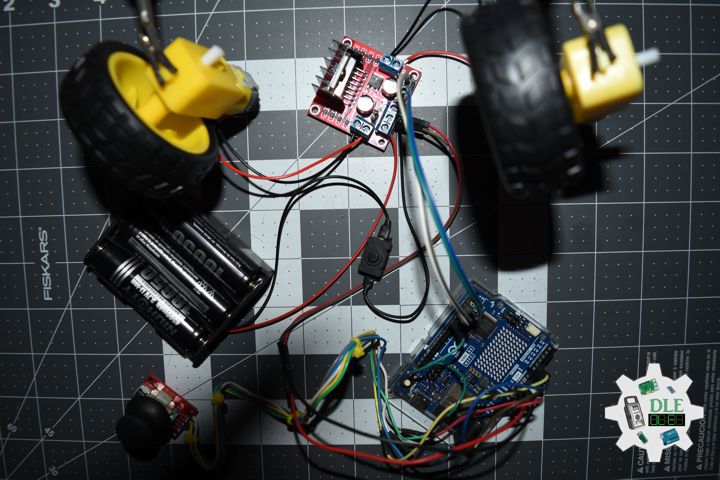
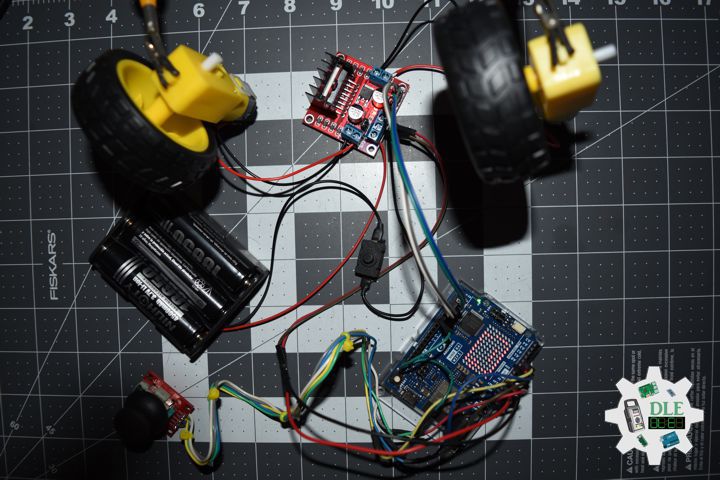
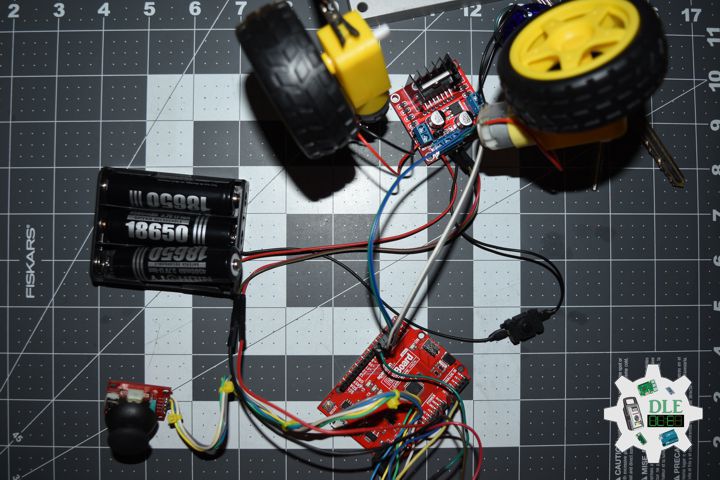
Project #12: Robotics – Joystick – Mk35

——

#DonLucElectronics #DonLuc #Robotics #Joystick #L298N #MotorDC #SparkFunRedBoard #Project #Fritzing #Programming #Electronics #Microcontrollers #Consultant

——

Joystick

——

Joystick

——

Joystick

——

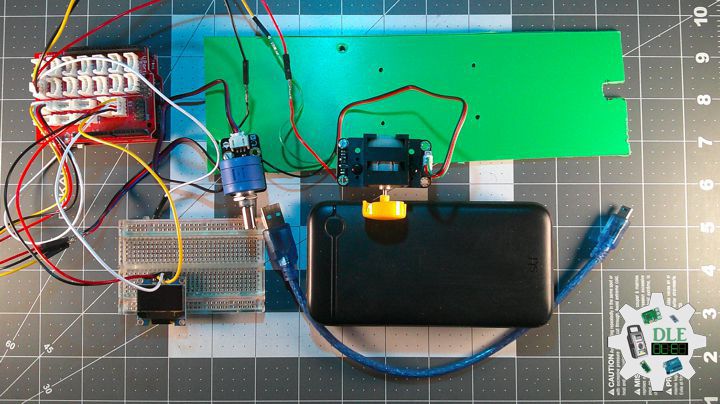
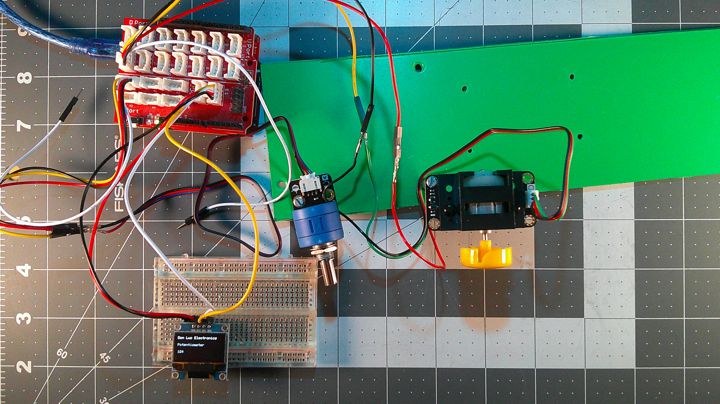
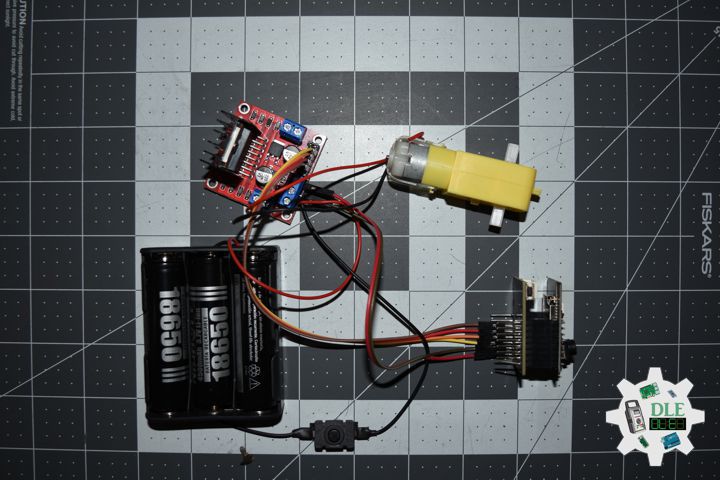
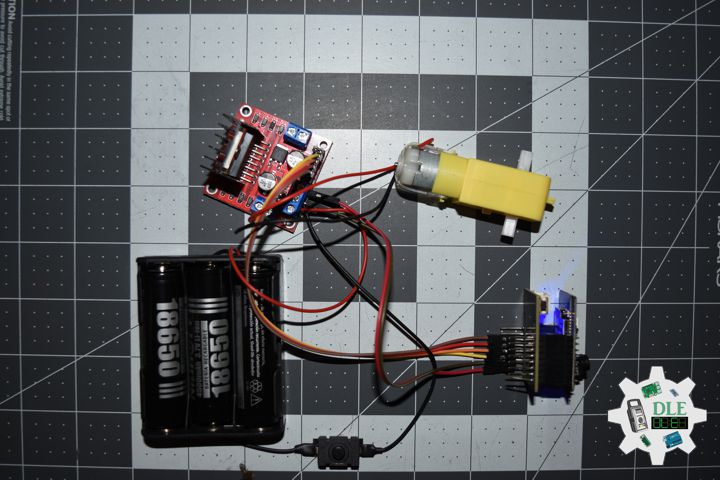
Thumb Joystick

The classic ‘PS2-style’ analog joystick. Features smooth dual-axis control (two 10k pots) and a satisfying integrated push-button click.

SparkFun Thumb Joystick Breakout

Stop struggling with weird pin spacing. This breakout board routes the Thumb Joystick connections to a standard 0.1″ header for easy breadboarding.

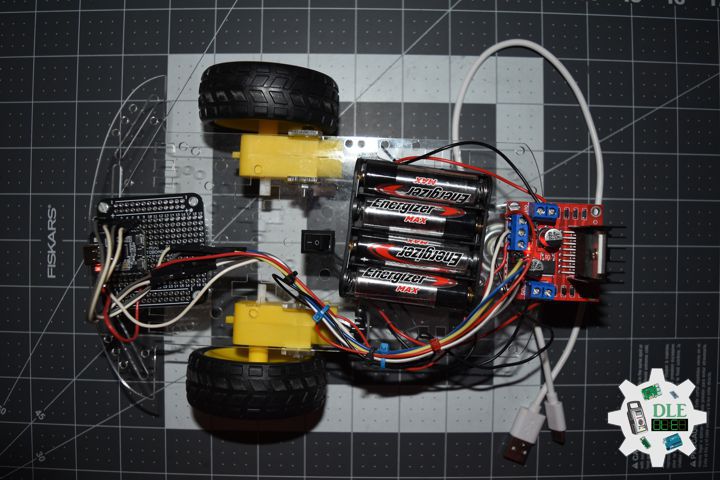
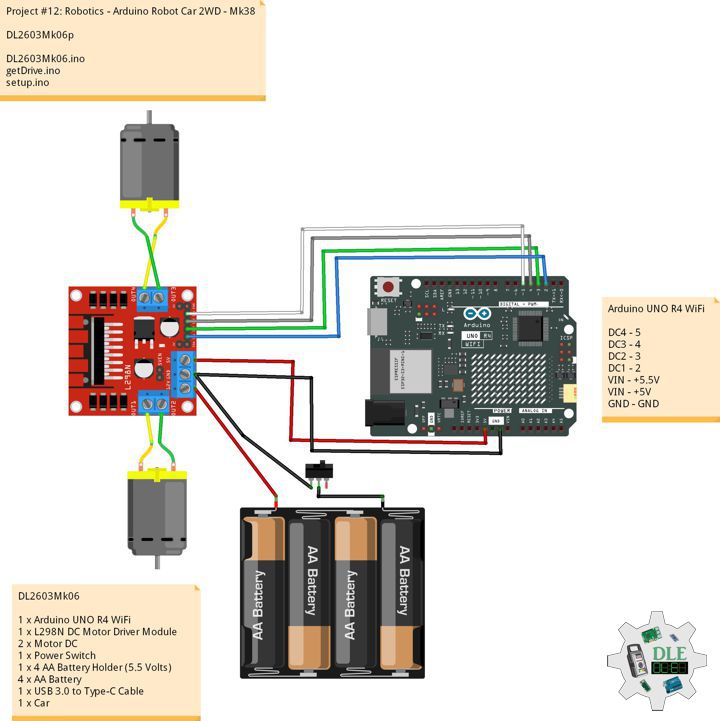
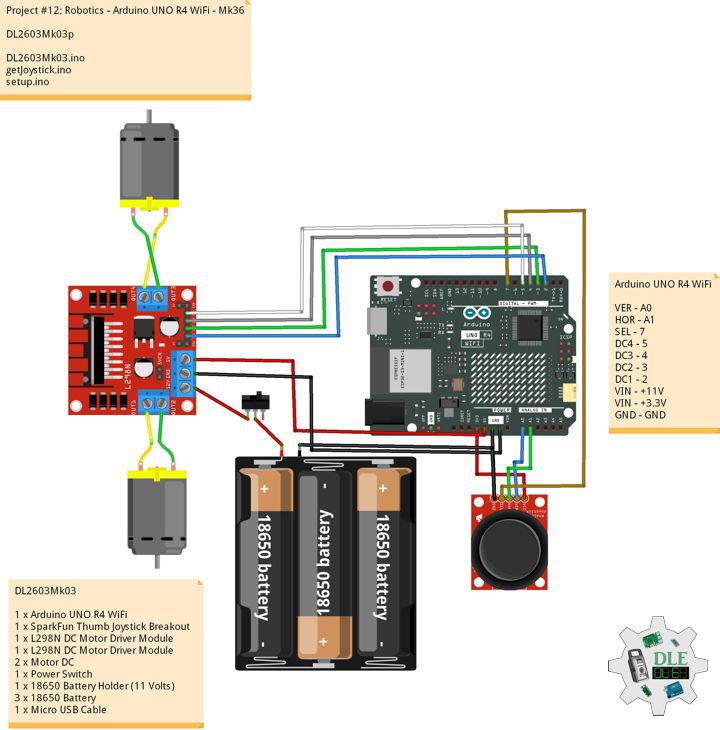
DL2603Mk01

1 x SparkFun RedBoard Qwiic
1 x Thumb Joystick
1 x SparkFun Thumb Joystick Breakout
1 x L298N DC Motor Driver Module
2 x Motor DC
1 x Power Switch
1 x 18650 Battery Holder (11 Volts)
3 x 18650 Battery
1 x Micro USB Cable

DL2603Mk01p

DL2603Mk01p.ino

/****** Don Luc Electronics © ******
Software Version Information
Project #12: Robotics - Joystick - Mk35
12-35
DL2603Mk01p.ino
DL2603Mk01
1 x SparkFun RedBoard Qwiic
1 x Thumb Joystick
1 x SparkFun Thumb Joystick Breakout
1 x L298N DC Motor Driver Module
2 x Motor DC
1 x Power Switch
1 x 18650 Battery Holder (11 Volts)
3 x 18650 Battery
1 x Micro USB Cable
*/

// Include the Library Code

// Joystick
// Vertical
const int VERT = A0;
int vertical;
// Horizontal
const int HORIZ = A1;
int horizontal;
// Sel
const int SEL = 7;
int select;

// Motor DC 1 
int motor1pin1 = 2;
int motor1pin2 = 3;

// Motor DC 2
int motor2pin1 = 4;
int motor2pin2 = 5;

// Software Version Information
String sver = "12-35";

void loop() {

  // is Joystick
  isJoystick();

}

getJoystick.ino

// Joystick
// is Joystick
void isJoystick(){

  // Vertical
  vertical = analogRead(VERT);

  // Moving Forward
  if (vertical < 20) {
      
    // Moving Forward
    digitalWrite(motor1pin1, HIGH);
    digitalWrite(motor1pin2, LOW);
    digitalWrite(motor2pin1, HIGH); 
    digitalWrite(motor2pin2, LOW);    
    
  }
  
  // Moving Backwards
  if (vertical > 500) {
    
    // Moving Backwards
    digitalWrite(motor1pin1, LOW);
    digitalWrite(motor1pin2, HIGH);
    digitalWrite(motor2pin1, LOW); 
    digitalWrite(motor2pin2, HIGH);
  
  }

  // Horizontal
  horizontal = analogRead(HORIZ);

  // Moving Right
  if (horizontal < 25){

    // Moving Right
    digitalWrite(motor1pin1, LOW);
    digitalWrite(motor1pin2, HIGH);
    digitalWrite(motor2pin1, LOW); 
    digitalWrite(motor2pin2, LOW);

  }

// Moving Left
  if (horizontal > 500 ){

    // Moving Left
    digitalWrite(motor1pin1, LOW);
    digitalWrite(motor1pin2, LOW);
    digitalWrite(motor2pin1, LOW); 
    digitalWrite(motor2pin2, HIGH);

  }

  // LOW (0) if pressed
  select = digitalRead(SEL);

  // Select
  if (select == LOW) {
      
    // Stop
    digitalWrite(motor1pin1, LOW);
    digitalWrite(motor1pin2, LOW);
    digitalWrite(motor2pin1, LOW); 
    digitalWrite(motor2pin2, LOW);

  }

}

setup.ino

// Setup
void setup()
{
 
  // Motor DC 1
  pinMode(motor1pin1, OUTPUT);
  pinMode(motor1pin2, OUTPUT);

  // Motor DC 2
  pinMode(motor2pin1, OUTPUT);
  pinMode(motor2pin2, OUTPUT);

  // SEL Input
  pinMode(SEL, INPUT_PULLUP);

}

——

People can contact us: https://www.donluc.com/?page_id=1927

Consultant, R&D, Electronics, IoT, Teacher and Instructor

  • Programming Language
  • Single-Board Microcontrollers (PIC, Arduino, Raspberry Pi, Arm, Silicon Labs, Espressif, Etc…)
  • IoT
  • Wireless (Radio Frequency, Bluetooth, WiFi, Etc…)
  • Robotics
  • Automation
  • Camera and Video Capture Receiver Stationary, Wheel/Tank , Underwater and UAV Vehicle
  • Unmanned Vehicles Terrestrial, Marine and UAV
  • Machine Learning
  • Artificial Intelligence (AI)
  • RTOS
  • Sensors, eHealth Sensors, Biosensor, and Biometric
  • Research & Development (R & D)
  • Consulting

Follow Us

Luc Paquin – Curriculum Vitae – 2026
https://www.donluc.com/luc/LucPaquinCVEng2026Mk01.pdf
https://www.donluc.com/luc/

Web: https://www.donluc.com/
Web: https://www.jlpconsultants.com/
Facebook: https://www.facebook.com/neosteam.labs.9/
YouTube: https://www.youtube.com/@thesass2063
DFRobot: https://learn.dfrobot.com/user-10186.html
Elecrow: https://www.elecrow.com/share/sharepj/center/no/760816d385ebb1edc0732fd873bfbf13
TikTok: https://www.tiktok.com/@luc.paquin8
Hackster: https://www.hackster.io/luc-paquin
LinkedIn: https://www.linkedin.com/in/jlucpaquin/

Don Luc

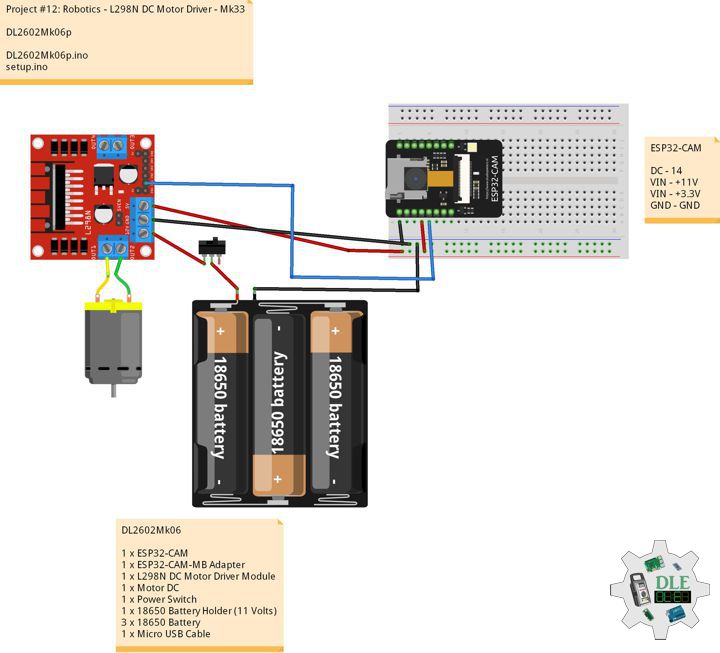
Project #12: Robotics – L298N DC Motor Driver – Mk33

——

#DonLucElectronics #DonLuc #L298N #MotorDC #ESP32CAM #ESP32 #IoT #Project #Fritzing #Programming #Electronics #Microcontrollers #Consultant

——
L298N DC Motor Driver

——

L298N DC Motor Driver

——

L298N DC Motor Driver

——

L298n Motor Driver

That’s where the L298N motor driver module comes in. It acts as a bridge between your low-power Arduino and your high-power motors. You send small control signals from the Arduino, and the L298N safely handles the higher current required by the Motor DC.

DL2602Mk06

1 x ESP32-CAM
1 x ESP32-CAM-MB Adapter
1 x L298N DC Motor Driver Module
1 x Motor DC
1 x Power Switch
1 x 18650 Battery Holder (11 Volts)
3 x 18650 Battery
1 x Micro USB Cable

DL2602Mk06p

DL2602Mk06p.ino

/****** Don Luc Electronics © ******
Software Version Information
Project #12: Robotics - L298N DC Motor Driver - Mk33
12-33
DL2602Mk06p.ino
DL2602Mk06
1 x ESP32-CAM
1 x ESP32-CAM-MB Adapter
1 x L298N DC Motor Driver Module
1 x Motor DC
1 x Power Switch
1 x 18650 Battery Holder (11 Volts)
3 x 18650 Battery
1 x Micro USB Cable
*/

// Include the Library Code

// Motor DC 1 
int motor1pin1 = 14;

// Software Version Information
String sver = "12-33";

void loop() {
  
  // Motor DC 1 
  digitalWrite(motor1pin1,   HIGH);

  // Delay 3 Seconds
  delay(3000);

  // Motor DC 1 
  digitalWrite(motor1pin1,   LOW);

  // Delay 3 Seconds
  delay(3000);

}

setup.ino

// Setup
void setup()
{
 
  // Motor DC 1
  pinMode(motor1pin1, OUTPUT);

}

——

People can contact us: https://www.donluc.com/?page_id=1927

Consultant, R&D, Electronics, IoT, Teacher and Instructor

  • Programming Language
  • Single-Board Microcontrollers (PIC, Arduino, Raspberry Pi, Arm, Silicon Labs, Espressif, Etc…)
  • IoT
  • Wireless (Radio Frequency, Bluetooth, WiFi, Etc…)
  • Robotics
  • Automation
  • Camera and Video Capture Receiver Stationary, Wheel/Tank , Underwater and UAV Vehicle
  • Unmanned Vehicles Terrestrial, Marine and UAV
  • Machine Learning
  • Artificial Intelligence (AI)
  • RTOS
  • Sensors, eHealth Sensors, Biosensor, and Biometric
  • Research & Development (R & D)
  • Consulting

Follow Us

Luc Paquin – Curriculum Vitae – 2026
https://www.donluc.com/luc/LucPaquinCVEng2026Mk01.pdf
https://www.donluc.com/luc/

Web: https://www.donluc.com/
Web: https://www.jlpconsultants.com/
Facebook: https://www.facebook.com/neosteam.labs.9/
YouTube: https://www.youtube.com/@thesass2063
DFRobot: https://learn.dfrobot.com/user-10186.html
Elecrow: https://www.elecrow.com/share/sharepj/center/no/760816d385ebb1edc0732fd873bfbf13
TikTok: https://www.tiktok.com/@luc.paquin8
Hackster: https://www.hackster.io/luc-paquin
LinkedIn: https://www.linkedin.com/in/jlucpaquin/

Don Luc

Project #12: Robotics – Web Server – Mk32

——

#DonLucElectronics #DonLuc #Camera #ESP32CAM #ESP32 #IoT #Project #Fritzing #Programming #Electronics #Microcontrollers #Consultant

——

Web Server

——

Web Server

——

Web Server

——

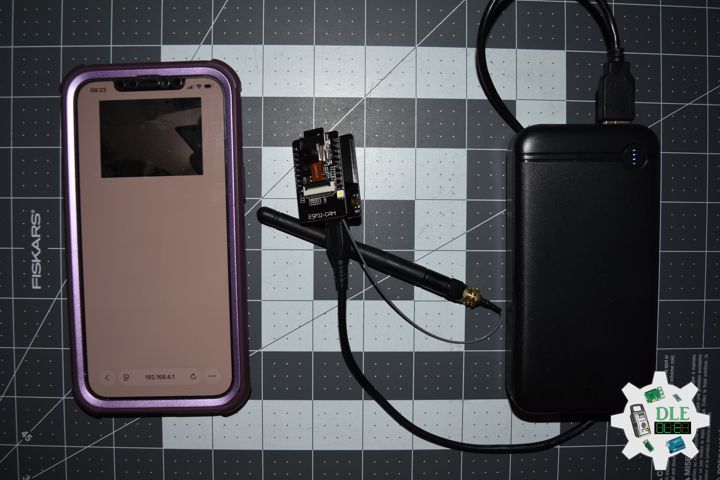
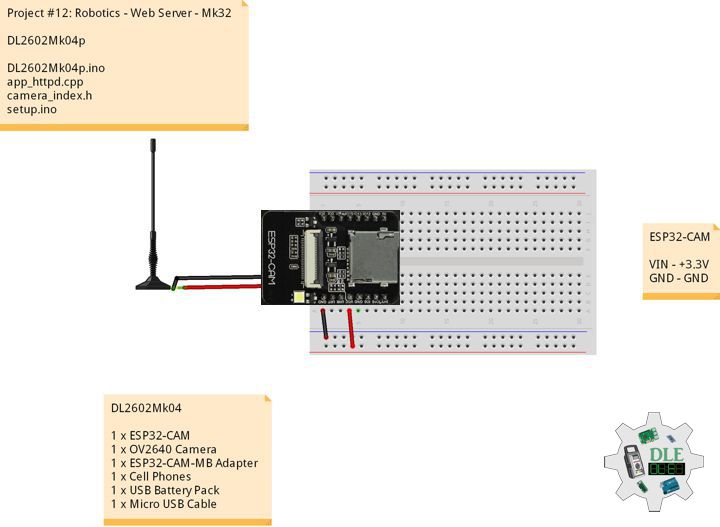
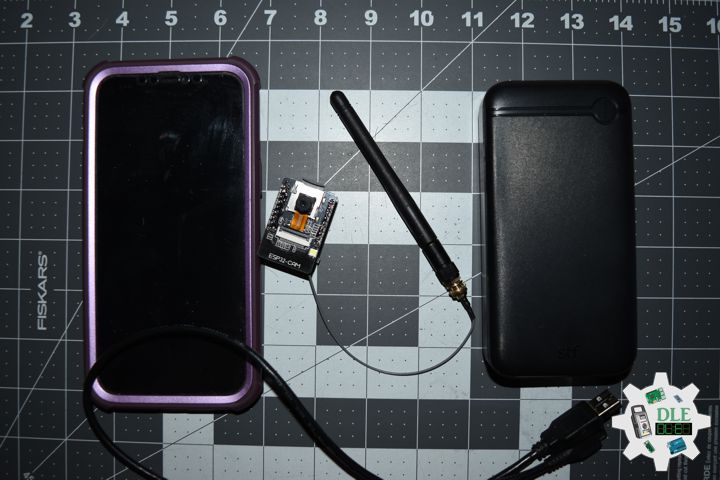
ESP32-CAM Video Streaming Web Server

ESP32-CAM to stream live feed from the OV2640 camera to a Cell Phones browser.

DL2602Mk04

1 x ESP32-CAM
1 x OV2640 Camera
1 x ESP32-CAM-MB Adapter
1 x Cell Phones
1 x USB Battery Pack
1 x Micro USB Cable

DL2602Mk04p

DL2602Mk04p.ino

/****** Don Luc Electronics © ******
Software Version Information
Project #12: Robotics - Web Server - Mk32
12-32
DL2602Mk04p.ino
DL2602Mk04
1 x ESP32-CAM
1 x OV2640 Camera
1 x ESP32-CAM-MB Adapter
1 x Cell Phones
1 x USB Battery Pack
1 x Micro USB Cable
*/

// Include the Library Code
 // ESP Camera
#include "esp_camera.h"
// WifI
#include <WiFi.h>

//#define CAMERA_MODEL_AI_THINKER
const char* ssid1 = "Robot_Mk32";
const char* password1 = "";

// Pin definition for CAMERA_MODEL_AI_THINKER
#define PWDN_GPIO_NUM     32
#define RESET_GPIO_NUM    -1
#define XCLK_GPIO_NUM      0
#define SIOD_GPIO_NUM     26
#define SIOC_GPIO_NUM     27
#define Y9_GPIO_NUM       35
#define Y8_GPIO_NUM       34
#define Y7_GPIO_NUM       39
#define Y6_GPIO_NUM       36
#define Y5_GPIO_NUM       21
#define Y4_GPIO_NUM       19
#define Y3_GPIO_NUM       18
#define Y2_GPIO_NUM        5
#define VSYNC_GPIO_NUM    25
#define HREF_GPIO_NUM     23
#define PCLK_GPIO_NUM     22

// WiFi Addr
extern String WiFiAddr ="";

// Camera Server
void startCameraServer();

// Software Version Information
String sver = "12-32";

void loop() {
  
}

app_httpd.cpp

// WiFi Server
#include "esp_http_server.h"
// Timer
#include "esp_timer.h"
// Camera
#include "esp_camera.h"
// Converters
#include "img_converters.h"
// Camera Index
#include "camera_index.h"
// Arduino
#include "Arduino.h"
// LED
#include "driver/ledc.h"
// Disable brownout problems
#include "soc/soc.h"
// Disable brownout problems
#include "soc/rtc_cntl_reg.h" 
// Driver
#include "driver/rtc_io.h"

// WiFi
extern String WiFiAddr;

// 
typedef struct {
        size_t size; //number of values used for filtering
        size_t index; //current value index
        size_t count; //value count
        int sum;
        int * values; //array to be filled with values
} ra_filter_t;

typedef struct {
        httpd_req_t *req;
        size_t len;
} jpg_chunking_t;

#define PART_BOUNDARY "123456789000000000000987654321"
static const char* _STREAM_CONTENT_TYPE = "multipart/x-mixed-replace;boundary=" PART_BOUNDARY;
static const char* _STREAM_BOUNDARY = "\r\n--" PART_BOUNDARY "\r\n";
static const char* _STREAM_PART = "Content-Type: image/jpeg\r\nContent-Length: %u\r\n\r\n";

static ra_filter_t ra_filter;
httpd_handle_t stream_httpd = NULL;
httpd_handle_t camera_httpd = NULL;

static ra_filter_t * ra_filter_init(ra_filter_t * filter, size_t sample_size){
    memset(filter, 0, sizeof(ra_filter_t));

    filter->values = (int *)malloc(sample_size * sizeof(int));
    if(!filter->values){
        return NULL;
    }
    memset(filter->values, 0, sample_size * sizeof(int));

    filter->size = sample_size;
    return filter;
}

static int ra_filter_run(ra_filter_t * filter, int value){
    if(!filter->values){
        return value;
    }
    filter->sum -= filter->values[filter->index];
    filter->values[filter->index] = value;
    filter->sum += filter->values[filter->index];
    filter->index++;
    filter->index = filter->index % filter->size;
    if (filter->count < filter->size) {
        filter->count++;
    }
    return filter->sum / filter->count;
}

static size_t jpg_encode_stream(void * arg, size_t index, const void* data, size_t len){
    jpg_chunking_t *j = (jpg_chunking_t *)arg;
    if(!index){
        j->len = 0;
    }
    if(httpd_resp_send_chunk(j->req, (const char *)data, len) != ESP_OK){
        return 0;
    }
    j->len += len;
    return len;
}

static esp_err_t capture_handler(httpd_req_t *req){
    camera_fb_t * fb = NULL;
    esp_err_t res = ESP_OK;
    int64_t fr_start = esp_timer_get_time();

    fb = esp_camera_fb_get();
    if (!fb) {
        //Serial.printf("Camera capture failed");
        httpd_resp_send_500(req);
        return ESP_FAIL;
    }

    httpd_resp_set_type(req, "image/jpeg");
    httpd_resp_set_hdr(req, "Content-Disposition", "inline; filename=capture.jpg");

    size_t fb_len = 0;
    if(fb->format == PIXFORMAT_JPEG){
        fb_len = fb->len;
        res = httpd_resp_send(req, (const char *)fb->buf, fb->len);
    } else {
        jpg_chunking_t jchunk = {req, 0};
        res = frame2jpg_cb(fb, 80, jpg_encode_stream, &jchunk)?ESP_OK:ESP_FAIL;
        httpd_resp_send_chunk(req, NULL, 0);
        fb_len = jchunk.len;
    }
    esp_camera_fb_return(fb);
    int64_t fr_end = esp_timer_get_time();
    Serial.printf("JPG: %uB %ums", (uint32_t)(fb_len), (uint32_t)((fr_end - fr_start)/1000));
    return res;
}

static esp_err_t stream_handler(httpd_req_t *req){
    camera_fb_t * fb = NULL;
    esp_err_t res = ESP_OK;
    size_t _jpg_buf_len = 0;
    uint8_t * _jpg_buf = NULL;
    char * part_buf[64];

    static int64_t last_frame = 0;
    if(!last_frame) {
        last_frame = esp_timer_get_time();
    }

    res = httpd_resp_set_type(req, _STREAM_CONTENT_TYPE);
    if(res != ESP_OK){
        return res;
    }

    while(true){
        fb = esp_camera_fb_get();
        if (!fb) {
            Serial.printf("Camera capture failed");
            res = ESP_FAIL;
        } else {
            if(fb->format != PIXFORMAT_JPEG){
                bool jpeg_converted = frame2jpg(fb, 80, &_jpg_buf, &_jpg_buf_len);
                esp_camera_fb_return(fb);
                fb = NULL;
                if(!jpeg_converted){
                    Serial.printf("JPEG compression failed");
                    res = ESP_FAIL;
                }
            } else {
                _jpg_buf_len = fb->len;
                _jpg_buf = fb->buf;
            }
        }
        if(res == ESP_OK){
            size_t hlen = snprintf((char *)part_buf, 64, _STREAM_PART, _jpg_buf_len);
            res = httpd_resp_send_chunk(req, (const char *)part_buf, hlen);
        }
        if(res == ESP_OK){
            res = httpd_resp_send_chunk(req, (const char *)_jpg_buf, _jpg_buf_len);
        }
        if(res == ESP_OK){
            res = httpd_resp_send_chunk(req, _STREAM_BOUNDARY, strlen(_STREAM_BOUNDARY));
        }
        if(fb){
            esp_camera_fb_return(fb);
            fb = NULL;
            _jpg_buf = NULL;
        } else if(_jpg_buf){
            free(_jpg_buf);
            _jpg_buf = NULL;
        }
        if(res != ESP_OK){
            break;
        }
        int64_t fr_end = esp_timer_get_time();

        int64_t frame_time = fr_end - last_frame;
        last_frame = fr_end;
        frame_time /= 1000;
        uint32_t avg_frame_time = ra_filter_run(&ra_filter, frame_time);
        Serial.printf("MJPG: %uB %ums (%.1ffps), AVG: %ums (%.1ffps)"
            ,(uint32_t)(_jpg_buf_len),
            (uint32_t)frame_time, 1000.0 / (uint32_t)frame_time,
            avg_frame_time, 1000.0 / avg_frame_time
        );
    }

    last_frame = 0;
    return res;
}

static esp_err_t cmd_handler(httpd_req_t *req){
    char*  buf;
    size_t buf_len;
    char variable[32] = {0,};
    char value[32] = {0,};

    buf_len = httpd_req_get_url_query_len(req) + 1;
    if (buf_len > 1) {
        buf = (char*)malloc(buf_len);
        if(!buf){
            httpd_resp_send_500(req);
            return ESP_FAIL;
        }
        if (httpd_req_get_url_query_str(req, buf, buf_len) == ESP_OK) {
            if (httpd_query_key_value(buf, "var", variable, sizeof(variable)) == ESP_OK &&
                httpd_query_key_value(buf, "val", value, sizeof(value)) == ESP_OK) {
            } else {
                free(buf);
                httpd_resp_send_404(req);
                return ESP_FAIL;
            }
        } else {
            free(buf);
            httpd_resp_send_404(req);
            return ESP_FAIL;
        }
        free(buf);
    } else {
        httpd_resp_send_404(req);
        return ESP_FAIL;
    }

    int val = atoi(value);
    sensor_t * s = esp_camera_sensor_get();
    int res = 0;

    if(!strcmp(variable, "framesize")) {
        if(s->pixformat == PIXFORMAT_JPEG) res = s->set_framesize(s, (framesize_t)val);
    }
    else if(!strcmp(variable, "quality")) res = s->set_quality(s, val);
    else if(!strcmp(variable, "contrast")) res = s->set_contrast(s, val);
    else if(!strcmp(variable, "brightness")) res = s->set_brightness(s, val);
    else if(!strcmp(variable, "saturation")) res = s->set_saturation(s, val);
    else if(!strcmp(variable, "gainceiling")) res = s->set_gainceiling(s, (gainceiling_t)val);
    else if(!strcmp(variable, "colorbar")) res = s->set_colorbar(s, val);
    else if(!strcmp(variable, "awb")) res = s->set_whitebal(s, val);
    else if(!strcmp(variable, "agc")) res = s->set_gain_ctrl(s, val);
    else if(!strcmp(variable, "aec")) res = s->set_exposure_ctrl(s, val);
    else if(!strcmp(variable, "hmirror")) res = s->set_hmirror(s, val);
    else if(!strcmp(variable, "vflip")) res = s->set_vflip(s, val);
    else if(!strcmp(variable, "awb_gain")) res = s->set_awb_gain(s, val);
    else if(!strcmp(variable, "agc_gain")) res = s->set_agc_gain(s, val);
    else if(!strcmp(variable, "aec_value")) res = s->set_aec_value(s, val);
    else if(!strcmp(variable, "aec2")) res = s->set_aec2(s, val);
    else if(!strcmp(variable, "dcw")) res = s->set_dcw(s, val);
    else if(!strcmp(variable, "bpc")) res = s->set_bpc(s, val);
    else if(!strcmp(variable, "wpc")) res = s->set_wpc(s, val);
    else if(!strcmp(variable, "raw_gma")) res = s->set_raw_gma(s, val);
    else if(!strcmp(variable, "lenc")) res = s->set_lenc(s, val);
    else if(!strcmp(variable, "special_effect")) res = s->set_special_effect(s, val);
    else if(!strcmp(variable, "wb_mode")) res = s->set_wb_mode(s, val);
    else if(!strcmp(variable, "ae_level")) res = s->set_ae_level(s, val);
    else {
        res = -1;
    }

    if(res){
        return httpd_resp_send_500(req);
    }

    httpd_resp_set_hdr(req, "Access-Control-Allow-Origin", "*");
    return httpd_resp_send(req, NULL, 0);
}

static esp_err_t status_handler(httpd_req_t *req){
    static char json_response[1024];

    sensor_t * s = esp_camera_sensor_get();
    char * p = json_response;
    *p++ = '{';

    p+=sprintf(p, "\"framesize\":%u,", s->status.framesize);
    p+=sprintf(p, "\"quality\":%u,", s->status.quality);
    p+=sprintf(p, "\"brightness\":%d,", s->status.brightness);
    p+=sprintf(p, "\"contrast\":%d,", s->status.contrast);
    p+=sprintf(p, "\"saturation\":%d,", s->status.saturation);
    p+=sprintf(p, "\"special_effect\":%u,", s->status.special_effect);
    p+=sprintf(p, "\"wb_mode\":%u,", s->status.wb_mode);
    p+=sprintf(p, "\"awb\":%u,", s->status.awb);
    p+=sprintf(p, "\"awb_gain\":%u,", s->status.awb_gain);
    p+=sprintf(p, "\"aec\":%u,", s->status.aec);
    p+=sprintf(p, "\"aec2\":%u,", s->status.aec2);
    p+=sprintf(p, "\"ae_level\":%d,", s->status.ae_level);
    p+=sprintf(p, "\"aec_value\":%u,", s->status.aec_value);
    p+=sprintf(p, "\"agc\":%u,", s->status.agc);
    p+=sprintf(p, "\"agc_gain\":%u,", s->status.agc_gain);
    p+=sprintf(p, "\"gainceiling\":%u,", s->status.gainceiling);
    p+=sprintf(p, "\"bpc\":%u,", s->status.bpc);
    p+=sprintf(p, "\"wpc\":%u,", s->status.wpc);
    p+=sprintf(p, "\"raw_gma\":%u,", s->status.raw_gma);
    p+=sprintf(p, "\"lenc\":%u,", s->status.lenc);
    p+=sprintf(p, "\"hmirror\":%u,", s->status.hmirror);
    p+=sprintf(p, "\"dcw\":%u,", s->status.dcw);
    p+=sprintf(p, "\"colorbar\":%u", s->status.colorbar);
    *p++ = '}';
    *p++ = 0;
    httpd_resp_set_type(req, "application/json");
    httpd_resp_set_hdr(req, "Access-Control-Allow-Origin", "*");
    return httpd_resp_send(req, json_response, strlen(json_response));
}

static esp_err_t index_handler(httpd_req_t *req){
   httpd_resp_set_type(req, "text/html");
   String page = "";
page += "<meta name=\"viewport\" content=\"width=device-width, initial-scale=1.0, maximum-scale=1.0, user-scalable=0\">\n";
page +="<style>.test{-moz-user-select: none;-o-user-select:none;-khtml-user-select:none;-webkit-user-select:none;-ms-user-select:none;user-select:none;}</style>";

page += "<script>var xhttp = new XMLHttpRequest();</script>";
page += "<script>function getsend(arg) { xhttp.open('GET', arg +'?' + new Date().getTime(), true); xhttp.send() } </script>";
//page += "<p align=center><IMG SRC='http://" + WiFiAddr + ":81/stream' style='width:280px;'></p><br/><br/>";
page += "<p align=center><IMG SRC='http://" + WiFiAddr + ":81/stream' style='width:300px; transform:rotate(0deg);'></p><br/><br/>";
page +="<div unselectable=\"on\" onselectstart=\"return false\">";
//page += "<p align=center> <button style=background-color:Green;width:90px;height:80px onmousedown=getsend('go') onmouseup=getsend('stop') ontouchstart=getsend('go') ontouchend=getsend('stop') ><b>Forward</b></button> </p>";
page += "<p align=center>";
//page += "<button style=background-color:Green;width:90px;height:80px; onmousedown=getsend('left') onmouseup=getsend('stop') ontouchstart=getsend('left') ontouchend=getsend('stop')><b>Left</b></button> ";
//page += "<button style=background-color:Red;width:90px;height:80px onmousedown=getsend('stop') onmouseup=getsend('stop')><b>Stop</b></button> ";
//page += "<button style=background-color:Green;width:90px;height:80px onmousedown=getsend('right') onmouseup=getsend('stop') ontouchstart=getsend('right') ontouchend=getsend('stop')><b>Right</b></button>";
page += "</p>";

//page += "<p align=center><button style=background-color:Green;width:90px;height:80px onmousedown=getsend('back') onmouseup=getsend('stop') ontouchstart=getsend('back') ontouchend=getsend('stop') ><b>Backward</b></button></p>";  

page += "<p align=center>";
//page += "<button style=background-color:yellow;width:140px;height:40px onmousedown=getsend('ledon')><b>Light ON</b></button>";
//page += "<button style=background-color:yellow;width:140px;height:40px onmousedown=getsend('ledoff')><b>Light OFF</b></button>";
page += "</p>";
page +="</div>";

   return httpd_resp_send(req, &page[0], strlen(&page[0]));
}
void startCameraServer(){
    httpd_config_t config = HTTPD_DEFAULT_CONFIG();
    httpd_uri_t index_uri = {
        .uri       = "/",
        .method    = HTTP_GET,
        .handler   = index_handler,
        .user_ctx  = NULL
    };

    httpd_uri_t status_uri = {
        .uri       = "/status",
        .method    = HTTP_GET,
        .handler   = status_handler,
        .user_ctx  = NULL
    };

    httpd_uri_t cmd_uri = {
        .uri       = "/control",
        .method    = HTTP_GET,
        .handler   = cmd_handler,
        .user_ctx  = NULL
    };

    httpd_uri_t capture_uri = {
        .uri       = "/capture",
        .method    = HTTP_GET,
        .handler   = capture_handler,
        .user_ctx  = NULL
    };

   httpd_uri_t stream_uri = {
        .uri       = "/stream",
        .method    = HTTP_GET,
        .handler   = stream_handler,
        .user_ctx  = NULL
    };


    ra_filter_init(&ra_filter, 20);
    Serial.printf("Starting web server on port: '%d'", config.server_port);
    if (httpd_start(&camera_httpd, &config) == ESP_OK) {
        httpd_register_uri_handler(camera_httpd, &index_uri);

    }

    config.server_port += 1;
    config.ctrl_port += 1;
    Serial.printf("Starting stream server on port: '%d'", config.server_port);
    if (httpd_start(&stream_httpd, &config) == ESP_OK) {
        httpd_register_uri_handler(stream_httpd, &stream_uri);
    }
}

camera_index.h

// Camera
#define index_html_gz_len 3635
const uint8_t index_html_gz[] = {
 0x1F, 0x8B, 0x08, 0x08, 0x8A, 0xF8, 0xFE, 0x5B, 0x00, 0x03, 0x69, 0x6E, 0x64, 0x65, 0x78, 0x2E,
 0x68, 0x74, 0x6D, 0x6C, 0x00, 0xDD, 0x5C, 0xFD, 0x72, 0xDA, 0xB8, 0x16, 0xFF, 0x7F, 0x9F, 0xC2,
 0x71, 0x77, 0x8B, 0x3D, 0x6B, 0x08, 0x10, 0x92, 0xA6, 0x26, 0x90, 0x0D, 0x84, 0xB6, 0x3B, 0xD3,
 0xAF, 0x6D, 0xF6, 0xEE, 0xEE, 0xCC, 0xCE, 0x4E, 0x2B, 0x6C, 0x19, 0xD4, 0x18, 0x8B, 0xDA, 0x72,
 0x80, 0xB2, 0x7E, 0x8E, 0xFB, 0x40, 0xF7, 0xC5, 0xEE, 0x91, 0x64, 0x1B, 0x9B, 0x8F, 0x10, 0xA0,
 0x85, 0x4E, 0x9B, 0x19, 0x90, 0xE5, 0xA3, 0xA3, 0x73, 0xCE, 0xEF, 0x7C, 0x48, 0xC6, 0xEA, 0xC5,
 0x91, 0x4D, 0x2D, 0x36, 0x19, 0x62, 0xA5, 0xCF, 0x06, 0x6E, 0xF3, 0x87, 0x0B, 0xF9, 0xA5, 0xC0,
 0xBF, 0x8B, 0x3E, 0x46, 0xB6, 0x6C, 0x8A, 0xCB, 0x01, 0x66, 0x48, 0xB1, 0xFA, 0xC8, 0x0F, 0x30,
 0x6B, 0xA8, 0x21, 0x73, 0x8A, 0xE7, 0xEA, 0xFC, 0x6D, 0x0F, 0x0D, 0x70, 0x43, 0xBD, 0x23, 0x78,
 0x34, 0xA4, 0x3E, 0x53, 0x15, 0x8B, 0x7A, 0x0C, 0x7B, 0x40, 0x3E, 0x22, 0x36, 0xEB, 0x37, 0x6C,
 0x7C, 0x47, 0x2C, 0x5C, 0x14, 0x17, 0x06, 0xF1, 0x08, 0x23, 0xC8, 0x2D, 0x06, 0x16, 0x72, 0x71,
 0xA3, 0x92, 0xE5, 0xC5, 0x08, 0x73, 0x71, 0xB3, 0x73, 0xF3, 0xF6, 0xA4, 0xAA, 0xBC, 0xF9, 0xA3,
 0x5A, 0x3B, 0x2B, 0x5F, 0x1C, 0xCB, 0xBE, 0x19, 0x4D, 0xC0, 0x26, 0xFC, 0xBA, 0x4B, 0xED, 0xC9,
 0xD4, 0x81, 0x69, 0x8A, 0x0E, 0x1A, 0x10, 0x77, 0x62, 0x5E, 0xF9, 0xC0, 0xD4, 0x78, 0x81, 0xDD,
 0x3B, 0xCC, 0x88, 0x85, 0x8C, 0x00, 0x79, 0x41, 0x31, 0xC0, 0x3E, 0x71, 0xEA, 0x5D, 0x64, 0xDD,
 0xF6, 0x7C, 0x1A, 0x7A, 0xB6, 0xF9, 0xA8, 0x72, 0xCE, 0xFF, 0xEA, 0x16, 0x75, 0xA9, 0x6F, 0x3E,
 0xEA, 0x3C, 0xE3, 0x7F, 0x75, 0xC1, 0x27, 0x20, 0x9F, 0xB1, 0x59, 0x39, 0x1B, 0x8E, 0xA3, 0x7E,
 0x75, 0x9A, 0xE9, 0x39, 0x87, 0x9E, 0x00, 0x5B, 0x8C, 0x50, 0xAF, 0x34, 0x40, 0xC4, 0x9B, 0xDA,
 0x24, 0x18, 0xBA, 0x68, 0x62, 0x3A, 0x2E, 0x1E, 0x47, 0x8F, 0x06, 0xD8, 0x0B, 0x8D, 0xDC, 0x7D,
 0xDE, 0x5F, 0xB4, 0x89, 0x2F, 0xFB, 0x4C, 0x98, 0x2A, 0x1C, 0x78, 0x92, 0x30, 0x1D, 0xEB, 0x51,
 0x0F, 0xD7, 0x05, 0xE1, 0xC8, 0x47, 0x43, 0xB8, 0xE4, 0x5F, 0xF5, 0x01, 0xF1, 0xA4, 0x91, 0xCC,
 0x93, 0x5A, 0x79, 0x38, 0xCE, 0x09, 0x7E, 0x72, 0xC6, 0xFF, 0xEA, 0x43, 0x64, 0xDB, 0xC4, 0xEB,
 0x99, 0xE7, 0xFC, 0x36, 0xF5, 0x6D, 0xEC, 0x17, 0x7D, 0x64, 0x93, 0x30, 0x30, 0x6B, 0xD0, 0x33,
 0x40, 0x7E, 0x0F, 0x78, 0x30, 0x3A, 0x34, 0x8B, 0x95, 0xF2, 0xAC, 0xC3, 0x27, 0xBD, 0x3E, 0x33,
 0x79, 0x4F, 0xF4, 0x28, 0xC6, 0x26, 0xA7, 0x46, 0x46, 0x14, 0x21, 0x08, 0x72, 0x49, 0xCF, 0x2B,
 0x12, 0x86, 0x07, 0x81, 0x19, 0x30, 0x1F, 0x33, 0xAB, 0x1F, 0x39, 0xA4, 0x17, 0xFA, 0x78, 0x9A,
 0x08, 0x50, 0x8E, 0x79, 0x43, 0xA3, 0x38, 0xC2, 0xDD, 0x5B, 0xC2, 0x8A, 0xF1, 0x64, 0x5D, 0xEC,
 0x50, 0x1F, 0xA7, 0x04, 0xC5, 0xAE, 0x4B, 0xAD, 0xDB, 0x62, 0xC0, 0x90, 0xCF, 0x16, 0x89, 0x91,
 0xC3, 0xB0, 0x3F, 0x4F, 0x8B, 0x41, 0xE1, 0x05, 0xCA, 0x84, 0x41, 0x7C, 0x49, 0x3C, 0x97, 0x78,
 0x78, 0x15, 0x5B, 0xC9, 0x21, 0x4F, 0x2A, 0xFA, 0x62, 0x35, 0x14, 0x32, 0xE8, 0xA5, 0x16, 0x10,
 0x93, 0xD6, 0xA5, 0xE1, 0x2B, 0xE5, 0xF2, 0x4F, 0xF5, 0x3E, 0x16, 0xF6, 0x42, 0x21, 0xA3, 0xF7,
 0x1B, 0x99, 0xFB, 0xC6, 0x2F, 0x03, 0x6C, 0x13, 0xA4, 0x68, 0x33, 0xF0, 0x94, 0xF3, 0x32, 0x58,
 0x5A, 0x57, 0x90, 0x67, 0x2B, 0x1A, 0xF5, 0x09, 0x58, 0x1B, 0x09, 0x57, 0x70, 0xA1, 0x07, 0xDC,
 0x7E, 0x88, 0xF5, 0xE9, 0x3A, 0x18, 0x62, 0x8F, 0x58, 0x0D, 0xC4, 0x12, 0x0D, 0x06, 0x68, 0x5C,
 0xCC, 0x68, 0xC1, 0x2F, 0x63, 0x4D, 0x20, 0xD4, 0x2C, 0x0D, 0x3A, 0xEF, 0xFA, 0x4A, 0x51, 0xE1,
 0xAE, 0xA5, 0xC7, 0xEA, 0x0A, 0x15, 0x33, 0xEA, 0x7E, 0x2F, 0x28, 0x27, 0x11, 0xFB, 0xA8, 0x1B,
 0x32, 0x46, 0xBD, 0x60, 0x8D, 0x99, 0x3F, 0x86, 0x01, 0x23, 0xCE, 0xA4, 0x18, 0x83, 0x62, 0x06,
 0x43, 0x04, 0xF9, 0xAA, 0x8B, 0xD9, 0x08, 0x63, 0x08, 0x5D, 0x0F, 0xDD, 0x01, 0xDC, 0xBD, 0x9E,
 0x8B, 0xA7, 0x56, 0xE8, 0x07, 0x90, 0x39, 0x86, 0x94, 0x00, 0xA5, 0x5F, 0xCF, 0x01, 0x90, 0x25,
 0x2C, 0x5A, 0xDD, 0x29, 0x0D, 0x19, 0x17, 0x09, 0x44, 0xA4, 0xC0, 0x8F, 0xB0, 0x09, 0xB4, 0xA4,
 0xD9, 0xCB, 0x89, 0xCD, 0xCB, 0x73, 0x63, 0x4C, 0xAB, 0x8F, 0xAD, 0x5B, 0x6C, 0xFF, 0x9C, 0x4F,
 0x17, 0x22, 0xD5, 0x94, 0x88, 0x37, 0x0C, 0x59, 0x91, 0x27, 0x84, 0xE1, 0x1A, 0x7D, 0x84, 0x25,
 0xE2, 0x29, 0xAA, 0xD5, 0xD4, 0x67, 0xCD, 0xD3, 0xE1, 0x58, 0x29, 0xE7, 0x18, 0x35, 0x5D, 0xD4,
 0xC5, 0x6E, 0xCA, 0x2E, 0x36, 0xA2, 0xF4, 0xA7, 0xD8, 0x09, 0x32, 0xD9, 0x23, 0x93, 0xA1, 0x6A,
 0x4F, 0x7E, 0xCA, 0x31, 0x52, 0x44, 0xDB, 0xC8, 0x75, 0x05, 0xD8, 0x05, 0x18, 0x64, 0x42, 0x84,
 0x9E, 0x91, 0x59, 0x89, 0x4A, 0x3E, 0xF2, 0x7A, 0x18, 0x00, 0x1C, 0x1B, 0x49, 0x33, 0x93, 0x52,
 0x97, 0x4D, 0x6F, 0x96, 0x15, 0x10, 0x3B, 0x92, 0x40, 0x2E, 0x78, 0x7C, 0xA2, 0x56, 0x86, 0xBA,
 0x52, 0x4D, 0x73, 0x23, 0x18, 0x3A, 0x67, 0x0A, 0x9E, 0x35, 0xE7, 0x10, 0x8C, 0x2B, 0x81, 0xE3,
 0xE4, 0xEB, 0x84, 0xE3, 0x9C, 0x94, 0x4F, 0x6A, 0x73, 0xD1, 0xCF, 0xE7, 0xC9, 0xD7, 0x8A, 0x7A,
 0x8A, 0x71, 0x2C, 0xA0, 0xD9, 0xA7, 0x77, 0xD8, 0x9F, 0xE6, 0x59, 0xD5, 0x9E, 0xD6, 0xEC, 0xE4,
 0x3E, 0x02, 0xBF, 0xBC, 0xC3, 0x79, 0x82, 0x6A, 0xC5, 0xAA, 0x56, 0x62, 0x82, 0x12, 0x68, 0x88,
 0xBA, 0x2E, 0xB6, 0x13, 0x57, 0xB3, 0xB1, 0x83, 0x42, 0x97, 0xE5, 0xA4, 0x43, 0x65, 0xFE, 0x17,
 0x09, 0x5B, 0xFF, 0xCD, 0xCB, 0x78, 0x43, 0xD8, 0xF2, 0x9F, 0x69, 0x12, 0x20, 0x68, 0x38, 0xC4,
 0x08, 0xFA, 0x2C, 0x2C, 0x4B, 0xCD, 0x62, 0x72, 0x13, 0x6E, 0xB1, 0xA4, 0xC0, 0xCC, 0x99, 0x27,
 0x09, 0xFF, 0xC5, 0xB9, 0x4C, 0x87, 0x5A, 0x61, 0x30, 0x73, 0xF2, 0x25, 0x14, 0x66, 0x22, 0x4E,
 0xE0, 0x12, 0x61, 0xC6, 0xD0, 0xF3, 0xB8, 0x6E, 0x45, 0xE6, 0xC3, 0xC4, 0xD3, 0x25, 0x42, 0x2D,
 0xE2, 0x93, 0x15, 0x31, 0x2E, 0xD7, 0x79, 0x50, 0xCA, 0x29, 0xD6, 0x4A, 0x40, 0x61, 0x1E, 0x25,
 0x26, 0x7B, 0x80, 0x3C, 0xAC, 0x1F, 0x0E, 0xBA, 0xD3, 0x78, 0x78, 0x05, 0x62, 0x43, 0x32, 0xF0,
 0x7B, 0x5D, 0xA4, 0x95, 0x8D, 0xB2, 0x71, 0x02, 0x1F, 0x7A, 0xCE, 0x60, 0x52, 0xE4, 0x6A, 0x75,
 0xA1, 0xFA, 0x9E, 0xCE, 0xD7, 0xEB, 0xD8, 0x81, 0xE6, 0xB4, 0x59, 0x85, 0x4F, 0xAE, 0x70, 0x57,
 0x4A, 0xDC, 0xE1, 0x57, 0x18, 0x7C, 0x9D, 0x51, 0x17, 0xED, 0xB5, 0xD4, 0x10, 0x03, 0xFA, 0xB9,
 0x28, 0xE3, 0xEF, 0x60, 0x58, 0x64, 0x44, 0xD8, 0x37, 0x0E, 0xCB, 0xE5, 0x09, 0xB6, 0xB4, 0x45,
 0x59, 0x49, 0xF4, 0x2E, 0xCA, 0x6C, 0x02, 0x6C, 0x3C, 0x28, 0x21, 0x3E, 0x94, 0x92, 0xFA, 0x42,
 0xCF, 0xAA, 0xB9, 0x1D, 0xE2, 0xBA, 0x45, 0x97, 0x8E, 0xE6, 0xB2, 0x47, 0xCE, 0xCE, 0xF3, 0x76,
 0x9D, 0x37, 0xFF, 0xBD, 0xBC, 0x43, 0xF0, 0xB9, 0xAF, 0xC0, 0x7B, 0xFF, 0x41, 0x34, 0x03, 0xE5,
 0x9E, 0x20, 0x59, 0x67, 0xD1, 0x07, 0x0C, 0x5D, 0x34, 0x98, 0xCC, 0x91, 0x51, 0x29, 0x18, 0x11,
 0x58, 0x89, 0xCD, 0x15, 0xA3, 0x21, 0x0D, 0x88, 0x58, 0xE6, 0xF9, 0xD8, 0x45, 0x3C, 0xC9, 0x2F,
 0x96, 0xE1, 0xB9, 0xE2, 0x91, 0xB9, 0x95, 0xF0, 0x94, 0x65, 0xF4, 0x61, 0x4B, 0x87, 0x92, 0xCC,
 0x00, 0xB1, 0xBF, 0x0A, 0xE3, 0xE5, 0x92, 0x7B, 0xCE, 0xB6, 0xD5, 0x7B, 0x7D, 0x38, 0x76, 0xDC,
 0x9E, 0x8F, 0x27, 0x09, 0x5B, 0x23, 0xFE, 0x36, 0xE5, 0x4A, 0x6F, 0x79, 0x8D, 0x16, 0x7E, 0x2D,
 0xB5, 0x2E, 0xD5, 0x82, 0x68, 0x6E, 0xC8, 0xA2, 0x45, 0x92, 0x05, 0x96, 0xAA, 0x2E, 0x40, 0x9F,
 0x06, 0x9B, 0x30, 0x4D, 0x1C, 0x83, 0xBC, 0xE9, 0x62, 0x87, 0x89, 0x85, 0x37, 0xCF, 0x8E, 0x27,
 0x39, 0x0F, 0x29, 0xCE, 0xAA, 0xB7, 0xC4, 0x33, 0x5D, 0x3F, 0x25, 0xB6, 0x59, 0x46, 0xCB, 0x7D,
 0x6A, 0x39, 0x79, 0x22, 0x78, 0x92, 0x62, 0x85, 0x7A, 0xD0, 0x33, 0x90, 0x01, 0x0C, 0x4A, 0xE0,
 0xBF, 0xB4, 0xEA, 0x19, 0x5F, 0x3F, 0xAF, 0xBE, 0x15, 0xC5, 0xCB, 0x9E, 0x85, 0x90, 0x48, 0x4A,
 0x6C, 0xC6, 0x0B, 0x6A, 0x73, 0x98, 0xCD, 0x70, 0x5F, 0x58, 0x79, 0xC0, 0x6A, 0x6B, 0x80, 0x20,
 0x59, 0x72, 0x13, 0xC2, 0x36, 0x13, 0x74, 0x5B, 0x34, 0xEF, 0x6C, 0x79, 0x56, 0x39, 0xE3, 0x9B,
 0xBD, 0x92, 0xE5, 0xD2, 0x20, 0x83, 0x03, 0xEA, 0x82, 0x24, 0x21, 0xC3, 0x75, 0xB9, 0xA4, 0x3B,
 0x8D, 0x8D, 0x7A, 0xBA, 0x3C, 0xEC, 0x32, 0x18, 0x64, 0xA1, 0xC9, 0x4B, 0x56, 0xE1, 0x7B, 0x9D,
 0xEC, 0x2A, 0x8A, 0xE1, 0x31, 0xD4, 0x37, 0xBE, 0x6F, 0x31, 0x2D, 0x2C, 0xDC, 0x2C, 0x1B, 0x06,
 0x95, 0xC5, 0x25, 0x58, 0x54, 0xEA, 0x13, 0xDB, 0xC6, 0x5E, 0x6E, 0x73, 0x1C, 0xCD, 0x76, 0xFC,
 0xC7, 0xF1, 0x96, 0x5F, 0x5E, 0xCC, 0x9E, 0x4E, 0x5C, 0xF0, 0x67, 0x00, 0xD9, 0x27, 0x03, 0x72,
 0xC9, 0xAF, 0x58, 0x2E, 0x0A, 0x82, 0x86, 0xCA, 0xF7, 0xE2, 0x99, 0x87, 0x0B, 0x82, 0xC4, 0x26,
 0x77, 0x0A, 0xB1, 0x1B, 0xAA, 0x4B, 0x7B, 0x74, 0xEE, 0x9E, 0xB8, 0x2F, 0x16, 0xC3, 0x0A, 0xA0,
 0xDA, 0x50, 0x73, 0xCB, 0x72, 0x55, 0x8C, 0x9A, 0x75, 0xA9, 0xCD, 0xC7, 0x8F, 0x9E, 0x3E, 0x79,
 0x72, 0x56, 0x7F, 0xEC, 0x75, 0x83, 0x61, 0xFC, 0xF9, 0xBB, 0xB8, 0x05, 0x8B, 0x5E, 0xC6, 0x60,
 0x21, 0x1A, 0x5C, 0x1C, 0x0B, 0x6E, 0x73, 0x12, 0x1C, 0x83, 0x08, 0x2B, 0x84, 0x8A, 0x63, 0x63,
 0x99, 0x5C, 0x09, 0x49, 0x00, 0x4E, 0xDA, 0x45, 0xFE, 0x12, 0x12, 0x41, 0x26, 0x7C, 0x5A, 0x11,
 0x29, 0x4D, 0x15, 0x9E, 0xDD, 0xA5, 0xE3, 0x79, 0xD1, 0x85, 0x36, 0xB1, 0xDB, 0xC7, 0x54, 0xD8,
 0x5E, 0xC5, 0x10, 0x86, 0x89, 0xE1, 0x7C, 0x33, 0xB2, 0x82, 0x26, 0x95, 0x2F, 0x36, 0x7B, 0x66,
 0xFD, 0x2F, 0xA7, 0x76, 0x7C, 0x34, 0xC0, 0xDC, 0xDB, 0xE3, 0xCE, 0xD5, 0x6C, 0xE6, 0x21, 0x48,
 0x47, 0xAA, 0xCD, 0x77, 0x58, 0x38, 0x2E, 0xC0, 0xBB, 0xD4, 0xAC, 0x0B, 0x5C, 0x64, 0x08, 0xE6,
 0xE7, 0x57, 0x13, 0x11, 0xE3, 0x15, 0x75, 0x11, 0x09, 0x7F, 0x59, 0x23, 0x90, 0x60, 0x47, 0x87,
 0xC2, 0xB3, 0xEE, 0x90, 0x1B, 0x82, 0x69, 0x2B, 0x65, 0xB5, 0xF9, 0x9F, 0xBF, 0x9E, 0x5F, 0x69,
 0x10, 0x64, 0xE5, 0x71, 0xA5, 0x5A, 0x2E, 0xEB, 0x17, 0xC7, 0x92, 0x64, 0x63, 0x5E, 0x4F, 0xD5,
 0xE6, 0x8D, 0x60, 0x55, 0x3D, 0x07, 0x56, 0xE5, 0x6A, 0x6D, 0x7B, 0x56, 0xE7, 0x6A, 0x53, 0x70,
 0x02, 0x26, 0xE3, 0x27, 0x67, 0xE7, 0xDB, 0x33, 0x7A, 0x02, 0x32, 0xFD, 0x01, 0x9C, 0xCE, 0x41,
 0xBB, 0xB3, 0x5D, 0x94, 0x3B, 0x53, 0x9B, 0x9C, 0xCF, 0x59, 0xAD, 0x3C, 0xAE, 0x9D, 0xEF, 0xC0,
 0xE7, 0x54, 0x8D, 0xB7, 0x92, 0xDC, 0x65, 0x93, 0x96, 0xDA, 0x6C, 0xFF, 0xFA, 0x4C, 0xAB, 0x81,
 0x8C, 0xD5, 0xA7, 0x67, 0xDB, 0xF3, 0xAE, 0xA9, 0xCD, 0xDF, 0xB8, 0x90, 0x27, 0x55, 0x60, 0x54,
 0xDB, 0x41, 0xC8, 0x13, 0xB5, 0xF9, 0x42, 0x70, 0x02, 0x2E, 0xE3, 0xCA, 0x93, 0x1D, 0x44, 0x02,
 0xF7, 0xFA, 0x4D, 0x70, 0x02, 0xFF, 0xE2, 0xEE, 0xF5, 0x40, 0x4E, 0x90, 0x28, 0x85, 0x69, 0xEE,
 0x89, 0xD3, 0xC5, 0xEC, 0x93, 0xBB, 0x7D, 0x5F, 0x18, 0x7F, 0x0A, 0x21, 0xA7, 0xB3, 0xC9, 0xC6,
 0x41, 0x1C, 0x8F, 0x03, 0x95, 0x64, 0xE3, 0x61, 0xF1, 0x9B, 0x91, 0x24, 0x7D, 0x4A, 0xA0, 0x36,
 0x2B, 0xE5, 0x35, 0x1A, 0x88, 0xB1, 0xD9, 0x2C, 0x28, 0x06, 0xE7, 0x14, 0x50, 0x15, 0x60, 0x25,
 0x62, 0x58, 0x19, 0xA0, 0x31, 0xF8, 0xE8, 0x89, 0x9A, 0x89, 0xEB, 0xAD, 0x52, 0xC4, 0x12, 0x69,
 0xD1, 0x58, 0x6D, 0x9E, 0x9D, 0xAC, 0xB3, 0xF7, 0x0E, 0x70, 0x74, 0x45, 0x05, 0xF7, 0x70, 0x10,
 0x6C, 0x8C, 0xC8, 0x6C, 0xA8, 0xDA, 0x6C, 0xA5, 0xED, 0x5D, 0x70, 0x29, 0x56, 0x77, 0xC0, 0x25,
 0x23, 0x8E, 0x84, 0xA6, 0x58, 0x8D, 0xA1, 0xA9, 0xAA, 0xB3, 0x88, 0xF8, 0x92, 0xC0, 0xAC, 0x93,
 0x76, 0x17, 0x5C, 0x78, 0x11, 0xF7, 0x51, 0xC0, 0x36, 0x46, 0x25, 0x19, 0x08, 0x69, 0x2D, 0x6E,
 0x1D, 0x0C, 0x91, 0x54, 0x94, 0xEF, 0x00, 0x8F, 0x00, 0xB1, 0xD0, 0x17, 0x4F, 0xDF, 0x37, 0x46,
 0x64, 0x36, 0x14, 0xEA, 0x61, 0xDA, 0x3E, 0x18, 0x2A, 0x19, 0x71, 0xBE, 0x07, 0x5C, 0x86, 0xD8,
 0x22, 0xC8, 0x7D, 0x8F, 0x1D, 0x07, 0x4A, 0xD6, 0xE6, 0xD8, 0xE4, 0x86, 0x03, 0x3E, 0xF2, 0x5A,
 0xE9, 0x88, 0xEB, 0x8D, 0xD7, 0x88, 0x73, 0xEC, 0xBE, 0xD4, 0x42, 0xB1, 0xBC, 0x7C, 0xDD, 0xF2,
 0x9A, 0xA6, 0x72, 0x6E, 0xB9, 0x42, 0xA8, 0x00, 0x13, 0xDC, 0x13, 0x7B, 0xBE, 0xAD, 0x79, 0x54,
 0xD5, 0xE6, 0x73, 0x1F, 0x4D, 0xC4, 0xCF, 0xB0, 0xBB, 0x2C, 0x7A, 0xDE, 0x61, 0x5B, 0xF9, 0x1D,
 0x36, 0x72, 0xBB, 0xAC, 0xC0, 0x9E, 0xFB, 0x18, 0x7B, 0xBB, 0x71, 0x39, 0x85, 0x62, 0x06, 0x8D,
 0xDD, 0x98, 0xC0, 0x82, 0xF5, 0x06, 0x0F, 0x09, 0xFA, 0x16, 0x16, 0x5C, 0x68, 0xD4, 0xDD, 0x38,
 0x2C, 0x60, 0x8C, 0xDA, 0xBC, 0xFA, 0xB3, 0xB5, 0x71, 0x92, 0x92, 0x0F, 0x9F, 0x1E, 0xE2, 0xE1,
 0x32, 0x3B, 0xC5, 0x02, 0xAA, 0x0B, 0x9B, 0xCD, 0xE5, 0x91, 0xF3, 0xD0, 0x0D, 0xE7, 0x12, 0xBD,
 0x12, 0x01, 0xC5, 0xF3, 0x19, 0x35, 0xA3, 0xE6, 0xC3, 0x74, 0xFC, 0x7A, 0x19, 0x0C, 0x84, 0x78,
 0xDF, 0x43, 0x64, 0xF3, 0xBA, 0x92, 0x0C, 0x14, 0x48, 0x29, 0xCF, 0xA1, 0xB5, 0x2F, 0xB8, 0xE4,
 0xB4, 0x07, 0xC3, 0x2C, 0xD6, 0xFA, 0xD0, 0xC0, 0x81, 0x20, 0x03, 0x6A, 0x6F, 0xFE, 0x38, 0x22,
 0x1E, 0xA7, 0x36, 0x01, 0xB5, 0x57, 0xD0, 0xD8, 0xB8, 0xCA, 0x24, 0x0C, 0xBE, 0x72, 0x79, 0xB9,
 0x0A, 0x19, 0xDD, 0xA5, 0xB2, 0xDC, 0x84, 0x9E, 0x37, 0xD9, 0xA5, 0xAC, 0xB4, 0x5D, 0x1A, 0xDA,
 0xDB, 0x73, 0x80, 0x9A, 0xF2, 0xC6, 0x71, 0x88, 0xB5, 0x7D, 0x55, 0x82, 0x8A, 0xF2, 0x82, 0x0E,
 0x1E, 0x38, 0xFE, 0x2B, 0x67, 0x71, 0x6C, 0x6D, 0x9E, 0x20, 0xB0, 0x05, 0x28, 0x76, 0xDA, 0xCA,
 0x4D, 0xE7, 0xF5, 0xCD, 0x9B, 0x77, 0xFB, 0xC9, 0x0E, 0x30, 0xE7, 0x81, 0x12, 0x03, 0xD7, 0xF6,
 0xD0, 0x39, 0x01, 0x84, 0xA8, 0x6E, 0x83, 0x53, 0x55, 0x02, 0x75, 0x7D, 0xF3, 0x76, 0x5F, 0x28,
 0x55, 0x0F, 0x07, 0x53, 0xF5, 0x5B, 0xC0, 0xE9, 0xBD, 0x8B, 0xEF, 0xB0, 0xBB, 0x05, 0x56, 0x72,
 0x20, 0xC7, 0x4B, 0x79, 0xC9, 0x5B, 0x07, 0xDB, 0xC8, 0xA5, 0xA2, 0x7C, 0x07, 0xDB, 0x38, 0xF0,
 0x8A, 0xF7, 0x42, 0xE8, 0x6D, 0x82, 0x47, 0x8E, 0x54, 0x9B, 0x9D, 0xF1, 0x90, 0x06, 0xA1, 0xFF,
 0xC0, 0x82, 0xBA, 0x1C, 0x91, 0x5D, 0x9E, 0x0C, 0xCE, 0x44, 0x91, 0x88, 0x24, 0x8F, 0x06, 0xF9,
 0x93, 0xFD, 0x14, 0x93, 0x6A, 0xB9, 0xF6, 0x45, 0x51, 0xE1, 0xCC, 0xBF, 0x26, 0x30, 0xBD, 0x2D,
 0xEA, 0x4E, 0x8F, 0xD7, 0x9D, 0xE7, 0xED, 0xFD, 0xA4, 0xB2, 0xDE, 0xC1, 0x0A, 0x4E, 0xEF, 0xA0,
 0x05, 0x47, 0x91, 0xBF, 0x76, 0xA6, 0x30, 0x6D, 0xB9, 0x89, 0x88, 0x07, 0xC2, 0xDE, 0x79, 0x9B,
 0x0D, 0x44, 0xF6, 0xA1, 0xFA, 0x78, 0x97, 0xD0, 0x49, 0xC4, 0xC8, 0x47, 0xCE, 0xC9, 0x2C, 0x6E,
 0x4E, 0xBF, 0x68, 0xD4, 0x9C, 0xAC, 0x95, 0x76, 0x97, 0xA0, 0xE1, 0x9A, 0x58, 0x98, 0xB8, 0xFC,
 0xA5, 0xC7, 0x4D, 0x01, 0xC9, 0x8C, 0x95, 0x98, 0x28, 0x6D, 0x79, 0xB5, 0x0B, 0x36, 0xD5, 0x5D,
 0xB0, 0xC9, 0x4A, 0x94, 0x87, 0xE7, 0xEC, 0x2B, 0x55, 0x9A, 0x4A, 0xF5, 0xFC, 0x6B, 0xC2, 0xD3,
 0x1D, 0x6E, 0x9E, 0xD3, 0x60, 0x8C, 0xDA, 0x6C, 0xBD, 0xDD, 0x4F, 0x4E, 0xE3, 0x93, 0x3D, 0x30,
 0xA7, 0xED, 0x94, 0xC1, 0x84, 0x52, 0x87, 0x5E, 0x8A, 0x8D, 0xB6, 0x40, 0x63, 0xC4, 0x05, 0xFF,
 0x73, 0x4F, 0x68, 0x8C, 0x1E, 0x8E, 0xC6, 0x17, 0xAE, 0x30, 0xA3, 0x6F, 0x01, 0x1F, 0x1F, 0x8D,
 0xDE, 0xF7, 0x06, 0x68, 0x63, 0x8C, 0xE2, 0x71, 0x6A, 0xF3, 0x1D, 0x1A, 0x29, 0xCF, 0x5F, 0x5D,
 0xED, 0x05, 0xAB, 0x64, 0xD2, 0xC3, 0xE0, 0x95, 0xAA, 0x7C, 0x68, 0xCC, 0x5C, 0xEC, 0x6D, 0x1E,
 0x54, 0x7C, 0x90, 0xDA, 0x7C, 0x89, 0xBD, 0x40, 0x69, 0x53, 0x3F, 0x3E, 0x76, 0xB4, 0x17, 0xD4,
 0xC4, 0xCC, 0x87, 0x81, 0x4C, 0x2A, 0x7D, 0x68, 0xBC, 0xFA, 0x03, 0xE2, 0xFB, 0xD4, 0xDF, 0x18,
 0xB2, 0x78, 0x9C, 0xDA, 0x7C, 0x51, 0x7C, 0x25, 0x5A, 0x7B, 0x81, 0x2B, 0x99, 0xF5, 0x30, 0x88,
 0xA5, 0x3A, 0x1F, 0x1A, 0x34, 0xDB, 0x1A, 0x6D, 0x0C, 0x18, 0x8C, 0x51, 0x9B, 0xD7, 0xED, 0x3F,
 0x15, 0xED, 0x9A, 0x8E, 0x3C, 0xFE, 0x36, 0x99, 0xD2, 0x79, 0xAD, 0xEF, 0x05, 0x35, 0x3E, 0xF5,
 0x61, 0x10, 0x13, 0x4A, 0x1F, 0x1A, 0x2D, 0xF1, 0x66, 0x69, 0x17, 0x6D, 0x1E, 0x63, 0xC9, 0x40,
 0xFE, 0x42, 0x05, 0xB4, 0x94, 0x16, 0xDA, 0x4F, 0x94, 0xA5, 0xF3, 0xEE, 0x63, 0x25, 0x38, 0x53,
 0xF2, 0xD0, 0x38, 0x39, 0xC8, 0xC2, 0xEF, 0x6D, 0xCC, 0xB6, 0xF9, 0x35, 0x3F, 0x33, 0x56, 0x6D,
 0x3E, 0x83, 0x0B, 0xE5, 0x5A, 0x5C, 0xEC, 0xAB, 0x8E, 0x65, 0xE7, 0xDF, 0x07, 0x6A, 0x39, 0x7D,
 0xBF, 0x09, 0xE0, 0x60, 0xD5, 0x40, 0x7B, 0xDE, 0x56, 0x2F, 0xE9, 0xE6, 0x86, 0xC7, 0xF0, 0xBD,
 0x93, 0xD7, 0xFB, 0x05, 0x70, 0x26, 0xC4, 0xDE, 0x30, 0xCC, 0xE8, 0xBD, 0x0F, 0x18, 0x93, 0x37,
 0xDC, 0xC5, 0x5E, 0x53, 0x1E, 0x6C, 0x5D, 0x87, 0x94, 0x24, 0x93, 0xCF, 0x03, 0x30, 0x2B, 0x06,
 0x8C, 0xB8, 0xAE, 0xDA, 0x7C, 0x8E, 0x99, 0x72, 0xC3, 0x9B, 0x17, 0xC7, 0x92, 0xE0, 0xE1, 0x5C,
 0xE2, 0xB7, 0xC8, 0xF9, 0x61, 0x64, 0x34, 0x50, 0x9B, 0x37, 0xFC, 0x64, 0x2E, 0xF0, 0xE2, 0x57,
 0x9B, 0x33, 0x13, 0x46, 0xC4, 0x9E, 0x4F, 0x41, 0xA8, 0x14, 0xA4, 0xF8, 0xFC, 0xA3, 0xAA, 0x24,
 0xAD, 0x4C, 0x5F, 0xB3, 0x23, 0x88, 0x15, 0xEE, 0x65, 0xEB, 0xA7, 0xE3, 0x3F, 0xED, 0x59, 0xAB,
 0x7F, 0x01, 0xBC, 0x38, 0xF6, 0xD0, 0x12, 0x73, 0xAF, 0x40, 0xE1, 0x42, 0x1E, 0x8D, 0x5E, 0xC1,
 0x2A, 0x7D, 0x43, 0x5F, 0x58, 0x62, 0x76, 0x48, 0x23, 0x55, 0x6B, 0xEE, 0xF0, 0x46, 0xF2, 0x14,
 0xF0, 0x61, 0x41, 0x2B, 0x8E, 0x71, 0xC4, 0xF5, 0x90, 0x37, 0x53, 0xF3, 0xFF, 0xEF, 0xBF, 0xEB,
 0x7C, 0x86, 0x0C, 0x7A, 0x19, 0xC1, 0x54, 0x25, 0xF0, 0xAD, 0x86, 0xBA, 0xEA, 0x7D, 0xFF, 0x15,
 0x9A, 0x1F, 0x2F, 0x53, 0x7D, 0x8E, 0x78, 0x89, 0xAD, 0x2F, 0x02, 0xCB, 0x27, 0x43, 0xD6, 0xFC,
 0xC1, 0xA6, 0x56, 0x38, 0xC0, 0x1E, 0x2B, 0x21, 0xDB, 0xEE, 0xDC, 0x41, 0xE3, 0x25, 0x09, 0x18,
 0x06, 0x2B, 0x68, 0x85, 0xEB, 0x37, 0xAF, 0xDA, 0xF2, 0xDC, 0xC3, 0x4B, 0x8A, 0x6C, 0x6C, 0x17,
 0x0C, 0x27, 0xF4, 0x04, 0x1F, 0x4D, 0x9F, 0x26, 0x4D, 0xA5, 0xAB, 0xB5, 0xF4, 0xA9, 0x0B, 0x4E,
 0xDB, 0xAE, 0xCB, 0xF4, 0xA0, 0xB5, 0x4A, 0x3C, 0xC6, 0xF5, 0xA9, 0x85, 0x02, 0x5C, 0x48, 0x02,
 0xBD, 0x60, 0xB6, 0x1B, 0xAD, 0x52, 0xBC, 0xF6, 0xB9, 0xAC, 0xF0, 0x53, 0x34, 0xA0, 0xF4, 0x6D,
 0x5D, 0x10, 0x89, 0xE7, 0x54, 0x05, 0x53, 0xB4, 0xE5, 0x2F, 0xBE, 0x45, 0xEA, 0x61, 0x39, 0x44,
 0x3C, 0x0D, 0xCB, 0x12, 0x4B, 0xCF, 0x4A, 0xA8, 0xC3, 0xEE, 0x80, 0x30, 0x4E, 0x59, 0xA8, 0x14,
 0x62, 0xAA, 0x38, 0x95, 0x98, 0x3E, 0x66, 0xA1, 0xEF, 0xD5, 0x23, 0x00, 0x36, 0x60, 0xCA, 0x75,
 0xE3, 0xC3, 0x8F, 0x53, 0x2B, 0x3A, 0x16, 0x6F, 0x50, 0x52, 0xF7, 0xF2, 0x0E, 0xF9, 0x8D, 0x1F,
 0xA7, 0xAD, 0x12, 0xB1, 0xA3, 0xC7, 0x30, 0x07, 0xB4, 0xDB, 0xD1, 0x87, 0xBA, 0xC3, 0x8F, 0xF1,
 0x6B, 0xD7, 0x7A, 0x89, 0xF5, 0xB1, 0xA7, 0x75, 0x1A, 0xCD, 0x29, 0x1F, 0x4D, 0x5D, 0x5C, 0x72,
 0x69, 0x4F, 0xFB, 0xE0, 0xE3, 0x4F, 0x21, 0x06, 0x66, 0x8C, 0x2A, 0x3F, 0x4E, 0xAF, 0x23, 0xC5,
 0x21, 0x1E, 0x09, 0xFA, 0xD8, 0x36, 0x94, 0x80, 0x21, 0x16, 0x06, 0x26, 0x74, 0x77, 0x4A, 0xB2,
 0x1D, 0x7D, 0xD0, 0x23, 0x3D, 0x82, 0x69, 0x14, 0xAB, 0x91, 0x5A, 0xD9, 0xA5, 0x96, 0x78, 0x4F,
 0xB0, 0x44, 0x7D, 0xD2, 0x23, 0x5E, 0x5D, 0xCA, 0x86, 0x1B, 0x2D, 0x98, 0x09, 0xCC, 0xC3, 0x5D,
 0x8A, 0x03, 0xC0, 0xD1, 0xD0, 0x0A, 0xD2, 0x0F, 0x0B, 0x7A, 0x64, 0x38, 0x0B, 0x04, 0x3E, 0x1E,
 0xD0, 0x3B, 0x9C, 0xA5, 0xE9, 0x2D, 0x67, 0x92, 0xC4, 0x67, 0x41, 0x37, 0x5A, 0xE9, 0x01, 0xE6,
 0xC6, 0x51, 0x39, 0x32, 0xFA, 0x2B, 0x99, 0xAE, 0x18, 0x53, 0x89, 0x0C, 0xD2, 0xD0, 0x5A, 0x46,
 0xDB, 0xB8, 0xD6, 0x61, 0xE4, 0x75, 0xE3, 0x48, 0xF3, 0x42, 0xD7, 0x3D, 0x6A, 0x5C, 0xEB, 0xFF,
 0xFE, 0x7B, 0x5D, 0xE7, 0x4E, 0xD0, 0xA9, 0xCF, 0x10, 0x6F, 0x34, 0x1A, 0xD2, 0x15, 0x2E, 0xC1,
 0x90, 0x29, 0xF6, 0x46, 0xBB, 0x71, 0x74, 0xD4, 0x36, 0xD2, 0xEB, 0x46, 0x5B, 0x37, 0xC5, 0x7D,
 0x01, 0xB4, 0x11, 0x7F, 0x43, 0xAF, 0x71, 0xFD, 0xF8, 0x71, 0xE7, 0xA8, 0xD1, 0x68, 0x5F, 0x72,
 0x17, 0x33, 0x8F, 0xE0, 0x52, 0x2B, 0x20, 0x6C, 0x49, 0xBE, 0xC4, 0xBE, 0x6C, 0x5F, 0x62, 0xED,
 0x4E, 0x37, 0x1D, 0xFE, 0x51, 0x40, 0xBD, 0xEC, 0x0D, 0xCD, 0xD1, 0x98, 0x6E, 0x60, 0x2D, 0xD0,
 0x81, 0x39, 0xE6, 0x6D, 0x47, 0xB4, 0x0B, 0xC9, 0xAB, 0x2E, 0x19, 0x5A, 0x47, 0x1B, 0xEB, 0x26,
 0xE6, 0x1F, 0x85, 0x7C, 0xE1, 0x48, 0x68, 0x60, 0xDE, 0xF6, 0x65, 0x5F, 0xF3, 0x74, 0xB3, 0x07,
 0x1F, 0xBA, 0x1E, 0xD5, 0x53, 0x38, 0xC1, 0x1B, 0xFC, 0xC9, 0x8D, 0xF0, 0x58, 0xEA, 0x5F, 0xB9,
 0xAE, 0x56, 0x90, 0xC7, 0xBA, 0x0A, 0x7A, 0x09, 0x2A, 0x51, 0x07, 0xF1, 0x68, 0x10, 0x36, 0xA6,
 0x9E, 0xE5, 0x12, 0xEB, 0xB6, 0xA1, 0x71, 0xC3, 0x61, 0x08, 0x11, 0x79, 0xE0, 0xF4, 0x35, 0xB5,
 0xB1, 0x1E, 0x45, 0x20, 0x9E, 0xF0, 0x3B, 0xE9, 0xA1, 0xD2, 0x7D, 0x3E, 0xC4, 0x3E, 0x98, 0xC6,
 0x1C, 0x84, 0x99, 0xF4, 0x68, 0xA5, 0x55, 0xFA, 0x18, 0xF0, 0x20, 0x8C, 0x96, 0x90, 0xDC, 0x27,
 0x5A, 0xBE, 0xC6, 0x66, 0x64, 0x6C, 0x83, 0x50, 0x44, 0x03, 0x50, 0xFE, 0x6E, 0x83, 0xBE, 0xFF,
 0x18, 0x47, 0x15, 0xEE, 0xBA, 0x7A, 0xEC, 0x9D, 0x1F, 0x67, 0xEE, 0x0B, 0x75, 0xAA, 0xE3, 0x62,
 0xDE, 0x6C, 0x4D, 0x7E, 0x05, 0xE7, 0x92, 0x99, 0x0B, 0xDC, 0xE4, 0x76, 0x1D, 0xCD, 0x2C, 0xBD,
 0x02, 0xB5, 0xBB, 0x9A, 0x3A, 0xAD, 0x84, 0x40, 0x36, 0x58, 0x4D, 0x96, 0x2B, 0x75, 0x40, 0xEA,
 0xAD, 0x26, 0xCD, 0x14, 0x32, 0x20, 0xA4, 0xAB, 0x09, 0xB3, 0xE9, 0x1B, 0x28, 0x87, 0x12, 0xAC,
 0x11, 0xF1, 0x6C, 0x3A, 0x82, 0x98, 0xA6, 0x43, 0x0D, 0x44, 0x2A, 0x11, 0x0F, 0x74, 0x78, 0xF1,
 0xFB, 0xAB, 0x97, 0x8D, 0x42, 0xB6, 0xC0, 0x16, 0x22, 0xE3, 0x93, 0x1C, 0xF0, 0xB1, 0xC4, 0xF3,
 0x38, 0x87, 0xF2, 0xE7, 0x82, 0x79, 0x5E, 0x29, 0x70, 0x40, 0x39, 0xC5, 0x07, 0xF0, 0xC1, 0xDB,
 0x05, 0x0E, 0x74, 0x98, 0x32, 0xA8, 0xBB, 0x79, 0x37, 0xE1, 0xF3, 0xCD, 0x98, 0x41, 0xE6, 0x42,
 0x43, 0x80, 0x1F, 0x5F, 0xBE, 0xB7, 0xBA, 0x90, 0xAD, 0xAE, 0x11, 0xC3, 0x25, 0x8F, 0x8E, 0xC0,
 0x0D, 0x24, 0xE7, 0xC8, 0xA0, 0x8B, 0xE3, 0xB1, 0xB8, 0x31, 0xC8, 0xDF, 0x90, 0xB0, 0xB6, 0xF2,
 0xD3, 0x83, 0xB3, 0x67, 0x44, 0xAB, 0xB7, 0x2E, 0x61, 0xB8, 0xF9, 0x09, 0xB8, 0x1B, 0x5E, 0x7E,
 0x74, 0x17, 0x82, 0x20, 0x32, 0xB6, 0xF2, 0xB3, 0x34, 0x16, 0xFA, 0x3C, 0xE1, 0x0B, 0x76, 0x3C,
 0xB6, 0x53, 0x4F, 0xF3, 0x57, 0x83, 0xC3, 0xE3, 0x5B, 0x37, 0x82, 0x7B, 0x09, 0x32, 0x3F, 0xD7,
 0x01, 0x2D, 0xBB, 0xC7, 0xC9, 0xE6, 0x7F, 0x4C, 0x2A, 0xE8, 0x75, 0x3F, 0x2F, 0x17, 0xA8, 0xE9,
 0xEB, 0x86, 0x9F, 0x56, 0xAC, 0x15, 0x19, 0x25, 0x8A, 0x25, 0x0F, 0xEF, 0x11, 0x0C, 0x73, 0xC9,
 0xEF, 0xEE, 0x25, 0xC8, 0xFE, 0x50, 0x0F, 0xB2, 0x84, 0x0B, 0xB2, 0x84, 0xBA, 0x11, 0xA6, 0xB2,
 0xA4, 0x69, 0x2F, 0x99, 0x7D, 0x74, 0x0F, 0xF3, 0x24, 0xE1, 0xE9, 0xC6, 0x78, 0x35, 0x55, 0xEE,
 0xBD, 0x3B, 0x10, 0x60, 0xB4, 0x20, 0xC0, 0x48, 0x37, 0x46, 0xA9, 0x00, 0x69, 0xCA, 0x4C, 0x04,
 0x98, 0xAC, 0x09, 0x3F, 0xB9, 0xA1, 0x02, 0x19, 0x3E, 0xAF, 0x21, 0x9C, 0x25, 0x5F, 0xDD, 0xB8,
 0xBA, 0x87, 0x36, 0x39, 0x38, 0x08, 0xB2, 0x5E, 0x2D, 0xC8, 0x7A, 0xA5, 0x1B, 0xA7, 0x17, 0x57,
 0xB2, 0x90, 0x40, 0xF2, 0x26, 0xDA, 0x84, 0x67, 0x34, 0x83, 0x68, 0x9F, 0xF9, 0x37, 0x38, 0xEF,
 0x64, 0x6E, 0x48, 0x9C, 0x57, 0xD3, 0x41, 0x97, 0x1A, 0x72, 0xB1, 0xCF, 0xB4, 0xC2, 0x5B, 0x17,
 0xC3, 0x2A, 0x23, 0x7E, 0x95, 0x4F, 0x69, 0xFF, 0xFA, 0x4C, 0xA1, 0xBE, 0x22, 0x8E, 0xAD, 0x2B,
 0x7E, 0x7A, 0xEC, 0x51, 0x91, 0x27, 0x93, 0x15, 0xCC, 0xFF, 0xAF, 0x07, 0x70, 0x29, 0x85, 0xF5,
 0x49, 0xA0, 0x38, 0x98, 0x1F, 0x0A, 0xC0, 0x47, 0x1C, 0x7B, 0x4A, 0x6C, 0x25, 0x96, 0x42, 0x37,
 0xF9, 0x95, 0xD6, 0xD5, 0x26, 0xBA, 0x71, 0x34, 0x49, 0x2C, 0x0A, 0x52, 0xF2, 0xDA, 0x92, 0x8A,
 0x08, 0x32, 0x7E, 0x3E, 0x88, 0x8C, 0x9F, 0x73, 0x32, 0x7E, 0x06, 0xC0, 0x66, 0x11, 0xD0, 0x97,
 0x12, 0x82, 0x1A, 0x65, 0x3D, 0xAE, 0x85, 0x50, 0xBA, 0xEA, 0xD9, 0x65, 0x66, 0xBC, 0xA8, 0x94,
 0x57, 0xF2, 0x0C, 0xF0, 0xC5, 0xB1, 0xFC, 0xFF, 0xCB, 0xFE, 0x0F, 0x86, 0xED, 0x24, 0xF8, 0xD7,
 0x4C, 0x00, 0x00
};

setup.ino

// Setup
void setup()
{
 
  Serial.begin(115200);
  Serial.setDebugOutput(true);
  Serial.println();
  
  // Delay
  delay( 100 );

  // Camera Setup
  camera_config_t config;
  config.ledc_channel = LEDC_CHANNEL_0;
  config.ledc_timer = LEDC_TIMER_0;
  config.pin_d0 = Y2_GPIO_NUM;
  config.pin_d1 = Y3_GPIO_NUM;
  config.pin_d2 = Y4_GPIO_NUM;
  config.pin_d3 = Y5_GPIO_NUM;
  config.pin_d4 = Y6_GPIO_NUM;
  config.pin_d5 = Y7_GPIO_NUM;
  config.pin_d6 = Y8_GPIO_NUM;
  config.pin_d7 = Y9_GPIO_NUM;
  config.pin_xclk = XCLK_GPIO_NUM;
  config.pin_pclk = PCLK_GPIO_NUM;
  config.pin_vsync = VSYNC_GPIO_NUM;
  config.pin_href = HREF_GPIO_NUM;
  config.pin_sscb_sda = SIOD_GPIO_NUM;
  config.pin_sscb_scl = SIOC_GPIO_NUM;
  config.pin_pwdn = PWDN_GPIO_NUM;
  config.pin_reset = RESET_GPIO_NUM;
  config.xclk_freq_hz = 20000000;
  config.pixel_format = PIXFORMAT_JPEG;

  // Init with high specs to pre-allocate larger buffers
  if(psramFound()){
    config.frame_size = FRAMESIZE_UXGA;
    config.jpeg_quality = 10;
    config.fb_count = 2;
  } else {
    config.frame_size = FRAMESIZE_SVGA;
    config.jpeg_quality = 12;
    config.fb_count = 1;
  }

  // Camera init
  esp_err_t err = esp_camera_init(&config);
  if (err != ESP_OK) {
    //Serial.printf("Camera init failed with error 0x%x", err);
    return;
  }

  // Drop down frame size for higher initial frame rate
  sensor_t * s = esp_camera_sensor_get();
  // 320x240 for better WiFi performance
  s->set_framesize(s, FRAMESIZE_QVGA);  
  
  // Set camera rotation 180 degrees
  // Horizontal mirror
  s->set_hmirror(s, 0);  
  // Vertical flip
  s->set_vflip(s, 1);    

  // WiFi
  WiFi.softAP(ssid1, password1);
  IPAddress myIP = WiFi.softAPIP();
  
  Serial.print("AP IP address: ");
  Serial.println(myIP);

  Serial.print("Camera Ready! Use 'http://");
  Serial.print(WiFi.softAPIP());
  //WiFi.softAPIP();
  WiFiAddr = WiFi.softAPIP().toString();
  Serial.println("' to connect");

  startCameraServer();

  // Delay 1 Second
  //delay( 1000 );

}

——

People can contact us: https://www.donluc.com/?page_id=1927

Consultant, R&D, Electronics, IoT, Teacher and Instructor

  • Programming Language
  • Single-Board Microcontrollers (PIC, Arduino, Raspberry Pi, Arm, Silicon Labs, Espressif, Etc…)
  • IoT
  • Wireless (Radio Frequency, Bluetooth, WiFi, Etc…)
  • Robotics
  • Automation
  • Camera and Video Capture Receiver Stationary, Wheel/Tank , Underwater and UAV Vehicle
  • Unmanned Vehicles Terrestrial, Marine and UAV
  • Machine Learning
  • Artificial Intelligence (AI)
  • RTOS
  • Sensors, eHealth Sensors, Biosensor, and Biometric
  • Research & Development (R & D)
  • Consulting

Follow Us

Luc Paquin – Curriculum Vitae – 2026
https://www.donluc.com/luc/LucPaquinCVEng2026Mk01.pdf
https://www.donluc.com/luc/

Web: https://www.donluc.com/
Web: https://www.jlpconsultants.com/
Facebook: https://www.facebook.com/neosteam.labs.9/
YouTube: https://www.youtube.com/@thesass2063
DFRobot: https://learn.dfrobot.com/user-10186.html
Elecrow: https://www.elecrow.com/share/sharepj/center/no/760816d385ebb1edc0732fd873bfbf13
TikTok: https://www.tiktok.com/@luc.paquin8
Hackster: https://www.hackster.io/luc-paquin
LinkedIn: https://www.linkedin.com/in/jlucpaquin/

Don Luc

Project #12: Robotics – Camera – Mk31

——

#DonLucElectronics #DonLuc #Camera #ESP32CAM #ESP32 #IoT #Project #Fritzing #Programming #Electronics #Microcontrollers #Consultant

——

Camera

——

Camera

——

Camera

——

ESP32-CAM Camera

The ESP32-CAM is a small size, low power consumption camera module based on ESP32. It comes with an OV2640 camera and provides onboard TF card slot. The ESP32-CAM can be widely used in intelligent IoT applications such as wireless video monitoring, WiFi image upload, QR identification, and so on.

DL2602Mk02

1 x ESP32-CAM
1 x OV2640 Camera
1 x ESP32-CAM-MB Adapter
1 x MicroSD Card 8 GB
1 x USB Battery Pack
1 x Micro USB Cable

DL2602Mk02p

DL2602Mk02p.ino

/****** Don Luc Electronics © ******
Software Version Information
Project #12: Robotics - Camera - Mk31
12-31
DL2602Mk02p.ino
DL2602Mk02
1 x ESP32-CAM
1 x OV2640 Camera
1 x ESP32-CAM-MB Adapter
1 x MicroSD Card 2 GB
1 x USB Battery Pack
1 x Micro USB Cable
*/

// Include the Library Code
 // ESP Camera
#include "esp_camera.h"
// Arduino
#include "Arduino.h"
// SD Card ESP32
#include "FS.h"
// SD Card ESP32
#include "SD_MMC.h"
// Disable brownout problems
#include "soc/soc.h"
// Disable brownout problems
#include "soc/rtc_cntl_reg.h" 
// Driver
#include "driver/rtc_io.h"
// Read and write from flash memory
#include <EEPROM.h>

// Define the number of bytes you want to access
#define EEPROM_SIZE 1

// Pin definition for CAMERA_MODEL_AI_THINKER
#define PWDN_GPIO_NUM     32
#define RESET_GPIO_NUM    -1
#define XCLK_GPIO_NUM      0
#define SIOD_GPIO_NUM     26
#define SIOC_GPIO_NUM     27
#define Y9_GPIO_NUM       35
#define Y8_GPIO_NUM       34
#define Y7_GPIO_NUM       39
#define Y6_GPIO_NUM       36
#define Y5_GPIO_NUM       21
#define Y4_GPIO_NUM       19
#define Y3_GPIO_NUM       18
#define Y2_GPIO_NUM        5
#define VSYNC_GPIO_NUM    25
#define HREF_GPIO_NUM     23
#define PCLK_GPIO_NUM     22
 
 // Picture Number
int pictureNumber = 0;

// Software Version Information
String sver = "12-31";

void loop() {
  
}

getCamera.ino

// Camera
// Camera Setup
void isCameraSetup(){

  // Disable brownout detector
  WRITE_PERI_REG(RTC_CNTL_BROWN_OUT_REG, 0);

  // Camera Config
  camera_config_t config;
  config.ledc_channel = LEDC_CHANNEL_0;
  config.ledc_timer = LEDC_TIMER_0;
  config.pin_d0 = Y2_GPIO_NUM;
  config.pin_d1 = Y3_GPIO_NUM;
  config.pin_d2 = Y4_GPIO_NUM;
  config.pin_d3 = Y5_GPIO_NUM;
  config.pin_d4 = Y6_GPIO_NUM;
  config.pin_d5 = Y7_GPIO_NUM;
  config.pin_d6 = Y8_GPIO_NUM;
  config.pin_d7 = Y9_GPIO_NUM;
  config.pin_xclk = XCLK_GPIO_NUM;
  config.pin_pclk = PCLK_GPIO_NUM;
  config.pin_vsync = VSYNC_GPIO_NUM;
  config.pin_href = HREF_GPIO_NUM;
  config.pin_sccb_sda = SIOD_GPIO_NUM;
  config.pin_sccb_scl = SIOC_GPIO_NUM;
  config.pin_pwdn = PWDN_GPIO_NUM;
  config.pin_reset = RESET_GPIO_NUM;
  config.xclk_freq_hz = 20000000;
  config.pixel_format = PIXFORMAT_JPEG;
  config.grab_mode = CAMERA_GRAB_LATEST;

  // Camera Config
  if(psramFound()){

    // FRAMESIZE_ + QVGA|CIF|VGA|SVGA|XGA|SXGA|UXGA
    config.frame_size = FRAMESIZE_UXGA; 
    config.jpeg_quality = 10;
    config.fb_count = 2;

  } else {

    config.frame_size = FRAMESIZE_SVGA;
    config.jpeg_quality = 12;
    config.fb_count = 1;

  }

  // Delay
  delay( 100 );

  // Init Camera
  esp_err_t err = esp_camera_init(&config);
  if (err != ESP_OK) {

    // Camera init failed;
    return;

  }

  // Delay 
  delay(500);

  if(!SD_MMC.begin()){

    // SD Card Mount Failed
    return;

  }
 
  // Card Type
  uint8_t cardType = SD_MMC.cardType();
  if(cardType == CARD_NONE){

    // No SD Card attached
    return;

  }
   
  // Camera
  camera_fb_t * fb = NULL;
  
  // Take Picture with Camera
  fb = esp_camera_fb_get();  
  if(!fb) {

    // Camera capture failed
    return;

  }

  // Initialize EEPROM with predefined size
  EEPROM.begin(EEPROM_SIZE);
  pictureNumber = EEPROM.read(0) + 1;

  // Path where new picture will be saved in SD Card
  String path = "/picture" + String(pictureNumber) +".jpg";

  // Camera
  fs::FS &fs = SD_MMC; 
  File file = fs.open(path.c_str(), FILE_WRITE);
  if(!file){

    // Failed to open file in writing mode

  } 
  else {

    // Payload (image), payload length
    file.write(fb->buf, fb->len); 
    EEPROM.write(0, pictureNumber);
    EEPROM.commit();

  }

  // Close
  file.close();
  esp_camera_fb_return(fb); 
  
  // Turns off the ESP32-CAM white on-board LED (flash) connected to GPIO 4
  pinMode(4, OUTPUT);
  digitalWrite(4, LOW);
  rtc_gpio_hold_en(GPIO_NUM_4);
  
  delay(2000);
  // Going to sleep now
  delay(2000);
  esp_deep_sleep_start();
  // This will never be printed

}

setup.ino

// Setup
void setup()
{
 
  // Delay
  delay( 100 );

  // Camera Setup
  isCameraSetup();

  // Delay 1 Second
  delay( 1000 );

}

——

People can contact us: https://www.donluc.com/?page_id=1927

Consultant, R&D, Electronics, IoT, Teacher and Instructor

  • Programming Language
  • Single-Board Microcontrollers (PIC, Arduino, Raspberry Pi, Arm, Silicon Labs, Espressif, Etc…)
  • IoT
  • Wireless (Radio Frequency, Bluetooth, WiFi, Etc…)
  • Robotics
  • Automation
  • Camera and Video Capture Receiver Stationary, Wheel/Tank , Underwater and UAV Vehicle
  • Unmanned Vehicles Terrestrial, Marine and UAV
  • Machine Learning
  • Artificial Intelligence (AI)
  • RTOS
  • Sensors, eHealth Sensors, Biosensor, and Biometric
  • Research & Development (R & D)
  • Consulting

Follow Us

Luc Paquin – Curriculum Vitae – 2026
https://www.donluc.com/luc/LucPaquinCVEng2026Mk01.pdf
https://www.donluc.com/luc/

Web: https://www.donluc.com/
Web: https://www.jlpconsultants.com/
Facebook: https://www.facebook.com/neosteam.labs.9/
YouTube: https://www.youtube.com/@thesass2063
DFRobot: https://learn.dfrobot.com/user-10186.html
Elecrow: https://www.elecrow.com/share/sharepj/center/no/760816d385ebb1edc0732fd873bfbf13
TikTok: https://www.tiktok.com/@luc.paquin8
Hackster: https://www.hackster.io/luc-paquin
LinkedIn: https://www.linkedin.com/in/jlucpaquin/

Don Luc

Project #12: Robotics – MOSFET – Mk28

——

#DonLucElectronics #DonLuc #Arduino #MOSFET #EEPROM #Display #Elecrow #Project #Patreon #Electronics #Microcontrollers #IoT #Fritzing #Programming #Consultant

——

MOSFET

——

MOSFET

——

MOSFET

——

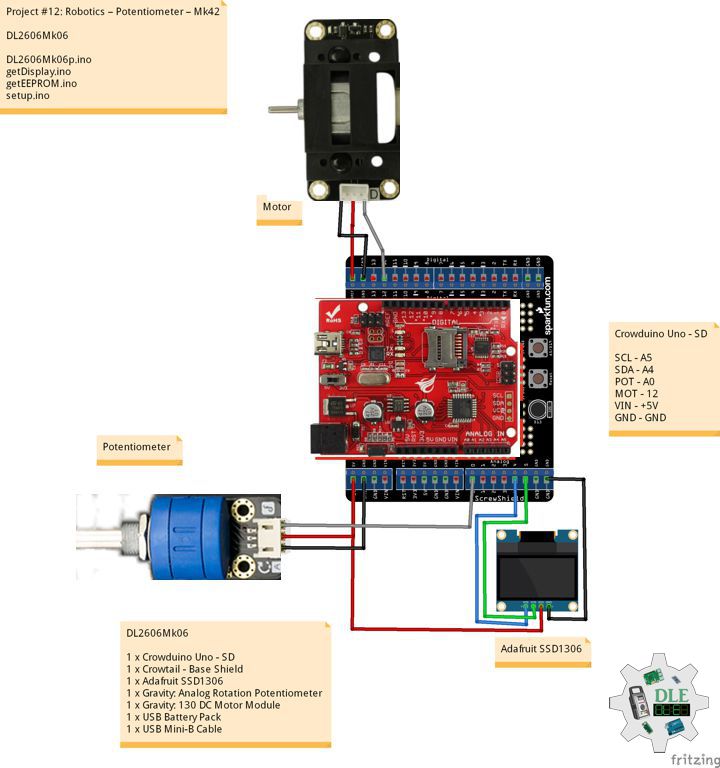
Crowtail – MOSFET

Crowtail – MOSFET enables you to control higher voltage project, say 50 Volt DC, with low voltage, say 5 Volt, on microcontroller. MOSFET is also a kind of switch. There are two screw terminals on the board. One for input power source and the other for device you want to control. Crowtail – MOSFET will pass the power from one end to another when closed. But if outer power source is absent, your device can still draw power from microcontroller via the Crowtail interface.

Crowtail – Mini Fan 2.0

This is a Crowtail mini fan with the mini motor driver which use the whole analog circuit.

DL2504Mk04

1 x Crowduino Uno – SD
1 x Crowtail – Base Shield
1 x Crowtail – I2C LCD
1 x Crowtail – MOSFET 2.0
1 x Crowtail – Mini Fan 2.0
1 x 2 AAA Battery Holder with On/Off Switch
1 x Crowtail – Rotary Angle Sensor 2.0
1 x Crowtail – LED(Green)
1 x USB Battery Pack
1 x USB Mini-B Cable

Crowduino Uno – SD

SCL – A5
SDA – A4
POT – A0
MOS – 5
LEDG – 6
VIN – +5V
GND – GND

DL2504Mk04p

DL2504Mk04.ino

/****** Don Luc Electronics © ******
Software Version Information
Project #12: Robotics - MOSFET - Mk28
DL2504Mk04p.ino
DL2504Mk04
1 x Crowduino Uno - SD
1 x Crowtail - Base Shield
1 x Crowtail - I2C LCD
1 x Crowtail - MOSFET 2.0
1 x Crowtail - Mini Fan 2.0
1 x Crowtail - Rotary Angle Sensor 2.0
1 x Crowtail - LED(Green)
1 x USB Battery Pack
1 x USB Mini-B Cable
*/

// Include the Library Code
// EEPROM library to read and write EEPROM with unique ID for unit
#include <EEPROM.h>
// Wire
#include <Wire.h>
// Liquid Crystal
#include "LiquidCrystal.h"

// MOSFET
int mosfetPin = 5;

// Liquid Crystal
// Connect via i2c
LiquidCrystal lcd(0);

// LED Green
int iLEDGreen = 6;

// Rotary Angle Sensor
int iPot = A1;
// Change Your Threshold Here
int Threshold = 0;
int zz = 0;

// EEPROM Unique ID Information
String uid = "";

// Software Version Information
String sver = "12-28";

void loop() {

  // isMOSFET
  isMOSFET();

  // Display MOSFET
  isDisplayMOSFET();

  // Delay
  delay( 500 );

}

getDisplay.ino

// getDisplay
// Crowbits - OLED 128X64 UID
// Display UID
void isDisplayUID(){

  // Set up the LCD's number of rows and columns: 
  lcd.begin(16, 2);
  // Print a message to the LCD.
  // Cursor
  lcd.setCursor(0, 0);
  lcd.print("Don Luc Electron");
  // Cursor
  lcd.setCursor(0, 1);
  // Print a message to the LCD.
  lcd.print( sver );

}
// Display MOSFET
void isDisplayMOSFET(){

  // Clear
  lcd.clear();
  // Set the cursor to column 0, line 0
  lcd.setCursor(0, 0);
  lcd.print( "MOSFET" );
  // Set the cursor to column 0, line 1
  lcd.setCursor(0, 1);
  lcd.print( zz );
  
}

getEEPROM.ino

// EEPROM
// isUID EEPROM Unique ID
void isUID() {
  
  // Is Unit ID
  uid = "";
  for (int x = 0; x < 7; x++)
  {
    uid = uid + char(EEPROM.read(x));
  }
  
}

getMOSFET.ino

// MOSFET
// isMOSFET
void isMOSFET(){

  // Rotary Angle Sensor
  // Threshold => 0~255
  zz = analogRead( iPot );
  Threshold = map( zz, 0, 1024, 0, 255);

  // MOSFET
  // Threshold
  analogWrite(mosfetPin, Threshold);

}

setup.ino

// Setup
void setup()
{
 
  // Delay
  delay(100);
  
  // isUID EEPROM Unique ID
  isUID();
  
  // Delay
  delay(100);

  // Initialize the LED Green
  pinMode(iLEDGreen, OUTPUT);
  // LED Green
  digitalWrite(iLEDGreen, HIGH);

  // Delay
  delay(100);

  // Rotary Angle Sensor
  pinMode(iPot, INPUT);
  
  // Delay
  delay(100);

  // Declare the motorPin as an OUTPUT:
  pinMode(mosfetPin, OUTPUT);

  // Delay
  delay( 100 );

  // Display UID
  isDisplayUID();
  
  // Delay 5 Second
  delay( 5000 );

}

——

People can contact us: https://www.donluc.com/?page_id=1927

Electronics, IoT, Teacher, Instructor, R&D and Consulting

  • Programming Language
  • Single-Board Microcontrollers (PIC, Arduino, Raspberry Pi, Arm, Silicon Labs, Espressif, Etc…)
  • IoT
  • Wireless (Radio Frequency, Bluetooth, WiFi, Etc…)
  • Robotics
  • Automation
  • Camera and Video Capture Receiver Stationary, Wheel/Tank and Underwater Vehicle
  • Unmanned Vehicles Terrestrial and Marine
  • Machine Learning
  • Artificial Intelligence (AI)
  • RTOS
  • Sensors, eHealth Sensors, Biosensor, and Biometric
  • Research & Development (R & D)
  • Consulting

Follow Us

Luc Paquin – Curriculum Vitae – 2024
https://www.donluc.com/luc/

Web: https://www.donluc.com/
Facebook: https://www.facebook.com/neosteam.labs.9/
YouTube: https://www.youtube.com/@thesass2063
Twitter: https://twitter.com/labs_steam
Pinterest: https://www.pinterest.com/NeoSteamLabs/
Instagram: https://www.instagram.com/neosteamlabs/
Patreon: https://patreon.com/DonLucElectronics59
DFRobot: https://learn.dfrobot.com/user-10186.html
Hackster.io: https://www.hackster.io/neosteam-labs
Elecrow: https://www.elecrow.com/share/sharepj/center/no/760816d385ebb1edc0732fd873bfbf13
TikTok: https://www.tiktok.com/@luc.paquin8
Twitch: https://www.twitch.tv/lucpaquin
Hackster: https://www.hackster.io/luc-paquin
LinkedIn: https://www.linkedin.com/in/jlucpaquin/

Don Luc

Teacher, Instructor, E-Mentor, R&D and Consulting

——

#DonLucElectronics #DonLuc #Teacher #Instructor #EMentor #RD #Project #Fritzing #Programming #Electronics #Microcontrollers #Consultant

——

——
Teacher, Instructor, E-Mentor, R&D and Consulting

  • Programming Language
  • Single-Board Microcontrollers (PIC, Arduino, Raspberry Pi, Arm, Silicon Labs, Espressif, Etc…)
  • IoT
  • Wireless (Radio Frequency, Bluetooth, WiFi, Etc…)
  • Robotics
  • Automation
  • Camera and Video Capture Receiver Stationary, Wheel/Tank and Underwater Vehicle
  • Unmanned Vehicles Terrestrial and Marine
  • Machine Learning
  • Artificial Intelligence (AI)
  • RTOS
  • eHealth Sensors, Biosensor, and Biometric
  • Research & Development (R & D)
  • Consulting

I am a highly skilled programming language, microcontrollers, IoT, robotics and etc; with over 45 years of experience in various industries. I graduated from McGill University, Montréal, Québec, Canada with B.Sc. and D.D.S. degrees. I started consulting with small and medium-sized businesses in my native Canada in the mid-eighties and by the mid-nineties I was consulting for large corporate clients like Fannie Mae, KPMG Peat Marwick, Chase Manhattan Foreign Trade Division (Hong Kong), Warner Lambert and a variety of other firms in the Washington, DC and New York City area. Later on I worked with clients in Europe, Mexico, and Latin America.

I have worked, lived and traveled all over the world and I am a trilingual (English, French, and Spanish).

Over the years I have been the CTO of various early stage IT startups, the owner of an IT consulting company (desktop, web, mobile, microcontroller and embedded systems) with clients worldwide, in charge of R&D projects to integrate hardware and software solutions in innovative ways, director of technology for a business software development company, designer and integrator of electronic hardware and head developer on a variety of software and technology projects.

I have seen many trends come and go, good and bad, and lived through many major industry changes. I do deplore some of the current state of the industry, and applaud some of the new trends. My wife had been telling me for years to write about the the industry as we discuss things a lot and she always tells me that I was born to teach, or preach when I get excited about a subject. Since my motto has always been to learn something new daily, and that a wasted day is one where you learn nothing new, I decided to share some of that hard-earned let’s call it “Wisdom” for lack of a better term.

I know that I am considered as a dinosaur in this business where you are considered old when you hit 25, but there are some of us old fogies at over twice that, that are still active and can still provide a full contribution to this or these fields. Besides consulting and custom programming, I also offer electronic hardware integration and design, hardware/software integration as well as R&D services. I provide my services worldwide and can work from my office or yours depending on your project’s needs.

Schedule of Services Teacher, Instructor and E-Mentor

  • Beginner: These beginner-friendly microcontrollers are easy to use and program with just a computer or laptop, a USB cable, and some open-source software.
  • Intermediate: Internet of Things (IoT).
  • Advanced: Robotics, engineering, fashion, medical, environmental, performing arts, etc…
  • Projects: TBD
  • Research & Development: TBD
  • Consulting: TBD

Luc Paquin – 2024
The Electronic, Programming Language, Microcontrollers, IoT, Robotics Experts.

Curriculum Vitae 2024

https://www.donluc.com/luc/LucPaquinCVEng2024Mk01.pdf

Luc Paquin – Programming Language 2024

https://www.donluc.com/luc/LucPaquinProgrammingLanguage2024Mk01.pdf

People can contact us: https://www.donluc.com/?page_id=1927

Follow Us

Luc Paquin – Curriculum Vitae – 2023
https://www.donluc.com/luc/

Web: https://www.donluc.com/
Facebook: https://www.facebook.com/neosteam.labs.9/
YouTube: https://www.youtube.com/@thesass2063
Twitter: https://twitter.com/labs_steam
Pinterest: https://www.pinterest.com/NeoSteamLabs/
Instagram: https://www.instagram.com/neosteamlabs/

Don Luc

Project #8: Servo – Moteino R2 (RFM12B) – Mk02

——

#DonLucElectronics #DonLuc #Servo #Moteino #Transceiver #RadioFrequency #Pololu #Arduino #Project #Fritzing #Programming #Electronics #Microcontrollers #Consultant

——

Moteino R2 (RFM12B)

——

Moteino R2 (RFM12B)

——

Moteino R2 (RFM12B)

——

Moteino

Moteino began as a low power wireless Arduino compatible development platform based on the popular ATmega328p chip used in the Arduino UNO. There are now several Moteino development boards including MoteinoMEGA based on the Atmega1284P and MoteinoM0 based on the SAMD21G18 Cortex M0+. For programming you will need an external FTDI-Adapter to load sketches, the advantages being lower cost, smaller size.

Servo Motor

A servo motor is a rotary actuator or linear actuator that allows for precise control of angular or linear position, velocity and acceleration. It consists of a suitable motor coupled to a sensor for position feedback. It also requires a relatively sophisticated controller, often a dedicated module designed specifically for use with servo motors.

Servo motors have been around for a long time and are utilized in many applications. They are small in size but pack a big punch and are very energy-efficient. These features allow them to be used to operate remote-controlled or radio-controlled toy cars, robots and airplanes. Servo motors are also used in industrial applications, robotics, in-line manufacturing, pharmaceutics and food services.

Pololu Adjustable Boost Regulator 2.5-9.5 Volt

This powerful, adjustable boost regulator can generate an output voltage as high as 9.5 Volt from an input voltage as low as 1.5 Volt, all in a compact. A trimmer potentiometer lets you set the boost regulator’s output voltage to a value between 2.5 and 9.5 Volt.

DL2310Mk03

2 x Moteino R2 (Transceiver RFM12B)
1 x Pololu Adjustable Boost Regulator 2.5-9.5V
2 x Lithium Ion Battery – 1Ah
1 x Sub-Micro Servo 3.7g
1 x LED Green
1 x Tactile Button
1 x Resistor 10K Ohm
1 x SparkFun FTDI Basic Breakout – 5V
1 x SparkFun Cerberus USB Cable

Moteino R2 (Send)

TR0 – Digital 2
TBI – Digital 6
LED – Digital 9
TR1 – Digital 10
TR2 – Digital 11
TR3 – Digital 12
TR4 – Digital 13
VIN – +5V
VIN – +3.3V
GND – GND

——

DL2310Mk03ps.ino

/* ***** Don Luc Electronics © *****
Software Version Information
Project #8: Servo - Radio Frequency - Mk02
6-02
Send
DL2310Mk03ps.ino
2 x Moteino R2 (Transceiver RFM12B)
1 x Pololu Adjustable Boost Regulator 2.5-9.5V
2 x Lithium Ion Battery - 1Ah
1 x Sub-Micro Servo 3.7g
1 x LED Green
1 x Tactile Button
1 x Resistor 10K Ohm
1 x SparkFun FTDI Basic Breakout - 5V
1 x SparkFun Cerberus USB Cable
*/

// Include the Library Code
// RFM12B Radio
#include <RFM12B.h>
// Sleep
#include <avr/sleep.h>

// You will need to initialize the radio by telling it what ID
// it has and what network it's on
// The NodeID takes values from 1-127, 0 is reserved for sending 
// broadcast messages (send to all nodes)
// The Network ID takes values from 0-255
// By default the SPI-SS line used is D10 on Atmega328. 
// You can change it by calling .SetCS(pin) where pin can be {8,9,10}
// Network ID used for this unit
#define NODEID        2
// The network ID we are on
#define NETWORKID    99
// The node ID we're sending to
#define GATEWAYID     1
// # of ms to wait for an ack
#define ACK_TIME     50
// Serial
#define SERIAL_BAUD  115200

// Encryption is OPTIONAL
// to enable encryption you will need to:
// - provide a 16-byte encryption KEY (same on all nodes that talk encrypted)
// - to call .Encrypt(KEY) to start encrypting
// - to stop encrypting call .Encrypt(NULL)
uint8_t KEY[] = "ABCDABCDABCDABCD";

// Wait this many ms between sending packets
int interPacketDelay = 50;
// Input
char input = 0;

// Need an instance of the RFM12B Radio Module
RFM12B radio;
// Send Size
byte sendSize = 0;
// Payload
char payload[100];
// Request ACK
bool requestACK = false;

// LED
int iLED = 9;

// The number of the Tactile Button pin
int iTButton = 6;
// Variable for reading the button status
int TButtonState = 0;
// The previous reading from the input pin
int lastTButtonState = LOW;
// The following variables are unsigned longs 
// because the time, measured in
// milliseconds, will quickly become a bigger 
// number than can be stored in an int.
// The last time the output pin was toggled
unsigned long lastDebounceTime = 0;
// The debounce time; increase if the output flickers
unsigned long debounceDelay = 50;

// String
String zzzzzz = "";
int iSER = 0;

// Software Version Information
String sver = "8-02";

void loop()
{

  // Tactile Button
  isTButton();
  
  // is RFM12B Radio
  isRFM12BRadio();

  // Inter Packet Delay
  delay(interPacketDelay);
  
}

getRFM12BRadio.ino

// RFM12B Radio
void isSetupRFM12BRadio(){

  // RFM12B Radio
  radio.Initialize(NODEID, RF12_433MHZ, NETWORKID);
  // Encryption
  radio.Encrypt(KEY);
  // Sleep right away to save power
  radio.Sleep();
  // Transmitting
  Serial.println("Transmitting...\n\n");
  
}
// is RFM12 BRadio
void isRFM12BRadio(){

  // zzzzzz ""
  zzzzzz = "";
  
  // zzzzz = "<SER|" + iSER + "|*";
  zzzzzz = "<SER|";
  zzzzzz = zzzzzz + iSER;
  zzzzzz = zzzzzz + "|*";
  
  // sendSize Length
  sendSize = zzzzzz.length();

  // sendSize
  payload[sendSize];

  // sendSize, charAt
  for(byte i = 0; i < sendSize+1; i++){

    payload[i] = zzzzzz.charAt(i);
    
  }
    
  // payload
  Serial.print(payload);
  
  // Request ACK
  requestACK = sendSize;
  
  // Wakeup
  radio.Wakeup();
  
  // Turn the LED on HIGH
  digitalWrite( iLED , HIGH);
  
  // Send
  radio.Send(GATEWAYID, payload, sendSize, requestACK);

  // Request ACK
  if (requestACK)
  {
    
    Serial.print(" - waiting for ACK...");
    if (waitForAck()){
      
      Serial.print("Ok!");
      
    }
    else Serial.print("nothing...");
    
  }

  // Turn the LED on LOW
  digitalWrite( iLED , LOW);

  // Sleep
  radio.Sleep();

  // Serial
  Serial.println();

}
// Wait a few milliseconds for proper ACK, return true if received
static bool waitForAck(){
  
  // Now
  long now = millis();

  // ACK
  while (millis() - now <= ACK_TIME){
    

    if (radio.ACKReceived(GATEWAYID)){
      
      return true;

    }

  }
  
  return false;
  
}

getTButton.ino

// Tactile Button
void isTButton(){

  // Read the state of the Button value:
  int reading = digitalRead(iTButton);

  // Check to see if you just pressed the TButton
  // (i.e. the input went from LOW to HIGH), and you've waited long enough
  // since the last press to ignore any noise:

  // If the TButton changed, due to noise or pressing:
  if (reading != lastTButtonState) {
    
    // Reset the debouncing timer
    lastDebounceTime = millis();
    
  }

  if ((millis() - lastDebounceTime) > debounceDelay) {
    
    // Whatever the reading is at, it's been there for 
    // longer than the debounce
    // delay, so take it as the actual current state:

    // if the button state has changed:
    if (reading != TButtonState) {
      
      TButtonState = reading;

      // Check if the TButton is pressed. If it is, the TButtonState is HIGH:
      if (TButtonState == HIGH) {

        iSER = 1;

      } else {

        iSER = 0;
    
      }


    }
  }
  
  // Save the reading. Next time through the loop, 
  // it'll be the lastTButtonState:
  lastTButtonState = reading;
  
}

setup.ino

// Setup
void setup(){

  // Serial
  Serial.begin(SERIAL_BAUD);

  // LED
  pinMode( iLED , OUTPUT);

  // Initialize the Button pin as an input
  pinMode(iTButton, INPUT);

  // Setup RFM12B Radio
  isSetupRFM12BRadio();

}

Moteino R2 (Receive)

TR0 – Digital 2
LED – Digital 9
TR1 – Digital 10
TR2 – Digital 11
TR3 – Digital 12
TR4 – Digital 13
VIN – +5V
VIN – +3.3V
GND – GND

DL2310Mk03Mkpr.ino

/* ***** Don Luc Electronics © *****
Software Version Information
Project #8: Servo - Radio Frequency - Mk02
6-02
Receive
DL2310Mk03pr.ino
2 x Moteino R2 (RFM12B)
1 x Pololu Adjustable Boost Regulator 2.5-9.5V
2 x Lithium Ion Battery - 1Ah
1 x Sub-Micro Servo 3.7g
1 x LED Green
1 x Tactile Button
1 x Resistor 10K Ohm
1 x SparkFun FTDI Basic Breakout - 5V
1 x SparkFun Cerberus USB Cable
*/

// Include the Library Code
// RFM12B Radio
#include <RFM12B.h>
// Servo
#include <Servo.h>

// You will need to initialize the radio by telling it what ID
// it has and what network it's on
// The NodeID takes values from 1-127, 0 is reserved for sending 
// broadcast messages (send to all nodes)
// The Network ID takes values from 0-255
// By default the SPI-SS line used is D10 on Atmega328. 
// You can change it by calling .SetCS(pin) where pin can be {8,9,10}
// Network ID used for this unit
#define NODEID        1
// The network ID we are on
#define NETWORKID    99
// Serial
#define SERIAL_BAUD  115200

// Encryption is OPTIONAL
// to enable encryption you will need to:
// - provide a 16-byte encryption KEY (same on all nodes that talk encrypted)
// - to call .Encrypt(KEY) to start encrypting
// - to stop encrypting call .Encrypt(NULL)
uint8_t KEY[] = "ABCDABCDABCDABCD";

// Need an instance of the RFM12B Radio Module
RFM12B radio;

// Message
String msg = "";

// Servo
int iSER = 0;
String sSER = "";
int firstClosingBracket = 0;

// LED
int iLED = 9;
int iLEDG = 7;

// Servo control
Servo serv;
const int pinServo = 6;

// Software Version Information
String sver = "8-02";

void loop() {

  // is RFM12B Radio
  isRFM12BRadio();

}

getRFM12BRadio.ino

// RFM12B Radio
void isSetupRFM12BRadio()
{

  // RFM12B Radio
  radio.Initialize(NODEID, RF12_433MHZ, NETWORKID);
  // Encryption
  radio.Encrypt(KEY);
  // Transmitting
  Serial.println("Listening...");
  
}
// is RFM12 BRadio
void isRFM12BRadio()
{

  // Receive
  if (radio.ReceiveComplete())
  {
    
    // CRC Pass
    if (radio.CRCPass())
    {
      
      // Serial
      Serial.print('[');
      Serial.print(radio.GetSender());
      Serial.print("] ");

      // Message
      msg = "";
      
      // Can also use radio.GetDataLen() if you don't like pointers
      for (byte i = 0; i < *radio.DataLen; i++)
      {
        
        Serial.print((char)radio.Data[i]);
        msg = msg + (char)radio.Data[i];
        
      }

      // Turn the LED on HIGH
      digitalWrite( iLED , HIGH);

      // Servo
      isServo();
  
      // ACK Requested
      if (radio.ACKRequested())
      {
        
        // Send ACK
        radio.SendACK();
        Serial.print(" - ACK Sent");
        
      }

      // Turn the LED on LOW
      digitalWrite( iLED , LOW);
    
    }
    else
    {
      
      // BAD-CRC
      Serial.print("BAD-CRC");

    }

    // Serial
    Serial.println();

  } 
  
}

getServo.ino

// Servo
void isServo(){

  // Message
  //Serial.println( msg );
  // msg = "<SER|0|*";
  firstClosingBracket = 0;
  // "<SER|"
  firstClosingBracket = msg.indexOf('|');
  //Serial.println( msg );
  msg.remove(0, 5);
  //Serial.println( msg );
  // Servo
  firstClosingBracket = msg.indexOf('|');     
  sSER = msg;
  sSER.remove(firstClosingBracket);
  //Serial.println( sSER );
  iSER = sSER.toInt();
  //Serial.println( iSER );
  int x = iSER;

  if (x == 1) {

    digitalWrite(iLEDG, HIGH);
    // Set servo to unlock
    serv.write( 0 );
    delay(15);
    
  } else {

    digitalWrite(iLEDG, LOW);
    // Set servo to lock
    serv.write( 90 );
    delay(15);
    
  }

}

setup.ino

// Setup
void setup()
{

  // Serial
  Serial.begin(SERIAL_BAUD);

  // LED
  pinMode( iLED , OUTPUT);
  pinMode( iLEDG , OUTPUT);

  // Attach Servo
  serv.attach( pinServo );

  // RFM12B Radio
  isSetupRFM12BRadio();

}

——

People can contact us: https://www.donluc.com/?page_id=1927

Teacher, Instructor, E-Mentor, R&D and Consulting

  • Programming Language
  • Single-Board Microcontrollers (PIC, Arduino, Raspberry Pi, Arm, Silicon Labs, Espressif, Etc…)
  • IoT
  • Wireless (Radio Frequency, Bluetooth, WiFi, Etc…)
  • Robotics
  • Automation
  • Camera and Video Capture Receiver Stationary, Wheel/Tank and Underwater Vehicle
  • Unmanned Vehicles Terrestrial and Marine
  • Machine Learning
  • Artificial Intelligence (AI)
  • RTOS
  • eHealth Sensors, Biosensor, and Biometric
  • Research & Development (R & D)
  • Consulting

Follow Us

Luc Paquin – Curriculum Vitae – 2023
https://www.donluc.com/luc/

Web: https://www.donluc.com/
Facebook: https://www.facebook.com/neosteam.labs.9/
YouTube: https://www.youtube.com/@thesass2063
Twitter: https://twitter.com/labs_steam
Pinterest: https://www.pinterest.com/NeoSteamLabs/
Instagram: https://www.instagram.com/neosteamlabs/

Don Luc

Project #12: Robotics – 9DOF – Mk27

——

#DonLucElectronics #DonLuc #Robotics #Magnetometer #Accelerometer #Gyroscope #MicroOLED # #Arduino #Project #Fritzing #Programming #Electronics #Microcontrollers #Consultant

——

9DOF

——

9DOF

——

9DOF

——

SparkFun 9 Degrees of Freedom – Sensor Stick

The SparkFun 9DOF Sensor Stick is a very small sensor board with 9 degrees of freedom. It includes the ADXL345 accelerometer, the HMC5883L magnetometer, and the ITG-3200 MEMS gyro. The “Stick” has a simple I2C interface and a mounting hole for attaching it to your project. Also, the board is a mere allowing it to be easily mounted in just about any application.

DL2305Mk03

1 x SparkFun RedBoard Qwiic
1 x ProtoScrewShield
1 x SparkFun 9 Degrees of Freedom – Sensor Stick
1 x SparkFun Micro OLED Breakout (Qwiic)
1 x Thumb Joystick
1 x SparkFun Thumb Joystick Breakout
2 x Pololu DRV8834 Low-Voltage Stepper Motor Driver Carrier
2 x Electrolytic Decoupling Capacitors – 100uF/25V
2 x Pololu Stepper Motor Bipolar, 2.8V, 1.7 A/Phase
2 x Pololu Universal Aluminum Mounting Hub for 5mm Shaft, M3 Holes
1 x SparkFun Solderable Breadboard – Large
1 x SparkFun Cerberus USB Cable

SparkFun RedBoard Qwiic

SDA – Analog A5
SCL – Analog A4
JH – Analog A0
JV – Analog A1
JS – Digital 2
DIR – Digital 7
SPR – Digital 8
DIL – Digital 9
SPL – Digital 10
LED – Digital 13
VIN – +3.3V
VIN – +5V
GND – GND

——

DL2305Mk03p.ino

/* ***** Don Luc Electronics © *****
Software Version Information
Project #12: Robotics - 9DOF - Mk27
12-27
DL2305Mk03p.ino
1 x SparkFun RedBoard Qwiic
1 x ProtoScrewShield
1 x SparkFun 9 Degrees of Freedom - Sensor Stick
1 x SparkFun Micro OLED Breakout (Qwiic)
1 x Thumb Joystick
1 x SparkFun Thumb Joystick Breakout
2 x Pololu DRV8834 Low-Voltage Stepper Motor Driver Carrier
2 x Electrolytic Decoupling Capacitors - 100uF/25V
2 x Pololu Stepper Motor Bipolar, 2.8V, 1.7 A/Phase
2 x Pololu Universal Aluminum Mounting Hub for 5mm Shaft, M3 Holes
1 x SparkFun Solderable Breadboard - Large
1 x SparkFun Cerberus USB Cable
*/

// Include the Library Code
// Arduino
#include <Arduino.h>
// DRV8834 Stepper Motor Driver
#include <BasicStepperDriver.h>
#include <MultiDriver.h>
// Wire communicate with I2C / TWI devices
#include <Wire.h>
// SparkFun Micro OLED
#include <SFE_MicroOLED.h>
// Accelerometer
#include <ADXL345.h>
// Magnetometer
#include <HMC58X3.h>
// MEMS Gyroscope
#include <ITG3200.h>
// Debug
#include "DebugUtils.h"
// FreeIMU
#include <CommunicationUtils.h>
#include <FreeIMU.h>

// DRV8834 Stepper Motor Driver
// Stepper motor steps per revolution.
// Most steppers are 200 steps or 1.8 degrees/step
#define MOTOR_STEPS 200
// Target RPM for X axis stepper motor
#define MOTOR_X_RPM 800
// Target RPM for Y axis stepper motor
#define MOTOR_Y_RPM 800
// Since microstepping is set externally,
// make sure this matches the selected mode
// If it doesn't, the motor will move at a
// different RPM than chosen
// 1=full step, 2=half step etc.
#define MICROSTEPS 1
// X Stepper motor
#define DIR_X 7
#define STEP_X 8
// Y Stepper motor
#define DIR_Y 9
#define STEP_Y 10
// BasicStepperDriver
BasicStepperDriver stepperX(MOTOR_STEPS, DIR_X, STEP_X);
BasicStepperDriver stepperY(MOTOR_STEPS, DIR_Y, STEP_Y);
// Pick one of the two controllers below
// each motor moves independently
MultiDriver controller(stepperX, stepperY);

// Joystick
#define JH A0
#define JV A1
#define JS 2

// Variable for reading the button
int JSState = 0;
// Adjusted Value
int adjustedValue = 0;
int adjustedValue2 = 0;

// LED Yellow
int iLED = 13;

// SparkFun Micro OLED
#define PIN_RESET 9
#define DC_JUMPER 1
// I2C declaration
MicroOLED oled(PIN_RESET, DC_JUMPER);

// Set the FreeIMU object
FreeIMU my3IMU = FreeIMU();

// Yaw Pitch Roll
float ypr[3];
float Yaw = 0;
float Pitch = 0;
float Roll = 0;

// Software Version Information
String sver = "12-27";

void loop() {
  
  // Button
  isButton();

  // Joystick
  isThumbJoystick();
  
  // Stepper
  isStepper();

  // isFreeIMU
  isFreeIMU();

  // Micro OLED
  isMicroOLED();
 
}

getButton.ino

// Button
// Button Setup
void isButtonSetup() {
  
  // Make the button line an input
  pinMode(JS, INPUT_PULLUP);
  // Initialize digital pin iLED as an output
  pinMode(iLED, OUTPUT);
  
}

// Button
void isButton(){

  // Read the state of the button
  JSState = digitalRead(JS);

  // Check if the button is pressed.
  // If it is, the JSState is HIGH:
  if (JSState == HIGH) {
    
    // Button
    // Turn the LED on HIGH 
    digitalWrite(iLED, HIGH);
    
  } else {
    
    // Button
    // Turn the LED on LOW 
    digitalWrite(iLED, LOW);
    
  }

}

getFreeIMU.ino

// FreeIMU
// isFreeIMUSetup
void isFreeIMUSetup(){

  // Pause
  delay(5);
  // Initialize IMU
  my3IMU.init();
  // Pause
  delay(5);
  
}
// isFreeIMU
void isFreeIMU(){

  // FreeIMU
  // Yaw Pitch Roll
  my3IMU.getYawPitchRoll(ypr);
  // Yaw
  Yaw = ypr[0];
  // Pitch
  Pitch = ypr[1];
  // Roll
  Roll = ypr[2];

}

getMicroOLED.ino

// SparkFun Micro OLED
// Micro OLED Setup
void isMicroOLEDSetup() {

  // Initialize the OLED
  oled.begin();
  // Clear the display's internal memory
  oled.clear(ALL);
  // Display what's in the buffer (Splash Screen SparkFun)
  oled.display();

  // Delay 1000 ms
  delay(1000);

  // Clear the buffer.
  oled.clear(PAGE);
  
}
// Micro OLED
void isMicroOLED() {

  // Text Display FreeIMU
  // Clear the display
  oled.clear(PAGE);
  // Set cursor to top-left
  oled.setCursor(0, 0);
  // Set font to type 0
  oled.setFontType(0);
  // Horizontal
  oled.print("H: ");
  oled.print( adjustedValue );
  // Vertical
  oled.setCursor(0, 11);
  oled.print("V: ");
  oled.print( adjustedValue2 );
  // Yaw
  oled.setCursor(0, 21);
  oled.print("Y: ");
  oled.print(Yaw);
  // Pitch
  oled.setCursor(0, 31);
  oled.print("P: ");
  oled.print(Pitch);
  // Roll
  oled.setCursor(0, 41);
  oled.print("R: ");
  oled.print(Roll);
  oled.display();

}

getStepper.ino

// Stepper
// isStepperSetup
void isStepperSetup() {    
  
  // Set stepper target motors RPM.
  stepperX.begin(MOTOR_X_RPM, MICROSTEPS);
  stepperY.begin(MOTOR_Y_RPM, MICROSTEPS);

}
// Stepper
void isStepper() {

  // Stepper => Controller rotate
  controller.rotate(adjustedValue, adjustedValue2);
  
}

getThumbJoystick.ino

// Thumb Joystick
void isThumbJoystick() {

  // Joystick JH
  // Horizontal
  // Joystick Pot Values JH
  int potValue = analogRead(JH);
  int potValues = 0;
  // Adjusted Value
  potValues = map(potValue, 0, 1023, 1000, -1000);
  if (potValues > 300) {

    adjustedValue = potValues;

  } else if (potValues < -300) {

    adjustedValue = potValues;

  } else {

    adjustedValue = 0;

  }

  // Joystick JV
  // Vertical
  // Joystick Pot Values JV
  int potValue2 = analogRead(JV);
  int potValues2 = 0;
  // Adjusted Value2
  potValues2 = map(potValue2, 0, 1023, 1000, -1000);
  if (potValues2 > 300) {

    adjustedValue2 = potValues2;

  } else if (potValues2 < -300) {

    adjustedValue2 = potValues2;

  } else {

    adjustedValue2 = 0;

  }

}

setup.ino

// Setup
void setup()
{
  
  // Wire communicate with I2C / TWI devices
  Wire.begin();

  // Setup Micro OLED
  isMicroOLEDSetup();

  // isFreeIMUSetup
  isFreeIMUSetup();
   
  // Button Setup
  isButtonSetup();
  
  // DRV8834 Stepper Motor Driver
  isStepperSetup();

}

——

People can contact us: https://www.donluc.com/?page_id=1927

Technology Experience

  • Programming Language
  • Single-Board Microcontrollers (PIC, Arduino, Raspberry Pi,Espressif, etc…)
  • IoT
  • Wireless (Radio Frequency, Bluetooth, WiFi, Etc…)
  • Robotics
  • Camera and Video Capture Receiver Stationary, Wheel/Tank and Underwater Vehicle
  • Unmanned Vehicles Terrestrial and Marine
  • Machine Learning
  • RTOS
  • Research & Development (R & D)

Instructor, E-Mentor, STEAM, and Arts-Based Training

  • Programming Language
  • IoT
  • PIC Microcontrollers
  • Arduino
  • Raspberry Pi
  • Espressif
  • Robotics

Follow Us

Luc Paquin – Curriculum Vitae – 2023
https://www.donluc.com/luc/

Web: https://www.donluc.com/
Facebook: https://www.facebook.com/neosteam.labs.9/
YouTube: https://www.youtube.com/@thesass2063
Twitter: https://twitter.com/labs_steam
Pinterest: https://www.pinterest.com/NeoSteamLabs/
Instagram: https://www.instagram.com/neosteamlabs/

Don Luc

Project #12: Robotics – Micro OLED – Mk26

——

#DonLucElectronics #DonLuc #Robotics #MicroOLED #AdafruitMETROM0Express #Arduino #Project #Fritzing #Programming #Electronics #Microcontrollers #Consultant

——

Micro OLED

——

Micro OLED

——

Micro OLED

——-

Micro OLED

Micro OLED displays are silicon-based OLED display that use a monocrystalline silicon wafer as the actively driven backplane, so it is easier to achieve high PPI (Pixel Density), a high degree of integration, and small size. This ensures they are easy to carry, have good anti-seismic performance, and have ultra-low power consumption.

DL2305Mk02

1 x Adafruit METRO M0 Express
1 x ProtoScrewShield
1 x SparkFun Micro OLED Breakout (Qwiic)
1 x Thumb Joystick
1 x SparkFun Thumb Joystick Breakout
2 x Pololu DRV8834 Low-Voltage Stepper Motor Driver Carrier
2 x Electrolytic Decoupling Capacitors – 100uF/25V
2 x Pololu Stepper Motor Bipolar, 2.8V, 1.7 A/Phase
2 x Pololu Universal Aluminum Mounting Hub for 5mm Shaft, M3 Holes
1 x SparkFun Solderable Breadboard – Large
1 x SparkFun Cerberus USB Cable

Adafruit METRO M0 Express

SCL – Digital 21
SDA – Digital 20
JH – Analog A0
JV – Analog A1
JS – Digital 2
DIR – Digital 7
SPR – Digital 8
DIL – Digital 9
SPL – Digital 10
LED – Digital 13
VIN – +3.3V
VIN – +5V
GND – GND

——

DL2305Mk02p.ino

/* ***** Don Luc Electronics © *****
Software Version Information
Project #12: Robotics - Micro OLED - Mk26
12-26
DL2305Mk02p.ino
1 x Adafruit METRO M0 Express
1 x ProtoScrewShield
1 x SparkFun Micro OLED Breakout (Qwiic)
1 x Thumb Joystick
1 x SparkFun Thumb Joystick Breakout
2 x Pololu DRV8834 Low-Voltage Stepper Motor Driver Carrier
2 x Electrolytic Decoupling Capacitors - 100uF/25V
2 x Pololu Stepper Motor Bipolar, 2.8V, 1.7 A/Phase
2 x Pololu Universal Aluminum Mounting Hub for 5mm Shaft, M3 Holes
1 x SparkFun Solderable Breadboard - Large
1 x SparkFun Cerberus USB Cable
*/

// Include the Library Code
// Arduino
#include <Arduino.h>
// DRV8834 Stepper Motor Driver
#include <BasicStepperDriver.h>
#include <MultiDriver.h>
// Wire communicate with I2C / TWI devices
#include <Wire.h>
// SparkFun Micro OLED
#include <SFE_MicroOLED.h>

// DRV8834 Stepper Motor Driver
// Stepper motor steps per revolution.
// Most steppers are 200 steps or 1.8 degrees/step
#define MOTOR_STEPS 200
// Target RPM for X axis stepper motor
#define MOTOR_X_RPM 800
// Target RPM for Y axis stepper motor
#define MOTOR_Y_RPM 800
// Since microstepping is set externally,
// make sure this matches the selected mode
// If it doesn't, the motor will move at a
// different RPM than chosen
// 1=full step, 2=half step etc.
#define MICROSTEPS 1
// X Stepper motor
#define DIR_X 7
#define STEP_X 8
// Y Stepper motor
#define DIR_Y 9
#define STEP_Y 10
// BasicStepperDriver
BasicStepperDriver stepperX(MOTOR_STEPS, DIR_X, STEP_X);
BasicStepperDriver stepperY(MOTOR_STEPS, DIR_Y, STEP_Y);
// Pick one of the two controllers below
// each motor moves independently
MultiDriver controller(stepperX, stepperY);

// Joystick
#define JH A0
#define JV A1
#define JS 2

// Variable for reading the button
int JSState = 0;
// Adjusted Value
int adjustedValue = 0;
int adjustedValue2 = 0;

// LED Yellow
int iLED = 13;

// SparkFun Micro OLED
#define PIN_RESET 9
#define DC_JUMPER 1
// I2C declaration
MicroOLED oled(PIN_RESET, DC_JUMPER);

// Software Version Information
String sver = "12-26";

void loop() {
  
  // Button
  isButton();

  // Joystick
  isThumbJoystick();
  
  // Stepper
  isStepper();

  // Micro OLED
  isMicroOLED();
 
}

getButton.ino

// Button
// Button Setup
void isButtonSetup() {
  
  // Make the button line an input
  pinMode(JS, INPUT_PULLUP);
  // Initialize digital pin iLED as an output
  pinMode(iLED, OUTPUT);
  
}

// Button
void isButton(){

  // Read the state of the button
  JSState = digitalRead(JS);

  // Check if the button is pressed.
  // If it is, the JSState is HIGH:
  if (JSState == HIGH) {
    
    // Button
    // Turn the LED on HIGH 
    digitalWrite(iLED, HIGH);
    
  } else {
    
    // Button
    // Turn the LED on LOW 
    digitalWrite(iLED, LOW);
    
  }

}

getMicroOLED.ino

// SparkFun Micro OLED
// Setup Micro OLED
void isMicroOLEDSetup() {

  // Initialize the OLED
  oled.begin();
  // Clear the display's internal memory
  oled.clear(ALL);
  // Display what's in the buffer (Splash Screen SparkFun)
  oled.display();

  // Delay 1000 ms
  delay(1000);

  // Clear the buffer.
  oled.clear(PAGE);
  
}
// Micro OLED
void isMicroOLED() {

  // Text Display FreeIMU
  // Clear the display
  oled.clear(PAGE);
  // Set cursor to top-left
  oled.setCursor(0, 0);
  // Set font to type 0
  oled.setFontType(0);
  // Horizontal
  oled.print("Horizontal");
  // Horizontal
  oled.setCursor(0, 13);
  oled.print( adjustedValue );
  // Vertical
  oled.setCursor(0, 24);
  oled.print("Vertical");
  // Vertical
  oled.setCursor(0, 37);
  oled.print( adjustedValue2 );
  oled.display();

}

getStepper.ino

// Stepper
// isStepperSetup
void isStepperSetup() {    
  
  // Set stepper target motors RPM.
  stepperX.begin(MOTOR_X_RPM, MICROSTEPS);
  stepperY.begin(MOTOR_Y_RPM, MICROSTEPS);

}
// Stepper
void isStepper() {

  // Stepper => Controller rotate
  controller.rotate(adjustedValue, adjustedValue2);
  
}

getThumbJoystick.ino

// Thumb Joystick
void isThumbJoystick() {

  // Joystick JH
  // Horizontal
  // Joystick Pot Values JH
  int potValue = analogRead(JH);
  int potValues = 0;
  // Adjusted Value
  potValues = map(potValue, 0, 1023, 1000, -1000);
  if (potValues > 300) {

    adjustedValue = potValues;

  } else if (potValues < -300) {

    adjustedValue = potValues;

  } else {

    adjustedValue = 0;

  }

  // Joystick JV
  // Vertical
  // Joystick Pot Values JV
  int potValue2 = analogRead(JV);
  int potValues2 = 0;
  // Adjusted Value2
  potValues2 = map(potValue2, 0, 1023, 1000, -1000);
  if (potValues2 > 300) {

    adjustedValue2 = potValues2;

  } else if (potValues2 < -300) {

    adjustedValue2 = potValues2;

  } else {

    adjustedValue2 = 0;

  }

}

setup.ino

// Setup
void setup()
{
  
  // Wire communicate with I2C / TWI devices
  Wire.begin();

  // Setup Micro OLED
  isMicroOLEDSetup();
   
  // Button Setup
  isButtonSetup();
  
  // DRV8834 Stepper Motor Driver
  isStepperSetup();

}

——

People can contact us: https://www.donluc.com/?page_id=1927

Technology Experience

  • Programming Language
  • Single-Board Microcontrollers (PIC, Arduino, Raspberry Pi,Espressif, etc…)
  • IoT
  • Wireless (Radio Frequency, Bluetooth, WiFi, Etc…)
  • Robotics
  • Camera and Video Capture Receiver Stationary, Wheel/Tank and Underwater Vehicle
  • Unmanned Vehicles Terrestrial and Marine
  • Machine Learning
  • RTOS
  • Research & Development (R & D)

Instructor, E-Mentor, STEAM, and Arts-Based Training

  • Programming Language
  • IoT
  • PIC Microcontrollers
  • Arduino
  • Raspberry Pi
  • Espressif
  • Robotics

Follow Us

Luc Paquin – Curriculum Vitae – 2023
https://www.donluc.com/luc/

Web: https://www.donluc.com/
Facebook: https://www.facebook.com/neosteam.labs.9/
YouTube: https://www.youtube.com/@thesass2063
Twitter: https://twitter.com/labs_steam
Pinterest: https://www.pinterest.com/NeoSteamLabs/
Instagram: https://www.instagram.com/neosteamlabs/

Don Luc

Project #12: Robotics – Multi-Motor Control – Mk25

——

#DonLucElectronics #DonLuc #Robotics #MultiMotorControl #AdafruitMETROM0Express #Arduino #Project #Fritzing #Programming #Electronics #Microcontrollers #Consultant

——

Multi-Motor Control

——

Multi-Motor Control

——

Multi-Motor Control

——

Multi-Motor Control

In order to synchronize the multi-motor system, a novel method for this system based on embedded control terminal. A controller of the strategy with the function of synchronous control is also completed. According to the requirements of this system, a distributed control structure which based on Hierarchical Approach is chosen. The hardware platform of this structure is composed of embedded control terminal motor could be driven independently. The experiment results verified that the multi-motor system is reliable, the control strategy is rational applied this multi-motor system has better dynamic response and higher reliability.

DL2305Mk01

1 x Adafruit METRO M0 Express
1 x ProtoScrewShield
1 x Thumb Joystick
1 x SparkFun Thumb Joystick Breakout
2 x Pololu DRV8834 Low-Voltage Stepper Motor Driver Carrier
2 x Electrolytic Decoupling Capacitors – 100uF/25V
2 x Pololu Stepper Motor Bipolar, 2.8V, 1.7 A/Phase
2 x Pololu Universal Aluminum Mounting Hub for 5mm Shaft, M3 Holes
1 x SparkFun Solderable Breadboard – Large
1 x SparkFun Cerberus USB Cable

Adafruit METRO M0 Express

JH – Analog A0
JV – Analog A1
JS – Digital 2
DIR – Digital 7
SPR – Digital 8
DIL – Digital 9
SPL – Digital 10
LED – Digital 13
VIN – +3.3V
VIN – +5V
GND – GND

——

DL2305Mk01p.ino

/* ***** Don Luc Electronics © *****
Software Version Information
Project #12: Robotics - Multi-Motor Control - Mk25
12-25
DL2305Mk01p.ino
1 x Adafruit METRO M0 Express
1 x ProtoScrewShield
1 x Thumb Joystick
1 x SparkFun Thumb Joystick Breakout
2 x Pololu DRV8834 Low-Voltage Stepper Motor Driver Carrier
2 x Electrolytic Decoupling Capacitors - 100uF/25V
2 x Pololu Stepper Motor Bipolar, 2.8V, 1.7 A/Phase
2 x Pololu Universal Aluminum Mounting Hub for 5mm Shaft, M3 Holes
1 x SparkFun Solderable Breadboard - Large
1 x SparkFun Cerberus USB Cable
*/

// Include the Library Code
// Arduino
#include <Arduino.h>
// DRV8834 Stepper Motor Driver
#include <BasicStepperDriver.h>
#include <MultiDriver.h>

// DRV8834 Stepper Motor Driver
// Stepper motor steps per revolution.
// Most steppers are 200 steps or 1.8 degrees/step
#define MOTOR_STEPS 200
// Target RPM for X axis stepper motor
#define MOTOR_X_RPM 800
// Target RPM for Y axis stepper motor
#define MOTOR_Y_RPM 800
// Since microstepping is set externally,
// make sure this matches the selected mode
// If it doesn't, the motor will move at a
// different RPM than chosen
// 1=full step, 2=half step etc.
#define MICROSTEPS 1
// X Stepper motor
#define DIR_X 7
#define STEP_X 8
// Y Stepper motor
#define DIR_Y 9
#define STEP_Y 10
// BasicStepperDriver
BasicStepperDriver stepperX(MOTOR_STEPS, DIR_X, STEP_X);
BasicStepperDriver stepperY(MOTOR_STEPS, DIR_Y, STEP_Y);
// Pick one of the two controllers below
// each motor moves independently
MultiDriver controller(stepperX, stepperY);

// Joystick
#define JH A0
#define JV A1
#define JS 2

// Variable for reading the button
int JSState = 0;
// Adjusted Value
int adjustedValue = 0;
int adjustedValue2 = 0;

// LED Yellow
int iLED = 13;

// Software Version Information
String sver = "12-25";

void loop() {
  
  // Button
  isButton();

  // Joystick
  isThumbJoystick();
  
  // Stepper
  isStepper();
 
}

getButton.ino

// Button
// Button Setup
void isButtonSetup() {
  
  // Make the button line an input
  pinMode(JS, INPUT_PULLUP);
  // Initialize digital pin iLED as an output
  pinMode(iLED, OUTPUT);
  
}

// Button
void isButton(){

  // Read the state of the button
  JSState = digitalRead(JS);

  // Check if the button is pressed.
  // If it is, the JSState is HIGH:
  if (JSState == HIGH) {
    
    // Button
    // Turn the LED on HIGH 
    digitalWrite(iLED, HIGH);
    
  } else {
    
    // Button
    // Turn the LED on LOW 
    digitalWrite(iLED, LOW);
    
  }

}

getStepper.ino

// Stepper
// isStepperSetup
void isStepperSetup() {    
  
  // Set stepper target motors RPM.
  stepperX.begin(MOTOR_X_RPM, MICROSTEPS);
  stepperY.begin(MOTOR_Y_RPM, MICROSTEPS);

}
// Stepper
void isStepper() {

  // Stepper => Controller rotate
  controller.rotate(adjustedValue, adjustedValue2);
  
}

getThumbJoystick.ino

// Thumb Joystick
void isThumbJoystick() {

  // Joystick JH
  // Horizontal
  // Joystick Pot Values JH
  int potValue = analogRead(JH);
  int potValues = 0;
  // Adjusted Value
  potValues = map(potValue, 0, 1023, 1000, -1000);
  if (potValues > 300) {

    adjustedValue = potValues;

  } else if (potValues < -300) {

    adjustedValue = potValues;

  } else {

    adjustedValue = 0;

  }

  // Joystick JV
  // Vertical
  // Joystick Pot Values JV
  int potValue2 = analogRead(JV);
  int potValues2 = 0;
  // Adjusted Value2
  potValues2 = map(potValue2, 0, 1023, 1000, -1000);
  if (potValues2 > 300) {

    adjustedValue2 = potValues2;

  } else if (potValues2 < -300) {

    adjustedValue2 = potValues2;

  } else {

    adjustedValue2 = 0;

  }

}

setup.ino

// Setup
void setup()
{

  // Button Setup
  isButtonSetup();
  
  // DRV8834 Stepper Motor Driver
  isStepperSetup();

}

——

People can contact us: https://www.donluc.com/?page_id=1927

Technology Experience

  • Programming Language
  • Single-Board Microcontrollers (PIC, Arduino, Raspberry Pi,Espressif, etc…)
  • IoT
  • Wireless (Radio Frequency, Bluetooth, WiFi, Etc…)
  • Robotics
  • Camera and Video Capture Receiver Stationary, Wheel/Tank and Underwater Vehicle
  • Unmanned Vehicles Terrestrial and Marine
  • Machine Learning
  • RTOS
  • Research & Development (R & D)

Instructor, E-Mentor, STEAM, and Arts-Based Training

  • Programming Language
  • IoT
  • PIC Microcontrollers
  • Arduino
  • Raspberry Pi
  • Espressif
  • Robotics

Follow Us

Luc Paquin – Curriculum Vitae – 2023
https://www.donluc.com/luc/

Web: https://www.donluc.com/
Facebook: https://www.facebook.com/neosteam.labs.9/
YouTube: https://www.youtube.com/@thesass2063
Twitter: https://twitter.com/labs_steam
Pinterest: https://www.pinterest.com/NeoSteamLabs/
Instagram: https://www.instagram.com/neosteamlabs/

Don Luc