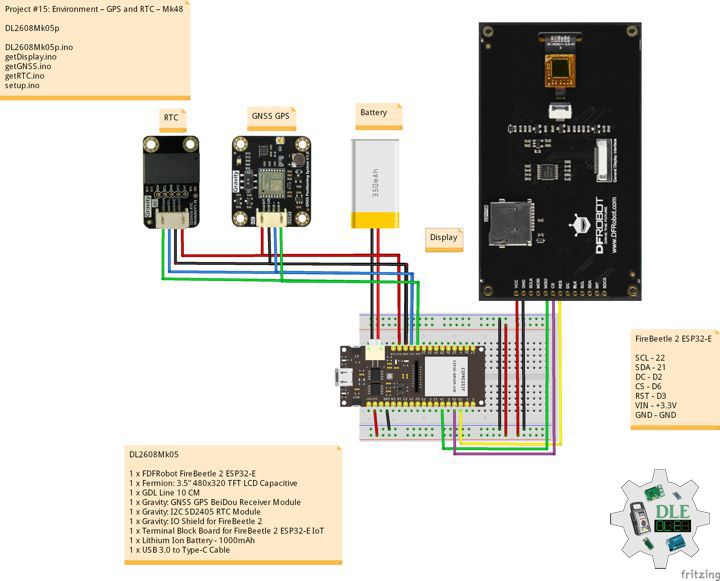
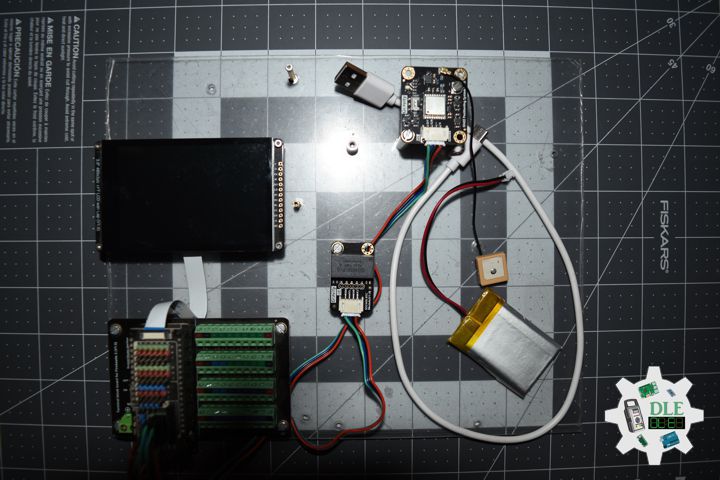
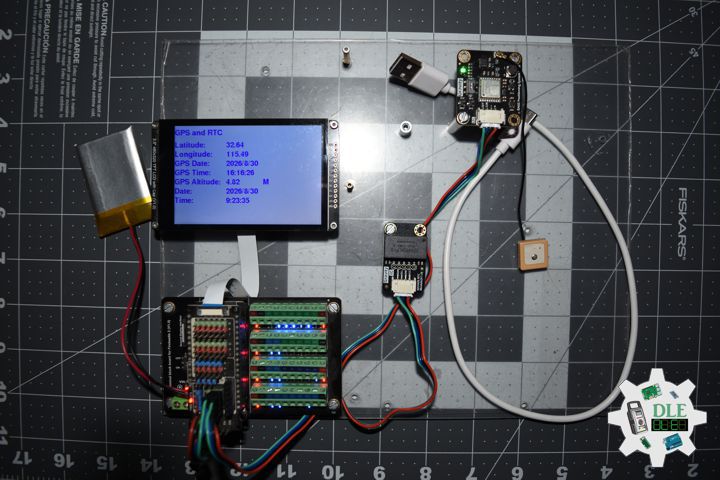
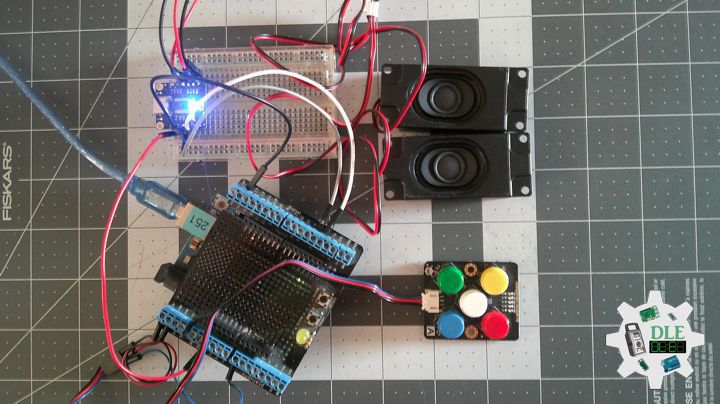
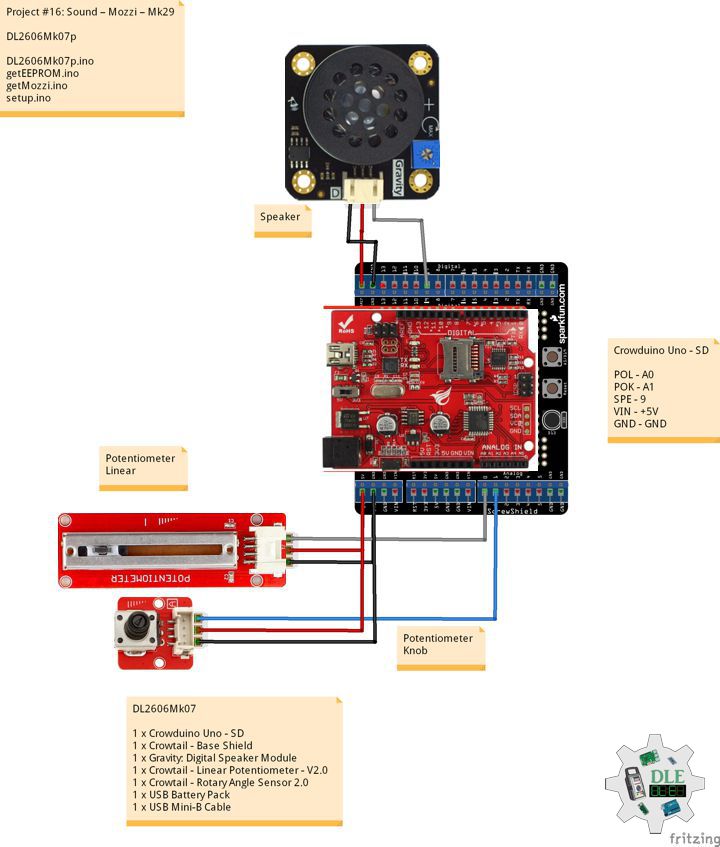
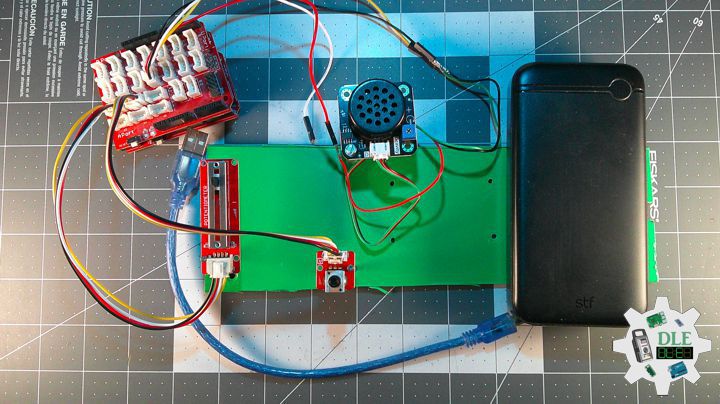
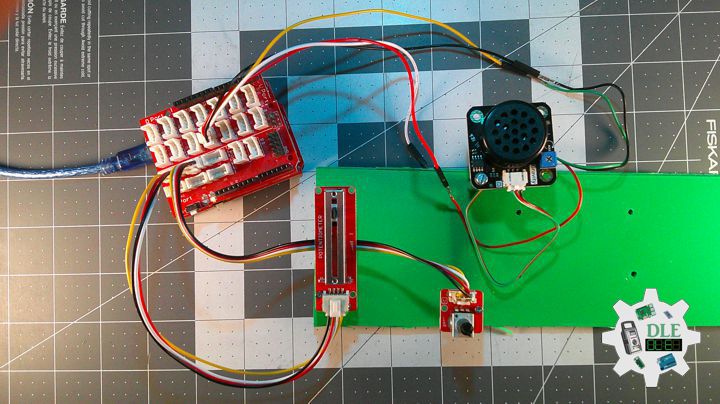
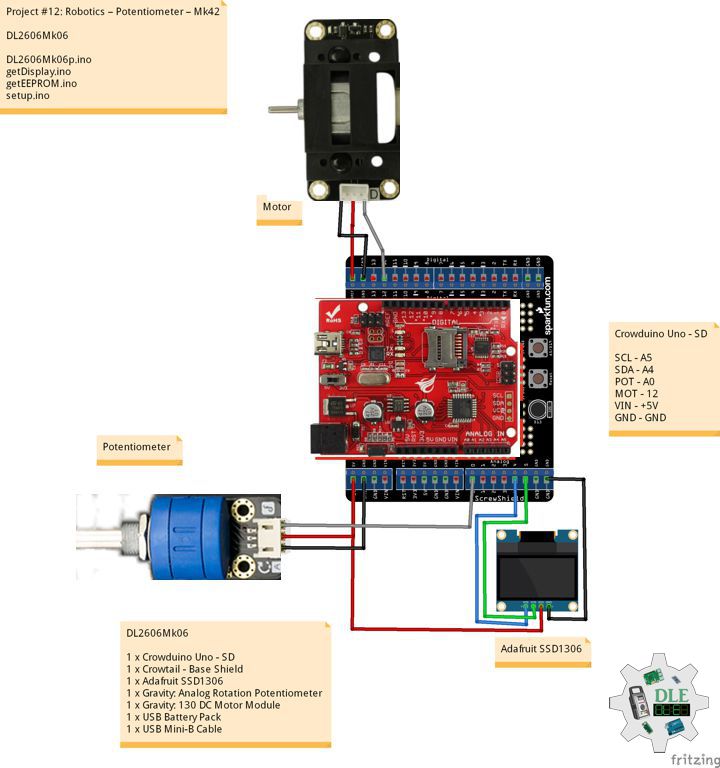
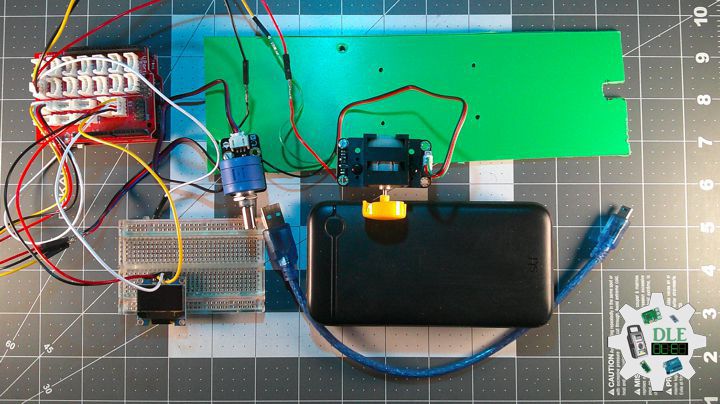
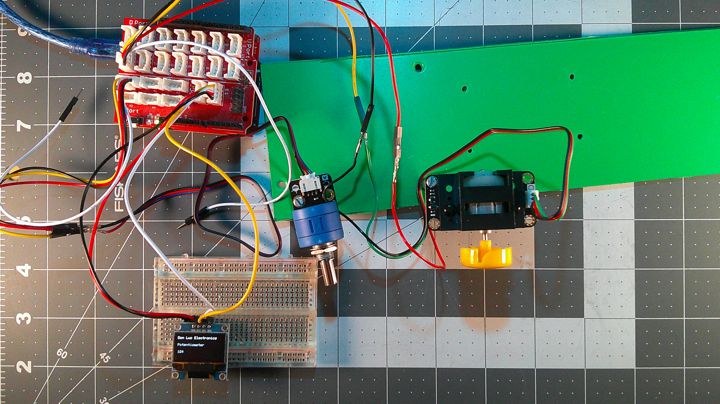
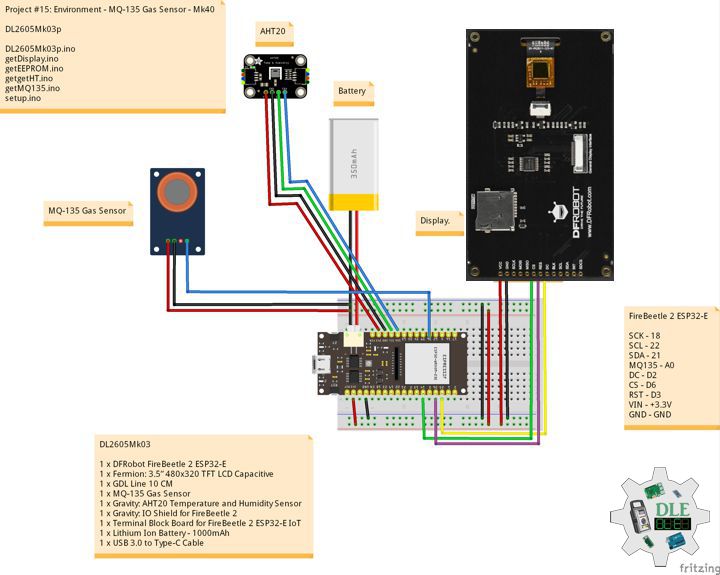
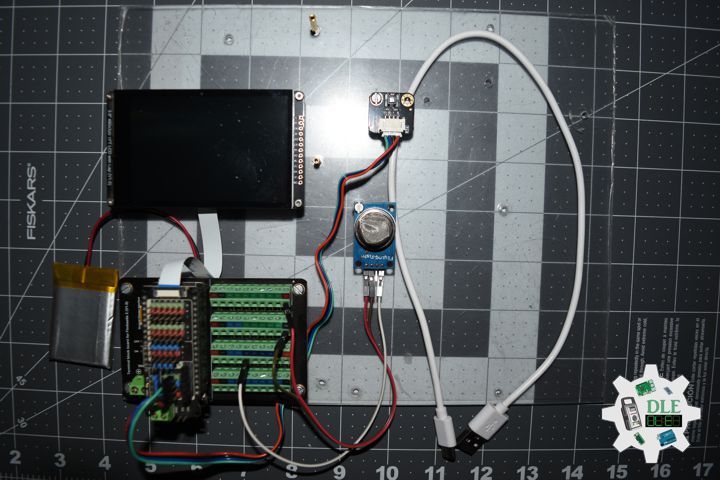
Project #28 – Sensors – Water Sensor – Mk26

——

#DonLucElectronics #DonLuc #Water #FireBeetle2ESP32E #ESP32 #Display #IoT #Project #Fritzing #Programming #Electronics #Microcontrollers #Consultant

——

Water Sensor

——

Water Sensor

——

Water Sensor

——

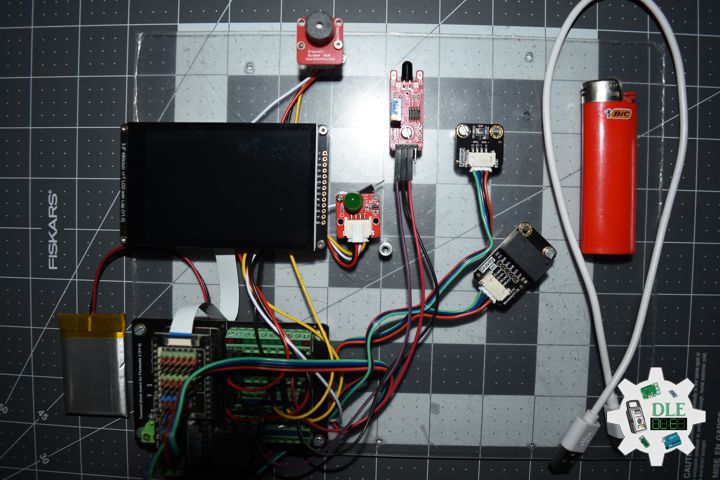
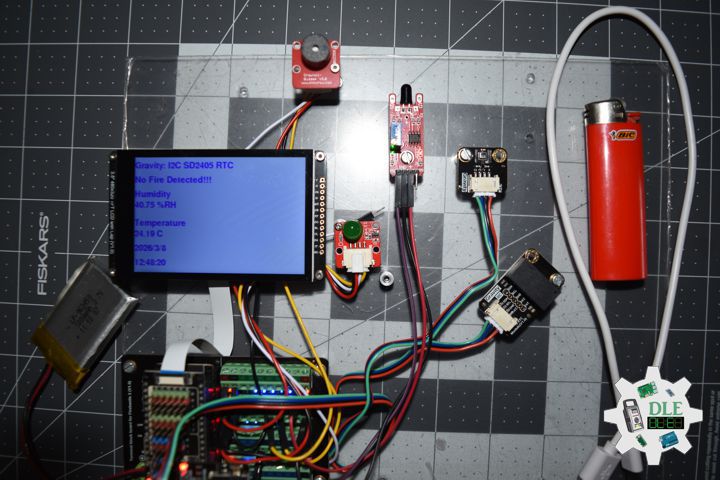
Crowtail – Water Sensor 2.0

The water sensor detects the presence of water using a series of exposed, grounded traces, including the sensor traces. These traces have a weak pull-up resistance of 1 M?. This resistance will raise the value of the sensor trace until a drop of water causes a short circuit between the sensor trace and the grounded trace. The amount of water-induced contact between the grounded and sensor traces can be detected using the digital I/O pins.

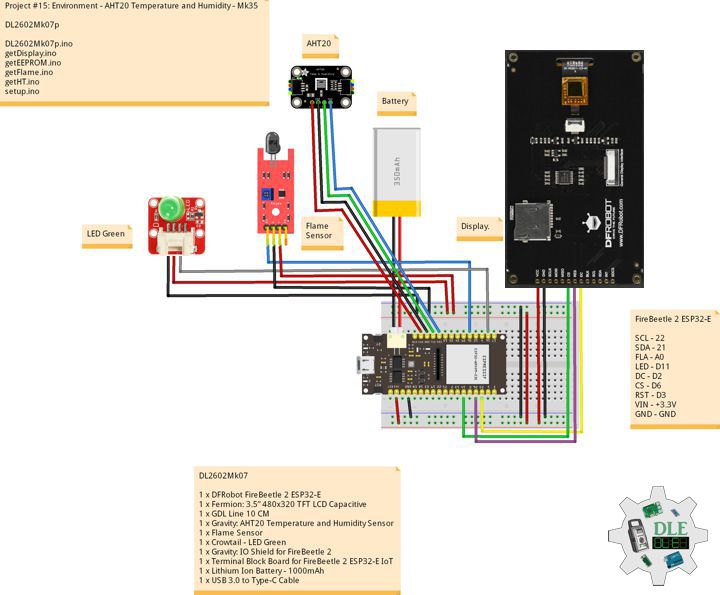
DL2601Mk04

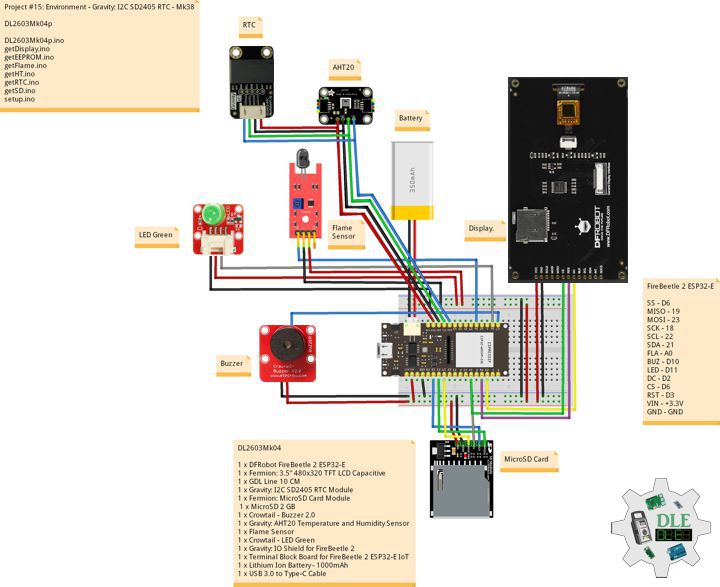
1 x DFRobot FireBeetle 2 ESP32-E
1 x Fermion: 3.5” 480×320 TFT LCD Capacitive
1 x GDL Line 10 CM
1 x Crowtail – Water Sensor 2.0
1 x Crowtail – LED Green
1 x Gravity: IO Shield for FireBeetle 2
1 x Terminal Block Board for FireBeetle 2 ESP32-E IoT
1 x Lithium Ion Battery – 1000mAh
1 x Micro USB Cable

DL2601Mk04p

DL2601Mk04p.ino

/****** Don Luc Electronics © ******
Software Version Information
Project #28 – Sensors – Water Sensor – Mk26
28-26
DL2601Mk04p.ino
DL2601Mk04
1 x DFRobot FireBeetle 2 ESP32-E
1 x Fermion: 3.5” 480x320 TFT LCD Capacitive
1 x GDL Line 10 CM
1 x Crowtail - Water Sensor 2.0
1 x Crowtail - LED Green
1 x Gravity: IO Shield for FireBeetle 2
1 x Terminal Block Board for FireBeetle 2 ESP32-E IoT
1 x Lithium Ion Battery - 1000mAh
1 x Micro USB Cable
*/

// Include the Library Code
// EEPROM Library to Read and Write EEPROM with Unique ID for Unit
#include "EEPROM.h"
// Wire
#include <Wire.h>
// Arduino
#include "Arduino.h"
// DFRobot Display GDL API
#include <DFRobot_GDL.h>

// Water Sensor
// LED Green
int iLEDG = D11;
// Water
int iWater =  D10;
int iWaterState = 0;
String sW = "";

// Defined ESP32
#define TFT_DC  D2
#define TFT_CS  D6
#define TFT_RST D3

/*dc=*/ /*cs=*/ /*rst=*/
// DFRobot Display 320x480
DFRobot_ILI9488_320x480_HW_SPI screen(TFT_DC, TFT_CS, TFT_RST);

// Software Version Information
// EEPROM Unique ID Information
#define EEPROM_SIZE 64
String uid = "";

// Software Version Information
String sver = "28-26";

void loop() {
  
  // Water Sensor
  isWater();

  // isDisplay Water
  isDisplayWater();

  // Delay 1 Second
  delay( 1000 );

}

getDisplay.ino

// DFRobot Display 320x480
// DFRobot Display 320x480 - UID
void isDisplayUID(){

  // DFRobot Display 320x480
  // Text Display
  // Text Wrap
  screen.setTextWrap(false);
  // Rotation
  screen.setRotation(3);
  // Fill Screen => black
  screen.fillScreen(0x0000);
  // Text Color => white
  screen.setTextColor(0xffff);
  // Font => Free Sans Bold 12pt
  screen.setFont(&FreeSansBold12pt7b);
  // TextSize => 1.5
  screen.setTextSize(1.5);
  // Don Luc Electronics
  screen.setCursor(0, 30);
  screen.println("Don Luc Electronics");
  // SD
  screen.setCursor(0, 60);
  screen.println("Water Sensor");
  // Version
  screen.setCursor(0, 90);
  screen.println("Version");
  screen.setCursor(0, 120);
  screen.println( sver );
  // EEPROM
  screen.setCursor(0, 150);
  screen.println("EEPROM");
  screen.setCursor(0, 180);
  screen.println( uid );

}
// isDisplayWater
void isDisplayWater(){

  // DFRobot Display 320x480
  // Text Display
  // Text Wrap
  screen.setTextWrap(false);
  // Rotation
  screen.setRotation(3);
  // Fill Screen => white
  screen.fillScreen(0xffff);
  // Text Color => blue
  screen.setTextColor(0x001F);
  // Font => Free Sans Bold 12pt
  screen.setFont(&FreeSansBold12pt7b);
  // TextSize => 1.5
  screen.setTextSize(1.5);
  // Water Sensor
  screen.setCursor(0, 30);
  screen.println("Water Sensor");
  // Accelerometer X
  screen.setCursor(0, 60);
  screen.println( "Water State" );
  screen.setCursor(0, 90);
  screen.println( sW );

}

getEEPROM.ino

// isUID EEPROM Unique ID
void isUID()
{
  
  // Is Unit ID
  uid = "";
  for (int x = 0; x < 7; x++)
  {
    uid = uid + char(EEPROM.read(x));
  }
  
}

getWater.ino

// Water Sensor
// is Water
void isWater(){

// Read the State of the Water Sensor value:
  iWaterState = digitalRead(iWater);

  // check if rainning.
  // if it is, the waterState is LOW
  if (iWaterState == LOW) {     
    
    // Turn LED HIGH
    digitalWrite(iLEDG, HIGH);
    sW = "HIGH";

  } 
  else {
    
    // Turn LED LOW
    digitalWrite(iLEDG, LOW);
    sW = "LOW";
    
  }

}

setup.ino

// Setup
void setup()
{
 
  // Delay
  delay( 100 );

   // EEPROM Size
  EEPROM.begin(EEPROM_SIZE);
  
  // EEPROM Unique ID
  isUID();

  // Delay
  delay( 100 );
 
  // DFRobot Display 320x480
  screen.begin();

  // Delay
  delay( 100 );
  
  // Water Sensor
  // LED Green 
  pinMode(iLEDG, OUTPUT);
  // Water
  pinMode(iWater, INPUT);

  // Delay
  delay( 100 );

  // DFRobot Display 320x480 - UID
  // Don Luc Electronics
  // Version
  // EEPROM
  isDisplayUID();

  // Delay 5 Second
  delay( 5000 );

}

——

People can contact us: https://www.donluc.com/?page_id=1927

Consultant, R&D, Electronics, IoT, Teacher and Instructor

  • Programming Language
  • Single-Board Microcontrollers (PIC, Arduino, Raspberry Pi, Arm, Silicon Labs, Espressif, Etc…)
  • IoT
  • Wireless (Radio Frequency, Bluetooth, WiFi, Etc…)
  • Robotics
  • Automation
  • Camera and Video Capture Receiver Stationary, Wheel/Tank , Underwater and UAV Vehicle
  • Unmanned Vehicles Terrestrial, Marine and UAV
  • Machine Learning
  • Artificial Intelligence (AI)
  • RTOS
  • Sensors, eHealth Sensors, Biosensor, and Biometric
  • Research & Development (R & D)
  • Consulting

Follow Us

Luc Paquin – Curriculum Vitae – 2026
https://www.donluc.com/luc/LucPaquinCVEng2026Mk01.pdf
https://www.donluc.com/luc/

Web: https://www.donluc.com/
Web: https://www.jlpconsultants.com/
Facebook: https://www.facebook.com/neosteam.labs.9/
YouTube: https://www.youtube.com/@thesass2063
DFRobot: https://learn.dfrobot.com/user-10186.html
Elecrow: https://www.elecrow.com/share/sharepj/center/no/760816d385ebb1edc0732fd873bfbf13
TikTok: https://www.tiktok.com/@luc.paquin8
Hackster: https://www.hackster.io/luc-paquin
LinkedIn: https://www.linkedin.com/in/jlucpaquin/

Don Luc
Project #28 – Sensors – MQ-135 Gas Sensor – Mk22

——

#DonLucElectronics #DonLuc #MQ135 #ArduinoUNOR4 #Display #IoT #Project #Fritzing #Programming #Electronics #Microcontrollers #Consultant

——

MQ-135 Gas Sensor

——

MQ-135 Gas Sensor

——

MQ-135 Gas Sensor

——

MQ-135 Gas Sensor

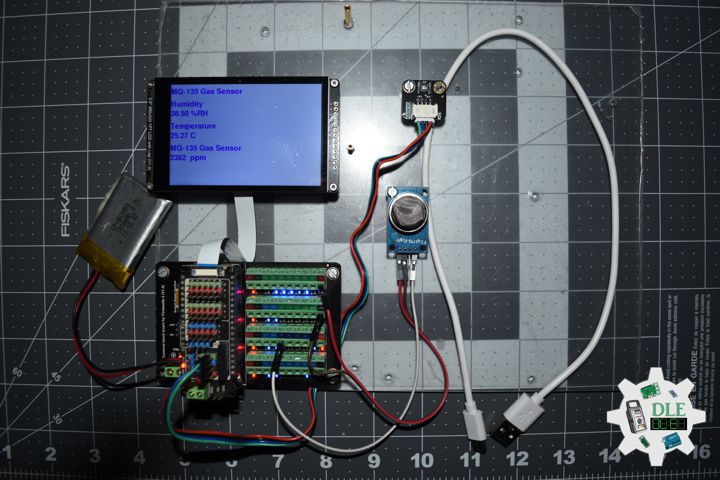
The gas sensing material used in the MQ135 gas sensor is tin dioxide (SnO2), which has low conductivity in clean air. When there is polluted gas in the environment where the sensor is located, the conductivity of the sensor increases with the increase of the concentration of polluted gas in the air. The MQ135 gas sensor has a high sensitivity to ammonia, sulfide, and benzene-based vapors, and is ideal for monitoring smoke and other harmful gases. This sensor can detect a variety of harmful gases and is a low-cost sensor suitable for a variety of applications.

DL2512Mk05

1 x Arduino UNO R4 WiFi
1 x Adafruit SHARP Memory Display Breakout – 1.3″ 168×144 Monochrome
1 x MQ-135 Gas Sensor
1 x USB Battery Pack
1 x USB 3.0 to Type-C Cable

DL2512Mk05p

DL2512Mk05p.ino

/****** Don Luc Electronics © ******
Software Version Information
Project #28 – Sensors – MQ-135 Gas Sensor – Mk22
28-22
DL2512Mk05p.ino
DL2512Mk05
1 x Arduino UNO R4 WiFi
1 x Adafruit SHARP Memory Display Breakout - 1.3" 168x144 Monochrome
1 x MQ-135 Gas Sensor
1 x USB Battery Pack
1 x USB 3.0 to Type-C Cable
*/

// Include the Library Code
// MQ-135 Unified
#include <MQUnifiedsensor.h>
// SHARP Memory Display
#include <Adafruit_SharpMem.h>
#include <Adafruit_GFX.h>

// MQ-135 Unified
#define placa "Arduino UNO R4 WiFi"
#define Voltage_Resolution 5
#define pin A0              
#define type "MQ-135"        
#define ADC_Bit_Resolution 10  
#define RatioMQ135CleanAir 3.6  
MQUnifiedsensor MQ135(placa, Voltage_Resolution, ADC_Bit_Resolution, pin, type);
float fV;
float fPPM;
 
// SHARP Memory Display
// any pins can be used
#define SHARP_SCK  13
#define SHARP_MOSI 11
#define SHARP_SS   10
// Set the size of the display here, e.g. 144x168!
Adafruit_SharpMem display(SHARP_SCK, SHARP_MOSI, SHARP_SS, 144, 168);
// The currently-available SHARP Memory Display (144x168 pixels)
// requires > 4K of microcontroller RAM; it WILL NOT WORK on Arduino Uno
// or other <4K "classic" devices!  The original display (96x96 pixels)
// does work there, but is no longer produced.
#define BLACK 0
#define WHITE 1

// Software Version Information
String sver = "28-22";

void loop() {
  
  // MQ135
  isMQ135();

  // isDisplayMQ135
  isDisplayMQ135();

  // Delay
  delay( 1000 );
  
}

getDisplay.ino

// Adafruit SHARP Memory Display
// Adafruit SHARP Memory Display - UID
void isDisplayUID(){

  // text display
  display.setRotation(4);
  display.setTextSize(3);
  display.setTextColor(BLACK);
  display.setCursor(0,2);
  display.println( "Don Luc" );
  //display.setTextSize(2);
  display.setTextColor(BLACK);
  display.setCursor(0,35);
  display.println( sver );
  display.refresh();
  delay( 100 );

}
// isDisplayMQ135
void isDisplayMQ135(){

  // text display MQ135
  display.clearDisplay();
  display.setRotation(4);
  display.setTextSize(3);
  display.setTextColor(BLACK);
  display.setCursor(0,0);
  display.println( "MQ135" );
  display.setCursor(0,35);
  display.println( "Volt" );
  display.setCursor(0,65);
  display.println( fV );
  display.setCursor(0,95);
  display.println( "PPM" );
  display.setCursor(0,125);
  display.print( fPPM );
  display.refresh();
  delay( 100 );
  
}

getMQ135.ino

// MQ-135 Unified
// is MQ135
void isMQ135(){

  // MQ-135 Unified Analog
  MQ135.update();
  // Volt
  fV = MQ135.getVoltage();
  // PPM
  fPPM = MQ135.readSensor() + 400;

}

setup.ino

// Setup
void setup()
{
 
  // Delay
  delay( 100 );
  // Delay
  delay( 100 );
  
  // SHARP Display start & clear the display
  display.begin();
  display.clearDisplay();

  // Delay
  delay(100);

  // MQ-135 Unified
  // PPM =  a*ratio^b
  MQ135.setRegressionMethod(1);
  MQ135.setA(110.47);
  MQ135.setB(-2.862);
  MQ135.init();

  //Calibración
  float calcR0 = 0;
  for (int i = 1; i <= 10; i++) {
    
    // Analog
    MQ135.update();
    calcR0 += MQ135.calibrate(RatioMQ135CleanAir);

  }
  
  MQ135.setR0(calcR0 / 10);
  
  // Delay 2 Second
  delay( 2000 );

  // Don Luc Electronics
  // Version
  isDisplayUID();

  // Delay 5 Second
  delay( 5000 );

}

——

People can contact us: https://www.donluc.com/?page_id=1927

Consultant, R&D, Electronics, IoT, Teacher and Instructor

  • Programming Language
  • Single-Board Microcontrollers (PIC, Arduino, Raspberry Pi, Arm, Silicon Labs, Espressif, Etc…)
  • IoT
  • Wireless (Radio Frequency, Bluetooth, WiFi, Etc…)
  • Robotics
  • Automation
  • Camera and Video Capture Receiver Stationary, Wheel/Tank , Underwater and UAV Vehicle
  • Unmanned Vehicles Terrestrial, Marine and UAV
  • Machine Learning
  • Artificial Intelligence (AI)
  • RTOS
  • Sensors, eHealth Sensors, Biosensor, and Biometric
  • Research & Development (R & D)
  • Consulting

Follow Us

Luc Paquin – Curriculum Vitae – 2026
https://www.donluc.com/luc/

Web: https://www.donluc.com/
Web: https://www.jlpconsultants.com/
Facebook: https://www.facebook.com/neosteam.labs.9/
YouTube: https://www.youtube.com/@thesass2063
DFRobot: https://learn.dfrobot.com/user-10186.html
Elecrow: https://www.elecrow.com/share/sharepj/center/no/760816d385ebb1edc0732fd873bfbf13
TikTok: https://www.tiktok.com/@luc.paquin8
Hackster: https://www.hackster.io/luc-paquin
LinkedIn: https://www.linkedin.com/in/jlucpaquin/

Don Luc
Project #15: Environment – Arduino UNO R4 WiFi – Mk34

——

#DonLucElectronics #DonLuc #Environment #DHT11 #ArduinoUNOR4 #Project #IoT #Fritzing #Programming #Electronics #Microcontrollers #Consultant

——

Arduino UNO R4 WiFi

——

Arduino UNO R4 WiFi

——

Arduino UNO R4 WiFi

——

Arduino UNO R4 WiFi

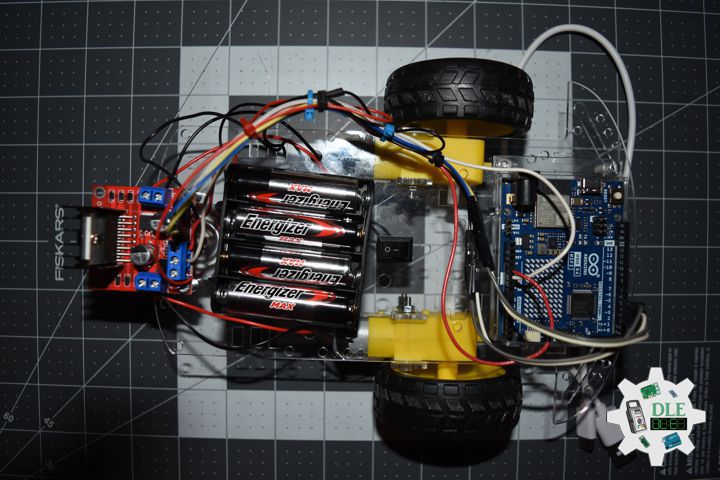
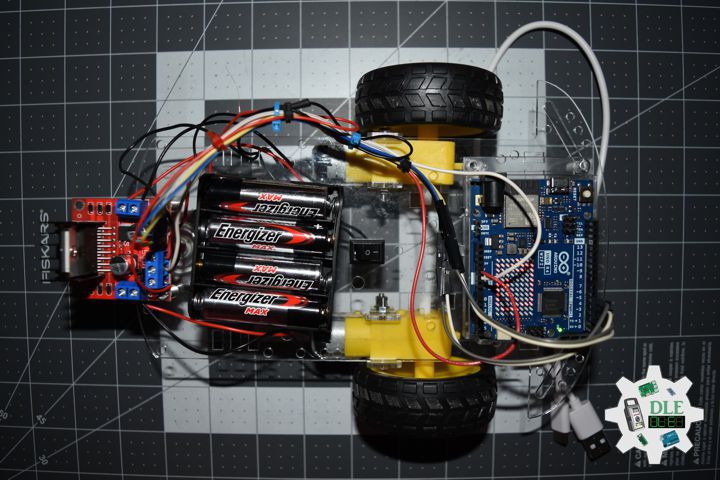
The new Arduino UNO R4 development board UNO R4 WiFi. It runs on the Renesas RA4M1 (Arm Cortex®-M4) processor with a clock speed of 48MHz, which provides a 3x increase over the UNO R3. In addition to that, the SRAM has been upgraded from 2kB to 32kB and the flash memory has been increased from 32kB to 256kB to accommodate to more complex projects. Furthermore, in response to requests from the Arduino community, the USB port has been upgraded to USB-C and the maximum power supply voltage has been increased to 24V. The board provides a CAN bus, allowing users to minimize wiring and perform different tasks by connecting multiple extension boards. Finally, the new board also includes a 12-bit analog DAC. The WiFi version comes with an Espressif S3 WiFi module, expanding creative opportunities for makers, educators, and hobbyists alike. Based on the success of UNO R3, the UNO R4 board is the ideal prototype and learning tool for anyone. While retaining the well-known features of the UNO series, such as standard form factor, shield compatibility, 5V voltage, and robustness, new features have been added.

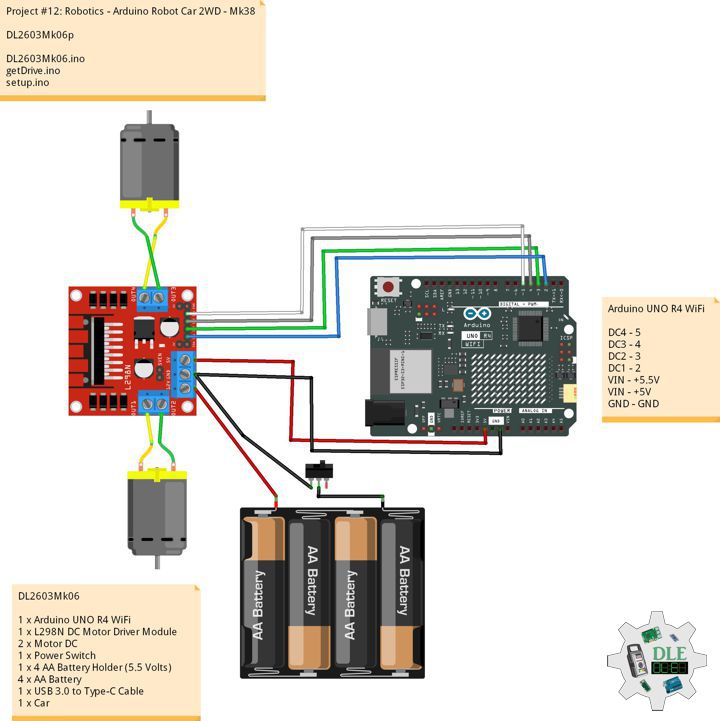
DL2509Mk03

1 x Arduino UNO R4 WiFi
1 x Adafruit SHARP Memory Display Breakout – 1.3″ 168×144 Monochrome
1 x Gravity: DHT11 Temperature & Humidity Sensor
1 x USB Battery Pack
1 x USB 3.1 Cable A to C

DL2509Mk03p

DL2508Mk03p.ino

/****** Don Luc Electronics © *****Software Version Information
Project #15: Environment - Arduino UNO R4 WiFi - Mk34
15-34
DL2509Mk03.ino
DL2509Mk03
1 x Arduino UNO R4 WiFi
1 x Adafruit SHARP Memory Display Breakout - 1.3" 168x144 Monochrome
1 x Gravity: DHT11 Temperature & Humidity Sensor
1 x USB Battery Pack
1 x USB 3.1 Cable A to C
*/

// Include the Library Code
// DHT11
#include <DHT11.h>
// SHARP Memory Display
#include <Adafruit_SharpMem.h>
#include <Adafruit_GFX.h>

// DHT11
#define DHT11PIN 2
DHT11 dht11(DHT11PIN);
int temperature = 0;
int humidity = 0;

// SHARP Memory Display
// any pins can be used
#define SHARP_SCK  13
#define SHARP_MOSI 11
#define SHARP_SS   10
// Set the size of the display here, e.g. 144x168!
Adafruit_SharpMem display(SHARP_SCK, SHARP_MOSI, SHARP_SS, 144, 168);
// The currently-available SHARP Memory Display (144x168 pixels)
// requires > 4K of microcontroller RAM; it WILL NOT WORK on Arduino Uno
// or other <4K "classic" devices!  The original display (96x96 pixels)
// does work there, but is no longer produced.
#define BLACK 0
#define WHITE 1

// Software Version Information
String sver = "15-34";

void loop() {

  // DHT11
  isDHT11();

  // isDT11 Display
  isDisplayDHT();

  // Delay 1 Second
  delay( 1000 );

}

getDHT.ino

// DHT11
// isDHT11
void isDHT11(){

  // Attempt to read the temperature and humidity values from the DHT11 sensor.
  int result = dht11.readTemperatureHumidity(temperature, humidity);

}

getDisplay.ino

// Adafruit SHARP Memory Display
// Adafruit SHARP Memory Display - UID
void isDisplayUID(){

  // text display
  display.setRotation(4);
  display.setTextSize(3);
  display.setTextColor(BLACK);
  display.setCursor(0,2);
  display.println( "Don Luc" );
  //display.setTextSize(2);
  display.setTextColor(BLACK);
  display.setCursor(0,35);
  display.println( sver );
  display.refresh();
  delay( 100 );

}
// isDHT11 Display
void isDisplayDHT(){

  // text display Date and Time
  display.clearDisplay();
  display.setRotation(4);
  display.setTextSize(3);
  display.setTextColor(BLACK);
  display.setCursor(0,0);
  display.println( "Temp (C)" );
  display.setCursor(0,35);
  display.print( temperature );
  display.setCursor(45,35);
  display.println( "C" );
  //display.setTextSize(3);
  //display.setTextColor(BLACK);
  display.setCursor(0,65);
  display.println( "Hum (%)" );
  display.setCursor(0,95);
  display.print( humidity );
  display.setCursor(45,95);
  display.println( "%" );
  display.refresh();
  delay( 100 );
  
}

setup.ino

// Setup
void setup()
{
  
  // Delay
  delay(100);
  
  // SHARP Display start & clear the display
  display.begin();
  display.clearDisplay();

  // Delay
  delay( 100 );

  // Display - UID
  // Don Luc Electronics
  // Version
  isDisplayUID();

  // Delay 5 Second
  delay( 5000 );

}

——

People can contact us: https://www.donluc.com/?page_id=1927

Consultant, R&D, Electronics, IoT, Teacher and Instructor

  • Programming Language
  • Single-Board Microcontrollers (PIC, Arduino, Raspberry Pi, Arm, Silicon Labs, Espressif, Etc…)
  • IoT
  • Wireless (Radio Frequency, Bluetooth, WiFi, Etc…)
  • Robotics
  • Automation
  • Camera and Video Capture Receiver Stationary, Wheel/Tank , Underwater and UAV Vehicle
  • Unmanned Vehicles Terrestrial, Marine and UAV
  • Machine Learning
  • Artificial Intelligence (AI)
  • RTOS
  • Sensors, eHealth Sensors, Biosensor, and Biometric
  • Research & Development (R & D)
  • Consulting

Follow Us

Luc Paquin – Curriculum Vitae – 2024
https://www.donluc.com/luc/

Web: https://www.donluc.com/
Facebook: https://www.facebook.com/neosteam.labs.9/
YouTube: https://www.youtube.com/@thesass2063
Twitter: https://twitter.com/labs_steam
Pinterest: https://www.pinterest.com/NeoSteamLabs/
Instagram: https://www.instagram.com/neosteamlabs/
DFRobot: https://learn.dfrobot.com/user-10186.html
Elecrow: https://www.elecrow.com/share/sharepj/center/no/760816d385ebb1edc0732fd873bfbf13
TikTok: https://www.tiktok.com/@luc.paquin8
Hackster: https://www.hackster.io/luc-paquin
LinkedIn: https://www.linkedin.com/in/jlucpaquin/

Don Luc