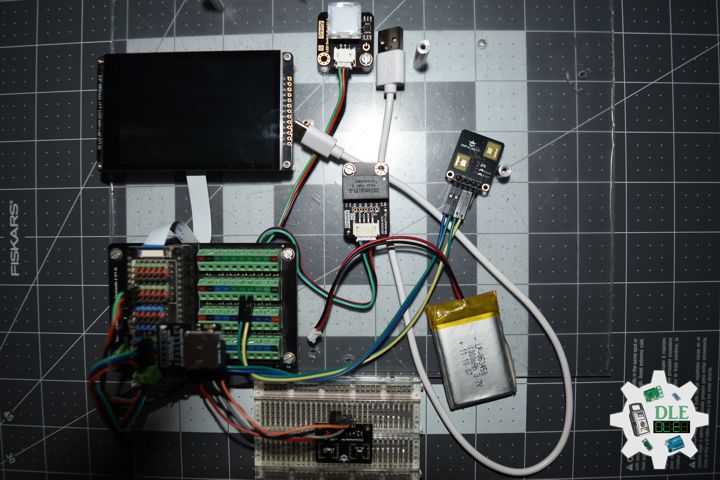
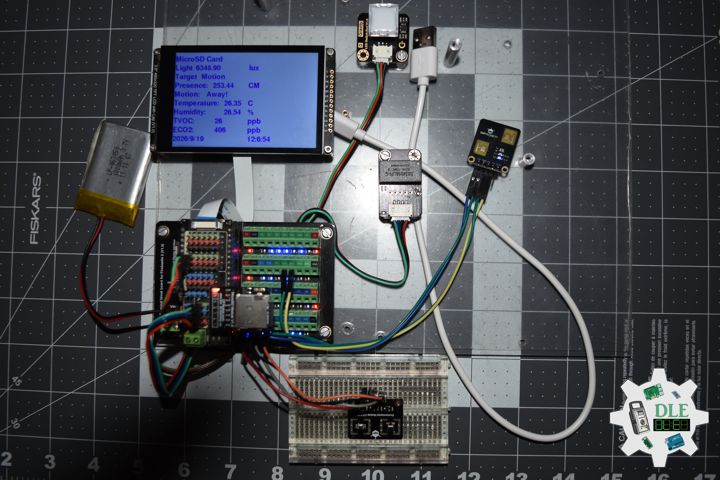
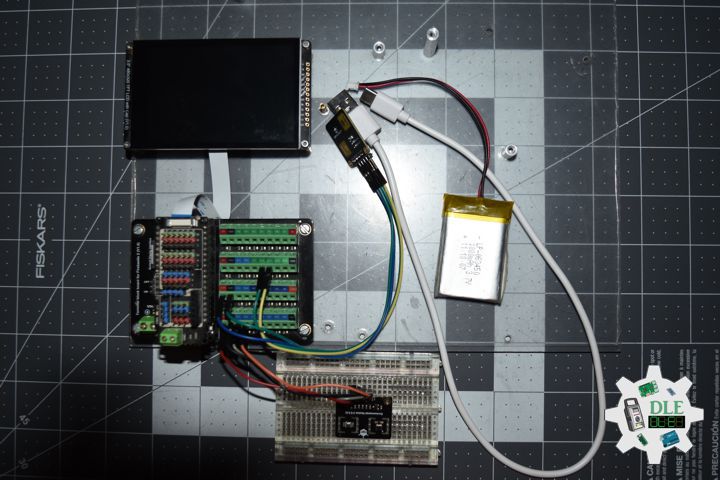
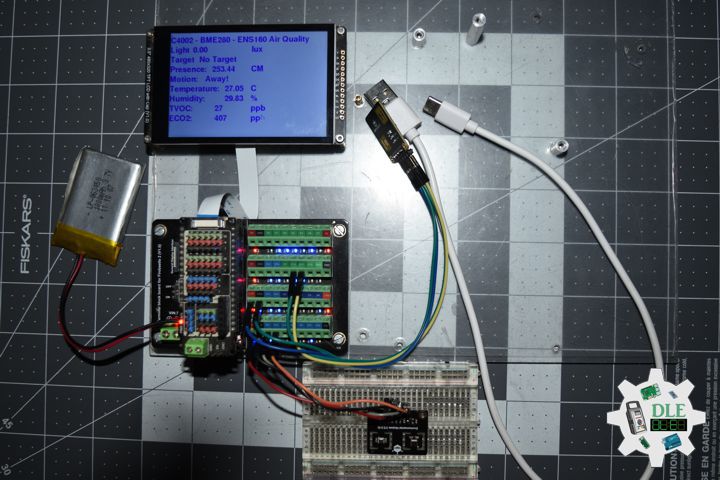
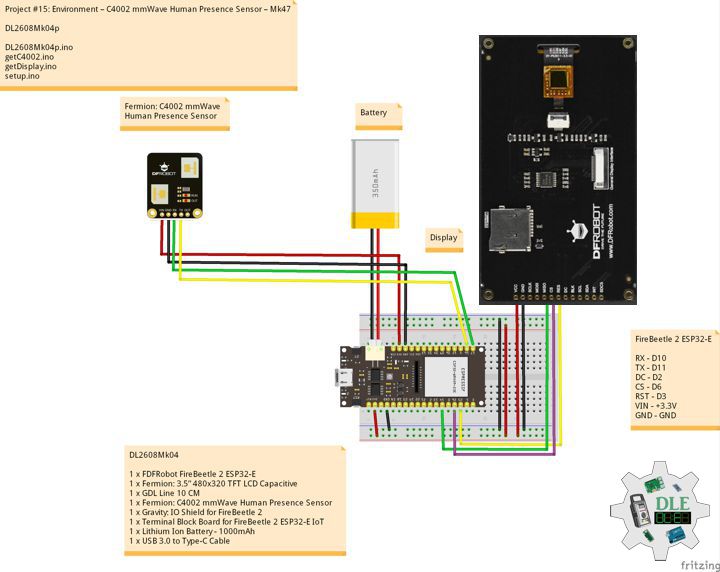
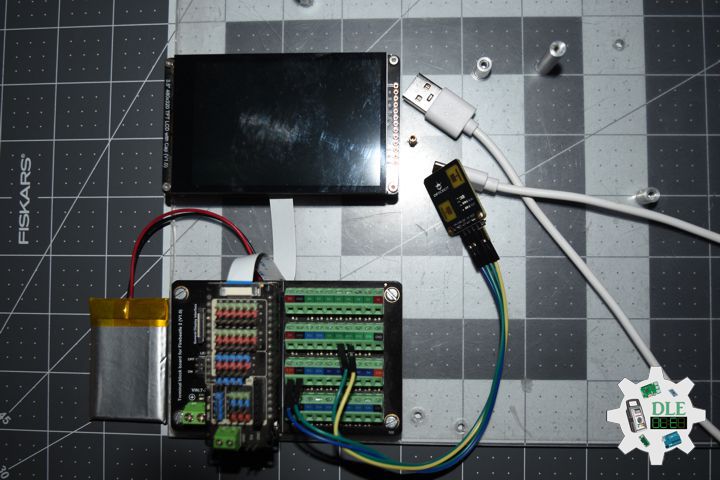
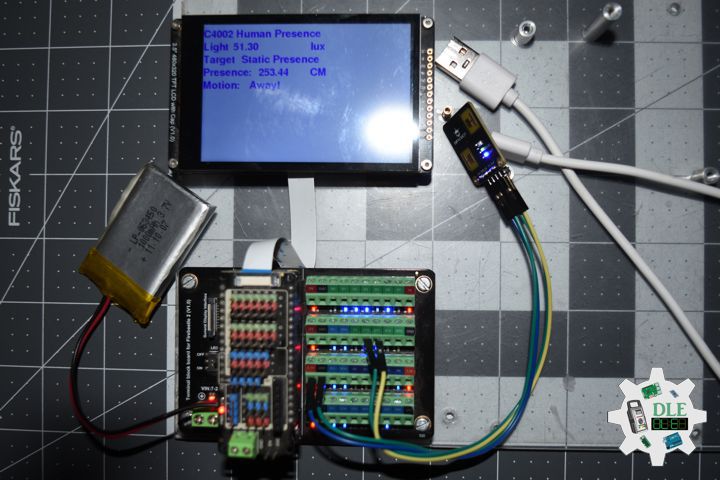
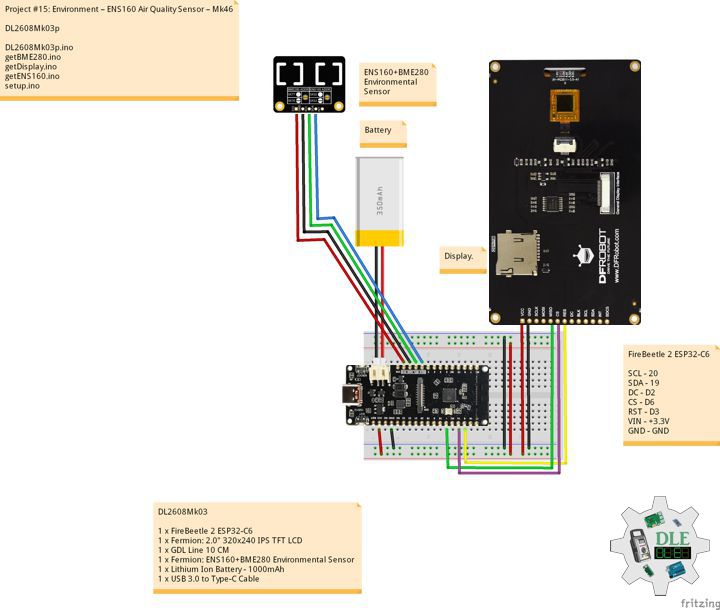
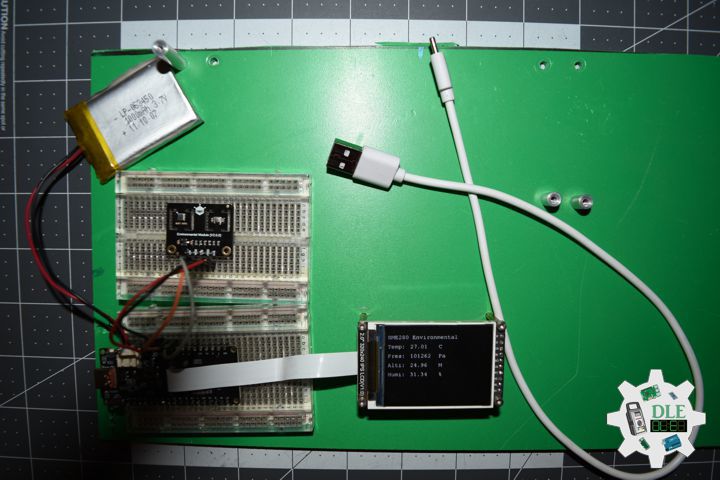
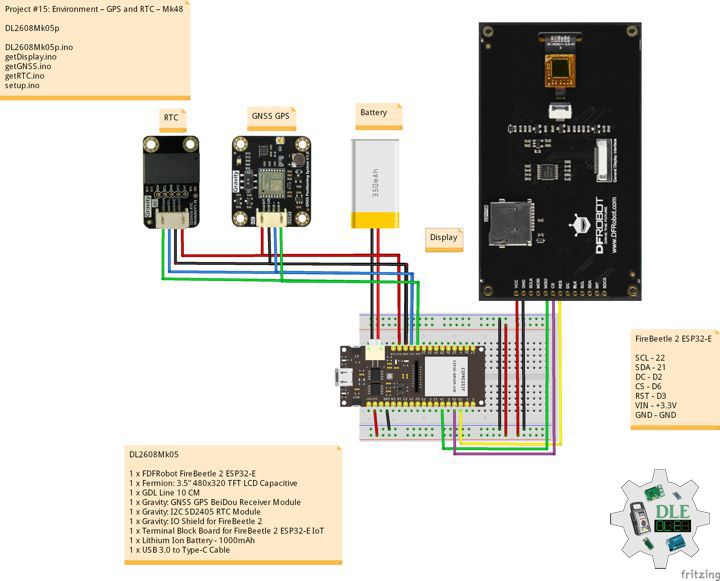
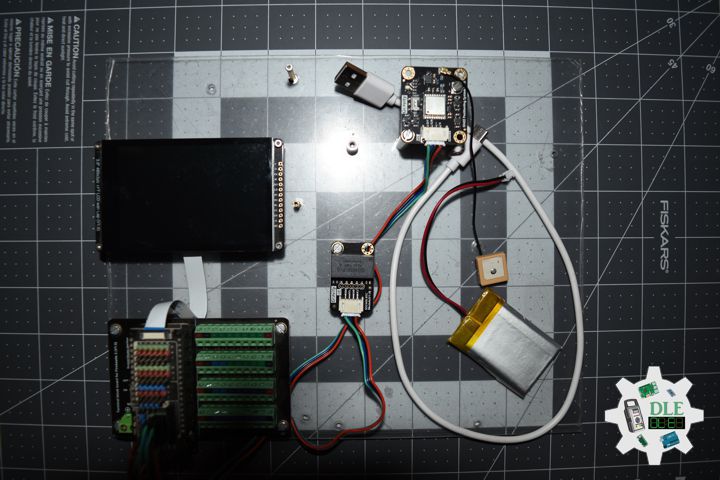
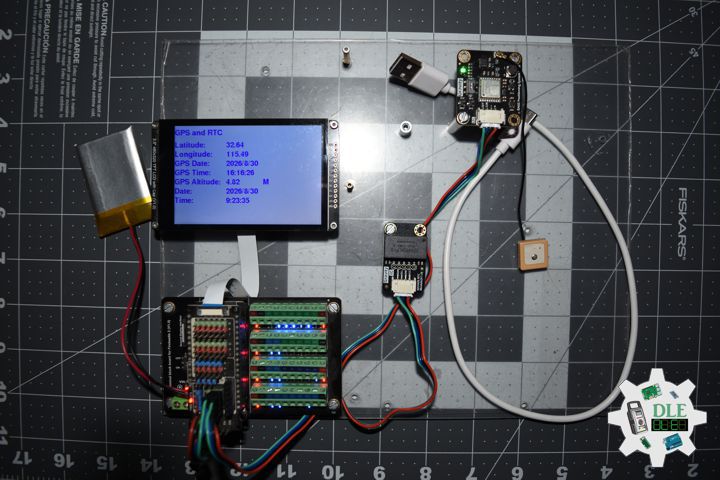
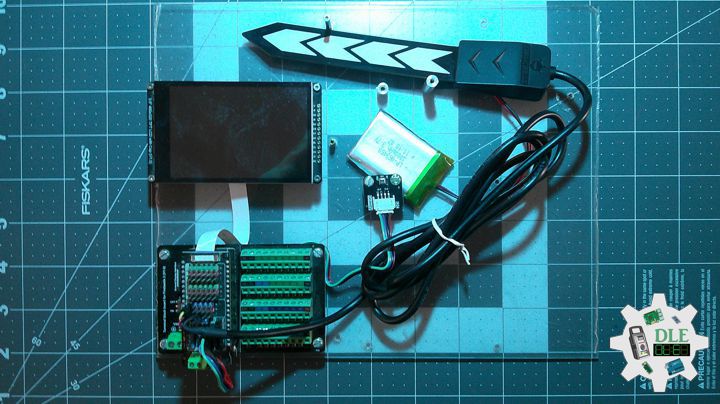
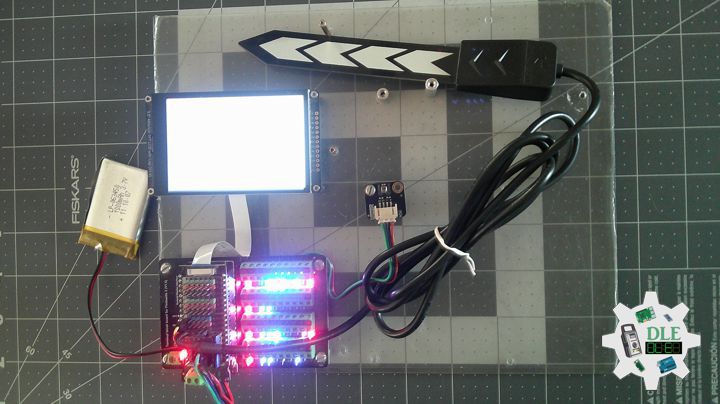
Project #12: Robotics – Camera – Mk31

——

#DonLucElectronics #DonLuc #Camera #ESP32CAM #ESP32 #IoT #Project #Fritzing #Programming #Electronics #Microcontrollers #Consultant

——

Camera

——

Camera

——

Camera

——

ESP32-CAM Camera

The ESP32-CAM is a small size, low power consumption camera module based on ESP32. It comes with an OV2640 camera and provides onboard TF card slot. The ESP32-CAM can be widely used in intelligent IoT applications such as wireless video monitoring, WiFi image upload, QR identification, and so on.

DL2602Mk02

1 x ESP32-CAM
1 x OV2640 Camera
1 x ESP32-CAM-MB Adapter
1 x MicroSD Card 8 GB
1 x USB Battery Pack
1 x Micro USB Cable

DL2602Mk02p

DL2602Mk02p.ino

/****** Don Luc Electronics © ******
Software Version Information
Project #12: Robotics - Camera - Mk31
12-31
DL2602Mk02p.ino
DL2602Mk02
1 x ESP32-CAM
1 x OV2640 Camera
1 x ESP32-CAM-MB Adapter
1 x MicroSD Card 2 GB
1 x USB Battery Pack
1 x Micro USB Cable
*/

// Include the Library Code
 // ESP Camera
#include "esp_camera.h"
// Arduino
#include "Arduino.h"
// SD Card ESP32
#include "FS.h"
// SD Card ESP32
#include "SD_MMC.h"
// Disable brownout problems
#include "soc/soc.h"
// Disable brownout problems
#include "soc/rtc_cntl_reg.h" 
// Driver
#include "driver/rtc_io.h"
// Read and write from flash memory
#include <EEPROM.h>

// Define the number of bytes you want to access
#define EEPROM_SIZE 1

// Pin definition for CAMERA_MODEL_AI_THINKER
#define PWDN_GPIO_NUM     32
#define RESET_GPIO_NUM    -1
#define XCLK_GPIO_NUM      0
#define SIOD_GPIO_NUM     26
#define SIOC_GPIO_NUM     27
#define Y9_GPIO_NUM       35
#define Y8_GPIO_NUM       34
#define Y7_GPIO_NUM       39
#define Y6_GPIO_NUM       36
#define Y5_GPIO_NUM       21
#define Y4_GPIO_NUM       19
#define Y3_GPIO_NUM       18
#define Y2_GPIO_NUM        5
#define VSYNC_GPIO_NUM    25
#define HREF_GPIO_NUM     23
#define PCLK_GPIO_NUM     22
 
 // Picture Number
int pictureNumber = 0;

// Software Version Information
String sver = "12-31";

void loop() {
  
}

getCamera.ino

// Camera
// Camera Setup
void isCameraSetup(){

  // Disable brownout detector
  WRITE_PERI_REG(RTC_CNTL_BROWN_OUT_REG, 0);

  // Camera Config
  camera_config_t config;
  config.ledc_channel = LEDC_CHANNEL_0;
  config.ledc_timer = LEDC_TIMER_0;
  config.pin_d0 = Y2_GPIO_NUM;
  config.pin_d1 = Y3_GPIO_NUM;
  config.pin_d2 = Y4_GPIO_NUM;
  config.pin_d3 = Y5_GPIO_NUM;
  config.pin_d4 = Y6_GPIO_NUM;
  config.pin_d5 = Y7_GPIO_NUM;
  config.pin_d6 = Y8_GPIO_NUM;
  config.pin_d7 = Y9_GPIO_NUM;
  config.pin_xclk = XCLK_GPIO_NUM;
  config.pin_pclk = PCLK_GPIO_NUM;
  config.pin_vsync = VSYNC_GPIO_NUM;
  config.pin_href = HREF_GPIO_NUM;
  config.pin_sccb_sda = SIOD_GPIO_NUM;
  config.pin_sccb_scl = SIOC_GPIO_NUM;
  config.pin_pwdn = PWDN_GPIO_NUM;
  config.pin_reset = RESET_GPIO_NUM;
  config.xclk_freq_hz = 20000000;
  config.pixel_format = PIXFORMAT_JPEG;
  config.grab_mode = CAMERA_GRAB_LATEST;

  // Camera Config
  if(psramFound()){

    // FRAMESIZE_ + QVGA|CIF|VGA|SVGA|XGA|SXGA|UXGA
    config.frame_size = FRAMESIZE_UXGA; 
    config.jpeg_quality = 10;
    config.fb_count = 2;

  } else {

    config.frame_size = FRAMESIZE_SVGA;
    config.jpeg_quality = 12;
    config.fb_count = 1;

  }

  // Delay
  delay( 100 );

  // Init Camera
  esp_err_t err = esp_camera_init(&config);
  if (err != ESP_OK) {

    // Camera init failed;
    return;

  }

  // Delay 
  delay(500);

  if(!SD_MMC.begin()){

    // SD Card Mount Failed
    return;

  }
 
  // Card Type
  uint8_t cardType = SD_MMC.cardType();
  if(cardType == CARD_NONE){

    // No SD Card attached
    return;

  }
   
  // Camera
  camera_fb_t * fb = NULL;
  
  // Take Picture with Camera
  fb = esp_camera_fb_get();  
  if(!fb) {

    // Camera capture failed
    return;

  }

  // Initialize EEPROM with predefined size
  EEPROM.begin(EEPROM_SIZE);
  pictureNumber = EEPROM.read(0) + 1;

  // Path where new picture will be saved in SD Card
  String path = "/picture" + String(pictureNumber) +".jpg";

  // Camera
  fs::FS &fs = SD_MMC; 
  File file = fs.open(path.c_str(), FILE_WRITE);
  if(!file){

    // Failed to open file in writing mode

  } 
  else {

    // Payload (image), payload length
    file.write(fb->buf, fb->len); 
    EEPROM.write(0, pictureNumber);
    EEPROM.commit();

  }

  // Close
  file.close();
  esp_camera_fb_return(fb); 
  
  // Turns off the ESP32-CAM white on-board LED (flash) connected to GPIO 4
  pinMode(4, OUTPUT);
  digitalWrite(4, LOW);
  rtc_gpio_hold_en(GPIO_NUM_4);
  
  delay(2000);
  // Going to sleep now
  delay(2000);
  esp_deep_sleep_start();
  // This will never be printed

}

setup.ino

// Setup
void setup()
{
 
  // Delay
  delay( 100 );

  // Camera Setup
  isCameraSetup();

  // Delay 1 Second
  delay( 1000 );

}

——

People can contact us: https://www.donluc.com/?page_id=1927

Consultant, R&D, Electronics, IoT, Teacher and Instructor

  • Programming Language
  • Single-Board Microcontrollers (PIC, Arduino, Raspberry Pi, Arm, Silicon Labs, Espressif, Etc…)
  • IoT
  • Wireless (Radio Frequency, Bluetooth, WiFi, Etc…)
  • Robotics
  • Automation
  • Camera and Video Capture Receiver Stationary, Wheel/Tank , Underwater and UAV Vehicle
  • Unmanned Vehicles Terrestrial, Marine and UAV
  • Machine Learning
  • Artificial Intelligence (AI)
  • RTOS
  • Sensors, eHealth Sensors, Biosensor, and Biometric
  • Research & Development (R & D)
  • Consulting

Follow Us

Luc Paquin – Curriculum Vitae – 2026
https://www.donluc.com/luc/LucPaquinCVEng2026Mk01.pdf
https://www.donluc.com/luc/

Web: https://www.donluc.com/
Web: https://www.jlpconsultants.com/
Facebook: https://www.facebook.com/neosteam.labs.9/
YouTube: https://www.youtube.com/@thesass2063
DFRobot: https://learn.dfrobot.com/user-10186.html
Elecrow: https://www.elecrow.com/share/sharepj/center/no/760816d385ebb1edc0732fd873bfbf13
TikTok: https://www.tiktok.com/@luc.paquin8
Hackster: https://www.hackster.io/luc-paquin
LinkedIn: https://www.linkedin.com/in/jlucpaquin/

Don Luc

Project #28 – Sensors – Touch Sensor – Mk27

——

#DonLucElectronics #DonLuc #TouchSensor #FireBeetle2ESP32E #ESP32 #Display #IoT #Project #Fritzing #Programming #Electronics #Microcontrollers #Consultant

——
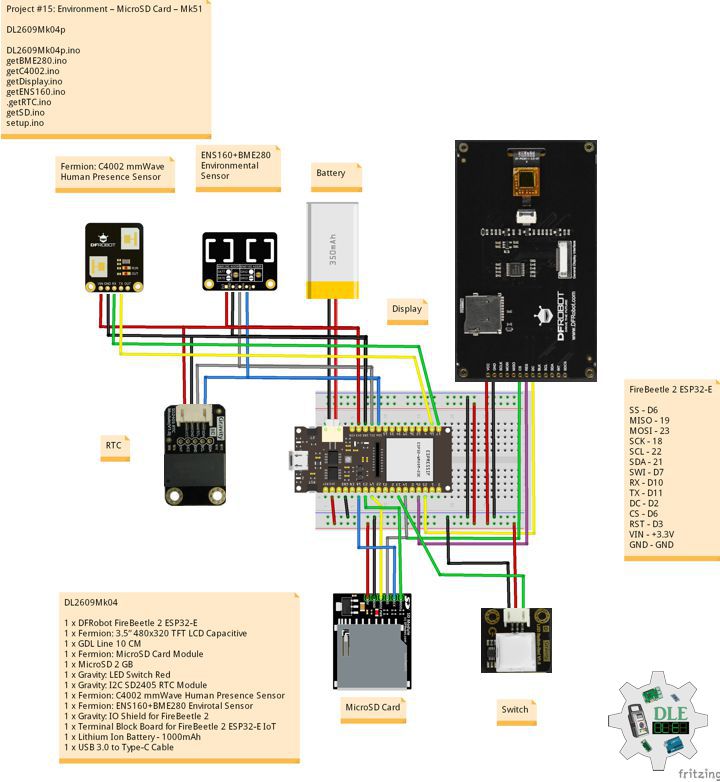
Touch Sensor

——

Touch Sensor

——

Touch Sensor

——

Crowtail – Touch Sensor 2.0

The touch sensor can detect the human touch by sensing the change of capacitance. Based on the touch IC TTP223-B, this module can detect a human finger in 0~3MM, that is, you can place this sensor under a non-metallic surface such as the glass or paper, with a thickness less than 3MM, this would be useful for applications that waterproof is needed, or you want to make the buttons secret.

DL2602Mk01

1 x DFRobot FireBeetle 2 ESP32-E
1 x Fermion: 3.5” 480×320 TFT LCD Capacitive
1 x GDL Line 10 CM
1 x Crowtail – Touch Sensor 2.0
1 x Crowtail – LED Green
1 x Gravity: IO Shield for FireBeetle 2
1 x Terminal Block Board for FireBeetle 2 ESP32-E IoT
1 x Lithium Ion Battery – 1000mAh
1 x USB 3.0 to Type-C Cable

DL2602Mk01p

DL2602Mk01p.ino

/****** Don Luc Electronics © ******
Software Version Information
Project #28 – Sensors – Touch Sensor – Mk27
28-27
DL2602Mk01p.ino
DL2602Mk01
1 x DFRobot FireBeetle 2 ESP32-E
1 x Fermion: 3.5” 480x320 TFT LCD Capacitive
1 x GDL Line 10 CM
1 x Crowtail - Touch Sensor 2.0
1 x Crowtail - LED Green
1 x Gravity: IO Shield for FireBeetle 2
1 x Terminal Block Board for FireBeetle 2 ESP32-E IoT
1 x Lithium Ion Battery - 1000mAh
1 x Micro USB Cable
*/

// Include the Library Code
// EEPROM Library to Read and Write EEPROM with Unique ID for Unit
#include "EEPROM.h"
// DFRobot Display GDL API
#include <DFRobot_GDL.h>

// Touch Sensor
// LED Green
int iLEDG = D11;
// Touch
int iTouch =  D10;
String sT = "";

// Defined ESP32
#define TFT_DC  D2
#define TFT_CS  D6
#define TFT_RST D3

/*dc=*/ /*cs=*/ /*rst=*/
// DFRobot Display 320x480
DFRobot_ILI9488_320x480_HW_SPI screen(TFT_DC, TFT_CS, TFT_RST);

// Software Version Information
// EEPROM Unique ID Information
#define EEPROM_SIZE 64
String uid = "";

// Software Version Information
String sver = "28-27";

void loop() {
  
  // Touch Sensor
  isTouch();

  // isDisplay Touch
  isDisplayTouch();

  // Delay 1 Second
  delay( 1000 );

}

getDisplay.ino

// DFRobot Display 320x480
// DFRobot Display 320x480 - UID
void isDisplayUID(){

  // DFRobot Display 320x480
  // Text Display
  // Text Wrap
  screen.setTextWrap(false);
  // Rotation
  screen.setRotation(3);
  // Fill Screen => black
  screen.fillScreen(0x0000);
  // Text Color => white
  screen.setTextColor(0xffff);
  // Font => Free Sans Bold 12pt
  screen.setFont(&FreeSansBold12pt7b);
  // TextSize => 1.5
  screen.setTextSize(1.5);
  // Don Luc Electronics
  screen.setCursor(0, 30);
  screen.println("Don Luc Electronics");
  // SD
  screen.setCursor(0, 60);
  screen.println("Touch Sensor");
  // Version
  screen.setCursor(0, 90);
  screen.println("Version");
  screen.setCursor(0, 120);
  screen.println( sver );
  // EEPROM
  screen.setCursor(0, 150);
  screen.println("EEPROM");
  screen.setCursor(0, 180);
  screen.println( uid );

}
// isDisplayTouch
void isDisplayTouch(){

  // DFRobot Display 320x480
  // Text Display
  // Text Wrap
  screen.setTextWrap(false);
  // Rotation
  screen.setRotation(3);
  // Fill Screen => white
  screen.fillScreen(0xffff);
  // Text Color => blue
  screen.setTextColor(0x001F);
  // Font => Free Sans Bold 12pt
  screen.setFont(&FreeSansBold12pt7b);
  // TextSize => 1.5
  screen.setTextSize(1.5);
  // Water Sensor
  screen.setCursor(0, 30);
  screen.println("Touch Sensor");
  screen.setCursor(0, 90);
  screen.println( sT );

}

getEEPROM.ino

// isUID EEPROM Unique ID
void isUID()
{
  
  // Is Unit ID
  uid = "";
  for (int x = 0; x < 7; x++)
  {
    uid = uid + char(EEPROM.read(x));
  }
  
}

getTouch.ino

// Touch Sensor
// is Touch
void isTouch(){

  // Check if Touch
  if(digitalRead( iTouch )){   
    
    // Turn LED HIGH
    digitalWrite(iLEDG, HIGH);
    sT = "HIGH";

  } 
  else {
    
    // Turn LED LOW
    digitalWrite(iLEDG, LOW);
    sT = "LOW";
    
  }

}

setup.ino

// Setup
void setup()
{
 
  // Delay
  delay( 100 );

   // EEPROM Size
  EEPROM.begin(EEPROM_SIZE);
  
  // EEPROM Unique ID
  isUID();

  // Delay
  delay( 100 );
 
  // DFRobot Display 320x480
  screen.begin();

  // Delay
  delay( 100 );
  
  // Touch Sensor
  // LED Green 
  pinMode(iLEDG, OUTPUT);
  // Touch
  pinMode(iTouch, INPUT);

  // Delay
  delay( 100 );

  // DFRobot Display 320x480 - UID
  // Don Luc Electronics
  // Version
  // EEPROM
  isDisplayUID();

  // Delay 5 Second
  delay( 5000 );

}

——

People can contact us: https://www.donluc.com/?page_id=1927

Consultant, R&D, Electronics, IoT, Teacher and Instructor

  • Programming Language
  • Single-Board Microcontrollers (PIC, Arduino, Raspberry Pi, Arm, Silicon Labs, Espressif, Etc…)
  • IoT
  • Wireless (Radio Frequency, Bluetooth, WiFi, Etc…)
  • Robotics
  • Automation
  • Camera and Video Capture Receiver Stationary, Wheel/Tank , Underwater and UAV Vehicle
  • Unmanned Vehicles Terrestrial, Marine and UAV
  • Machine Learning
  • Artificial Intelligence (AI)
  • RTOS
  • Sensors, eHealth Sensors, Biosensor, and Biometric
  • Research & Development (R & D)
  • Consulting

Follow Us

Luc Paquin – Curriculum Vitae – 2026
https://www.donluc.com/luc/LucPaquinCVEng2026Mk01.pdf
https://www.donluc.com/luc/

Web: https://www.donluc.com/
Web: https://www.jlpconsultants.com/
Facebook: https://www.facebook.com/neosteam.labs.9/
YouTube: https://www.youtube.com/@thesass2063
DFRobot: https://learn.dfrobot.com/user-10186.html
Elecrow: https://www.elecrow.com/share/sharepj/center/no/760816d385ebb1edc0732fd873bfbf13
TikTok: https://www.tiktok.com/@luc.paquin8
Hackster: https://www.hackster.io/luc-paquin
LinkedIn: https://www.linkedin.com/in/jlucpaquin/

Don Luc

Project #12: Robotics – ESP32-CAM – Mk30

——

#DonLucElectronics #DonLuc #ESP32-CAM #ESP32 #IoT #Project #Fritzing #Programming #Electronics #Microcontrollers #Consultant

——

ESP32-CAM

——

ESP32-CAM

——

ESP32-CAM

——

ESP32-CAM

The ESP32-CAM is a small, low-cost development board that combines the powerful ESP32 chip with a 2-megapixel camera and a microSD card slot for saving pictures and videos. This makes it a self-contained module for vision projects and Internet of Things (IoT) applications. Let’s explore what makes this little device so capable.

DL2601Mk06

1 x ESP32-CAM
1 x ESP32-CAM-MB Adapter
1 x USB Battery Pack
1 x Micro USB Cable

DL2601Mk06p

DL2601Mk06p.ino

// Setup
void setup()
{
 
  // Delay
  delay( 100 );

  // Flash
  pinMode(flashPin, OUTPUT);

  // Delay
  delay( 100 );
  
  // Delay 1 Second
  delay( 1000 );

}

setup.ino

// Setup
void setup()
{
 
  // Delay
  delay( 100 );

  // Flash
  pinMode(flashPin, OUTPUT);

  // Delay
  delay( 100 );
  
  // Delay 1 Second
  delay( 1000 );

}

——

People can contact us: https://www.donluc.com/?page_id=1927

Consultant, R&D, Electronics, IoT, Teacher and Instructor

  • Programming Language
  • Single-Board Microcontrollers (PIC, Arduino, Raspberry Pi, Arm, Silicon Labs, Espressif, Etc…)
  • IoT
  • Wireless (Radio Frequency, Bluetooth, WiFi, Etc…)
  • Robotics
  • Automation
  • Camera and Video Capture Receiver Stationary, Wheel/Tank , Underwater and UAV Vehicle
  • Unmanned Vehicles Terrestrial, Marine and UAV
  • Machine Learning
  • Artificial Intelligence (AI)
  • RTOS
  • Sensors, eHealth Sensors, Biosensor, and Biometric
  • Research & Development (R & D)
  • Consulting

Follow Us

Luc Paquin – Curriculum Vitae – 2026
https://www.donluc.com/luc/LucPaquinCVEng2026Mk01.pdf
https://www.donluc.com/luc/

Web: https://www.donluc.com/
Web: https://www.jlpconsultants.com/
Facebook: https://www.facebook.com/neosteam.labs.9/
YouTube: https://www.youtube.com/@thesass2063
DFRobot: https://learn.dfrobot.com/user-10186.html
Elecrow: https://www.elecrow.com/share/sharepj/center/no/760816d385ebb1edc0732fd873bfbf13
TikTok: https://www.tiktok.com/@luc.paquin8
Hackster: https://www.hackster.io/luc-paquin
LinkedIn: https://www.linkedin.com/in/jlucpaquin/

Don Luc
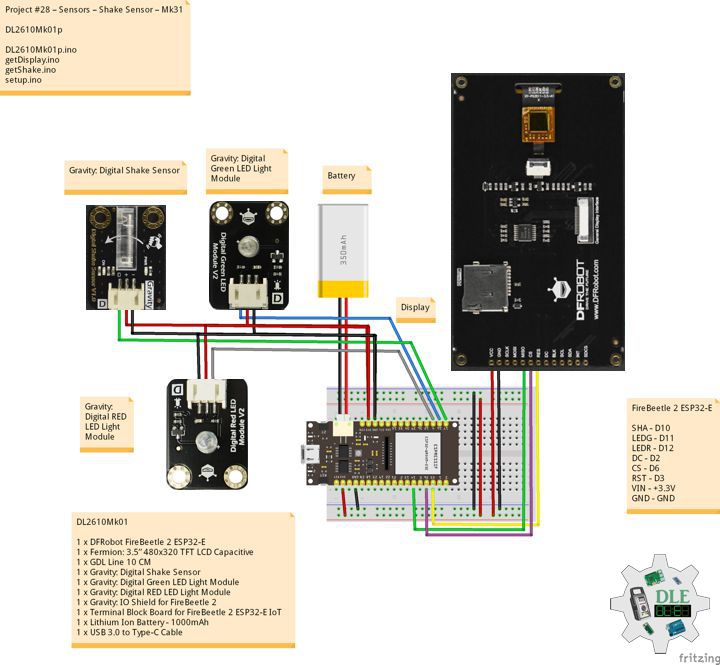
Project #28 – Sensors – Water Sensor – Mk26

——

#DonLucElectronics #DonLuc #Water #FireBeetle2ESP32E #ESP32 #Display #IoT #Project #Fritzing #Programming #Electronics #Microcontrollers #Consultant

——

Water Sensor

——

Water Sensor

——

Water Sensor

——

Crowtail – Water Sensor 2.0

The water sensor detects the presence of water using a series of exposed, grounded traces, including the sensor traces. These traces have a weak pull-up resistance of 1 M?. This resistance will raise the value of the sensor trace until a drop of water causes a short circuit between the sensor trace and the grounded trace. The amount of water-induced contact between the grounded and sensor traces can be detected using the digital I/O pins.

DL2601Mk04

1 x DFRobot FireBeetle 2 ESP32-E
1 x Fermion: 3.5” 480×320 TFT LCD Capacitive
1 x GDL Line 10 CM
1 x Crowtail – Water Sensor 2.0
1 x Crowtail – LED Green
1 x Gravity: IO Shield for FireBeetle 2
1 x Terminal Block Board for FireBeetle 2 ESP32-E IoT
1 x Lithium Ion Battery – 1000mAh
1 x Micro USB Cable

DL2601Mk04p

DL2601Mk04p.ino

/****** Don Luc Electronics © ******
Software Version Information
Project #28 – Sensors – Water Sensor – Mk26
28-26
DL2601Mk04p.ino
DL2601Mk04
1 x DFRobot FireBeetle 2 ESP32-E
1 x Fermion: 3.5” 480x320 TFT LCD Capacitive
1 x GDL Line 10 CM
1 x Crowtail - Water Sensor 2.0
1 x Crowtail - LED Green
1 x Gravity: IO Shield for FireBeetle 2
1 x Terminal Block Board for FireBeetle 2 ESP32-E IoT
1 x Lithium Ion Battery - 1000mAh
1 x Micro USB Cable
*/

// Include the Library Code
// EEPROM Library to Read and Write EEPROM with Unique ID for Unit
#include "EEPROM.h"
// Wire
#include <Wire.h>
// Arduino
#include "Arduino.h"
// DFRobot Display GDL API
#include <DFRobot_GDL.h>

// Water Sensor
// LED Green
int iLEDG = D11;
// Water
int iWater =  D10;
int iWaterState = 0;
String sW = "";

// Defined ESP32
#define TFT_DC  D2
#define TFT_CS  D6
#define TFT_RST D3

/*dc=*/ /*cs=*/ /*rst=*/
// DFRobot Display 320x480
DFRobot_ILI9488_320x480_HW_SPI screen(TFT_DC, TFT_CS, TFT_RST);

// Software Version Information
// EEPROM Unique ID Information
#define EEPROM_SIZE 64
String uid = "";

// Software Version Information
String sver = "28-26";

void loop() {
  
  // Water Sensor
  isWater();

  // isDisplay Water
  isDisplayWater();

  // Delay 1 Second
  delay( 1000 );

}

getDisplay.ino

// DFRobot Display 320x480
// DFRobot Display 320x480 - UID
void isDisplayUID(){

  // DFRobot Display 320x480
  // Text Display
  // Text Wrap
  screen.setTextWrap(false);
  // Rotation
  screen.setRotation(3);
  // Fill Screen => black
  screen.fillScreen(0x0000);
  // Text Color => white
  screen.setTextColor(0xffff);
  // Font => Free Sans Bold 12pt
  screen.setFont(&FreeSansBold12pt7b);
  // TextSize => 1.5
  screen.setTextSize(1.5);
  // Don Luc Electronics
  screen.setCursor(0, 30);
  screen.println("Don Luc Electronics");
  // SD
  screen.setCursor(0, 60);
  screen.println("Water Sensor");
  // Version
  screen.setCursor(0, 90);
  screen.println("Version");
  screen.setCursor(0, 120);
  screen.println( sver );
  // EEPROM
  screen.setCursor(0, 150);
  screen.println("EEPROM");
  screen.setCursor(0, 180);
  screen.println( uid );

}
// isDisplayWater
void isDisplayWater(){

  // DFRobot Display 320x480
  // Text Display
  // Text Wrap
  screen.setTextWrap(false);
  // Rotation
  screen.setRotation(3);
  // Fill Screen => white
  screen.fillScreen(0xffff);
  // Text Color => blue
  screen.setTextColor(0x001F);
  // Font => Free Sans Bold 12pt
  screen.setFont(&FreeSansBold12pt7b);
  // TextSize => 1.5
  screen.setTextSize(1.5);
  // Water Sensor
  screen.setCursor(0, 30);
  screen.println("Water Sensor");
  // Accelerometer X
  screen.setCursor(0, 60);
  screen.println( "Water State" );
  screen.setCursor(0, 90);
  screen.println( sW );

}

getEEPROM.ino

// isUID EEPROM Unique ID
void isUID()
{
  
  // Is Unit ID
  uid = "";
  for (int x = 0; x < 7; x++)
  {
    uid = uid + char(EEPROM.read(x));
  }
  
}

getWater.ino

// Water Sensor
// is Water
void isWater(){

// Read the State of the Water Sensor value:
  iWaterState = digitalRead(iWater);

  // check if rainning.
  // if it is, the waterState is LOW
  if (iWaterState == LOW) {     
    
    // Turn LED HIGH
    digitalWrite(iLEDG, HIGH);
    sW = "HIGH";

  } 
  else {
    
    // Turn LED LOW
    digitalWrite(iLEDG, LOW);
    sW = "LOW";
    
  }

}

setup.ino

// Setup
void setup()
{
 
  // Delay
  delay( 100 );

   // EEPROM Size
  EEPROM.begin(EEPROM_SIZE);
  
  // EEPROM Unique ID
  isUID();

  // Delay
  delay( 100 );
 
  // DFRobot Display 320x480
  screen.begin();

  // Delay
  delay( 100 );
  
  // Water Sensor
  // LED Green 
  pinMode(iLEDG, OUTPUT);
  // Water
  pinMode(iWater, INPUT);

  // Delay
  delay( 100 );

  // DFRobot Display 320x480 - UID
  // Don Luc Electronics
  // Version
  // EEPROM
  isDisplayUID();

  // Delay 5 Second
  delay( 5000 );

}

——

People can contact us: https://www.donluc.com/?page_id=1927

Consultant, R&D, Electronics, IoT, Teacher and Instructor

  • Programming Language
  • Single-Board Microcontrollers (PIC, Arduino, Raspberry Pi, Arm, Silicon Labs, Espressif, Etc…)
  • IoT
  • Wireless (Radio Frequency, Bluetooth, WiFi, Etc…)
  • Robotics
  • Automation
  • Camera and Video Capture Receiver Stationary, Wheel/Tank , Underwater and UAV Vehicle
  • Unmanned Vehicles Terrestrial, Marine and UAV
  • Machine Learning
  • Artificial Intelligence (AI)
  • RTOS
  • Sensors, eHealth Sensors, Biosensor, and Biometric
  • Research & Development (R & D)
  • Consulting

Follow Us

Luc Paquin – Curriculum Vitae – 2026
https://www.donluc.com/luc/LucPaquinCVEng2026Mk01.pdf
https://www.donluc.com/luc/

Web: https://www.donluc.com/
Web: https://www.jlpconsultants.com/
Facebook: https://www.facebook.com/neosteam.labs.9/
YouTube: https://www.youtube.com/@thesass2063
DFRobot: https://learn.dfrobot.com/user-10186.html
Elecrow: https://www.elecrow.com/share/sharepj/center/no/760816d385ebb1edc0732fd873bfbf13
TikTok: https://www.tiktok.com/@luc.paquin8
Hackster: https://www.hackster.io/luc-paquin
LinkedIn: https://www.linkedin.com/in/jlucpaquin/

Don Luc
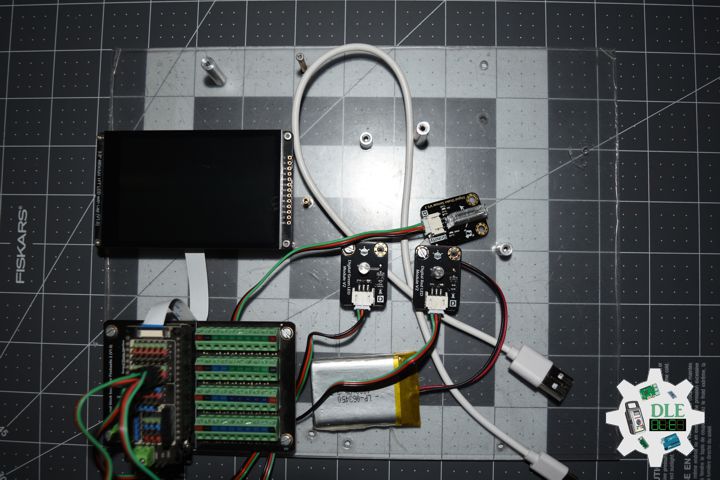
Project #28 – Sensors – Barometer – Mk25

——

#DonLucElectronics #DonLuc #Barometer #SparkFunESP32WROOM #ESP32 #Display #IoT #Project #Fritzing #Programming #Electronics #Microcontrollers #Consultant

——

Barometer

——

Barometer

——

Barometer

——

Crowtail – BMP180 Barometer

The BMP180 offers a pressure measuring range of 300 to 1100 hPa with an accuracy down to 0.02 hPa in advanced resolution mode. It’s based on piezo-resistive technology for high accuracy, ruggedness and long term stability. These come factory-calibrated, with the calibration coefficients already stored in ROM.

DL2601Mk03

1 x SparkFun Thing Plus – ESP32 WROOM
1 x Adafruit SHARP Memory Display
1 x Crowtail – BMP180 Barometer
1 x Terminal Block Breakout FeatherWing
1 x Lithium Ion Battery – 1000mAh
1 x Micro USB Cable

DL2601Mk03p

DL2601Mk03p.ino

/****** Don Luc Electronics © ******
Software Version Information
Project #28 – Sensors – Barometer – Mk25
28-25
DL2601Mk03p.ino
DL2601Mk03
1 x SparkFun Thing Plus - ESP32 WROOM
1 x Adafruit SHARP Memory Display
1 x Crowtail - BMP180 Barometer
1 x Terminal Block Breakout FeatherWing
1 x Lithium Ion Battery - 1000mAh
1 x Micro USB Cable
*/

// Include the Library Code
// EEPROM Library to Read and Write EEPROM with Unique ID for Unit
#include "EEPROM.h"
// Wire
#include <Wire.h>
// SHARP Memory Display
#include <Adafruit_SharpMem.h>
#include <Adafruit_GFX.h>
// BMP180 Barometer
#include <SFE_BMP180.h>

// BMP180 Barometer
SFE_BMP180 pressure;
// Altitude 8.23
#define ALTITUDE 8.23
// Status
char status;
// Temperature
double dTemp;
String sT;
// Pressure
double dPre;
String sP;
// Sea Level ALTITUDE
double dP0;
String sP0;
// ALTITUDE
double dAlt;
String sA;

// SHARP Memory Display
#define SHARP_SCK  13
#define SHARP_MOSI 12
#define SHARP_SS   27
// Set the size of the display here, e.g. 144x168!
Adafruit_SharpMem display(SHARP_SCK, SHARP_MOSI, SHARP_SS, 144, 168);
// The currently-available SHARP Memory Display (144x168 pixels)
// requires > 4K of microcontroller RAM; it WILL NOT WORK on Arduino Uno
// or other <4K "classic" devices.
#define BLACK 0
#define WHITE 1

// Software Version Information
// EEPROM Unique ID Information
#define EEPROM_SIZE 64
String uid = "";

// Software Version Information
String sver = "28-25";

void loop() {
  
  // Barometer Sensor
  isBarometer();

  // isDisplay Barometer
  isDisplayBarometer();

  // Delay 1 Second
  delay( 1000 );

}

getBarometer.ino

// Barometer Sensor
// is Barometer
void isBarometer(){

  // Temperature 
  status = pressure.getTemperature( dTemp );

  
     if (status != 0) {
  
       status = pressure.getPressure( dPre, dTemp );
       
       if (status != 0) {

         // Temperature 
         sT = dTemp;
      
         // Pressure
         sP = dPre;

         // Sea Level ALTITUDE
         sP0 = pressure.sealevel( dPre, ALTITUDE );

         sA = ALTITUDE;

       }

     }

}

getDisplay.ino

// SHARP Memory Display
// SHARP Memory Display - UID
void isDisplayUID() {

    // Text Display 
    // Clear Display
    display.clearDisplay();
    display.setRotation(4);
    display.setTextSize(3);
    display.setTextColor(BLACK);
    // Don Luc Electronics
    display.setCursor(0,10);
    display.println( "Don Luc" );
    display.setTextSize(2);
    display.setCursor(0,40);
    display.println( "Electronics" );
    // Version
    //display.setTextSize(3);
    display.setCursor(0,70);
    display.println( "Version" );
    //display.setTextSize(2);
    display.setCursor(0,95);   
    display.println( sver );
    // EEPROM
    display.setCursor(0,120);
    display.println( "EEPROM" );
    display.setCursor(0,140);   
    display.println( uid );
    // Refresh
    display.refresh();
    delay( 100 );
    
}
// Display Barometer
void isDisplayBarometer() {

    // Text Display Barometer
    // Clear Display
    display.clearDisplay();
    display.setRotation(4);
    display.setTextSize(2);
    display.setTextColor(BLACK);
    // Barometer Sensor
    display.setCursor(0,5);
    display.println( "Barometer" );
    display.setCursor(0,35);
    // Temperature 
    display.print( "Temp: " );
    display.setCursor(60,35);
    display.print( sT );
    display.setCursor(120,35);
    display.println( "C" );
    // Pressure
    display.setCursor(0,65);
    display.print( "Baro: " );
    display.setCursor(60,65);
    display.println( sP );
    // Sea Level ALTITUDE
    display.setCursor(0,95);
    display.print( "BaSe: " );
    display.setCursor(60,95);
    display.println( sP0 );
    // ALTITUDE
    display.setCursor(0,125);
    display.print( "Alt: " );
    display.setCursor(60,125);
    display.print( sA );
    display.setCursor(120,125);
    display.println( "M" );
    // Refresh
    display.refresh();
    delay( 100 );

}

getEEPROM.ino

// isUID EEPROM Unique ID
void isUID()
{
  
  // Is Unit ID
  uid = "";
  for (int x = 0; x < 7; x++)
  {
    uid = uid + char(EEPROM.read(x));
  }
  
}

setup.ino

// Setup
void setup()
{
 
  // Delay
  delay( 100 );

   // EEPROM Size
  EEPROM.begin(EEPROM_SIZE);
  
  // EEPROM Unique ID
  isUID();

  // Delay
  delay( 100 );

  // SHARP Display Start & Clear the Display
  display.begin();
  // Clear Display
  display.clearDisplay();

  // Delay
  delay( 100 );
  
  // Initialize the sensor (it is important to get calibration values
  // stored on the device).
  pressure.begin();

  // Delay
  delay( 2000 );

  // Temperature
  pressure.startTemperature();

  // Pressure
  pressure.startPressure(3);

  // Delay
  delay( 100 );

  // Display UID
  // Don Luc
  // Electronic
  // Version
  // EEPROM
  isDisplayUID();

  // Delay 5 Second
  delay( 5000 );

}

——

People can contact us: https://www.donluc.com/?page_id=1927

Consultant, R&D, Electronics, IoT, Teacher and Instructor

  • Programming Language
  • Single-Board Microcontrollers (PIC, Arduino, Raspberry Pi, Arm, Silicon Labs, Espressif, Etc…)
  • IoT
  • Wireless (Radio Frequency, Bluetooth, WiFi, Etc…)
  • Robotics
  • Automation
  • Camera and Video Capture Receiver Stationary, Wheel/Tank , Underwater and UAV Vehicle
  • Unmanned Vehicles Terrestrial, Marine and UAV
  • Machine Learning
  • Artificial Intelligence (AI)
  • RTOS
  • Sensors, eHealth Sensors, Biosensor, and Biometric
  • Research & Development (R & D)
  • Consulting

Follow Us

Luc Paquin – Curriculum Vitae – 2026
https://www.donluc.com/luc/LucPaquinCVEng2026Mk01.pdf
https://www.donluc.com/luc/

Web: https://www.donluc.com/
Web: https://www.jlpconsultants.com/
Facebook: https://www.facebook.com/neosteam.labs.9/
YouTube: https://www.youtube.com/@thesass2063
DFRobot: https://learn.dfrobot.com/user-10186.html
Elecrow: https://www.elecrow.com/share/sharepj/center/no/760816d385ebb1edc0732fd873bfbf13
TikTok: https://www.tiktok.com/@luc.paquin8
Hackster: https://www.hackster.io/luc-paquin
LinkedIn: https://www.linkedin.com/in/jlucpaquin/

Don Luc
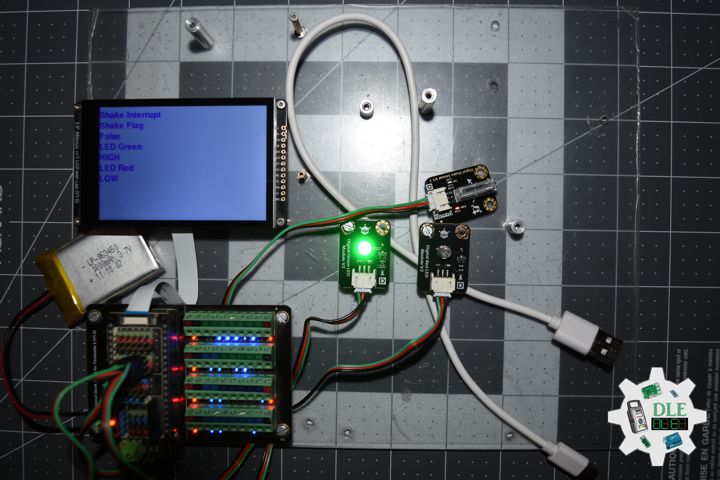
Project #28 – Sensors – Vibration – Mk24

——

#DonLucElectronics #DonLuc #Vibration #Buzzer #SparkFunESP32WROOM #ESP32 #Display #IoT #Project #Fritzing #Programming #Electronics #Microcontrollers #Consultant

——

Vibration

——

Vibration

——

Vibration

——

Crowtail – Vibration Sensor 2.0

The Crowtail – Vibration Sensor is Used to trigger the effect of various vibration with Normally closed type vibration sensor SW – 420. It is widely used to reported the theft alarm, intelligent car, earthquake alarm, motorcycle alarm, etc. This module is compared with the normally open type vibration sensor module, vibration trigger for longer periods of time, can drive the relay module .

Crowtail – Buzzer 2.0

The buzzer module is for making sound in your project. It sounds when activated by a logic HIGH signal. The buzzer module can be also connected to an analog pluse-width modulation (PWM) output to generate various of tones.

DL2601Mk02

1 x SparkFun Thing Plus – ESP32 WROOM
1 x Adafruit SHARP Memory Display
1 x Crowtail – Vibration Sensor 2.0
1 x Crowtail – Buzzer 2.0
1 x Terminal Block Breakout FeatherWing
1 x Lithium Ion Battery – 1000mAh
1 x Micro USB Cable

DL2601Mk02p

DL2601Mk02p.ino

/****** Don Luc Electronics © ******
Software Version Information
Project #28 – Sensors – Vibration – Mk24
28-24
DL2601Mk02p.ino
DL2601Mk02
1 x SparkFun Thing Plus - ESP32 WROOM
1 x Adafruit SHARP Memory Display
1 x Crowtail - Vibration Sensor 2.0
1 x Crowtail - Buzzer 2.0
1 x Terminal Block Breakout FeatherWing
1 x Lithium Ion Battery - 1000mAh
1 x Micro USB Cable
*/

// Include the Library Code
// EEPROM Library to Read and Write EEPROM with Unique ID for Unit
#include "EEPROM.h"
// SHARP Memory Display
#include <Adafruit_SharpMem.h>
#include <Adafruit_GFX.h>

// Vibration Sensor
// Declare the pin for the Vibration sensor
int iVibration = 17;
// Declare the pin for the buzzer
int iBuzzer = 21;
// Initialize soundValue to 0
int iVibrationValue = 0;
// Vibration
String sVibration = "";

// SHARP Memory Display
#define SHARP_SCK  13
#define SHARP_MOSI 12
#define SHARP_SS   27
// Set the size of the display here, e.g. 144x168!
Adafruit_SharpMem display(SHARP_SCK, SHARP_MOSI, SHARP_SS, 144, 168);
// The currently-available SHARP Memory Display (144x168 pixels)
// requires > 4K of microcontroller RAM; it WILL NOT WORK on Arduino Uno
// or other <4K "classic" devices.
#define BLACK 0
#define WHITE 1

// Software Version Information
// EEPROM Unique ID Information
#define EEPROM_SIZE 64
String uid = "";

// Software Version Information
String sver = "28-24";

void loop() {
  
  // Vibration Sensor
  isVibration();

  // isDisplayVibration
  isDisplayVibration();

}

getDisplay.ino

// SHARP Memory Display
// SHARP Memory Display - UID
void isDisplayUID() {

    // Text Display 
    // Clear Display
    display.clearDisplay();
    display.setRotation(4);
    display.setTextSize(3);
    display.setTextColor(BLACK);
    // Don Luc Electronics
    display.setCursor(0,10);
    display.println( "Don Luc" );
    display.setTextSize(2);
    display.setCursor(0,40);
    display.println( "Electronics" );
    // Version
    //display.setTextSize(3);
    display.setCursor(0,70);
    display.println( "Version" );
    //display.setTextSize(2);
    display.setCursor(0,95);   
    display.println( sver );
    // EEPROM
    display.setCursor(0,120);
    display.println( "EEPROM" );
    display.setCursor(0,140);   
    display.println( uid );
    // Refresh
    display.refresh();
    delay( 100 );
    
}
// Display Vibration
void isDisplayVibration() {

    // Text Display Vibration
    // Clear Display
    display.clearDisplay();
    display.setRotation(4);
    display.setTextSize(2);
    display.setTextColor(BLACK);
    // Sound Sensor
    display.setCursor(0,5);
    display.println( "Vibration" );
    display.setTextSize(3);
    display.setCursor(0,55);
    display.println( sVibration );
    // Refresh
    display.refresh();
    delay( 100 );

}

getEEPROM.ino

// isUID EEPROM Unique ID
void isUID()
{
  
  // Is Unit ID
  uid = "";
  for (int x = 0; x < 7; x++)
  {
    uid = uid + char(EEPROM.read(x));
  }
  
}

getVibration.ino

// Vibration Sensor
// is Vibration
void isVibration(){

  // Sound
  iVibrationValue = digitalRead( iVibration );

  // If the sensor value is HIGH?
  if( iVibrationValue == HIGH )
	{
		
    // Buzzer
    digitalWrite( iBuzzer, LOW);

    // No, return false
    sVibration = "False";


	}
	else
	{
		
  
    // Buzzer
    digitalWrite( iBuzzer, HIGH);

    // Yes, return true
    sVibration = "True";


	}

}

setup.ino

// Setup
void setup()
{
 
  // Delay
  delay( 100 );

   // EEPROM Size
  EEPROM.begin(EEPROM_SIZE);
  
  // EEPROM Unique ID
  isUID();

  // Delay
  delay( 100 );

  // SHARP Display Start & Clear the Display
  display.begin();
  // Clear Display
  display.clearDisplay();

  // Delay
  delay( 100 );

  // Vibration Sensor
  pinMode( iVibration, INPUT);
  // Buzzer
  pinMode(iBuzzer, OUTPUT);

  // Delay
  delay( 100 );

  // Display UID
  // Don Luc
  // Electronic
  // Version
  // EEPROM
  isDisplayUID();

  // Delay 5 Second
  delay( 5000 );

}

——

People can contact us: https://www.donluc.com/?page_id=1927

Consultant, R&D, Electronics, IoT, Teacher and Instructor

  • Programming Language
  • Single-Board Microcontrollers (PIC, Arduino, Raspberry Pi, Arm, Silicon Labs, Espressif, Etc…)
  • IoT
  • Wireless (Radio Frequency, Bluetooth, WiFi, Etc…)
  • Robotics
  • Automation
  • Camera and Video Capture Receiver Stationary, Wheel/Tank , Underwater and UAV Vehicle
  • Unmanned Vehicles Terrestrial, Marine and UAV
  • Machine Learning
  • Artificial Intelligence (AI)
  • RTOS
  • Sensors, eHealth Sensors, Biosensor, and Biometric
  • Research & Development (R & D)
  • Consulting

Follow Us

Luc Paquin – Curriculum Vitae – 2026
https://www.donluc.com/luc/LucPaquinCVEng2026Mk01.pdf
https://www.donluc.com/luc/

Web: https://www.donluc.com/
Web: https://www.jlpconsultants.com/
Facebook: https://www.facebook.com/neosteam.labs.9/
YouTube: https://www.youtube.com/@thesass2063
DFRobot: https://learn.dfrobot.com/user-10186.html
Elecrow: https://www.elecrow.com/share/sharepj/center/no/760816d385ebb1edc0732fd873bfbf13
TikTok: https://www.tiktok.com/@luc.paquin8
Hackster: https://www.hackster.io/luc-paquin
LinkedIn: https://www.linkedin.com/in/jlucpaquin/

Don Luc
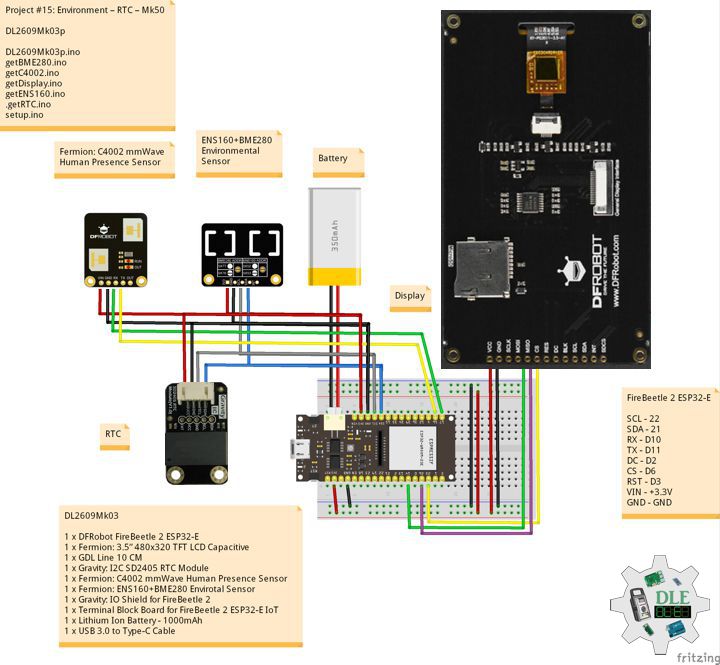
Project #28 – Sensors – PIR – Mk23

——

#DonLucElectronics #DonLuc #PIR #WemosD1 #Display #IoT #Project #Fritzing #Programming #Electronics #Microcontrollers #Consultant

——

PIR

——

PIR

——

PIR

——

Wemos D1

The Wemos D1 looks like the normal Arduino board with the same pin layout as the Uno, which means all of the shields which can be used with the Arduino Uno, will plug in seamlessly with the Wemos D1. While the connection is one thing, the shields must have matching libraries that work with the esp8266 platform so as to be able to establish easy communication between the Wemos and the shield.

Crowtail- PIR Motion Sensor 2.0

This is a simple to use PIR motion sensor with Crowtail compatible interface. Simply connect it to Crowtail base shield and program it, when anyone moves in its detecting range, the sensor outputs HIGH on its SIG pin. The detecting range can be adjusted by a potentiometer soldered on its circuit board, The max detecting range of it up to 6 meters.

DL2601Mk01

1 x Wemos D1
1 x Gravity: I2C 16×2 Arduino LCD
1 x Crowtail- PIR Motion Sensor 2.0
1 x USB Battery Pack
1 x Micro USB Cable

DL2601Mk01p

DL2601Mk01p.ino

/****** Don Luc Electronics © ******
Software Version Information
Project #28 – Sensors – PIR – Mk23
28-23
DL2601Mk01p.ino
DL2601Mk01
1 x Wemos D1
1 x Gravity: I2C 16x2 Arduino LCD
1 x Crowtail- PIR Motion Sensor 2.0
1 x USB Battery Pack
1 x Micro USB Cable
*/

// Include the Library Code
// Wire
#include <Wire.h>
// LCD1602 RGB Module
#include "DFRobot_RGBLCD1602.h"

// LCD1602 RGB Module
/*RGBAddr*/
/*lcdCols*/
/*lcdRows*/
// 16 characters and 2 lines of show
DFRobot_RGBLCD1602 lcd(0x60 , 16, 2);

// PIR motion sensor
// Use pin 2 to receive the signal from the module  
#define PIR_MOTION_SENSOR  D2
int sensorValue;
String sPIR = "";

// Software Version Information
String sver = "28-23";

void loop() {
  
  // PIR
  isPIR();

  // isDisplayPIR
  isDisplayPIR();

  // Delay
  delay( 1000 );
  
}

getDisplay.ino

// getDisplay
// Gravity: I2C 16x2 Arduino LCD
// Display UID
void isDisplayUID(){

  // Set up the LCD's number of rows and columns: 
  // Print a message to the LCD.
  // Cursor
  lcd.setCursor(0, 0);
  lcd.print("Don Luc Electron");
  // Cursor
  lcd.setCursor(0, 1);
  // Print a message to the LCD.
  lcd.print( sver );

}
// Display PIR
void isDisplayPIR(){

  // Clear
  lcd.clear();
  // Set the cursor to column 0, line 0
  lcd.setCursor(0, 0);
  lcd.print( "PIR" );
  // Set the cursor to column 0, line 1
  lcd.setCursor(0, 1);
  lcd.print( sPIR );
  
}

getPIR.ino

// PIR motion sensor
// is PIR
void isPIR(){

  // PIR
  sensorValue = digitalRead(PIR_MOTION_SENSOR);

  // If the sensor value is HIGH?
  if(sensorValue == HIGH)
	{
		
    // Yes, return true
    sPIR = "True";

	}
	else
	{
		
    // No, return false
    sPIR = "False";


	}

}

setup.ino

// Setup
void setup()
{
 
  // Delay
  delay( 100 );

  // PIR motion sensor
  pinMode(PIR_MOTION_SENSOR, INPUT);

  // Delay
  delay( 100 );

  // PIR motion sensor
  lcd.init();

  // Delay
  delay( 100 );

  // Display UID
  // Don Luc Electronic
  // Version
  isDisplayUID();

  // Delay 5 Second
  delay( 5000 );

}

People can contact us: https://www.donluc.com/?page_id=1927

Consultant, R&D, Electronics, IoT, Teacher and Instructor

  • Programming Language
  • Single-Board Microcontrollers (PIC, Arduino, Raspberry Pi, Arm, Silicon Labs, Espressif, Etc…)
  • IoT
  • Wireless (Radio Frequency, Bluetooth, WiFi, Etc…)
  • Robotics
  • Automation
  • Camera and Video Capture Receiver Stationary, Wheel/Tank , Underwater and UAV Vehicle
  • Unmanned Vehicles Terrestrial, Marine and UAV
  • Machine Learning
  • Artificial Intelligence (AI)
  • RTOS
  • Sensors, eHealth Sensors, Biosensor, and Biometric
  • Research & Development (R & D)
  • Consulting

Follow Us

Luc Paquin – Curriculum Vitae – 2026
https://www.donluc.com/luc/LucPaquinCVEng2026Mk01.pdf
https://www.donluc.com/luc/

Web: https://www.donluc.com/
Web: https://www.jlpconsultants.com/
Facebook: https://www.facebook.com/neosteam.labs.9/
YouTube: https://www.youtube.com/@thesass2063
DFRobot: https://learn.dfrobot.com/user-10186.html
Elecrow: https://www.elecrow.com/share/sharepj/center/no/760816d385ebb1edc0732fd873bfbf13
TikTok: https://www.tiktok.com/@luc.paquin8
Hackster: https://www.hackster.io/luc-paquin
LinkedIn: https://www.linkedin.com/in/jlucpaquin/

Don Luc
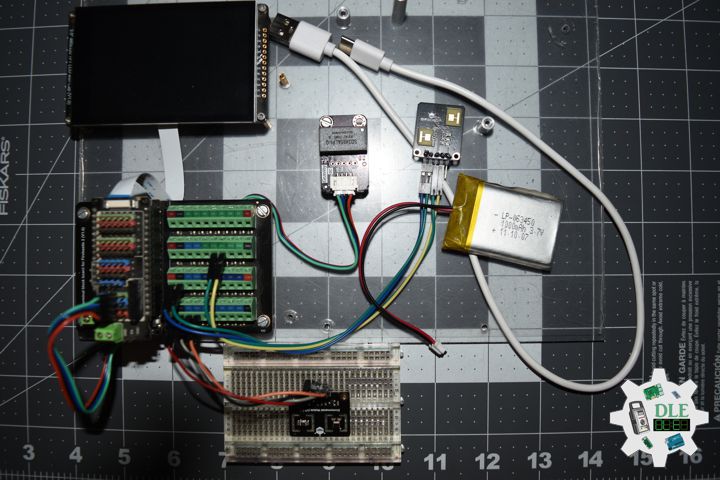
Project #28 – Sensors – MQ-135 Gas Sensor – Mk22

——

#DonLucElectronics #DonLuc #MQ135 #ArduinoUNOR4 #Display #IoT #Project #Fritzing #Programming #Electronics #Microcontrollers #Consultant

——

MQ-135 Gas Sensor

——

MQ-135 Gas Sensor

——

MQ-135 Gas Sensor

——

MQ-135 Gas Sensor

The gas sensing material used in the MQ135 gas sensor is tin dioxide (SnO2), which has low conductivity in clean air. When there is polluted gas in the environment where the sensor is located, the conductivity of the sensor increases with the increase of the concentration of polluted gas in the air. The MQ135 gas sensor has a high sensitivity to ammonia, sulfide, and benzene-based vapors, and is ideal for monitoring smoke and other harmful gases. This sensor can detect a variety of harmful gases and is a low-cost sensor suitable for a variety of applications.

DL2512Mk05

1 x Arduino UNO R4 WiFi
1 x Adafruit SHARP Memory Display Breakout – 1.3″ 168×144 Monochrome
1 x MQ-135 Gas Sensor
1 x USB Battery Pack
1 x USB 3.0 to Type-C Cable

DL2512Mk05p

DL2512Mk05p.ino

/****** Don Luc Electronics © ******
Software Version Information
Project #28 – Sensors – MQ-135 Gas Sensor – Mk22
28-22
DL2512Mk05p.ino
DL2512Mk05
1 x Arduino UNO R4 WiFi
1 x Adafruit SHARP Memory Display Breakout - 1.3" 168x144 Monochrome
1 x MQ-135 Gas Sensor
1 x USB Battery Pack
1 x USB 3.0 to Type-C Cable
*/

// Include the Library Code
// MQ-135 Unified
#include <MQUnifiedsensor.h>
// SHARP Memory Display
#include <Adafruit_SharpMem.h>
#include <Adafruit_GFX.h>

// MQ-135 Unified
#define placa "Arduino UNO R4 WiFi"
#define Voltage_Resolution 5
#define pin A0              
#define type "MQ-135"        
#define ADC_Bit_Resolution 10  
#define RatioMQ135CleanAir 3.6  
MQUnifiedsensor MQ135(placa, Voltage_Resolution, ADC_Bit_Resolution, pin, type);
float fV;
float fPPM;
 
// SHARP Memory Display
// any pins can be used
#define SHARP_SCK  13
#define SHARP_MOSI 11
#define SHARP_SS   10
// Set the size of the display here, e.g. 144x168!
Adafruit_SharpMem display(SHARP_SCK, SHARP_MOSI, SHARP_SS, 144, 168);
// The currently-available SHARP Memory Display (144x168 pixels)
// requires > 4K of microcontroller RAM; it WILL NOT WORK on Arduino Uno
// or other <4K "classic" devices!  The original display (96x96 pixels)
// does work there, but is no longer produced.
#define BLACK 0
#define WHITE 1

// Software Version Information
String sver = "28-22";

void loop() {
  
  // MQ135
  isMQ135();

  // isDisplayMQ135
  isDisplayMQ135();

  // Delay
  delay( 1000 );
  
}

getDisplay.ino

// Adafruit SHARP Memory Display
// Adafruit SHARP Memory Display - UID
void isDisplayUID(){

  // text display
  display.setRotation(4);
  display.setTextSize(3);
  display.setTextColor(BLACK);
  display.setCursor(0,2);
  display.println( "Don Luc" );
  //display.setTextSize(2);
  display.setTextColor(BLACK);
  display.setCursor(0,35);
  display.println( sver );
  display.refresh();
  delay( 100 );

}
// isDisplayMQ135
void isDisplayMQ135(){

  // text display MQ135
  display.clearDisplay();
  display.setRotation(4);
  display.setTextSize(3);
  display.setTextColor(BLACK);
  display.setCursor(0,0);
  display.println( "MQ135" );
  display.setCursor(0,35);
  display.println( "Volt" );
  display.setCursor(0,65);
  display.println( fV );
  display.setCursor(0,95);
  display.println( "PPM" );
  display.setCursor(0,125);
  display.print( fPPM );
  display.refresh();
  delay( 100 );
  
}

getMQ135.ino

// MQ-135 Unified
// is MQ135
void isMQ135(){

  // MQ-135 Unified Analog
  MQ135.update();
  // Volt
  fV = MQ135.getVoltage();
  // PPM
  fPPM = MQ135.readSensor() + 400;

}

setup.ino

// Setup
void setup()
{
 
  // Delay
  delay( 100 );
  // Delay
  delay( 100 );
  
  // SHARP Display start & clear the display
  display.begin();
  display.clearDisplay();

  // Delay
  delay(100);

  // MQ-135 Unified
  // PPM =  a*ratio^b
  MQ135.setRegressionMethod(1);
  MQ135.setA(110.47);
  MQ135.setB(-2.862);
  MQ135.init();

  //Calibración
  float calcR0 = 0;
  for (int i = 1; i <= 10; i++) {
    
    // Analog
    MQ135.update();
    calcR0 += MQ135.calibrate(RatioMQ135CleanAir);

  }
  
  MQ135.setR0(calcR0 / 10);
  
  // Delay 2 Second
  delay( 2000 );

  // Don Luc Electronics
  // Version
  isDisplayUID();

  // Delay 5 Second
  delay( 5000 );

}

——

People can contact us: https://www.donluc.com/?page_id=1927

Consultant, R&D, Electronics, IoT, Teacher and Instructor

  • Programming Language
  • Single-Board Microcontrollers (PIC, Arduino, Raspberry Pi, Arm, Silicon Labs, Espressif, Etc…)
  • IoT
  • Wireless (Radio Frequency, Bluetooth, WiFi, Etc…)
  • Robotics
  • Automation
  • Camera and Video Capture Receiver Stationary, Wheel/Tank , Underwater and UAV Vehicle
  • Unmanned Vehicles Terrestrial, Marine and UAV
  • Machine Learning
  • Artificial Intelligence (AI)
  • RTOS
  • Sensors, eHealth Sensors, Biosensor, and Biometric
  • Research & Development (R & D)
  • Consulting

Follow Us

Luc Paquin – Curriculum Vitae – 2026
https://www.donluc.com/luc/

Web: https://www.donluc.com/
Web: https://www.jlpconsultants.com/
Facebook: https://www.facebook.com/neosteam.labs.9/
YouTube: https://www.youtube.com/@thesass2063
DFRobot: https://learn.dfrobot.com/user-10186.html
Elecrow: https://www.elecrow.com/share/sharepj/center/no/760816d385ebb1edc0732fd873bfbf13
TikTok: https://www.tiktok.com/@luc.paquin8
Hackster: https://www.hackster.io/luc-paquin
LinkedIn: https://www.linkedin.com/in/jlucpaquin/

Don Luc
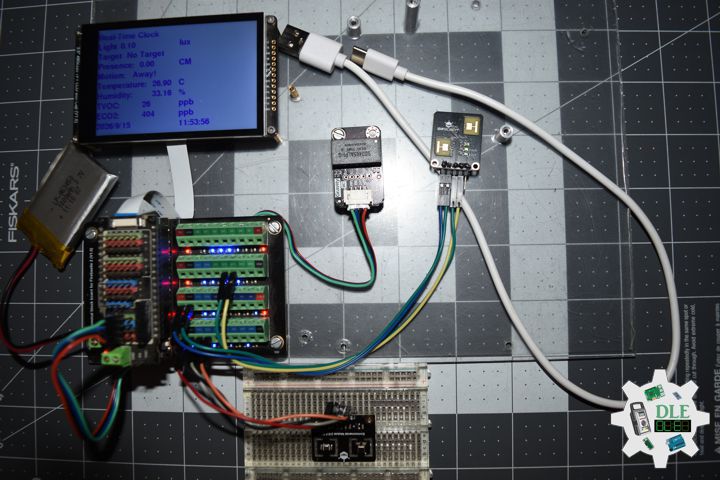
Project #28 – Sensors – MAX30102 PPG Sensor – Mk21

——

#DonLucElectronics #DonLuc #MAX30102PPG #FireBeetle2ESP32E #ESP32 #DFRobot #Display #IoT #Project #Fritzing #Programming #Electronics #Microcontrollers #Consultant

——

MAX30102 PPG Sensor

——

MAX30102 PPG Sensor

——

MAX30102 PPG Sensor

——

Photoplethysmography

A PPG sensor is a non-invasive optical device that uses light (usually LEDs) and a photodetector to measure changes in blood volume in tissues, commonly used in wearables for monitoring heart rate, oxygen saturation (SpO2), and respiration by detecting fluctuations in light absorption or reflection as blood pumps through vessels. These sensors are cost-effective and popular in smartwatches and fitness trackers, working by shining light into the skin and analyzing how much light returns, which varies with each heartbeat.

Gravity: MAX30102 PPG Heart Rate and Oximeter Sensor

DFRobot Gravity: MAX30102 heart rate and blood oxygen sensor module integrates the Maxim MAX30102 chip and an MCU with heart rate and blood oxygen algorithm. The MAX30102 uses PPG to measure data, which will be converted into heart rate and oximetry values when processed by the MCU, then output through I2C or UART, making the sensor easy to use and greatly reducing resource occupation of the main controller. The pressure may change when the finger is directly pressed down the sensor, which will affect the data output. So please try to fix the sensor on your finger. Wear the sensor on your finger and there is no difference in the direction of wearing.

DL2512Mk03

1 x DFRobot FireBeetle 2 ESP32-E
1 x Fermion: 3.5” 480×320 TFT LCD Capacitive
1 x GDL Line 10 CM
1 x Gravity: IO Shield for FireBeetle 2
1 x Terminal Block Board for FireBeetle 2 ESP32-E IoT
1 x Gravity: MAX30102 PPG Heart Rate and Oximeter Sensor
1 x Lithium Ion Battery – 1000mAh
1 x USB 3.0 to Type-C Cable

DL2512Mk03p

DL2512Mk03p.ino

/****** Don Luc Electronics © ******
Software Version Information
Project #28 – Sensors – MAX30102 PPG Sensor – Mk21
28-21
DL2512Mk03p.ino
DL2512Mk03
1 x DFRobot FireBeetle 2 ESP32-E
1 x Fermion: 3.5” 480x320 TFT LCD Capacitive
1 x GDL Line 10 CM
1 x Gravity: IO Shield for FireBeetle 2
1 x Terminal Block Board for FireBeetle 2 ESP32-E IoT
1 x Gravity: MAX30102 PPG Heart Rate and Oximeter Sensor
1 x Lithium Ion Battery - 1000mAh
1 x USB 3.0 to Type-C Cable
*/

// Include the Library Code
// EEPROM Library to Read and Write EEPROM
// with Unique ID for Unit
#include "EEPROM.h"
// Arduino
#include "Arduino.h"
// DFRobot Display GDL API
#include <DFRobot_GDL.h>
// MAX30102 PPG Heart Rate and Oximeter
#include <DFRobot_BloodOxygen_S.h>

// Use I2C for communication, but use the 
//serial port for communication if the 
//line of codes were masked
#define I2C_COMMUNICATION
// Address
#define I2C_ADDRESS    0x57
// MAX30102 PPG Heart Rate and Oximeter
DFRobot_BloodOxygen_S_I2C MAX30102(&Wire ,I2C_ADDRESS);
float fSPO2 = 0;
float fHeartBeat = 0;
float fTempB = 0;

// Defined ESP32
#define TFT_DC  D2
#define TFT_CS  D6
#define TFT_RST D3

/*dc=*/ /*cs=*/ /*rst=*/
// DFRobot Display 320x480
DFRobot_ILI9488_320x480_HW_SPI screen(TFT_DC, TFT_CS, TFT_RST);

// EEPROM Unique ID Information
#define EEPROM_SIZE 64
String uid = "";

// Software Version Information
String sver = "28-21";

void loop() {
  
  // PPG
  isPPG();

  // isDisplayPPG
  isDisplayPPG();

  // Delay
  delay( 1000 );
  
}

getDisplay.ino

// DFRobot Display 320x480
// DFRobot Display 320x480 - UID
void isDisplayUID(){

  // DFRobot Display 320x480
  // Text Display
  // Text Wrap
  screen.setTextWrap(false);
  // Rotation
  screen.setRotation(3);
  // Fill Screen => black
  screen.fillScreen(0x0000);
  // Text Color => white
  screen.setTextColor(0xffff);
  // Font => Free Sans Bold 12pt
  screen.setFont(&FreeSansBold12pt7b);
  // TextSize => 1.5
  screen.setTextSize(1.5);
  // Don Luc Electronics
  screen.setCursor(0, 30);
  screen.println("Don Luc Electronics");
  // SD
  screen.setCursor(0, 60);
  screen.println("PPG Sensor");
  // Version
  screen.setCursor(0, 90);
  screen.println("Version");
  screen.setCursor(0, 120);
  screen.println( sver );
  // EEPROM
  screen.setCursor(0, 150);
  screen.println("EEPROM");
  screen.setCursor(0, 180);
  screen.println( uid );

}
// isDisplayPPG
void isDisplayPPG(){

  // DFRobot Display 320x480
  // Text Display
  // Text Wrap
  screen.setTextWrap(false);
  // Rotation
  screen.setRotation(3);
  // Fill Screen => white
  screen.fillScreen(0xffff);
  // Text Color => blue
  screen.setTextColor(0x001F);
  // Font => Free Sans Bold 12pt
  screen.setFont(&FreeSansBold12pt7b);
  // TextSize => 1.5
  screen.setTextSize(1.5);
  // Accelerometer
  screen.setCursor(0, 30);
  screen.println("PPG Sensor");
  // SPO2
  screen.setCursor(0, 60);
  screen.println("SPO2: ");
  screen.setCursor(190, 60);
  screen.println( fSPO2 );
  screen.setCursor(260, 60);
  screen.println(" %");
  // Heartbeat
  screen.setCursor(0, 90);
  screen.println("Heartbeat: ");
  screen.setCursor(190, 90);
  screen.println( fHeartBeat );
  screen.setCursor(260, 90);
  screen.println(" Times/Min");
  // Temperature Board
  screen.setCursor(0, 120);
  screen.println("Temp Board: ");
  screen.setCursor(190, 120);
  screen.println( fTempB );
  screen.setCursor(260, 120);
  screen.println(" C");

}

getEEPROM.ino

// EEPROM
// isUID EEPROM Unique ID
void isUID() {
  
  // Is Unit ID
  uid = "";
  for (int x = 0; x < 7; x++)
  {
    uid = uid + char(EEPROM.read(x));
  }

}

getPPG.ino

// MAX30102 PPG Heart Rate and Oximeter
// Setup PPG
void iSetupPPG(){

  // Setup PPG
  while (false == MAX30102.begin())
  {
    
    delay(1000);
    
  }

  // Begin
  MAX30102.sensorStartCollect();
  
}
// is PPG
void isPPG(){

  // MAX30102 PPG Heart Rate and Oximeter
  MAX30102.getHeartbeatSPO2();
  // SPO2
  fSPO2 = MAX30102._sHeartbeatSPO2.SPO2;
  // Heartbeat
  fHeartBeat = MAX30102._sHeartbeatSPO2.Heartbeat;
  // Temperature Board
  fTempB = MAX30102.getTemperature_C();
  
}

setup.ino

// Setup
void setup()
{
 
  // Delay
  delay( 100 );

  // EEPROM Size
  EEPROM.begin(EEPROM_SIZE);

  // EEPROM Unique ID
  isUID();

  // Delay
  delay( 100 );

  // Wire
  Wire.begin();

  // Delay
  delay( 100 );

  // Setup PPG
  iSetupPPG();

  // Delay
  delay( 100 );
  
  // DFRobot Display 320x480
  screen.begin();

  // Delay
  delay(100);

  // DFRobot Display 320x480 - UID
  // Don Luc Electronics
  // Version
  // EEPROM
  isDisplayUID();

  // Delay 5 Second
  delay( 5000 );

}

——

People can contact us: https://www.donluc.com/?page_id=1927

Consultant, R&D, Electronics, IoT, Teacher and Instructor

  • Programming Language
  • Single-Board Microcontrollers (PIC, Arduino, Raspberry Pi, Arm, Silicon Labs, Espressif, Etc…)
  • IoT
  • Wireless (Radio Frequency, Bluetooth, WiFi, Etc…)
  • Robotics
  • Automation
  • Camera and Video Capture Receiver Stationary, Wheel/Tank , Underwater and UAV Vehicle
  • Unmanned Vehicles Terrestrial, Marine and UAV
  • Machine Learning
  • Artificial Intelligence (AI)
  • RTOS
  • Sensors, eHealth Sensors, Biosensor, and Biometric
  • Research & Development (R & D)
  • Consulting

Follow Us

Luc Paquin – Curriculum Vitae – 2024
https://www.donluc.com/luc/

Web: https://www.donluc.com/
Facebook: https://www.facebook.com/neosteam.labs.9/
YouTube: https://www.youtube.com/@thesass2063
DFRobot: https://learn.dfrobot.com/user-10186.html
Elecrow: https://www.elecrow.com/share/sharepj/center/no/760816d385ebb1edc0732fd873bfbf13
TikTok: https://www.tiktok.com/@luc.paquin8
Hackster: https://www.hackster.io/luc-paquin
LinkedIn: https://www.linkedin.com/in/jlucpaquin/

Don Luc
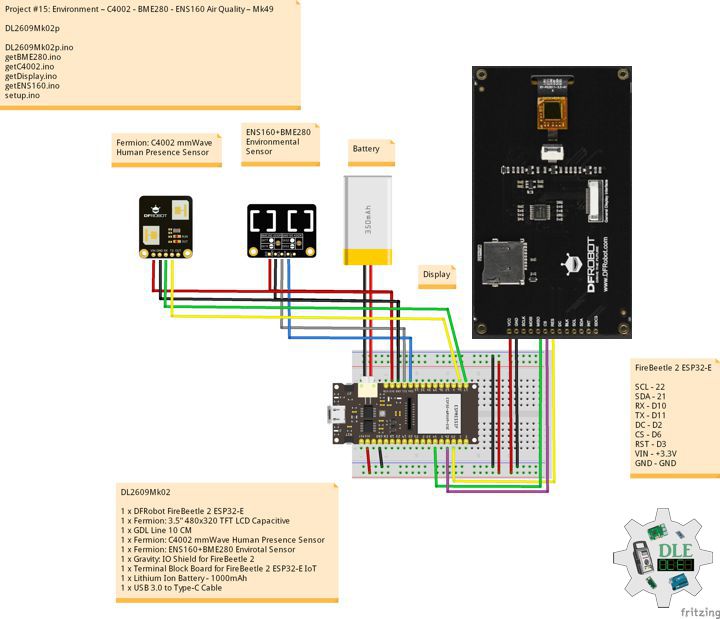
Project #28 – Sensors – Grayscale Sensor – Mk20

——

#DonLucElectronics #DonLuc #Grayscale #FireBeetle2ESP32E #ESP32 #DFRobot #Display #IoT #Project #Fritzing #Programming #Electronics #Microcontrollers #Consultant

——

Grayscale Sensor

——

Grayscale Sensor

——

Grayscale Sensor

——

Gravity: Analog Grayscale Sensor

This gray scale sensor is able to measure the intensity of light from black to white. A gray scale is also known as black-and-white, are composed exclusively of shades of gray, varying from black at the weakest intensity to white at the strongest.

The gray scale sensor for Arduino is a composition of a photocell (light-controlled variable resistor) and a integrated white LED on board aiming just front of the sensor. It’s connected LED will let you compare and provide some reflective feedback to analyse gray scale light ranges. Different colors will apply but only gray scale values will be outputted. This new design includes a much better quality connector that increases life span of the sensor, better voltage range and easy to use. This is a common sensor for automatic lamps that are turned on when light is not enough.

DL2512Mk01

1 x DFRobot FireBeetle 2 ESP32-E
1 x Fermion: 3.5” 480×320 TFT LCD Capacitive
1 x GDL Line 10 CM
1 x Gravity: IO Shield for FireBeetle 2
1 x Terminal Block Board for FireBeetle 2 ESP32-E IoT
1 x Gravity: Analog Grayscale Sensor
1 x Gravity: Digital RGB LED Module
1 x Lithium Ion Battery – 1000mAh
1 x USB 3.0 to Type-C Cable

DL2512Mk01p

DL2512Mk01p.ino

/****** Don Luc Electronics © ******
Software Version Information
Project #28 – Sensors – Grayscale Sensor – Mk20
28-20
DL2512Mk01p.ino
DL2512Mk01
1 x DFRobot FireBeetle 2 ESP32-E
1 x Fermion: 3.5” 480x320 TFT LCD Capacitive
1 x GDL Line 10 CM
1 x Gravity: IO Shield for FireBeetle 2
1 x Terminal Block Board for FireBeetle 2 ESP32-E IoT
1 x Gravity: Analog Grayscale Sensor
1 x Gravity: Digital RGB LED Module
1 x Lithium Ion Battery - 1000mAh
1 x USB 3.0 to Type-C Cable
*/

// Include the Library Code
// EEPROM Library to Read and Write EEPROM
// with Unique ID for Unit
#include "EEPROM.h"
// Arduino
#include "Arduino.h"
// DFRobot Display GDL API
#include <DFRobot_GDL.h>
// Adafruit NeoPixel
#include <Adafruit_NeoPixel.h>

// Which pin on the Arduino is connected to the NeoPixels?
#define iNeo D11
// How many NeoPixels are attached to the Arduino?
#define NUMPIXELS 1
// When setting up the NeoPixel library.
Adafruit_NeoPixel pixels(NUMPIXELS, iNeo, NEO_GRB + NEO_KHZ800);

// Grayscale Sensor
int iGray = A0;
// Volume
int iVol;

// Defined ESP32
#define TFT_DC  D2
#define TFT_CS  D6
#define TFT_RST D3

/*dc=*/ /*cs=*/ /*rst=*/
// DFRobot Display 320x480
DFRobot_ILI9488_320x480_HW_SPI screen(TFT_DC, TFT_CS, TFT_RST);

// EEPROM Unique ID Information
#define EEPROM_SIZE 64
String uid = "";

// Software Version Information
String sver = "28-20";

void loop() {
  
  // isGray
  isGray();

  // isDisplayGray
  isDisplayGray();

  // Delay
  delay( 1000 );
  
}

getDisplay.ino

// DFRobot Display 320x480
// DFRobot Display 320x480 - UID
void isDisplayUID(){

  // DFRobot Display 320x480
  // Text Display
  // Text Wrap
  screen.setTextWrap(false);
  // Rotation
  screen.setRotation(3);
  // Fill Screen => black
  screen.fillScreen(0x0000);
  // Text Color => white
  screen.setTextColor(0xffff);
  // Font => Free Sans Bold 12pt
  screen.setFont(&FreeSansBold12pt7b);
  // TextSize => 1.5
  screen.setTextSize(1.5);
  // Don Luc Electronics
  screen.setCursor(0, 30);
  screen.println("Don Luc Electronics");
  // SD
  screen.setCursor(0, 60);
  screen.println("Grayscale Sensor");
  // Version
  screen.setCursor(0, 90);
  screen.println("Version");
  screen.setCursor(0, 120);
  screen.println( sver );
  // EEPROM
  screen.setCursor(0, 150);
  screen.println("EEPROM");
  screen.setCursor(0, 180);
  screen.println( uid );

}
// isDisplayGray
void isDisplayGray(){

  // DFRobot Display 320x480
  // Text Display
  // Text Wrap
  screen.setTextWrap(false);
  // Rotation
  screen.setRotation(3);
  // Fill Screen => white
  screen.fillScreen(0xffff);
  // Text Color => blue
  screen.setTextColor(0x001F);
  // Font => Free Sans Bold 12pt
  screen.setFont(&FreeSansBold12pt7b);
  // TextSize => 1.5
  screen.setTextSize(1.5);
  // Accelerometer
  screen.setCursor(0, 30);
  screen.println("Grayscale Sensor");
  screen.setCursor(0, 90);
  screen.println( iVol );

}

getEEPROM.ino

// EEPROM
// isUID EEPROM Unique ID
void isUID() {
  
  // Is Unit ID
  uid = "";
  for (int x = 0; x < 7; x++)
  {
    uid = uid + char(EEPROM.read(x));
  }

}

getGray.ino

// Grayscale Sensor
// isGray
void isGray(){
  
  // Grayscale Sensor
  iVol = analogRead( iGray );

  // The first NeoPixel in a strand is #0, second is 1, all the way up
       // to the count of pixels minus one. // For each pixel...
 for(int i=0; i<NUMPIXELS; i++) { 

    // Set all pixel colors to 'Off'
    pixels.clear();

    // in case the sensor value is outside the range seen during calibration
    int sensorValue = constrain(iVol, 255, 0); 
    
    pixels.setBrightness( sensorValue );

    // pixels.Color() takes RGB values, from 0,0,0 up to 255,255,255
    // Wh1te
    pixels.setPixelColor(i, pixels.Color(255, 255, 205));

    // Send the updated pixel colors to the hardware.
    pixels.show();

 }

}

setup.ino

// Setup
void setup()
{
 
  // Delay
  delay( 100 );

  // EEPROM Size
  EEPROM.begin(EEPROM_SIZE);

  // EEPROM Unique ID
  isUID();

  // Delay
  delay( 100 );
  
  // DFRobot Display 320x480
  screen.begin();

  // Delay
  delay(100);

  // INITIALIZE NeoPixel strip object
  pixels.begin();

  // Delay
  delay(100);

  // DFRobot Display 320x480 - UID
  // Don Luc Electronics
  // Version
  // EEPROM
  isDisplayUID();

  // Delay 5 Second
  delay( 5000 );

}

——

People can contact us: https://www.donluc.com/?page_id=1927

Consultant, R&D, Electronics, IoT, Teacher and Instructor

  • Programming Language
  • Single-Board Microcontrollers (PIC, Arduino, Raspberry Pi, Arm, Silicon Labs, Espressif, Etc…)
  • IoT
  • Wireless (Radio Frequency, Bluetooth, WiFi, Etc…)
  • Robotics
  • Automation
  • Camera and Video Capture Receiver Stationary, Wheel/Tank , Underwater and UAV Vehicle
  • Unmanned Vehicles Terrestrial, Marine and UAV
  • Machine Learning
  • Artificial Intelligence (AI)
  • RTOS
  • Sensors, eHealth Sensors, Biosensor, and Biometric
  • Research & Development (R & D)
  • Consulting

Follow Us

Luc Paquin – Curriculum Vitae – 2024
https://www.donluc.com/luc/

Web: https://www.donluc.com/
Facebook: https://www.facebook.com/neosteam.labs.9/
YouTube: https://www.youtube.com/@thesass2063
DFRobot: https://learn.dfrobot.com/user-10186.html
Elecrow: https://www.elecrow.com/share/sharepj/center/no/760816d385ebb1edc0732fd873bfbf13
TikTok: https://www.tiktok.com/@luc.paquin8
Hackster: https://www.hackster.io/luc-paquin
LinkedIn: https://www.linkedin.com/in/jlucpaquin/

Don Luc