——
#DonLucElectronics #DonLuc # #AHT20 #Environment #FireBeetle2ESP32E #ESP32 #Display #IoT #Project #Fritzing #Programming #Electronics #Microcontrollers #Consultant
——
——
——
——
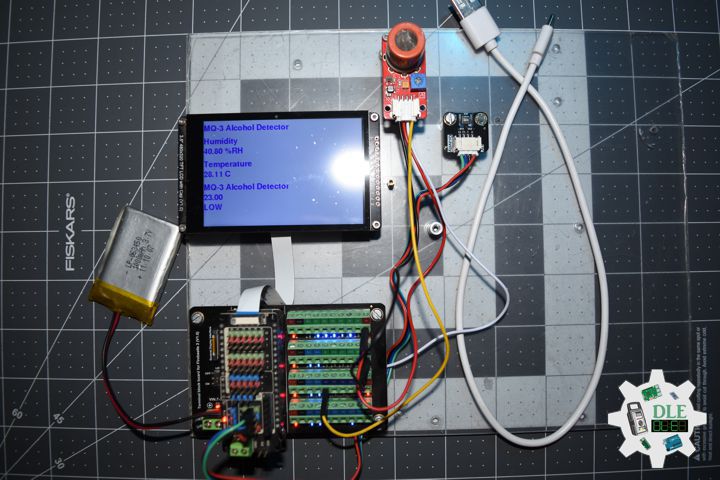
MQ-3 Alcohol Detector
The MQ-3 Alcohol Detector is an electronic sensor designed to detect the presence of alcohol vapors in the air, such as ethanol, methanol, and isopropyl alcohol. It operates using a sensitive metal oxide component whose resistance varies according to the ambient alcohol concentration, generating an analog signal that can be read by microcontrollers. The MQ-3 is easy to use, has a fast response time, and can detect alcohol concentrations across a wide range, making it a useful tool for both home and professional applications.
The MQ-3 Alcohol Detector is a widely used sensor for detecting the presence of alcohol vapors in the air, making it ideal for applications such as breathalyzers, vehicle security systems, access control projects, and environmental monitoring.
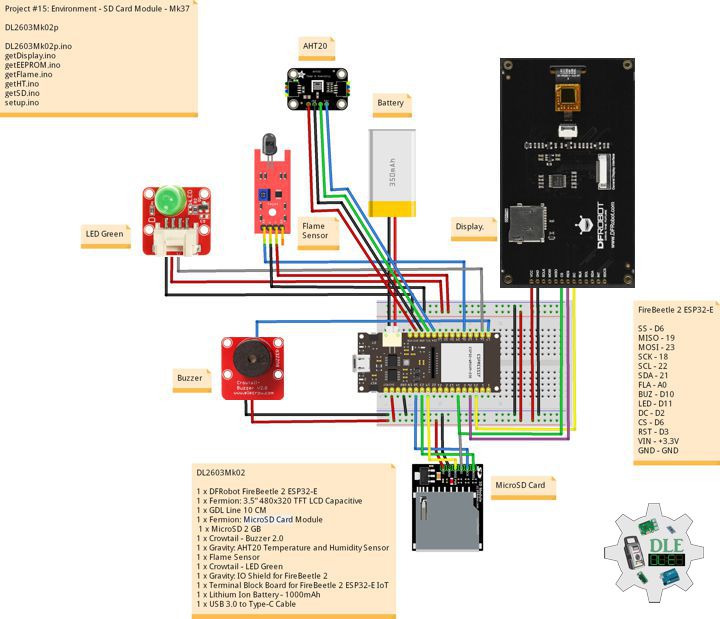
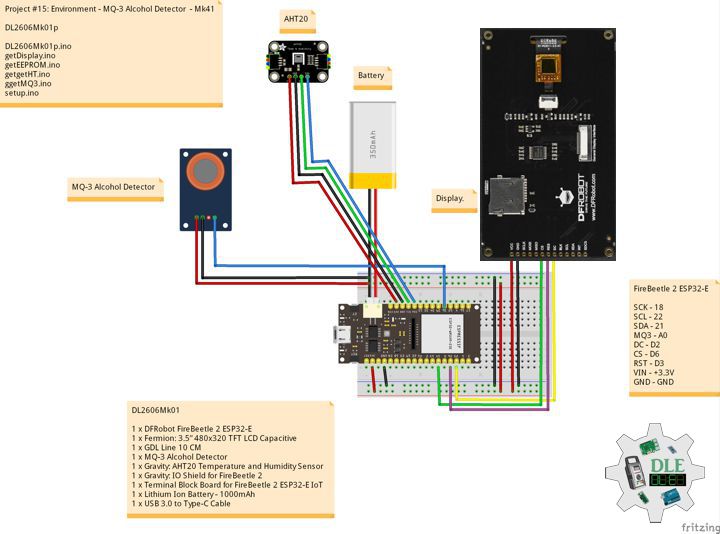
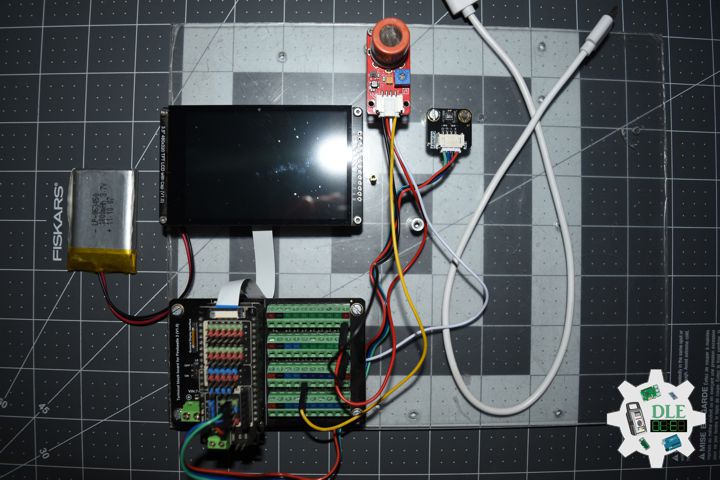
DL2606Mk01
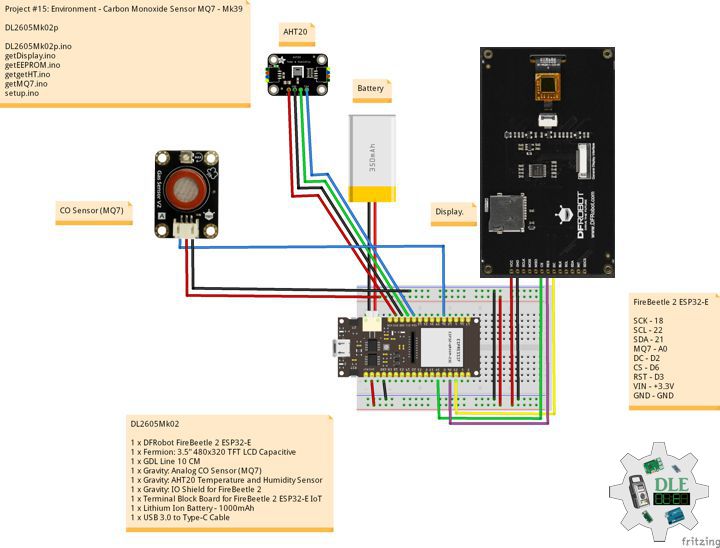
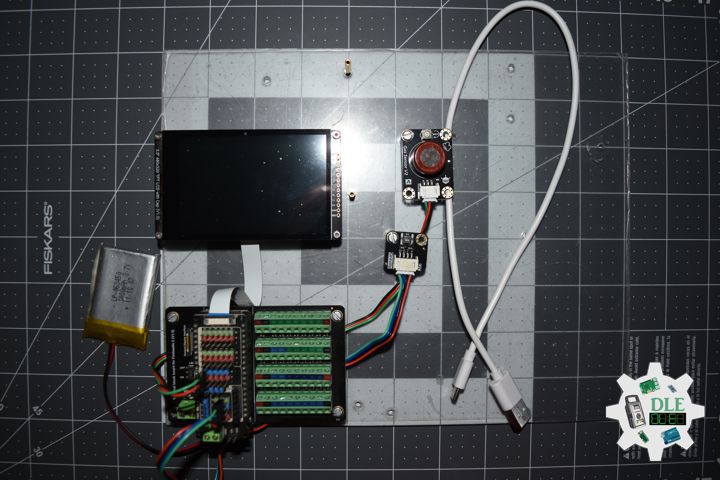
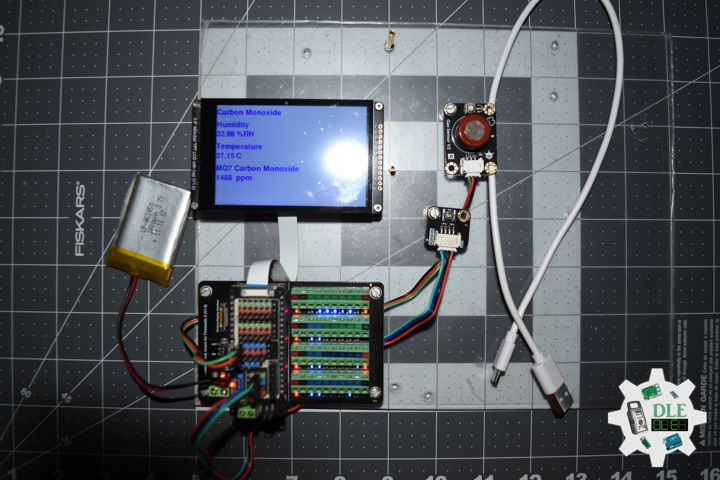
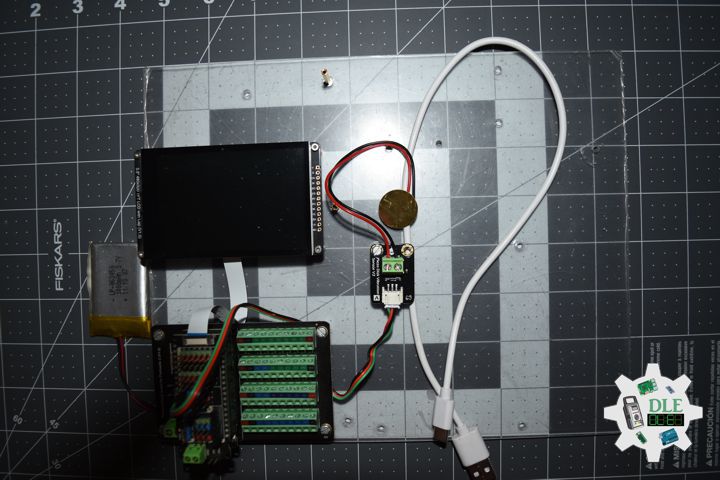
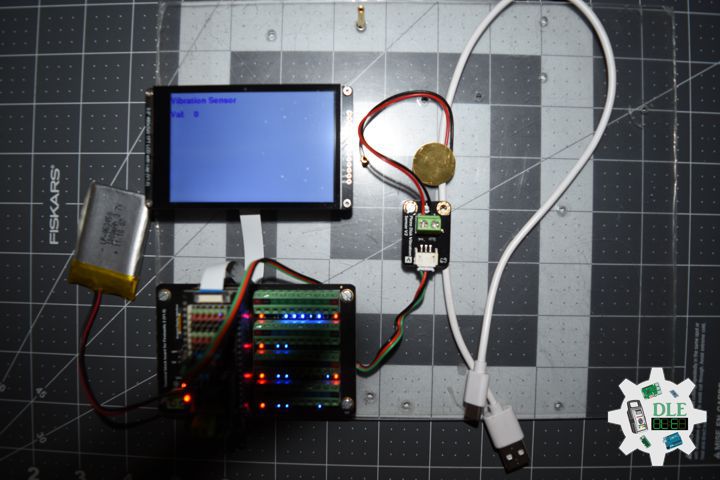
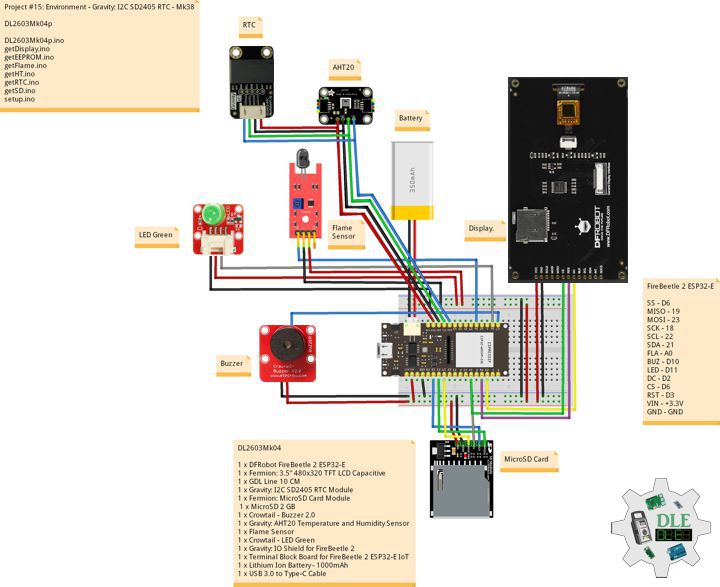
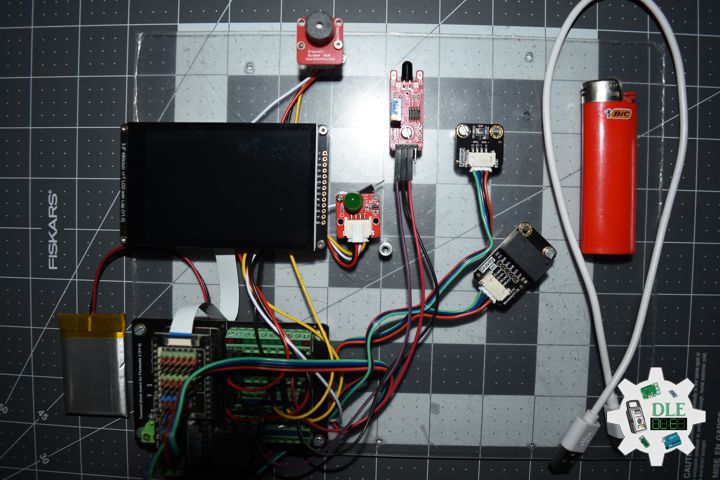
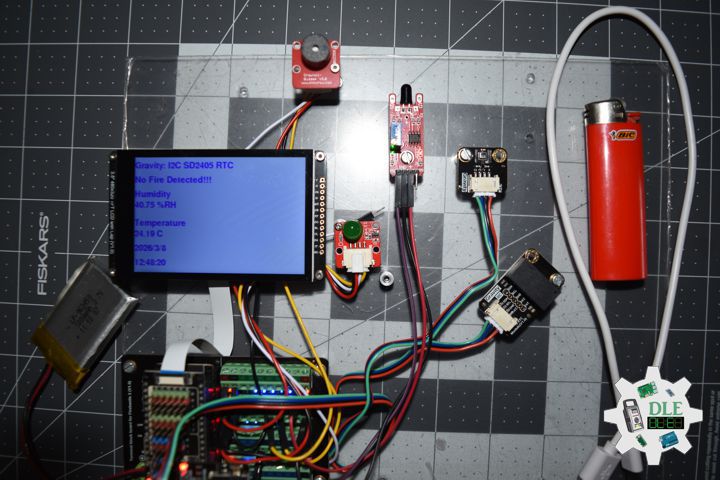
1 x DFRobot FireBeetle 2 ESP32-E
1 x Fermion: 3.5” 480×320 TFT LCD Capacitive
1 x GDL Line 10 CM
1 x MQ-3 Alcohol Detector
1 x Gravity: AHT20 Temperature and Humidity Sensor
1 x Gravity: IO Shield for FireBeetle 2
1 x Terminal Block Board for FireBeetle 2 ESP32-E IoT
1 x Lithium Ion Battery – 1000mAh
1 x USB 3.0 to Type-C Cable
DL2606Mk01p
DL2606Mk01p.ino
/****** Don Luc Electronics © ******
Software Version Information
Project #15: Environment - MQ-3 Alcohol Detector - Mk41
15-41
DL2606Mk01p.ino
DL2606k01
1 x DFRobot FireBeetle 2 ESP32-E
1 x Fermion: 3.5” 480x320 TFT LCD Capacitive
1 x GDL Line 10 CM
1 x MQ-3 Alcohol Detector
1 x Gravity: AHT20 Temperature and Humidity Sensor
1 x Gravity: IO Shield for FireBeetle 2
1 x Terminal Block Board for FireBeetle 2 ESP32-E IoT
1 x Lithium Ion Battery - 1000mAh
1 x USB 3.0 to Type-C Cable
*/

// Include the Library Code
// EEPROM Library to Read and Write EEPROM with Unique ID for Unit
#include "EEPROM.h"
// DFRobot Display GDL API
#include <DFRobot_GDL.h>
// AHT20 Humidity and Temperature Sensor
#include <DFRobot_AHT20.h>
// MQ-3 Alcohol Detector
#include <MQ3.h>

// MQ-3 Alcohol Detector
int iMQ3 = A0;
float iValMQ3 = 0;
// Value Limit
int iValLim = 400;
String sVal = "";

// AHT20 Humidity and Temperature Sensor
DFRobot_AHT20 aht20;
// AHT20 Humidity and Temperature Sensor
float h = 0;
float t = 0;

// Defined ESP32
#define TFT_DC  D2
#define TFT_CS  D6
#define TFT_RST D3

/*dc=*/ /*cs=*/ /*rst=*/
// DFRobot Display 320x480
DFRobot_ILI9488_320x480_HW_SPI screen(TFT_DC, TFT_CS, TFT_RST);

// Software Version Information
// EEPROM Unique ID Information
#define EEPROM_SIZE 64
String uid = "";

// Software Version Information
String sver = "15-41";

void loop() {

  // isMQ3
  isMQ3();

  // AHT20 Humidity and Temperature Sensor
  isHT();

  // isDisplay MQ-3 Alcohol Detector
  isDisplayMQ3();

  // Delay 2 Second
  delay( 2000 );

}
getDisplay.ino
// DFRobot Display 320x480
// DFRobot Display 320x480 - UID
void isDisplayUID(){

  // DFRobot Display 320x480
  // Text Display
  // Text Wrap
  screen.setTextWrap(false);
  // Rotation
  screen.setRotation(3);
  // Fill Screen => black
  screen.fillScreen(0x0000);
  // Text Color => white
  screen.setTextColor(0xffff);
  // Font => Free Sans Bold 12pt
  screen.setFont(&FreeSansBold12pt7b);
  // TextSize => 1.5
  screen.setTextSize(1.5);
  // Don Luc Electronics
  screen.setCursor(0, 30);
  screen.println("Don Luc Electronics");
  // Tilt Switch
  screen.setCursor(0, 60);
  screen.println("MQ-3 Alcohol Detector");
  // Version
  screen.setCursor(0, 90);
  screen.println("Version");
  screen.setCursor(0, 120);
  screen.println( sver );
  // EEPROM
  screen.setCursor(0, 150);
  screen.println("EEPROM");
  screen.setCursor(0, 180);
  screen.println( uid );

}
// isDisplay MQ3
void isDisplayMQ3(){

  // DFRobot Display 320x480
  // Text Display
  // Text Wrap
  screen.setTextWrap(false);
  // Rotation
  screen.setRotation(3);
  // Fill Screen => white
  screen.fillScreen(0xffff);
  // Text Color => blue
  screen.setTextColor(0x001F);
  // Font => Free Sans Bold 12pt
  screen.setFont(&FreeSansBold12pt7b);
  // TextSize => 1.5
  screen.setTextSize(1.5);
  // Vibration Senso
  screen.setCursor(0, 30);
  screen.println("MQ-3 Alcohol Detector");
  // Humidity
  screen.setCursor(0, 70);
  screen.println("Humidity");
  screen.setCursor(0, 100);
  screen.print( h );
  screen.setCursor(65, 100);
  screen.println( "%RH" );
  // Temperature
  screen.setCursor(0, 140);
  screen.println("Temperature");
  screen.setCursor(0, 170);
  screen.print( t );
  screen.setCursor(65, 170);
  screen.println( "C" );
  // MQ-3 Alcohol Detector
  screen.setCursor(0, 210);
  screen.println("MQ-3 Alcohol Detector");
  screen.setCursor(0, 240);
  screen.println( iValMQ3 );
  screen.setCursor(0, 270);
  screen.println( sVal );

}
getEEPROM.ino
// isUID EEPROM Unique ID
void isUID()
{

  // Is Unit ID
  uid = "";
  for (int x = 0; x < 7; x++)
  {
    uid = uid + char(EEPROM.read(x));
  }

}
getHT.ino
// AHT20 Humidity and Temperature Sensor
void isHT(){

  if(aht20.startMeasurementReady(true)){

    // Humidity
    h = aht20.getHumidity_RH();

    // Temperature
    t = aht20.getTemperature_C();

   }

}
getMQ3.ino
// MQ-3 Alcohol Detector
// isMQ3
void isMQ3(){

  // iValMQ3
  iValMQ3 = analogRead( iMQ3 );

  // Value Limit
  if (iValMQ3 > iValLim) {

    sVal = "HIGH";

  } else {

    sVal = "LOW";

  }

}
setup.ino
// Setup
void setup()
{

  // Delay
  delay( 100 );

   // EEPROM Size
  EEPROM.begin(EEPROM_SIZE);

  // EEPROM Unique ID
  isUID();

  // Delay
  delay(100);

  // DFRobot Display 320x480
  screen.begin();

  // Delay
  delay( 100 );

  // AHT20 Humidity and Temperature Sensor
  aht20.begin();

  // Delay
  delay( 100 );

  // DFRobot Display 320x480 - UID
  // Don Luc Electronics
  // Version
  // EEPROM
  isDisplayUID();

  // Wait for the sensor to heat up for 20 seconds
  delay( 20000 );

}
——
People can contact us: https://www.donluc.com/?page_id=1927
Consultant, R&D, Electronics, IoT, Teacher and Instructor
- Programming Language
- Single-Board Microcontrollers (PIC, Arduino, Raspberry Pi, Arm, Silicon Labs, Espressif, Etc…)
- IoT
- Wireless (Radio Frequency, Bluetooth, WiFi, Etc…)
- Robotics
- Automation
- Camera and Video Capture Receiver Stationary, Wheel/Tank , Underwater and UAV Vehicle
- Unmanned Vehicles Terrestrial, Marine and UAV
- Machine Learning
- Artificial Intelligence (AI)
- RTOS
- Sensors, eHealth Sensors, Biosensor, and Biometric
- Research & Development (R & D)
- Consulting
Follow Us
Luc Paquin – Curriculum Vitae – 2026
https://www.donluc.com/luc/LucPaquinCVEng2026Mk01.pdf
https://www.donluc.com/luc/
Web: https://www.donluc.com/
Web: https://www.jlpconsultants.com/
Facebook: https://www.facebook.com/neosteam.labs.9/
YouTube: https://www.youtube.com/@thesass2063
DFRobot: https://learn.dfrobot.com/user-10186.html
TikTok: https://www.tiktok.com/@luc.paquin8
Hackster: https://www.hackster.io/luc-paquin
LinkedIn: https://www.linkedin.com/in/jlucpaquin/
Don Luc