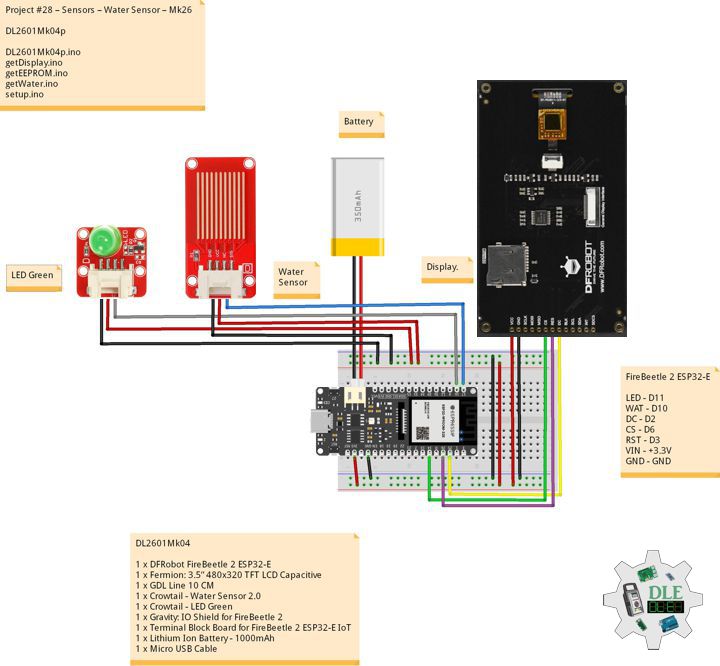
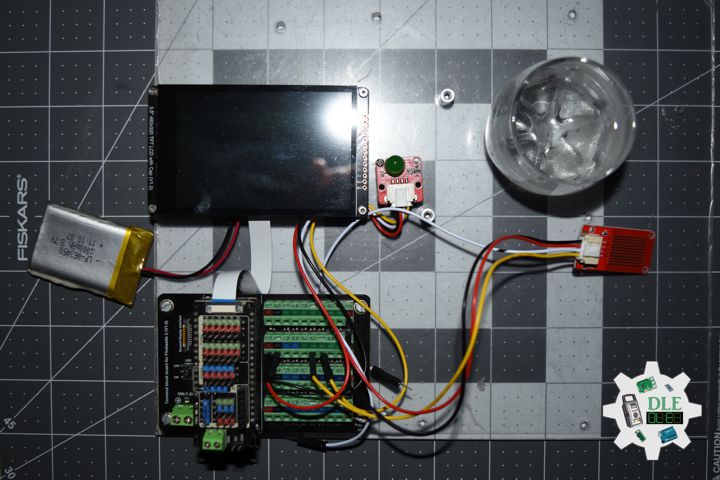
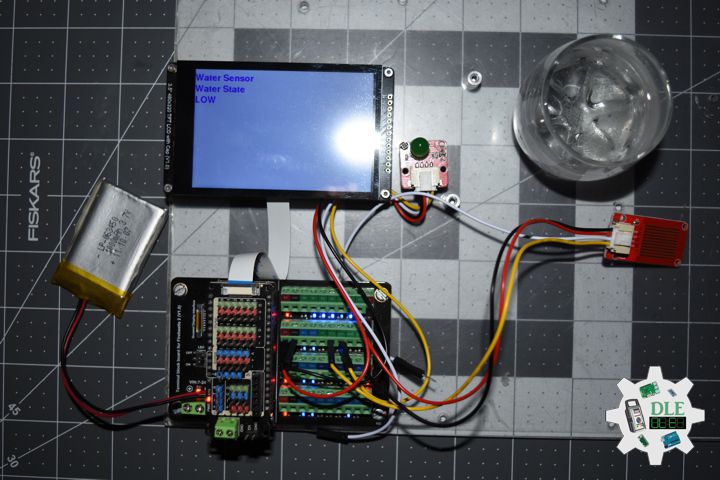
Project #28 – Sensors – Conductivity Sensor Switch – Mk18

——

#DonLucElectronics #DonLuc #ConductivitySwitch #FireBeetle2ESP32E #ESP32 #DFRobot #Display #IoT #Project #Fritzing #Programming #Electronics #Microcontrollers #Consultant

——
Conductivity Sensor Switch

——

Conductivity Sensor Switch

——

Conductivity Sensor Switch

——

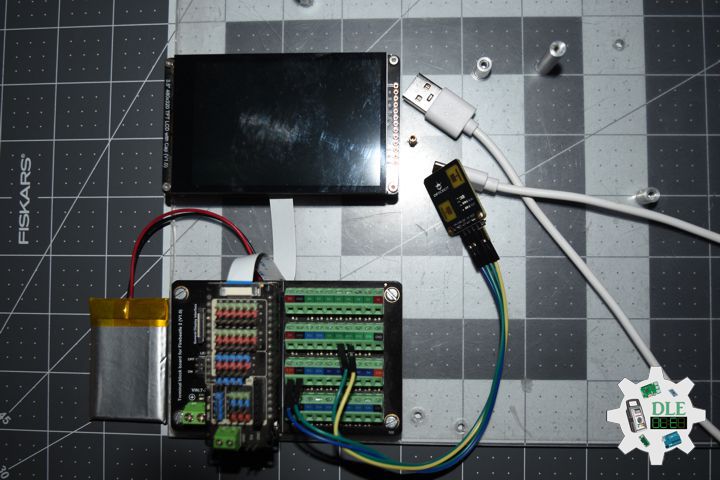
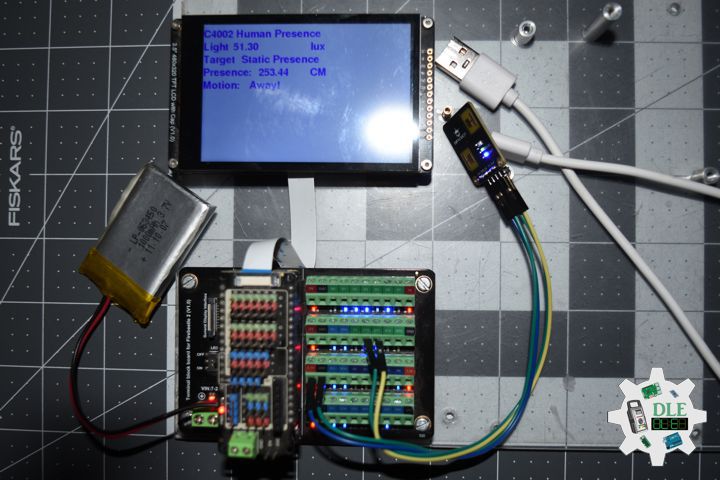
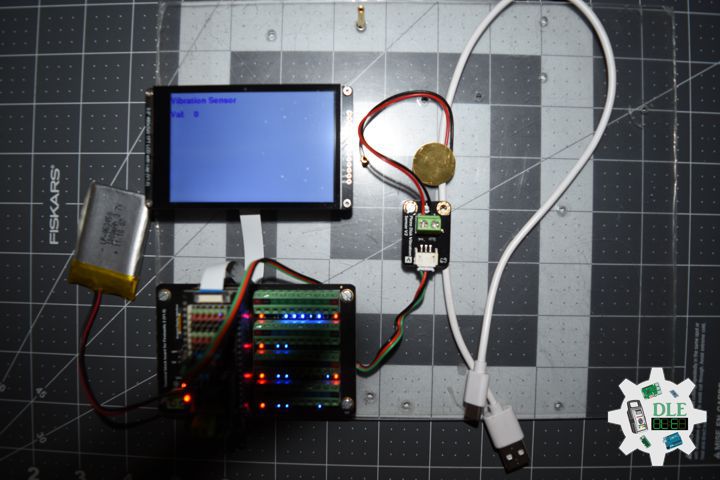
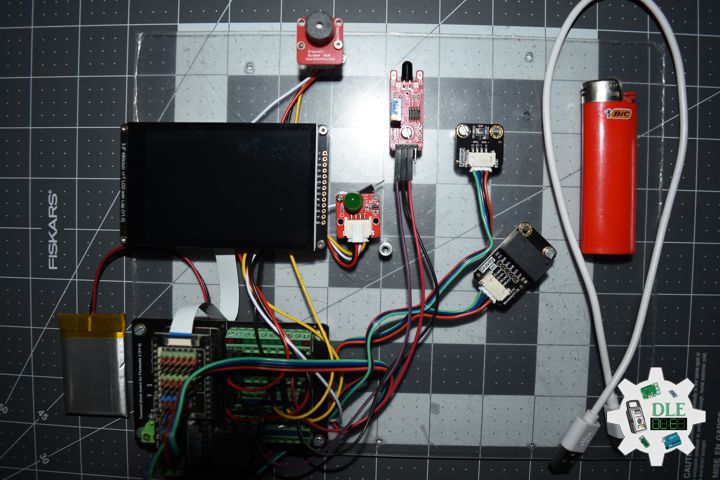
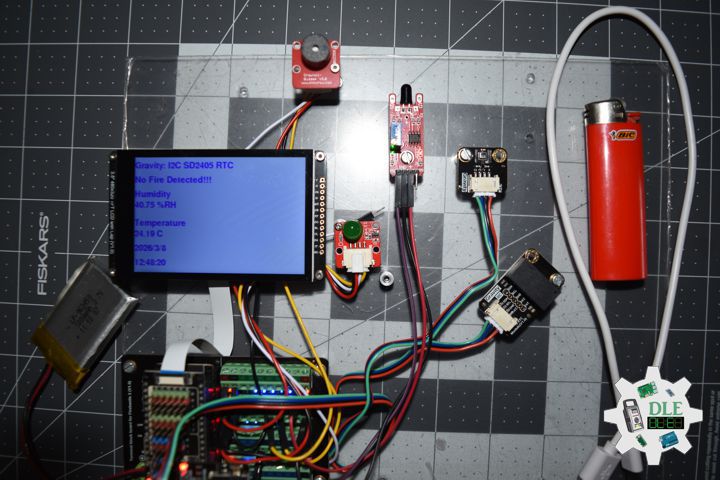
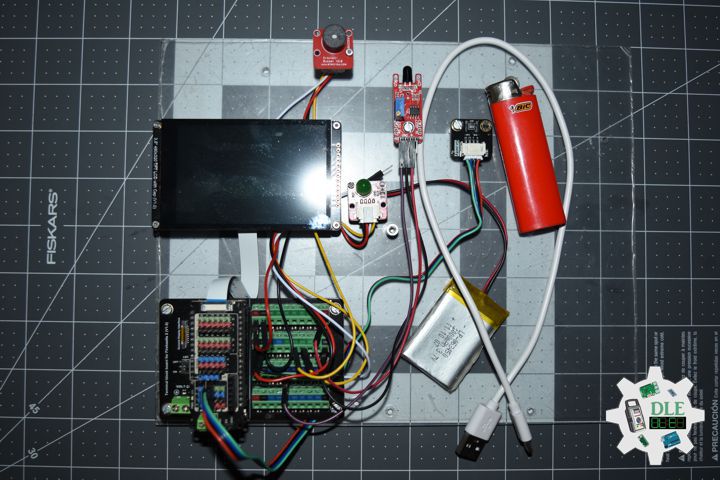
Gravity: Conductivity Sensor Switch

The Gravity Conductivity Sensor Switch module can be used to detect if an object has electrical conductivity. Its maximum detection value is 10 Mega Ohm. It can detect not only coins, wires, metal and other good conductors, but also the human body, fruit, plants and other conductors.

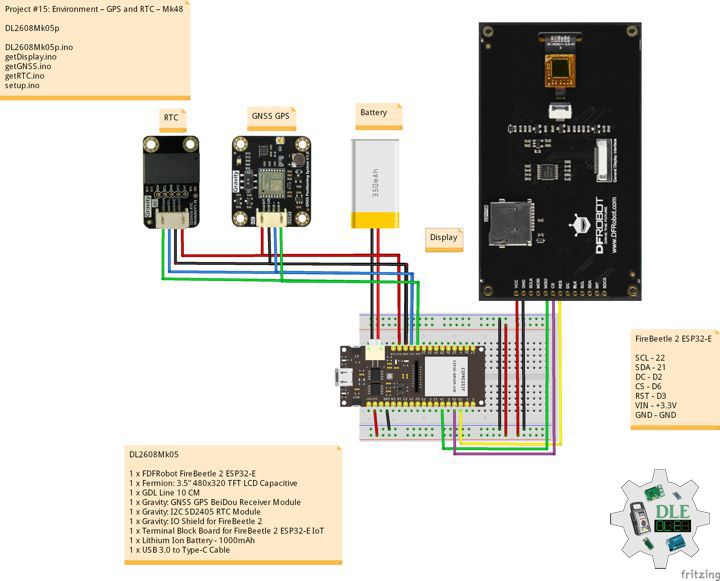
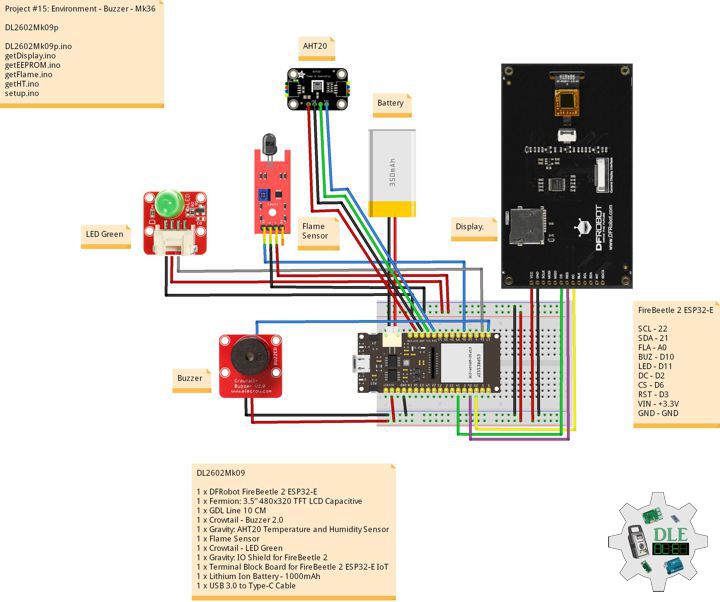
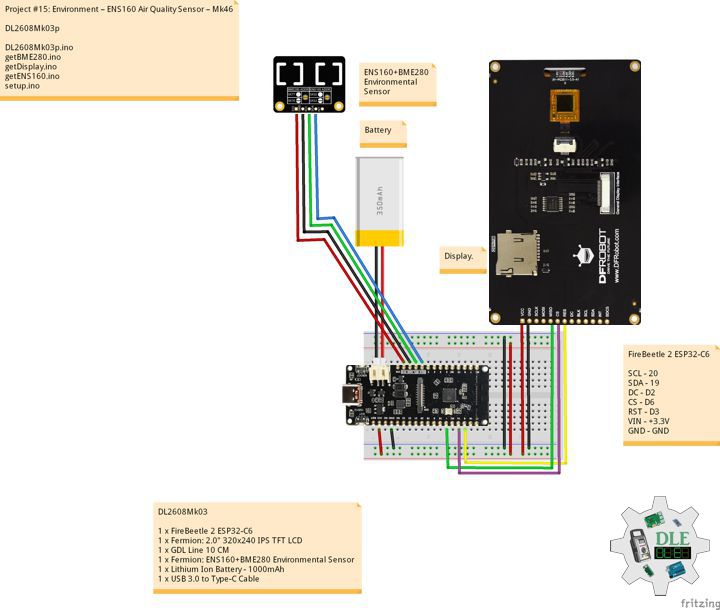
DL2511Mk04

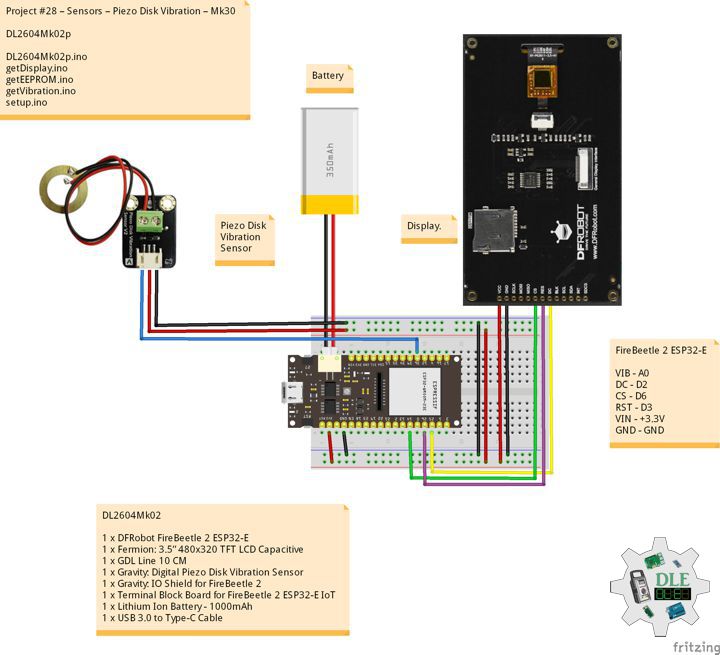
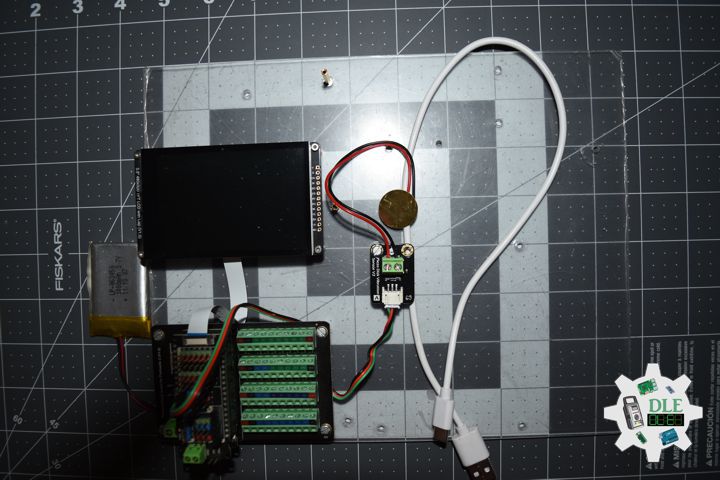
1 x DFRobot FireBeetle 2 ESP32-E
1 x Fermion: 2.0″ 320×240 IPS TFT LCD
1 x GDL Line 10 CM
1 x Gravity: IO Shield for FireBeetle 2
1 x Gravity: Conductivity Sensor Switch
1 x Gravity: Digital RGB LED Module
1 x Lithium Ion Battery – 1000mAh
1 x Switch
1 x USB 3.0 to Type-C Cable

DL2511Mk04p

DL2511Mk04p.ino

/****** Don Luc Electronics © ******
Software Version Information
Project #28 – Sensors – Conductivity Sensor Switch – Mk18
28-18
DL2511Mk04p.ino
DL2511Mk04
1 x DFRobot FireBeetle 2 ESP32-E
1 x Fermion: 2.0" 320x240 IPS TFT LCD
1 x GDL Line 10 CM
1 x Gravity: IO Shield for FireBeetle 2
1 x Gravity: Conductivity Sensor Switch
1 x Gravity: Digital RGB LED Module
1 x Lithium Ion Battery - 1000mAh
1 x Switch
1 x USB 3.0 to Type-C Cable
*/

// Include the Library Code
// EEPROM Library to Read and Write EEPROM
// with Unique ID for Unit
#include "EEPROM.h"
// Arduino
#include "Arduino.h"
// DFRobot Display GDL API
#include <DFRobot_GDL.h>
// Adafruit NeoPixel
#include <Adafruit_NeoPixel.h>

// Conductivity
int iConductivity = D10;
// Value
int iVal;
// OO
String sOO;

// Which pin on the Arduino is connected to the NeoPixels?
#define iNeo D11
// How many NeoPixels are attached to the Arduino?
#define NUMPIXELS 1
// When setting up the NeoPixel library.
Adafruit_NeoPixel pixels(NUMPIXELS, iNeo, NEO_GRB + NEO_KHZ800);

// Defined ESP32
#define TFT_DC  D2
#define TFT_CS  D6
#define TFT_RST D3

/*dc=*/ /*cs=*/ /*rst=*/
// DFRobot Display 240x320
DFRobot_ST7789_240x320_HW_SPI screen(TFT_DC, TFT_CS, TFT_RST);

// EEPROM Unique ID Information
#define EEPROM_SIZE 64
String uid = "";

// Software Version Information
String sver = "28-18";

void loop() {
  
  // isConductivity
  isConductivity();

  // isDisplayConductivity
  isDisplayConductivity();

  // Delay
  delay( 1000 );
  
}

getConductivity.ino

// Conductivity
// isConductivity
void isConductivity(){
  
  // Set all pixel colors to 'Off'
  pixels.clear();

  // Read the value from the sensor:
  iVal = digitalRead(iConductivity);
 
  // Sound Sensor
  if( iVal == HIGH ) { 
        
       // The first NeoPixel in a strand is #0, second is 1, all the way up
       // to the count of pixels minus one. // For each pixel...
       for(int i=0; i<NUMPIXELS; i++) { 

          // pixels.Color() takes RGB values, from 0,0,0 up to 255,255,255
          // Green
          pixels.setPixelColor(i, pixels.Color(0, 255, 0));

          // Send the updated pixel colors to the hardware.
          pixels.show(); 

        }

    // On
    sOO = "On";

  }
   else{
        
      // The first NeoPixel in a strand is #0, second is 1, all the way up
       // to the count of pixels minus one. // For each pixel...
       for(int i=0; i<NUMPIXELS; i++) { 

          // pixels.Color() takes RGB values, from 0,0,0 up to 255,255,255
          // Red
          pixels.setPixelColor(i, pixels.Color(255, 0, 0));

          // Send the updated pixel colors to the hardware.
          pixels.show(); 

      }

    // Off
    sOO = "Off";  
 
  }

}

getDisplay.ino

// DFRobot Display 240x320
// DFRobot Display 240x320 - UID
void isDisplayUID(){

  // DFRobot Display 240x320
  // Text Display
  // Text Wrap
  screen.setTextWrap(false);
  // Rotation
  screen.setRotation(3);
  // Fill Screen => black
  screen.fillScreen(0x0000);
  // Text Color => white
  screen.setTextColor(0xffff);
  // Font => Free Sans Bold 12pt
  screen.setFont(&FreeSansBold12pt7b);
  // TextSize => 1.5
  screen.setTextSize(1.5);
  // Don Luc Electronics
  screen.setCursor(0, 30);
  screen.println("Don Luc Electronics");
  // SD
  screen.setCursor(0, 60);
  screen.println("Conductivity");
  // Version
  screen.setCursor(0, 90);
  screen.println("Version");
  screen.setCursor(0, 120);
  screen.println( sver );
  // EEPROM
  screen.setCursor(0, 150);
  screen.println("EEPROM");
  screen.setCursor(0, 180);
  screen.println( uid );

}
// isDisplayConductivity
void isDisplayConductivity(){

  // DFRobot Display 240x320
  // Text Display
  // Text Wrap
  screen.setTextWrap(false);
  // Rotation
  screen.setRotation(3);
  // Fill Screen => white
  screen.fillScreen(0xffff);
  // Text Color => blue
  screen.setTextColor(0x001F);
  // Font => Free Sans Bold 12pt
  screen.setFont(&FreeSansBold12pt7b);
  // TextSize => 1.5
  screen.setTextSize(1.5);
  // Sound Sensor
  screen.setCursor(0, 30);
  screen.println("Conductivity");
  // Val
  screen.setCursor(0, 60);
  screen.println( iVal );
  // On Off
  screen.setCursor(0, 90);
  screen.println( sOO );

  
}

getEEPROM.ino

// EEPROM
// isUID EEPROM Unique ID
void isUID() {
  
  // Is Unit ID
  uid = "";
  for (int x = 0; x < 7; x++)
  {
    uid = uid + char(EEPROM.read(x));
  }

}

setup.ino

// Setup
void setup()
{
 
  // Delay
  delay( 100 );

  // EEPROM Size
  EEPROM.begin(EEPROM_SIZE);

  // EEPROM Unique ID
  isUID();

  // Delay
  delay( 100 );

  // INITIALIZE NeoPixel strip object
  pixels.begin();

  // Delay
  delay(100);
  
  // DFRobot Display 240x320
  screen.begin();

  // Delay
  delay(100);

  // Conductivity
  pinMode(iConductivity,INPUT);

  // Delay
  delay(100);

  // DFRobot Display 240x320 - UID
  // Don Luc Electronics
  // Version
  // EEPROM
  isDisplayUID();

  // Delay 5 Second
  delay( 5000 );

}

——

People can contact us: https://www.donluc.com/?page_id=1927

Consultant, R&D, Electronics, IoT, Teacher and Instructor

  • Programming Language
  • Single-Board Microcontrollers (PIC, Arduino, Raspberry Pi, Arm, Silicon Labs, Espressif, Etc…)
  • IoT
  • Wireless (Radio Frequency, Bluetooth, WiFi, Etc…)
  • Robotics
  • Automation
  • Camera and Video Capture Receiver Stationary, Wheel/Tank , Underwater and UAV Vehicle
  • Unmanned Vehicles Terrestrial, Marine and UAV
  • Machine Learning
  • Artificial Intelligence (AI)
  • RTOS
  • Sensors, eHealth Sensors, Biosensor, and Biometric
  • Research & Development (R & D)
  • Consulting

Follow Us

Luc Paquin – Curriculum Vitae – 2024
https://www.donluc.com/luc/

Web: https://www.donluc.com/
Facebook: https://www.facebook.com/neosteam.labs.9/
YouTube: https://www.youtube.com/@thesass2063
Twitter: https://twitter.com/labs_steam
Pinterest: https://www.pinterest.com/NeoSteamLabs/
Instagram: https://www.instagram.com/neosteamlabs/
DFRobot: https://learn.dfrobot.com/user-10186.html
Elecrow: https://www.elecrow.com/share/sharepj/center/no/760816d385ebb1edc0732fd873bfbf13
TikTok: https://www.tiktok.com/@luc.paquin8
Hackster: https://www.hackster.io/luc-paquin
LinkedIn: https://www.linkedin.com/in/jlucpaquin/

Don Luc
Project #28 – Sensors – Infrared Motion – Mk17

——

#DonLucElectronics #DonLuc #InfraredMotion #FireBeetle2ESP32E #ESP32 #DFRobot #Display #IoT #Project #Fritzing #Programming #Electronics #Microcontrollers #Consultant

——

Infrared Motion

——

Infrared Motion

——

Infrared Motion

——

Gravity: URM09 Ultrasonic Distance Sensor

Ultrasonic sensor for fast ranging and obstacle avoidance with up to 50Hz frequency, temperature compensation, and adjustable measurement ranges of 150 cm, 300 cm, 500 cm.

DL2511Mk01

1 x DFRobot FireBeetle 2 ESP32-E
1 x Fermion: 2.0″ 320×240 IPS TFT LCD
1 x GDL Line 10 CM
1 x Gravity: IO Shield for FireBeetle 2
1 x Gravity: URM09 Ultrasonic Distance Sensor
1 x Gravity: Digital RGB LED Module
1 x Lithium Ion Battery – 1000mAh
1 x Switch
1 x USB 3.0 to Type-C Cable

DL2511Mk01p

DL2511Mk01p.ino

/****** Don Luc Electronics © ******
Software Version Information
Project #28 – Sensors – Infrared Motion – Mk17
28-17
DL2511Mk01p.ino
DL2511Mk01
1 x DFRobot FireBeetle 2 ESP32-E
1 x Fermion: 2.0" 320x240 IPS TFT LCD
1 x GDL Line 10 CM
1 x Gravity: IO Shield for FireBeetle 2
1 x Gravity: URM09 Ultrasonic Distance Sensor
1 x Gravity: Digital RGB LED Module
1 x Lithium Ion Battery - 1000mAh
1 x Switch
1 x USB 3.0 to Type-C Cable
*/

// Include the Library Code
// EEPROM Library to Read and Write EEPROM
// with Unique ID for Unit
#include "EEPROM.h"
// Arduino
#include "Arduino.h"
// DFRobot Display GDL API
#include <DFRobot_GDL.h>
// Adafruit NeoPixel
#include <Adafruit_NeoPixel.h>

// Which pin on the Arduino is connected to the NeoPixels?
#define iNeo D11
// How many NeoPixels are attached to the Arduino?
#define NUMPIXELS 1
// When setting up the NeoPixel library.
Adafruit_NeoPixel pixels(NUMPIXELS, iNeo, NEO_GRB + NEO_KHZ800);

// Ultrasonic Distance
// The max measurement vaule of the module is 520cm
#define  MAX_RANG  (520)
// ADC accuracy of ESP#@ is 10bit
#define  ADC_SOLUTION  (4095.0)
float dist_t;
float sensity_t;
int iUltrasonic = A0;

// Defined ESP32
#define TFT_DC  D2
#define TFT_CS  D6
#define TFT_RST D3

/*dc=*/ /*cs=*/ /*rst=*/
// DFRobot Display 240x320
DFRobot_ST7789_240x320_HW_SPI screen(TFT_DC, TFT_CS, TFT_RST);

// EEPROM Unique ID Information
#define EEPROM_SIZE 64
String uid = "";

// Software Version Information
String sver = "28-17";

void loop() {
  
  // Ultrasonic
  // isUltrasonic
  isUltrasonic();

  // isDisplayMotion
  isDisplayUltrasonic();

  // Delay
  delay( 1000 );
  
}

getDisplay.ino

// DFRobot Display 240x320
// DFRobot Display 240x320 - UID
void isDisplayUID(){

  // DFRobot Display 240x320
  // Text Display
  // Text Wrap
  screen.setTextWrap(false);
  // Rotation
  screen.setRotation(3);
  // Fill Screen => black
  screen.fillScreen(0x0000);
  // Text Color => white
  screen.setTextColor(0xffff);
  // Font => Free Sans Bold 12pt
  screen.setFont(&FreeSansBold12pt7b);
  // TextSize => 1.5
  screen.setTextSize(1.5);
  // Don Luc Electronics
  screen.setCursor(0, 30);
  screen.println("Don Luc Electronics");
  // SD
  screen.setCursor(0, 60);
  screen.println("Ultrasonic Sensor");
  // Version
  screen.setCursor(0, 90);
  screen.println("Version");
  screen.setCursor(0, 120);
  screen.println( sver );
  // EEPROM
  screen.setCursor(0, 150);
  screen.println("EEPROM");
  screen.setCursor(0, 180);
  screen.println( uid );

}
// isDisplayUltrasonic
void isDisplayUltrasonic(){

  // DFRobot Display 240x320
  // Text Display
  // Text Wrap
  screen.setTextWrap(false);
  // Rotation
  screen.setRotation(3);
  // Fill Screen => white
  screen.fillScreen(0xffff);
  // Text Color => blue
  screen.setTextColor(0x001F);
  // Font => Free Sans Bold 12pt
  screen.setFont(&FreeSansBold12pt7b);
  // TextSize => 1.5
  screen.setTextSize(1.5);
  // Geiger
  screen.setCursor(0, 30);
  screen.println("Ultrasonic Sensor");
  // CM
  screen.setCursor(0, 60);
  screen.print( dist_t );
  screen.setCursor(90, 60);
  screen.println( "CM" );
  
}

getEEPROM.ino

// EEPROM
// isUID EEPROM Unique ID
void isUID() {
  
  // Is Unit ID
  uid = "";
  for (int x = 0; x < 7; x++)
  {
    uid = uid + char(EEPROM.read(x));
  }

}

getUltrasonic.ino

// Ultrasonic
// isUltrasonic
void isUltrasonic(){
  
  // Set all pixel colors to 'Off'
  pixels.clear();

  // Read the value from the sensor:
  sensity_t = analogRead(iUltrasonic);

  // Distance
  dist_t = sensity_t * MAX_RANG  / ADC_SOLUTION;//
  
  // Distance
  float fDi = dist_t;
 
  // Distance
  if( fDi < 30) { 
        
       // The first NeoPixel in a strand is #0, second is 1, all the way up
       // to the count of pixels minus one. // For each pixel...
       for(int i=0; i<NUMPIXELS; i++) { 

          // pixels.Color() takes RGB values, from 0,0,0 up to 255,255,255
          // Green
          pixels.setPixelColor(i, pixels.Color(0, 255, 0));

          // Send the updated pixel colors to the hardware.
          pixels.show(); 

        }

  }
   else{
        
      // The first NeoPixel in a strand is #0, second is 1, all the way up
       // to the count of pixels minus one. // For each pixel...
       for(int i=0; i<NUMPIXELS; i++) { 

          // pixels.Color() takes RGB values, from 0,0,0 up to 255,255,255
          // Red
          pixels.setPixelColor(i, pixels.Color(255, 0, 0));

          // Send the updated pixel colors to the hardware.
          pixels.show(); 

      }
 
  }

}

setup.ino

// Setup
void setup()
{
 
  // Delay
  delay( 100 );

  // EEPROM Size
  EEPROM.begin(EEPROM_SIZE);

  // EEPROM Unique ID
  isUID();

  // Delay
  delay( 100 );

  // INITIALIZE NeoPixel strip object
  pixels.begin();

  // Delay
  delay(100);
  
  // DFRobot Display 240x320
  screen.begin();

  // Delay
  delay(100);

  // DFRobot Display 240x320 - UID
  // Don Luc Electronics
  // Version
  // EEPROM
  isDisplayUID();

  // Delay 5 Second
  delay( 5000 );

}

——

People can contact us: https://www.donluc.com/?page_id=1927

Consultant, R&D, Electronics, IoT, Teacher and Instructor

  • Programming Language
  • Single-Board Microcontrollers (PIC, Arduino, Raspberry Pi, Arm, Silicon Labs, Espressif, Etc…)
  • IoT
  • Wireless (Radio Frequency, Bluetooth, WiFi, Etc…)
  • Robotics
  • Automation
  • Camera and Video Capture Receiver Stationary, Wheel/Tank , Underwater and UAV Vehicle
  • Unmanned Vehicles Terrestrial, Marine and UAV
  • Machine Learning
  • Artificial Intelligence (AI)
  • RTOS
  • Sensors, eHealth Sensors, Biosensor, and Biometric
  • Research & Development (R & D)
  • Consulting

Follow Us

Luc Paquin – Curriculum Vitae – 2024
https://www.donluc.com/luc/

Web: https://www.donluc.com/
Facebook: https://www.facebook.com/neosteam.labs.9/
YouTube: https://www.youtube.com/@thesass2063
Twitter: https://twitter.com/labs_steam
Pinterest: https://www.pinterest.com/NeoSteamLabs/
Instagram: https://www.instagram.com/neosteamlabs/
DFRobot: https://learn.dfrobot.com/user-10186.html
Elecrow: https://www.elecrow.com/share/sharepj/center/no/760816d385ebb1edc0732fd873bfbf13
TikTok: https://www.tiktok.com/@luc.paquin8
Hackster: https://www.hackster.io/luc-paquin
LinkedIn: https://www.linkedin.com/in/jlucpaquin/

Don Luc
Project #28 – Sensors – Digital Magnetic Sensor – Mk16

——

#DonLucElectronics #DonLuc #Magnetic #FireBeetle2ESP32E #ESP32 #DFRobot #Display #IoT #Project #Fritzing #Programming #Electronics #Microcontrollers #Consultant

——

Digital Magnetic Sensor

——

Digital Magnetic Sensor

——

Digital Magnetic Sensor

——

Gravity: Digital Magnetic Sensor

Detect nearby magnetic objects with this digital magnetic sensor, offering a 3.3 Volt – 5 Volt range, easy interfaces, high quality connector, and compact size.

Gravity: Digital RGB LED Module

Gravity: Digital RGB LED Module is a cascadable single RGB LED module compatible with RGB LED strip. Compared to the traditional RGB LED module, where three control signal pins are required for a single LED, this module only needs one signal pin for all LEDs in cascade. Thanks to such individual module design, RGB LED strip built by such independent modules can realize extremely low power consumption

DL2510Mk05

1 x DFRobot FireBeetle 2 ESP32-E
1 x Fermion: 2.0″ 320×240 IPS TFT LCD
1 x GDL Line 10 CM
1 x Gravity: IO Shield for FireBeetle 2
1 x Gravity: Digital Magnetic Sensor
1 x Gravity: Digital RGB LED Module
1 x Lithium Ion Battery – 1000mAh
1 x Switch
1 x USB 3.0 to Type-C Cable

DL2510Mk05p

DL2510Mk05p.ino

/****** Don Luc Electronics © ******
Software Version Information
Project #28 – Sensors – Digital Magnetic Sensor – Mk16
28-16
DL2509Mk055.ino
DL2509Mk04
1 x DFRobot FireBeetle 2 ESP32-E
1 x Fermion: 2.0" 320x240 IPS TFT LCD
1 x GDL Line 10 CM
1 x Gravity: IO Shield for FireBeetle 2
1 x Gravity: Digital Magnetic Sensor
1 x Gravity: Digital RGB LED Module
1 x Lithium Ion Battery - 1000mAh
1 x Switch
1 x USB 3.0 to Type-C Cable
*/

// Include the Library Code
// EEPROM Library to Read and Write EEPROM
// with Unique ID for Unit
#include "EEPROM.h"
// Arduino
#include "Arduino.h"
// DFRobot Display GDL API
#include <DFRobot_GDL.h>
// Adafruit NeoPixel
#include <Adafruit_NeoPixel.h>

// Which pin on the Arduino is connected to the NeoPixels?
#define iNeo D11
// How many NeoPixels are attached to the Arduino?
#define NUMPIXELS 1
// When setting up the NeoPixel library.
Adafruit_NeoPixel pixels(NUMPIXELS, iNeo, NEO_GRB + NEO_KHZ800);

// Connect Magnetic sensor
int iMagnetic = D12;
String oo = "";

// Defined ESP32
#define TFT_DC  D2
#define TFT_CS  D6
#define TFT_RST D3

/*dc=*/ /*cs=*/ /*rst=*/
// DFRobot Display 240x320
DFRobot_ST7789_240x320_HW_SPI screen(TFT_DC, TFT_CS, TFT_RST);

// EEPROM Unique ID Information
#define EEPROM_SIZE 64
String uid = "";

// Software Version Information
String sver = "28-16";

void loop() {
  
  // Magnetic
  // isMagnetic
  isMagnetic();

  // isDisplayMagnetic
  isDisplayMagnetic();

  // Delay
  delay( 1000 );
  
}

getDisplay.ino

// DFRobot Display 240x320
// DFRobot Display 240x320 - UID
void isDisplayUID(){

  // DFRobot Display 240x320
  // Text Display
  // Text Wrap
  screen.setTextWrap(false);
  // Rotation
  screen.setRotation(3);
  // Fill Screen => black
  screen.fillScreen(0x0000);
  // Text Color => white
  screen.setTextColor(0xffff);
  // Font => Free Sans Bold 12pt
  screen.setFont(&FreeSansBold12pt7b);
  // TextSize => 1.5
  screen.setTextSize(1.5);
  // Don Luc Electronics
  screen.setCursor(0, 30);
  screen.println("Don Luc Electronics");
  // SD
  screen.setCursor(0, 60);
  screen.println("Magnetic Sensor");
  // Version
  screen.setCursor(0, 90);
  screen.println("Version");
  screen.setCursor(0, 120);
  screen.println( sver );
  // EEPROM
  screen.setCursor(0, 150);
  screen.println("EEPROM");
  screen.setCursor(0, 180);
  screen.println( uid );

}
// isDisplayMagnetic
void isDisplayMagnetic(){

  // DFRobot Display 240x320
  // Text Display
  // Text Wrap
  screen.setTextWrap(false);
  // Rotation
  screen.setRotation(3);
  // Fill Screen => white
  screen.fillScreen(0xffff);
  // Text Color => blue
  screen.setTextColor(0x001F);
  // Font => Free Sans Bold 12pt
  screen.setFont(&FreeSansBold12pt7b);
  // TextSize => 1.5
  screen.setTextSize(1.5);
  // Geiger
  screen.setCursor(0, 30);
  screen.println("Magnetic Sensor");
  // On - Off
  screen.setCursor(0, 60);
  screen.println( oo );
  
}

getEEPROM.ino

// EEPROM
// isUID EEPROM Unique ID
void isUID() {
  
  // Is Unit ID
  uid = "";
  for (int x = 0; x < 7; x++)
  {
    uid = uid + char(EEPROM.read(x));
  }

}

getMagnetic.ino

// Magnetic
// isMagnetic
void isMagnetic(){
  
  // Set all pixel colors to 'Off'
  pixels.clear();
  
  //Read Magnetic sensor signal
  if(digitalRead(iMagnetic) == HIGH) { 
        
       // The first NeoPixel in a strand is #0, second is 1, all the way up
       // to the count of pixels minus one. // For each pixel...
       for(int i=0; i<NUMPIXELS; i++) { 

          // pixels.Color() takes RGB values, from 0,0,0 up to 255,255,255
          // Gree
          pixels.setPixelColor(i, pixels.Color(0, 255, 0));

          // Send the updated pixel colors to the hardware.
          pixels.show(); 

        }

      // On
      oo = "On";


  }
   else{
        
      // The first NeoPixel in a strand is #0, second is 1, all the way up
       // to the count of pixels minus one. // For each pixel...
       for(int i=0; i<NUMPIXELS; i++) { 

          // pixels.Color() takes RGB values, from 0,0,0 up to 255,255,255
          // Red
          pixels.setPixelColor(i, pixels.Color(255, 0, 0));

          // Send the updated pixel colors to the hardware.
          pixels.show(); 

      }

      // Off
      oo = "Off";
      
  }

}

setup.ino

// Setup
void setup()
{
 
  // Delay
  delay( 100 );

  // EEPROM Size
  EEPROM.begin(EEPROM_SIZE);

  // EEPROM Unique ID
  isUID();

  // Delay
  delay( 100 );

  // INITIALIZE NeoPixel strip object
  pixels.begin();

  // Delay
  delay( 100 );

  // Set touch sensor pin to input mode
  pinMode(iMagnetic, INPUT); 

  // Delay
  delay(100);
  
  // DFRobot Display 240x320
  screen.begin();

  // Delay
  delay(100);

  // DFRobot Display 240x320 - UID
  // Don Luc Electronics
  // Version
  // EEPROM
  isDisplayUID();

  // Delay 5 Second
  delay( 5000 );

}

——

People can contact us: https://www.donluc.com/?page_id=1927

Consultant, R&D, Electronics, IoT, Teacher and Instructor

  • Programming Language
  • Single-Board Microcontrollers (PIC, Arduino, Raspberry Pi, Arm, Silicon Labs, Espressif, Etc…)
  • IoT
  • Wireless (Radio Frequency, Bluetooth, WiFi, Etc…)
  • Robotics
  • Automation
  • Camera and Video Capture Receiver Stationary, Wheel/Tank , Underwater and UAV Vehicle
  • Unmanned Vehicles Terrestrial, Marine and UAV
  • Machine Learning
  • Artificial Intelligence (AI)
  • RTOS
  • Sensors, eHealth Sensors, Biosensor, and Biometric
  • Research & Development (R & D)
  • Consulting

Follow Us

Luc Paquin – Curriculum Vitae – 2024
https://www.donluc.com/luc/

Web: https://www.donluc.com/
Facebook: https://www.facebook.com/neosteam.labs.9/
YouTube: https://www.youtube.com/@thesass2063
Twitter: https://twitter.com/labs_steam
Pinterest: https://www.pinterest.com/NeoSteamLabs/
Instagram: https://www.instagram.com/neosteamlabs/
DFRobot: https://learn.dfrobot.com/user-10186.html
Elecrow: https://www.elecrow.com/share/sharepj/center/no/760816d385ebb1edc0732fd873bfbf13
TikTok: https://www.tiktok.com/@luc.paquin8
Hackster: https://www.hackster.io/luc-paquin
LinkedIn: https://www.linkedin.com/in/jlucpaquin/

Don Luc
Project #28 – Sensors – Touch Sensor – Mk15

——

#DonLucElectronics #DonLuc #TouchSensor #FireBeetle2ESP32E #ESP32 #DFRobot #Display #IoT #Project #Fritzing #Programming #Electronics #Microcontrollers #Consultant

——

Touch Sensor

——

Touch Sensor

——

Touch Sensor

——

Gravity: Digital Capacitive Touch Sensor

This little sensor can “Feel” people and metal touch and feedback a High / Low voltage level. Even isolated by cloth or paper, it still can feel the touch. The sensitivity will decrease as the isolation getting thick.

Gravity: Digital Blue LED Light Module

This Blue LED light module has a shiny blue color.

DL2510Mk04

1 x DFRobot FireBeetle 2 ESP32-E
1 x Fermion: 2.0″ 320×240 IPS TFT LCD
1 x GDL Line 10 CM
1 x Gravity: IO Shield for FireBeetle 2
1 x Gravity: Digital Capacitive Touch Sensor
1 x Gravity: Digital Blue LED Light Module
1 x Lithium Ion Battery – 1000mAh
1 x Switch
1 x USB-A to Micro-B Cable

DL2510Mk04p

DL2510Mk04p.ino

/****** Don Luc Electronics © ******
Software Version Information
Project #28 – Sensors – Touch Sensor – Mk15
28-15
DL2509Mk04p.ino
DL2509Mk04
1 x DFRobot FireBeetle 2 ESP32-E
1 x Fermion: 2.0" 320x240 IPS TFT LCD
1 x GDL Line 10 CM
1 x Gravity: IO Shield for FireBeetle 2
1 x Gravity: Digital Capacitive Touch Sensor
1 x Gravity: Digital Blue LED Light Module
1 x Lithium Ion Battery - 1000mAh
1 x Switch
1 x USB-A to Micro-B Cable
*/

// Include the Library Code
// EEPROM Library to Read and Write EEPROM
// with Unique ID for Unit
#include "EEPROM.h"
// Arduino
#include "Arduino.h"
// DFRobot Display GDL API
#include <DFRobot_GDL.h>

// Connect LED on pin D11
int ledPin = D11;

// Connect Touch sensor
int iTouch = D12;
String oo = "";

// Defined ESP32
#define TFT_DC  D2
#define TFT_CS  D6
#define TFT_RST D3

/*dc=*/ /*cs=*/ /*rst=*/
// DFRobot Display 240x320
DFRobot_ST7789_240x320_HW_SPI screen(TFT_DC, TFT_CS, TFT_RST);

// EEPROM Unique ID Information
#define EEPROM_SIZE 64
String uid = "";

// Software Version Information
String sver = "28-15";

void loop() {
  
  // Touch
  // isTouch
  isTouch();

  // isDisplayTouch
  isDisplayTouch();

  // Delay
  delay( 1000 );
  
}

getDisplay.ino

// DFRobot Display 240x320
// DFRobot Display 240x320 - UID
void isDisplayUID(){

  // DFRobot Display 240x320
  // Text Display
  // Text Wrap
  screen.setTextWrap(false);
  // Rotation
  screen.setRotation(3);
  // Fill Screen => black
  screen.fillScreen(0x0000);
  // Text Color => white
  screen.setTextColor(0xffff);
  // Font => Free Sans Bold 12pt
  screen.setFont(&FreeSansBold12pt7b);
  // TextSize => 1.5
  screen.setTextSize(1.5);
  // Don Luc Electronics
  screen.setCursor(0, 30);
  screen.println("Don Luc Electronics");
  // SD
  screen.setCursor(0, 60);
  screen.println("Touch Sensor");
  // Version
  screen.setCursor(0, 90);
  screen.println("Version");
  screen.setCursor(0, 120);
  screen.println( sver );
  // EEPROM
  screen.setCursor(0, 150);
  screen.println("EEPROM");
  screen.setCursor(0, 180);
  screen.println( uid );

}
// isDisplayTouch
void isDisplayTouch(){

  // DFRobot Display 240x320
  // Text Display
  // Text Wrap
  screen.setTextWrap(false);
  // Rotation
  screen.setRotation(3);
  // Fill Screen => white
  screen.fillScreen(0xffff);
  // Text Color => blue
  screen.setTextColor(0x001F);
  // Font => Free Sans Bold 12pt
  screen.setFont(&FreeSansBold12pt7b);
  // TextSize => 1.5
  screen.setTextSize(1.5);
  // Geiger
  screen.setCursor(0, 30);
  screen.println("Touch Sensor");
  // On - Off
  screen.setCursor(0, 60);
  screen.println( oo );
  
}

getEEPROM.ino

// EEPROM
// isUID EEPROM Unique ID
void isUID() {
  
  // Is Unit ID
  uid = "";
  for (int x = 0; x < 7; x++)
  {
    uid = uid + char(EEPROM.read(x));
  }

}

getTouch.ino

// Touch
// isTouch
void isTouch(){
  
  //Read Touch sensor signal
  if(digitalRead(iTouch) == HIGH) { 
        
      // if Touch sensor is HIGH, then turn on
      digitalWrite(ledPin, HIGH);

      // On
      oo = "On";


     }
   else{
        
      // if Touch sensor is LOW, then turn off the led
      digitalWrite(ledPin, LOW);

      // Off
      oo = "Off";
      
     }
  
}

setup.ino

// Setup
void setup()
{
 
  // Delay
  delay( 100 );

  // EEPROM Size
  EEPROM.begin(EEPROM_SIZE);

  // EEPROM Unique ID
  isUID();

  // Delay
  delay( 100 );

  // Set ledPin to output mode
  pinMode(ledPin, OUTPUT);

  // Delay
  delay( 100 );

  // Set touch sensor pin to input mode
  pinMode(iTouch, INPUT); 

  // Delay
  delay(100);
  
  // DFRobot Display 240x320
  screen.begin();

  // Delay
  delay(100);

  // DFRobot Display 240x320 - UID
  // Don Luc Electronics
  // Version
  // EEPROM
  isDisplayUID();

  // Delay 5 Second
  delay( 5000 );

}

——

People can contact us: https://www.donluc.com/?page_id=1927

Consultant, R&D, Electronics, IoT, Teacher and Instructor

  • Programming Language
  • Single-Board Microcontrollers (PIC, Arduino, Raspberry Pi, Arm, Silicon Labs, Espressif, Etc…)
  • IoT
  • Wireless (Radio Frequency, Bluetooth, WiFi, Etc…)
  • Robotics
  • Automation
  • Camera and Video Capture Receiver Stationary, Wheel/Tank , Underwater and UAV Vehicle
  • Unmanned Vehicles Terrestrial, Marine and UAV
  • Machine Learning
  • Artificial Intelligence (AI)
  • RTOS
  • Sensors, eHealth Sensors, Biosensor, and Biometric
  • Research & Development (R & D)
  • Consulting

Follow Us

Luc Paquin – Curriculum Vitae – 2024
https://www.donluc.com/luc/

Web: https://www.donluc.com/
Facebook: https://www.facebook.com/neosteam.labs.9/
YouTube: https://www.youtube.com/@thesass2063
Twitter: https://twitter.com/labs_steam
Pinterest: https://www.pinterest.com/NeoSteamLabs/
Instagram: https://www.instagram.com/neosteamlabs/
DFRobot: https://learn.dfrobot.com/user-10186.html
Elecrow: https://www.elecrow.com/share/sharepj/center/no/760816d385ebb1edc0732fd873bfbf13
TikTok: https://www.tiktok.com/@luc.paquin8
Hackster: https://www.hackster.io/luc-paquin
LinkedIn: https://www.linkedin.com/in/jlucpaquin/

Don Luc
Project #15: Environment – SD – Mk28

——

#DonLucElectronics #DonLuc #Arduino #SD #RTC #EEPROM #DHT11 #ASM #Display #Elecrow #Project #Patreon #Electronics #Microcontrollers #IoT #Fritzing #Programming #Consultant

——

SD

——

SD

——

SD

——

Crowduino Uno – SD – SD Cards

There is a SD card slot on the Crowduino Uno – SD – SD Card board, with which you can easily use SD Card to record and thus to read data on the SD Card. The SD Card uses the SPI interface (D10/D11/D12) plus a CS Pin (D3 or D4) to cominicate with the main microcontroller Atmega328. First, Select the CS Pin you want to use with jumper. To make your project more flexible, you can select either the D3 or D4 pin as your CS pin for SD card. The default is D4. If your D4 have been applied for other modules, you can select the D3, but notice to modify related files in your program, which we will discuss later.

DL2502Mk06

1 x Crowduino Uno – SD
1 x Crowtail – Base Shield
1 x Crowtail – LED(Red)
1 x Crowtail – Button 2.0
1 x MicroSD Card 4 Gb
1 x Crowtail – RTC 2.0
1 x CR1220 Battery
1 x Crowtail – Temperature and Humidity Sensor 2.0
1 x Crowtail – Rotary Angle Sensor 2.0
1 x Crowtail – Moisture Sensor 2.0
1 x Crowtail – I2C LCD
1 x Crowtail – LED(Green)
1 x Crowtail – LED(Yellow)
1 x USB Battery Pack
1 x USB Mini-B Cable

Crowduino Uno – SD

SCL – A5
SDA – A4
POT – A1
ASM – A0
SCK – 12
MISO – 11
MOSI – 10
CS – 4
BUT – 9
LEDR – 8
LEDY – 7
LEDG – 6
ITH – 5
VIN – +5V
GND – GND

DL2502Mk06p

DL2502Mk06p.ino

/****** Don Luc Electronics © ******
Software Version Information
Project #15: Environment – SD – Mk28
DL2502Mk06p.ino
DL2502Mk06
1 x Crowduino Uno - SD
1 x Crowtail - Base Shield
1 x Crowtail - LED(Red)
1 x Crowtail - Button 2.0
1 x MicroSD Card 4 Gb
1 x Crowtail - RTC 2.0
1 x CR1220 Battery
1 x Crowtail - Temperature and Humidity Sensor 2.0
1 x Crowtail - Rotary Angle Sensor 2.0
1 x Crowtail - Moisture Sensor 2.0
1 x Crowtail - I2C LCD
1 x Crowtail - LED(Green)
1 x Crowtail - LED(Yellow)
1 x USB Battery Pack
1 x USB Mini-B Cable
*/

// Include the Library Code
// EEPROM library to read and write EEPROM with unique ID for unit
#include <EEPROM.h>
// Wire
#include <Wire.h>
// Liquid Crystal
#include "LiquidCrystal.h"
// Temperature and Humidity Sensor
#include "DHT.h"
// RTC (Real-Time Clock)
#include "RTClib.h"
// Secure Digital (SD Card)
#include <SD.h>
#include <SPI.h>

// Secure Digital (SD Card)
const int chipSelect = 4;
String zzzzzz = "";

// Define LED Red
int iLED = 8;

// Button
int iButton = 9;
// Variable for reading the Button status
int iButtonState = 0;

// RTC (Real-Time Clock)
RTC_DS1307 RTC;
String dateRTC = "";
String timeRTC = "";

// Temperature and Humidity Sensor
#define DHTPIN 5
// DHT 11
#define DHTTYPE DHT11
DHT dht(DHTPIN, DHTTYPE);
// Temperature and Humidity Sensor
float h = 0;
float t = 0;

// Potentiometer
int iPotentiometer = A1;
// Change Your Threshold Here
int Threshold = 0;
int zz = 0;

// Liquid Crystal
// Connect via i2c
LiquidCrystal lcd(0);

// Crowtail Moisture Sensor
int iSoilMoisture = A0;
int iSoilMoistureVal = 0;

// LED Yellow
int iLEDYellow = 7;

// LED Green
int iLEDGreen = 6;

// EEPROM Unique ID Information
String uid = "";

// Software Version Information
String sver = "15-28";

void loop() {

  // Crowtail Moisture Sensor
  isSoilMoisture();

  // Temperature and Humidity Sensor
  isTH();

  // RTC (Real-Time Clock)
  isRTC();

  // Read the state of the Switch value
  iButtonState = digitalRead(iButton);

  // The Button is HIGH:
  if (iButtonState == HIGH) {

    // LED Red HIGH
    digitalWrite(iLED, HIGH);

    // MicroSD Card
    isSD();

  } else {

    // LED Red LOW
    digitalWrite(iLED, LOW);

  }

  // Delay 0.5 Second
  delay( 500 );

}

getDisplay.ino

// getDisplay
// Crowbits - OLED 128X64 UID
void isDisplayUID(){

  // Set up the LCD's number of rows and columns: 
  lcd.begin(16, 2);
  // Print a message to the LCD.
  // Cursor
  lcd.setCursor(0, 0);
  lcd.print("Don Luc Electron");
  // Cursor
  lcd.setCursor(0, 1);
  // Print a message to the LCD.
  lcd.print( sver );

}
// isDisplay Green
void isDisplayG(){

  // Print a message to the LCD
  // Clear
  lcd.clear();
  // Cursor
  lcd.setCursor(0, 0);
  lcd.print("Humid Soil");
  // Cursor
  lcd.setCursor(0, 1);
  // Print a message to the LCD
  lcd.print( iSoilMoistureVal );
  
}
// isDisplay Yellow
void isDisplayY(){

  // Print a message to the LCD
  // Clear
  lcd.clear();
  // Cursor
  lcd.setCursor(0, 0);
  lcd.print("Dry Soil");
  // Cursor
  lcd.setCursor(0, 1);
  // Print a message to the LCD
  lcd.print( iSoilMoistureVal );
  
}

getEEPROM.ino

// EEPROM
// isUID EEPROM Unique ID
void isUID() {
  
  // Is Unit ID
  uid = "";
  for (int x = 0; x < 7; x++)
  {
    uid = uid + char(EEPROM.read(x));
  }
  
}

getRTC.ino

// RTC (Real-Time Clock)
// Setup RTC
void isSetupRTC(){

  // RTC (Real-Time Clock)
  RTC.begin();

  // RTC Running
  if (! RTC.isrunning()) {
    
    // following line sets the RTC to the date & time
    //this sketch was compiled
    RTC.adjust(DateTime(__DATE__, __TIME__));
    // This line sets the RTC with an explicit date & time, for example to set
    // January 21, 2014 at 3am you would call:
    // RTC.adjust(DateTime(2014, 1, 21, 3, 0, 0))
    
  }
  
}
// RTC (Real-Time Clock)
void isRTC(){

  // RTC (Real-Time Clock)
  DateTime now = RTC.now();
  
  // Date
  dateRTC = now.year(), DEC; 
  dateRTC = dateRTC + "/";
  dateRTC = dateRTC + now.month(), DEC;
  dateRTC = dateRTC + "/";
  dateRTC = dateRTC + now.day(), DEC;
  
  // Time
  timeRTC = now.hour(), DEC;
  timeRTC = timeRTC + ":";
  timeRTC = timeRTC + now.minute(), DEC;
  timeRTC = timeRTC + ":";
  timeRTC = timeRTC + now.second(), DEC;

}

getSD.ino

// MicroSD Card
// MicroSD Setup
void isSetupSD() {

    // MicroSD Card
   // See if the card is present and can be initialized:
  if (!SD.begin(chipSelect)) {

    // Don't do anything more:
    while (1);
    
  }

}
// MicroSD Card
void isSD() {

  zzzzzz = "";

  //DLE|EEPROM Unique ID|Version|Date|Time|
  //Temperature|Humidity|Soil Moisture|
  zzzzzz = "DLE|" + uid + "|" + sver + "|" + String( dateRTC ) + "|" 
  + String( timeRTC ) + "|" + String(t) + "|" + String(h) + "|" 
  + String(iSoilMoistureVal) + "|";

  // Open the file. Note that only one file can be open at a time,
  // so you have to close this one before opening another.
  File dataFile = SD.open("dledata.txt", FILE_WRITE);

  // If the file is available, write to it:
  if (dataFile) {
    
    // Write
    dataFile.println( zzzzzz );
    dataFile.close();

  }

}

getSoilMoisture.ino

// Crowtail Moisture Sensor
// Soil Moisture
void isSoilMoisture(){

  // Connect Soil Moisture Sensor to Analog 0
  // iSoilMoistureVal => 0~700 Soil Moisture
  iSoilMoistureVal = analogRead( iSoilMoisture );

  // Threshold => 200~500
  zz = analogRead( iPotentiometer );
  Threshold = map( zz, 0, 1024, 200, 500);

  // Threshold
  if (iSoilMoistureVal > Threshold) {

    // 300~700 - Humid Soil
    // LED Yellow
    digitalWrite(iLEDYellow, LOW);
    // Display Green
    isDisplayG();
    // LED Green
    digitalWrite(iLEDGreen, HIGH);
    
  }
  else {
    
    // 0-300 Dry Soil
    // LED Green
    digitalWrite(iLEDGreen, LOW);
    // Display Yellow
    isDisplayY();
    digitalWrite(iLEDYellow, HIGH);
    
  }

}

getTH.ino

// Temperature and Humidity Sensor
void isTH(){

  // Temperature
  t = dht.readTemperature();
  // Humidity
  h = dht.readHumidity();
  
}

setup.ino

// Setup
void setup()
{
 
  // Delay
  delay(100);
  
  // isUID EEPROM Unique ID
  isUID();
  
  // Delay
  delay(100);

  // Initialize the LED iLED Yellow
  pinMode(iLEDYellow, OUTPUT);

  // Initialize the LED LED Green
  pinMode(iLEDGreen, OUTPUT);

  // Temperature and Humidity Sensor
  dht.begin();

  // Delay
  delay(100);
  
  // Setup RTC
  isSetupRTC();
  
  // Delay
  delay(100);

  // MicroSD Card
  isSetupSD();
  
  // Delay
  delay(100);

  // iLED Red
  pinMode(iLED, OUTPUT);

  // LED Red LOW
  digitalWrite(iLED, LOW);

  // Delay
  delay( 100 );

  // Button
  pinMode(iButton,INPUT);

  // Delay
  delay( 100 );

  // Display UID
  isDisplayUID();
  
  // Delay 5 Second
  delay( 5000 );

}

——

People can contact us: https://www.donluc.com/?page_id=1927

Electronics, IoT, Teacher, Instructor, R&D and Consulting

  • Programming Language
  • Single-Board Microcontrollers (PIC, Arduino, Raspberry Pi, Arm, Silicon Labs, Espressif, Etc…)
  • IoT
  • Wireless (Radio Frequency, Bluetooth, WiFi, Etc…)
  • Robotics
  • Automation
  • Camera and Video Capture Receiver Stationary, Wheel/Tank and Underwater Vehicle
  • Unmanned Vehicles Terrestrial and Marine
  • Machine Learning
  • Artificial Intelligence (AI)
  • RTOS
  • Sensors, eHealth Sensors, Biosensor, and Biometric
  • Research & Development (R & D)
  • Consulting

Follow Us

Luc Paquin – Curriculum Vitae – 2024
https://www.donluc.com/luc/

Web: https://www.donluc.com/
Facebook: https://www.facebook.com/neosteam.labs.9/
YouTube: https://www.youtube.com/@thesass2063
Twitter: https://twitter.com/labs_steam
Pinterest: https://www.pinterest.com/NeoSteamLabs/
Instagram: https://www.instagram.com/neosteamlabs/
Patreon: https://patreon.com/DonLucElectronics59
DFRobot: https://learn.dfrobot.com/user-10186.html
Hackster.io: https://www.hackster.io/neosteam-labs
Elecrow: https://www.elecrow.com/share/sharepj/center/no/760816d385ebb1edc0732fd873bfbf13
TikTok: https://www.tiktok.com/@luc.paquin8
Twitch: https://www.twitch.tv/lucpaquin
LinkedIn: https://www.linkedin.com/in/jlucpaquin/

Don Luc
Project #15: Environment – RTC – Mk26

——

#DonLucElectronics #DonLuc #Arduino #RTC #EEPROM #DHT11 #ASM #Display #Elecrow #Project #Patreon #Electronics #Microcontrollers #IoT #Fritzing #Programming #Consultant

——

RTC

——

RTC

——

RTC

——

Crowtail – RTC 2.0

If you want to make your own electronic watch a RTC module is necessary to generate you the right time, with very low power consumption. This tiny RTC module is based on the clock chip DS1307 which communicates with microcontrollers with I2C protocol. The clock/calendar provides seconds, minutes, hours, day, date, month, and year information. The end of the month date is automatically adjusted for months with fewer than 31 days, including corrections for leap year. This module is really low power consumption, it can serves you more than a month with a CR1220 battery.

DL2502Mk02

1 x Crowduino Uno – SD
1 x Crowtail – Base Shield
1 x Crowtail – RTC 2.0
1 x Crowtail – Temperature and Humidity Sensor 2.0
1 x Crowtail – Rotary Angle Sensor 2.0
1 x Crowtail – Moisture Sensor 2.0
1 x Crowtail – I2C LCD
1 x Crowtail – LED(Green)
1 x Crowtail – LED(Yellow)
1 x USB Battery Pack
1 x USB Mini-B Cable

Crowduino Uno – SD

SCL – A5
SDA – A4
POT – A1
ASM – A0
LEDY – 7
LEDG – 6
ITH – 5
VIN – +5V
GND – GND

DL2502Mk02p

DL2502Mk02p.ino

/****** Don Luc Electronics © ******
Software Version Information
Project #15: Environment – RTC – Mk26
DL2502Mk02p.ino
DL2502Mk02
1 x Crowduino Uno - SD
1 x Crowtail - Base Shield
1 x Crowtail - RTC 2.0
1 x Crowtail - Temperature and Humidity Sensor 2.0
1 x Crowtail - Rotary Angle Sensor 2.0
1 x Crowtail - Moisture Sensor 2.0
1 x Crowtail - I2C LCD
1 x Crowtail - LED(Green)
1 x Crowtail - LED(Yellow)
1 x USB Battery Pack
1 x USB Mini-B Cable
*/

// Include the Library Code
// EEPROM library to read and write EEPROM with unique ID for unit
#include <EEPROM.h>
// Wire
#include <Wire.h>
// Liquid Crystal
#include "LiquidCrystal.h"
// Temperature and Humidity Sensor
#include "DHT.h"
// RTC (Real-Time Clock)
#include "RTClib.h"

// RTC (Real-Time Clock)
RTC_DS1307 RTC;
String dateRTC = "";
String timeRTC = "";

// Temperature and Humidity Sensor
#define DHTPIN 5
// DHT 11
#define DHTTYPE DHT11
DHT dht(DHTPIN, DHTTYPE);
// Temperature and Humidity Sensor
float h = 0;
float t = 0;

// Potentiometer
int iPotentiometer = A1;
// Change Your Threshold Here
int Threshold = 0;
int zz = 0;

// Liquid Crystal
// Connect via i2c
LiquidCrystal lcd(0);

// Crowtail Moisture Sensor
int iSoilMoisture = A0;
int iSoilMoistureVal = 0;

// LED Yellow
int iLEDYellow = 7;

// LED Green
int iLEDGreen = 6;

// EEPROM Unique ID Information
String uid = "";

// Software Version Information
String sver = "15-26";

void loop() {

  // Crowtail Moisture Sensor
  isSoilMoisture();

  // Temperature and Humidity Sensor
  isTH();

  // RTC (Real-Time Clock)
  isRTC();

  // Delay 2 Second
  delay( 2000 );

  // Display Temperature and Humidity
  isDisplayTH();

  // Delay 2 Second
  delay( 2000 );

  // Display EEPROM
  isDisplayEEPROM();

  // Delay 2 Second
  delay( 2000 );

  // Display RTC
  isDisplayRTC();

  // Delay 2 Second
  delay( 2000 );

}

getDisplay.ino

/****** Don Luc Electronics © ******
Software Version Information
Project #15: Environment – RTC – Mk26
DL2502Mk02p.ino
DL2502Mk02
1 x Crowduino Uno - SD
1 x Crowtail - Base Shield
1 x Crowtail - RTC 2.0
1 x Crowtail - Temperature and Humidity Sensor 2.0
1 x Crowtail - Rotary Angle Sensor 2.0
1 x Crowtail - Moisture Sensor 2.0
1 x Crowtail - I2C LCD
1 x Crowtail - LED(Green)
1 x Crowtail - LED(Yellow)
1 x USB Battery Pack
1 x USB Mini-B Cable
*/

// Include the Library Code
// EEPROM library to read and write EEPROM with unique ID for unit
#include <EEPROM.h>
// Wire
#include <Wire.h>
// Liquid Crystal
#include "LiquidCrystal.h"
// Temperature and Humidity Sensor
#include "DHT.h"
// RTC (Real-Time Clock)
#include "RTClib.h"

// RTC (Real-Time Clock)
RTC_DS1307 RTC;
String dateRTC = "";
String timeRTC = "";

// Temperature and Humidity Sensor
#define DHTPIN 5
// DHT 11
#define DHTTYPE DHT11
DHT dht(DHTPIN, DHTTYPE);
// Temperature and Humidity Sensor
float h = 0;
float t = 0;

// Potentiometer
int iPotentiometer = A1;
// Change Your Threshold Here
int Threshold = 0;
int zz = 0;

// Liquid Crystal
// Connect via i2c
LiquidCrystal lcd(0);

// Crowtail Moisture Sensor
int iSoilMoisture = A0;
int iSoilMoistureVal = 0;

// LED Yellow
int iLEDYellow = 7;

// LED Green
int iLEDGreen = 6;

// EEPROM Unique ID Information
String uid = "";

// Software Version Information
String sver = "15-26";

void loop() {

  // Crowtail Moisture Sensor
  isSoilMoisture();

  // Temperature and Humidity Sensor
  isTH();

  // RTC (Real-Time Clock)
  isRTC();

  // Delay 2 Second
  delay( 2000 );

  // Display Temperature and Humidity
  isDisplayTH();

  // Delay 2 Second
  delay( 2000 );

  // Display EEPROM
  isDisplayEEPROM();

  // Delay 2 Second
  delay( 2000 );

  // Display RTC
  isDisplayRTC();

  // Delay 2 Second
  delay( 2000 );

}

getEEPROM.ino

// EEPROM
// isUID EEPROM Unique ID
void isUID() {
  
  // Is Unit ID
  uid = "";
  for (int x = 0; x < 7; x++)
  {
    uid = uid + char(EEPROM.read(x));
  }
  
}

getRTC.ino

// RTC (Real-Time Clock)
// Setup RTC
void isSetupRTC(){

  // RTC (Real-Time Clock)
  RTC.begin();

  // RTC Running
  if (! RTC.isrunning()) {
    
    // following line sets the RTC to the date & time
    //this sketch was compiled
    RTC.adjust(DateTime(__DATE__, __TIME__));
    // This line sets the RTC with an explicit date & time, for example to set
    // January 21, 2014 at 3am you would call:
    // RTC.adjust(DateTime(2014, 1, 21, 3, 0, 0))
    
  }
  
}
// RTC (Real-Time Clock)
void isRTC(){

  // RTC (Real-Time Clock)
  DateTime now = RTC.now();
  
  // Date
  dateRTC = now.year(), DEC; 
  dateRTC = dateRTC + "/";
  dateRTC = dateRTC + now.month(), DEC;
  dateRTC = dateRTC + "/";
  dateRTC = dateRTC + now.day(), DEC;
  
  // Time
  timeRTC = now.hour(), DEC;
  timeRTC = timeRTC + ":";
  timeRTC = timeRTC + now.minute(), DEC;
  timeRTC = timeRTC + ":";
  timeRTC = timeRTC + now.second(), DEC;

}

getSoilMoisture.ino

// Crowtail Moisture Sensor
// Soil Moisture
void isSoilMoisture(){

  // Connect Soil Moisture Sensor to Analog 0
  // iSoilMoistureVal => 0~700 Soil Moisture
  iSoilMoistureVal = analogRead( iSoilMoisture );

  // Threshold => 200~500
  zz = analogRead( iPotentiometer );
  Threshold = map( zz, 0, 1024, 200, 500);

  // Threshold
  if (iSoilMoistureVal > Threshold) {

    // 300~700 - Humid Soil
    // LED Yellow
    digitalWrite(iLEDYellow, LOW);
    // Display Green
    isDisplayG();
    // LED Green
    digitalWrite(iLEDGreen, HIGH);
    
  }
  else {
    
    // 0-300 Dry Soil
    // LED Green
    digitalWrite(iLEDGreen, LOW);
    // Display Yellow
    isDisplayY();
    digitalWrite(iLEDYellow, HIGH);
    
  }

}

getTH.ino

// Temperature and Humidity Sensor
void isTH(){

  // Temperature
  t = dht.readTemperature();
  // Humidity
  h = dht.readHumidity();
  
}

setup.ino

// Setup
void setup()
{
 
  // Delay
  delay(100);
  
  // isUID EEPROM Unique ID
  isUID();
  
  // Delay
  delay(100);

  // Initialize the LED iLED Yellow
  pinMode(iLEDYellow, OUTPUT);

  // Initialize the LED LED Green
  pinMode(iLEDGreen, OUTPUT);

  // Temperature and Humidity Sensor
  dht.begin();

  // Delay
  delay(100);
  
  // Setup RTC
  isSetupRTC();
  
  // Delay
  delay(100);

  // Display UID
  isDisplayUID();
  
  // Delay 5 Second
  delay( 5000 );

}

——

People can contact us: https://www.donluc.com/?page_id=1927

Electronics, IoT, Teacher, Instructor, R&D and Consulting

  • Programming Language
  • Single-Board Microcontrollers (PIC, Arduino, Raspberry Pi, Arm, Silicon Labs, Espressif, Etc…)
  • IoT
  • Wireless (Radio Frequency, Bluetooth, WiFi, Etc…)
  • Robotics
  • Automation
  • Camera and Video Capture Receiver Stationary, Wheel/Tank and Underwater Vehicle
  • Unmanned Vehicles Terrestrial and Marine
  • Machine Learning
  • Artificial Intelligence (AI)
  • RTOS
  • Sensors, eHealth Sensors, Biosensor, and Biometric
  • Research & Development (R & D)
  • Consulting

Follow Us

Luc Paquin – Curriculum Vitae – 2024
https://www.donluc.com/luc/

Web: https://www.donluc.com/
Facebook: https://www.facebook.com/neosteam.labs.9/
YouTube: https://www.youtube.com/@thesass2063
Twitter: https://twitter.com/labs_steam
Pinterest: https://www.pinterest.com/NeoSteamLabs/
Instagram: https://www.instagram.com/neosteamlabs/
Patreon: https://patreon.com/DonLucElectronics59
DFRobot: https://learn.dfrobot.com/user-10186.html
Hackster.io: https://www.hackster.io/neosteam-labs
Elecrow: https://www.elecrow.com/share/sharepj/center/no/760816d385ebb1edc0732fd873bfbf13
TikTok: https://www.tiktok.com/@luc.paquin8
Twitch: https://www.twitch.tv/lucpaquin
LinkedIn: https://www.linkedin.com/in/jlucpaquin/

Don Luc
Project #28 – Sensors – MMA7361 – Mk14

——

#DonLucElectronics #DonLuc #Sensors #MMA7361 #Adafruit #SparkFun #Arduino #Project #Fritzing #Programming #Electronics #Microcontrollers #Consultant

——

MMA7361

——

MMA7361

——

MMA7361

——

SparkFun Triple Axis Accelerometer Breakout – MMA7361

This is a breakout board for Freescale’s MMA7361L three-axis analog MEMS accelerometer. The sensor requires a very low amount of power and has a g-select input which switches the accelerometer between ±1.5g and ±6g measurement ranges. Other features include a sleep mode, signal conditioning, a 1-pole low pass filter, temperature compensation, self test, and 0g-detect which detects linear freefall. Zero-g offset and sensitivity are factory set and require no external devices.

This breadboard friendly board breaks out every pin of the MMA7361L to a 9-pin, 0.1″ pitch header. The sensor works on power between 2.2 and 3.6VDC (3.3 Volt optimal), and typically consumes just 400µA of current. All three axes have their own analog output.

  • Two selectable measuring ranges (±1.5g, ±6g)
  • Breadboard friendly – 0.1″ pitch header
  • Low current consumption: 400 µA
  • Sleep mode: 3 µA
  • Low voltage operation: 2.2 Volt – 3.6 Volt
  • High sensitivity (800 mV/g at 1.5g)
  • Fast turn on time (0.5 ms enable response time)
  • Self test for freefall detect diagnosis
  • 0g-Detect for freefall protection
  • Signal conditioning with low pass filter
  • Robust design, high shocks survivability

DL2401Mk04

1 x SparkFun Thing Plus – ESP32 WROOM
1 x DS3231 Precision RTC FeatherWing
1 x SparkFun Triple Axis Accelerometer Breakout – MMA7361
1 x Rocker Switch – SPST
1 x Resistor 10K Ohm
1 x CR1220 3V Lithium Coin Cell Battery
1 x 1 x Lithium Ion Battery – 1000mAh
1 x Terminal Block Breakout FeatherWing
1 x SparkFun Cerberus USB Cable

SparkFun Thing Plus – ESP32 WROOM

LED – LED_BUILTIN
SDA – Digital 23
SCL – Digital 22
SW1 – Digital 21
XAC – Analog A0
YAC – Analog A1
ZAC – Analog A2
VIN – +3.3V
GND – GND

——

DL2401Mk04p.ino

/****** Don Luc Electronics © ******
Software Version Information
Project #28 - Sensors - MMA7361 - Mk14
28-14
DL2401Mk04p.ino
1 x SparkFun Thing Plus - ESP32 WROOM
1 x DS3231 Precision RTC FeatherWing
1 x SparkFun Triple Axis Accelerometer Breakout - MMA7361
1 x Rocker Switch - SPST
1 x Resistor 10K Ohm
1 x Lithium Ion Battery - 1000mAh
1 x CR1220 3V Lithium Coin Cell Battery
1 x Terminal Block Breakout FeatherWing
1 x SparkFun Cerberus USB Cable
*/

// Include the Library Code
// Bluetooth LE keyboard
#include <BleKeyboard.h>
// Two Wire Interface (TWI/I2C)
#include <Wire.h>
// Serial Peripheral Interface
#include <SPI.h>
// DS3231 Precision RTC 
#include <RTClib.h>

// Bluetooth LE Keyboard
BleKeyboard bleKeyboard;
String sKeyboard = "";
// Send Size
byte sendSize = 0;

// DS3231 Precision RTC 
RTC_DS3231 rtc;
String dateRTC = "";
String timeRTC = "";

// Accelerometer MMA7361
int XAc = A0;
int YAc = A1;
int ZAc = A2;
// Read
int x = 0;
int y = 0; 
int z = 0;

// The number of the Rocker Switch pin
int iSwitch = 21;
// Variable for reading the button status
int SwitchState = 0;

// Software Version Information
String sver = "28-14";

void loop() {

  // Date and Time RTC
  isRTC ();

  // Accelerometer MMA7361
  isMMA7361();

  // Read the state of the Switch value:
  SwitchState = digitalRead(iSwitch);

  // Check if the button is pressed. If it is, the SwitchState is HIGH:
  if (SwitchState == HIGH) {

    // Bluetooth LE Keyboard
    isBluetooth();

  }

  // Delay 1 Second
  delay(1000);

}

getAccelerometer.ino

// Accelerometer MMA7361
// isMMA7361
void isMMA7361(){

  // Accelerometer Read
  x = analogRead(XAc); 
  y = analogRead(YAc);
  z = analogRead(ZAc);

  sKeyboard = sKeyboard + String(x) + "|" + String(y) + "|" + String(z) + "|*";
  
}

getBleKeyboard.ino

// Ble Keyboard
// Bluetooth
// isBluetooth
void isBluetooth() {

  // ESP32 BLE Keyboard
  if(bleKeyboard.isConnected()) {

    // Send Size Length
    sendSize = sKeyboard.length();

    // Send Size, charAt
    for(byte i = 0; i < sendSize+1; i++){

       // Write
       bleKeyboard.write(sKeyboard.charAt(i));
       delay(50);
    
    }
    bleKeyboard.write(KEY_RETURN);

  }

}

getRTC.ino

// Date & Time
// DS3231 Precision RTC
void isSetupRTC() {

  // DS3231 Precision RTC
  if (! rtc.begin()) {
    //Serial.println("Couldn't find RTC");
    //Serial.flush();
    while (1) delay(10);
  }

  if (rtc.lostPower()) {
    //Serial.println("RTC lost power, let's set the time!");
    // When time needs to be set on a new device, or after a power loss, the
    // following line sets the RTC to the date & time this sketch was compiled
    rtc.adjust(DateTime(F(__DATE__), F(__TIME__)));
    // This line sets the RTC with an explicit date & time, for example to set
    // January 21, 2014 at 3am you would call:
    //rtc.adjust(DateTime(2023, 8, 10, 11, 0, 0));
  }
  
}
// Date and Time RTC
void isRTC () {

  // Date and Time
  dateRTC = "";
  timeRTC = "";
  DateTime now = rtc.now();
  
  // Date
  dateRTC = now.year(), DEC; 
  dateRTC = dateRTC + "/";
  dateRTC = dateRTC + now.month(), DEC;
  dateRTC = dateRTC + "/";
  dateRTC = dateRTC + now.day(), DEC;

  // Time
  timeRTC = now.hour(), DEC;
  timeRTC = timeRTC + ":";
  timeRTC = timeRTC + now.minute(), DEC;
  timeRTC = timeRTC + ":";
  timeRTC = timeRTC + now.second(), DEC;

  // bleKeyboard
  sKeyboard = "SEN|" + sver + "|" + String(dateRTC) 
  + "|" + String(timeRTC) + "|";

}

setup.ino

// Setup
void setup()
{
  
  // Give display time to power on
  delay(100);

  // Bluetooth LE keyboard
  bleKeyboard.begin();
  
  // Wire - Inialize I2C Hardware
  Wire.begin();

  // Give display time to power on
  delay(100);

  // Date & Time RTC
  // DS3231 Precision RTC 
  isSetupRTC();

  // Give display time to power on
  delay(100);
  
  // Initialize the Switch pin as an input
  pinMode(iSwitch, INPUT);

  // Initialize digital pin LED_BUILTIN as an output
  pinMode(LED_BUILTIN, OUTPUT);
  // Turn the LED on HIGH
  digitalWrite(LED_BUILTIN, HIGH);

  // Delay 5 Second
  delay( 5000 );

}

——

People can contact us: https://www.donluc.com/?page_id=1927

Teacher, Instructor, E-Mentor, R&D and Consulting

  • Programming Language
  • Single-Board Microcontrollers (PIC, Arduino, Raspberry Pi, Arm, Silicon Labs, Espressif, Etc…)
  • IoT
  • Wireless (Radio Frequency, Bluetooth, WiFi, Etc…)
  • Robotics
  • Automation
  • Camera and Video Capture Receiver Stationary, Wheel/Tank and Underwater Vehicle
  • Unmanned Vehicles Terrestrial and Marine
  • Machine Learning
  • Artificial Intelligence (AI)
  • RTOS
  • eHealth Sensors, Biosensor, and Biometric
  • Research & Development (R & D)
  • Consulting

Follow Us

Luc Paquin – Curriculum Vitae – 2024
https://www.donluc.com/luc/

Web: https://www.donluc.com/
Facebook: https://www.facebook.com/neosteam.labs.9/
YouTube: https://www.youtube.com/@thesass2063
Twitter: https://twitter.com/labs_steam
Pinterest: https://www.pinterest.com/NeoSteamLabs/
Instagram: https://www.instagram.com/neosteamlabs/

Don Luc

Project #28 – Sensors – PIR Motion Sensor – Mk13

——

#DonLucElectronics #DonLuc #Sensors #PIR #Adafruit #SparkFun #Pololu #Arduino #Project #Fritzing #Programming #Electronics #Microcontrollers #Consultant

——

PIR Motion Sensor

——

PIR Motion Sensor

——

PIR Motion Sensor

——

PIR Motion Sensor (JST)

This is a simple to use motion sensor. Power it up and wait 1-2 seconds for the sensor to get a snapshot of the still room. If anything moves after that period, the “Alarm” pin will go low. This unit works great from 5 to 12 Volt. The alarm pin is an open collector meaning you will need a pull up resistor on the alarm pin. The open drain setup allows multiple motion sensors to be connected on a single input pin. If any of the motion sensors go off, the input pin will be pulled low.

At their most fundamental level, PIR sensor’s are infrared-sensitive light detectors. By monitoring light in the infrared spectrum, PIR sensors can sense subtle changes in temperature across the area they’re viewing. When a human or some other object comes into the PIR’s field-of-view, the radiation pattern changes, and the PIR interprets that change as movement. All that’s left for us to connect is three pins: power, ground, and the output signal.

DL2401Mk02

1 x SparkFun Thing Plus – ESP32 WROOM
1 x DS3231 Precision RTC FeatherWing
1 x PIR Motion Sensor
1 x Pololu 5V Step-Up Voltage Regulator U1V10F5
1 x Rocker Switch – SPST
1 x Resistor 10K Ohm
1 x CR1220 3V Lithium Coin Cell Battery
1 x 1 x Lithium Ion Battery – 1000mAh
1 x Terminal Block Breakout FeatherWing
1 x SparkFun Cerberus USB Cable

SparkFun Thing Plus – ESP32 WROOM

LED – LED_BUILTIN
SDA – Digital 23
SCL – Digital 22
SW1 – Digital 21
PIR – Digital 14
VIN – +3.3V
VIN – +5V
GND – GND

——

DL2401Mk01p.ino

/****** Don Luc Electronics © ******
Software Version Information
Project #28 - Sensors - PIR Motion Sensor - Mk13
28-13
DL2401Mk01p.ino
1 x SparkFun Thing Plus - ESP32 WROOM
1 x DS3231 Precision RTC FeatherWing
1 x PIR Motion Sensor
1 x Pololu 5V Step-Up Voltage Regulator U1V10F5
1 x Rocker Switch - SPST
1 x Resistor 10K Ohm
1 x Lithium Ion Battery - 1000mAh
1 x CR1220 3V Lithium Coin Cell Battery
1 x Terminal Block Breakout FeatherWing
1 x SparkFun Cerberus USB Cable
*/

// Include the Library Code
// Bluetooth LE keyboard
#include <BleKeyboard.h>
// Two Wire Interface (TWI/I2C)
#include <Wire.h>
// Serial Peripheral Interface
#include <SPI.h>
// DS3231 Precision RTC 
#include <RTClib.h>

// Bluetooth LE Keyboard
BleKeyboard bleKeyboard;
String sKeyboard = "";
// Send Size
byte sendSize = 0;

// DS3231 Precision RTC 
RTC_DS3231 rtc;
String dateRTC = "";
String timeRTC = "";

// PIR Motion
// Motion detector
const int iMotion = 14;
// Proximity
int proximity = LOW;
String Det = "";

// The number of the Rocker Switch pin
int iSwitch = 21;
// Variable for reading the button status
int SwitchState = 0;

// Software Version Information
String sver = "28-13";

void loop() {

  // Date and Time RTC
  isRTC ();

  // isPIR Motion
  isPIR();

  // Read the state of the Switch value:
  SwitchState = digitalRead(iSwitch);

  // Check if the button is pressed. If it is, the SwitchState is HIGH:
  if (SwitchState == HIGH) {

    // Bluetooth LE Keyboard
    isBluetooth();

  }

  // Delay 1 Second
  delay(1000);

}

getBleKeyboard.ino

// Ble Keyboard
// Bluetooth
// isBluetooth
void isBluetooth() {

  // ESP32 BLE Keyboard
  if(bleKeyboard.isConnected()) {

    // Send Size Length
    sendSize = sKeyboard.length();

    // Send Size, charAt
    for(byte i = 0; i < sendSize+1; i++){

       // Write
       bleKeyboard.write(sKeyboard.charAt(i));
       delay(50);
    
    }
    bleKeyboard.write(KEY_RETURN);

  }

}

getPIR.ino

// PIR Motion
// Setup PIR
void setupPIR() {

  // Setup PIR Montion
  pinMode(iMotion, INPUT_PULLUP);
  
}
// isPIR Motion
void isPIR() {

  // Proximity
  proximity = digitalRead(iMotion);
  if (proximity == LOW) 
  {

    // PIR Motion Sensor's LOW, Motion is detected
    Det = "Motion Yes";

  }
  else
  {

    // PIR Motion Sensor's HIGH
    Det = "No";
    
  }

  sKeyboard = sKeyboard + String(Det) + "|*";
  
}

getRTC.ino

// Date & Time
// DS3231 Precision RTC
void isSetupRTC() {

  // DS3231 Precision RTC
  if (! rtc.begin()) {
    //Serial.println("Couldn't find RTC");
    //Serial.flush();
    while (1) delay(10);
  }

  if (rtc.lostPower()) {
    //Serial.println("RTC lost power, let's set the time!");
    // When time needs to be set on a new device, or after a power loss, the
    // following line sets the RTC to the date & time this sketch was compiled
    rtc.adjust(DateTime(F(__DATE__), F(__TIME__)));
    // This line sets the RTC with an explicit date & time, for example to set
    // January 21, 2014 at 3am you would call:
    //rtc.adjust(DateTime(2023, 8, 10, 11, 0, 0));
  }
  
}
// Date and Time RTC
void isRTC () {

  // Date and Time
  dateRTC = "";
  timeRTC = "";
  DateTime now = rtc.now();
  
  // Date
  dateRTC = now.year(), DEC; 
  dateRTC = dateRTC + "/";
  dateRTC = dateRTC + now.month(), DEC;
  dateRTC = dateRTC + "/";
  dateRTC = dateRTC + now.day(), DEC;

  // Time
  timeRTC = now.hour(), DEC;
  timeRTC = timeRTC + ":";
  timeRTC = timeRTC + now.minute(), DEC;
  timeRTC = timeRTC + ":";
  timeRTC = timeRTC + now.second(), DEC;

  // bleKeyboard
  sKeyboard = "SEN|" + sver + "|" + String(dateRTC) 
  + "|" + String(timeRTC) + "|";

}

setup.ino

// Setup
void setup()
{
  
  // Give display time to power on
  delay(100);

  // Bluetooth LE keyboard
  bleKeyboard.begin();
  
  // Wire - Inialize I2C Hardware
  Wire.begin();

  // Give display time to power on
  delay(100);

  // Date & Time RTC
  // DS3231 Precision RTC 
  isSetupRTC();

  // Give display time to power on
  delay(100);
  
  // PIR Motion
  // Setup PIR
  setupPIR();
  
  // Initialize the Switch pin as an input
  pinMode(iSwitch, INPUT);

  // Initialize digital pin LED_BUILTIN as an output
  pinMode(LED_BUILTIN, OUTPUT);
  // Turn the LED on HIGH
  digitalWrite(LED_BUILTIN, HIGH);

  // Delay 5 Second
  delay( 5000 );

}

——

People can contact us: https://www.donluc.com/?page_id=1927

Teacher, Instructor, E-Mentor, R&D and Consulting

  • Programming Language
  • Single-Board Microcontrollers (PIC, Arduino, Raspberry Pi, Arm, Silicon Labs, Espressif, Etc…)
  • IoT
  • Wireless (Radio Frequency, Bluetooth, WiFi, Etc…)
  • Robotics
  • Automation
  • Camera and Video Capture Receiver Stationary, Wheel/Tank and Underwater Vehicle
  • Unmanned Vehicles Terrestrial and Marine
  • Machine Learning
  • Artificial Intelligence (AI)
  • RTOS
  • eHealth Sensors, Biosensor, and Biometric
  • Research & Development (R & D)
  • Consulting

Follow Us

Luc Paquin – Curriculum Vitae – 2024
https://www.donluc.com/luc/

Web: https://www.donluc.com/
Facebook: https://www.facebook.com/neosteam.labs.9/
YouTube: https://www.youtube.com/@thesass2063
Twitter: https://twitter.com/labs_steam
Pinterest: https://www.pinterest.com/NeoSteamLabs/
Instagram: https://www.instagram.com/neosteamlabs/

Don Luc

Project #28 – Sensors – HC-SR04 – Mk12

——

#DonLucElectronics #DonLuc #Sensors #LSM9DS1 #IMU #GPSReceiver #Adafruit #SparkFun #Arduino #Project #Fritzing #Programming #Electronics #Microcontrollers #Consultant

——

HC-SR04

——

HC-SR04

——

HC-SR04

——

Pololu 5 Volt Step-Up Voltage Regulator U1V10F5

This tiny U1V10F5 switching step-up voltage regulator efficiently generates 5 Volt from input voltages as low as 0.5 Volt. Unlike most boost regulators, the U1V10F5 automatically switches to a linear down-regulation mode when the input voltage exceeds the output.

Ultrasonic Distance Sensor – HC-SR04 (5 Volt)

This is the HC-SR04 ultrasonic distance sensor. This economical sensor provides 2 Centimetres to 400 Centimetres of non-contact measurement functionality with a ranging accuracy that can reach up to 3 Millimetres. Each HC-SR04 module includes an ultrasonic transmitter, a receiver and a control circuit. There are only four pins that you need to worry about on the HC-SR04: VCC (Power), Trig (Trigger), Echo (Receive), and GND (Ground). This sensor has additional control circuitry that can prevent inconsistent “Bouncy” data depending on the application.

DL2310Mk01

1 x SparkFun Thing Plus – ESP32 WROOM
1 x DS3231 Precision RTC FeatherWing
1 x GPS Receiver – GP-20U7 (56 Channel)
1 x SparkFun 9DoF IMU Breakout – LSM9DS1
1 x Ultrasonic Distance Sensor – HC-SR04 (5V)
1 x Pololu 5V Step-Up Voltage Regulator U1V10F5
1 x Rocker Switch – SPST
1 x Resistor 10K Ohm
1 x CR1220 3V Lithium Coin Cell Battery
1 x 1 x Lithium Ion Battery – 1000mAh
1 x Terminal Block Breakout FeatherWing
1 x SparkFun Cerberus USB Cable

SparkFun Thing Plus – ESP32 WROOM

LED – LED_BUILTIN
SDA – Digital 23
SCL – Digital 22
SW1 – Digital 21
GPT – Digital 17
GPR – Digital 16
TRI – Digital 15
ECH – Digital 14
VIN – +3.3V
VIN – +5V
GND – GND

——

DL2310Mk01p.ino

/****** Don Luc Electronics © ******
Software Version Information
Project #28 - Sensors - HC-SR04 - Mk12
28-12
DL2310Mk01p.ino
1 x SparkFun Thing Plus - ESP32 WROOM
1 x DS3231 Precision RTC FeatherWing
1 x GPS Receiver - GP-20U7 (56 Channel)
1 x SparkFun 9DoF IMU Breakout - LSM9DS1
1 x Ultrasonic Distance Sensor - HC-SR04 (5V)
1 x Pololu 5V Step-Up Voltage Regulator U1V10F5
1 x Rocker Switch - SPST
1 x Resistor 10K Ohm
1 x Lithium Ion Battery - 1000mAh
1 x CR1220 3V Lithium Coin Cell Battery
1 x Terminal Block Breakout FeatherWing
1 x SparkFun Cerberus USB Cable
*/

// Include the Library Code
// Bluetooth LE keyboard
#include <BleKeyboard.h>
// Two Wire Interface (TWI/I2C)
#include <Wire.h>
// Serial Peripheral Interface
#include <SPI.h>
// DS3231 Precision RTC 
#include <RTClib.h>
// GPS Receiver
#include <TinyGPS++.h>
// ESP32 Hardware Serial
#include <HardwareSerial.h>
// LSM9DS1 9DOF Sensor
#include <SparkFunLSM9DS1.h>

// Bluetooth LE Keyboard
BleKeyboard bleKeyboard;
String sKeyboard = "";
// Send Size
byte sendSize = 0;

// DS3231 Precision RTC 
RTC_DS3231 rtc;
String dateRTC = "";
String timeRTC = "";

// GPS Receiver
#define gpsRXPIN 16
// This one is unused and doesnt have a conection
#define gpsTXPIN 17
// The TinyGPS++ object
TinyGPSPlus gps;
// Latitude
float TargetLat;
// Longitude
float TargetLon;
// GPS Date, Time
// GPS Date
String TargetDat;
// GPS Time
String TargetTim;
// GPS Status
String GPSSt = "";

// ESP32 HardwareSerial
HardwareSerial tGPS(2);

// LSM9DS1 9DOF Sensor
LSM9DS1 imu;
#define PRINT_CALCULATED
// Earth's magnetic field varies by location. Add or subtract
// a declination to get a more accurate heading. Calculate
// your's here: http://www.ngdc.noaa.gov/geomag-web/#declination
// Declination (degrees) in El Centro, CA
#define DECLINATION 10.4
// Gyro
float fGyroX;
float fGyroY;
float fGyroZ;
// Accel
float fAccelX;
float fAccelY;
float fAccelZ;
// Mag
float fMagX;
float fMagY;
float fMagZ;
// Attitude
float fRoll;
float fPitch;
float fHeading;

// HC-SR04 Ultrasonic Sensor
int iTrig = 15;
int iEcho = 14;
// Stores the distance measured by the distance sensor
float distance = 0;

// The number of the Rocker Switch pin
int iSwitch = 21;
// Variable for reading the button status
int SwitchState = 0;

// Software Version Information
String sver = "28-12";

void loop() {

  // Date and Time RTC
  isRTC ();

  // isGPS
  isGPS();
  
  // GPS Keyboard
  isGPSKeyboard();

  // Gyro
  isGyro();

  // Accel
  isAccel();

  // Mag
  isMag();

  // Attitude
  isAttitude();

  // HC-SR04 Ultrasonic Sensor
  isHCSR04();

  // Read the state of the Switch value:
  SwitchState = digitalRead(iSwitch);

  // Check if the button is pressed. If it is, the SwitchState is HIGH:
  if (SwitchState == HIGH) {

    // Bluetooth LE Keyboard
    isBluetooth();

  }

  // Delay 1 Second
  delay(1000);

}

getBleKeyboard.ino

// Ble Keyboard
// Bluetooth
// isBluetooth
void isBluetooth() {

  // ESP32 BLE Keyboard
  if(bleKeyboard.isConnected()) {

    // Send Size Length
    sendSize = sKeyboard.length();

    // Send Size, charAt
    for(byte i = 0; i < sendSize+1; i++){

       // Write
       bleKeyboard.write(sKeyboard.charAt(i));
       delay(50);
    
    }
    bleKeyboard.write(KEY_RETURN);

  }

}

getGPS.ino

// GPS Receiver
// Setup GPS
void isSetupGPS() {

  // Setup GPS
  //tGPS.begin( 9600 );
  // Setup GPS
  tGPS.begin(  9600 , SERIAL_8N1 , gpsRXPIN , gpsTXPIN );

}
// isGPS
void isGPS(){

  // Receives NEMA data from GPS receiver
  // This sketch displays information every time a new sentence is correctly encoded
  while ( tGPS.available() > 0)
    
    if (gps.encode( tGPS.read() ))
    {
     
       // GPS Vector Pointer Target
       displayInfo();

       // GPS Date, Time
       displayDTS();

    }
 
  if (millis() > 5000 && gps.charsProcessed() < 10)
  {
   
     while(true);
    
  }

}
// GPS Vector Pointer Target
void displayInfo(){

  // Location
  if (gps.location.isValid())
  {
    
     // Latitude
     TargetLat = gps.location.lat();
     // Longitude
     TargetLon = gps.location.lng();
     // GPS Status 2
     GPSSt = "Yes";
    
  }
  else
  {

     // GPS Status 0
     GPSSt = "No";
     TargetLat = 0;
     TargetLon = 0;
    
  }


}
// GPS Date, Time
void displayDTS(){

  // Date
  TargetDat = ""; 
  if (gps.date.isValid())
  {
    
     // Date
     // Year
     TargetDat += String(gps.date.year(), DEC);
     TargetDat += "/";
     // Month
     TargetDat += String(gps.date.month(), DEC);
     TargetDat += "/";
     // Day
     TargetDat += String(gps.date.day(), DEC);
    
  }

  // Time
  TargetTim = "";
  if (gps.time.isValid())
  {
    
     // Time
     // Hour
     TargetTim += String(gps.time.hour(), DEC);
     TargetTim += ":";
     // Minute
     TargetTim += String(gps.time.minute(), DEC);
     TargetTim += ":";
     // Secound
     TargetTim += String(gps.time.second(), DEC);
    
  }

}
// GPS Keyboard
void isGPSKeyboard(){

  // GPS Keyboard
  // bleKeyboard
  // GPS Vector Pointer Target
  sKeyboard = sKeyboard + GPSSt + "|" + String(TargetLat) 
  + "|" + String(TargetLon) + "|";

  // bleKeyboard
  // GPS Date, Time
  sKeyboard = sKeyboard + TargetDat + "|" + 
  TargetTim + "|";

}

getHC-SR04.ino

// HC-SR04 Ultrasonic Sensor
// Setup HC-SR04
void isSetupHCSR04() {

  // The trigger iTrig will output pulses of electricity
  pinMode(iTrig, OUTPUT);
  // The echo iEcho will measure the duration of pulses coming back from the distance sensor
  pinMode(iEcho, INPUT);
  
}
// HC-SR04
void isHCSR04() {

  // Variable to store the distance measured by the sensor
  distance = isDistance();

  sKeyboard = sKeyboard + String(distance) + " cm|*";
    
}
// Distance
float isDistance() {
  
  // Variable to store the time it takes for a ping to bounce off an object
  float echoTime;
  // Variable to store the distance calculated from the echo time
  float calculatedDistance;

  // Send out an ultrasonic pulse that's 10ms long
  digitalWrite(iTrig, HIGH);
  delayMicroseconds(10);
  digitalWrite(iTrig, LOW);

  // Use the pulseIn command to see how long it takes for the
  // pulse to bounce back to the sensor
  echoTime = pulseIn(iEcho, HIGH);

  // Calculate the distance of the object that reflected the pulse
  // (half the bounce time multiplied by the speed of sound)
  // cm = 58.0
  calculatedDistance = echoTime / 58.0;

  // Send back the distance that was calculated
  return calculatedDistance;
  
}

getLSM9DS1.ino

// LSM9DS1 9DOF Sensor
// Gyro
void isGyro(){

  // Update the sensor values whenever new data is available
  if ( imu.gyroAvailable() )
  {
    
    // To read from the gyroscope,  first call the
    // readGyro() function. When it exits, it'll update the
    // gx, gy, and gz variables with the most current data.
    imu.readGyro();
    // If you want to print calculated values, you can use the
    // calcGyro helper function to convert a raw ADC value to
    // DPS. Give the function the value that you want to convert.
    fGyroX = imu.calcGyro(imu.gx);
    fGyroY = imu.calcGyro(imu.gy);
    fGyroZ = imu.calcGyro(imu.gz);

    // bleKeyboard
    // Gyro
    sKeyboard = sKeyboard + String(fGyroX)  + "|" + String(fGyroY) 
    + "|" + String(fGyroZ) + "|";
    
  }
  
}
// Accel
void isAccel(){

    // Update the sensor values whenever new data is available
  if ( imu.accelAvailable() )
  {
    
    // To read from the accelerometer, first call the
    // readAccel() function. When it exits, it'll update the
    // ax, ay, and az variables with the most current data.
    imu.readAccel();
    // If you want to print calculated values, you can use the
    // calcAccel helper function to convert a raw ADC value to
    // g's. Give the function the value that you want to convert.
    fAccelX = imu.calcAccel(imu.ax);
    fAccelY = imu.calcAccel(imu.ay);
    fAccelZ = imu.calcAccel(imu.az);

    // bleKeyboard
    // Accel
    sKeyboard = sKeyboard + String(fAccelX)  + "|" + String(fAccelY) 
    + "|" + String(fAccelZ) + "|";
    
  }
  
}
// Mag
void isMag(){

  // Update the sensor values whenever new data is available
  if ( imu.magAvailable() )
  {
    
    // To read from the magnetometer, first call the
    // readMag() function. When it exits, it'll update the
    // mx, my, and mz variables with the most current data.
    imu.readMag();
    // If you want to print calculated values, you can use the
    // calcMag helper function to convert a raw ADC value to
    // Gauss. Give the function the value that you want to convert.
    fMagX = imu.calcMag(imu.mx);
    fMagY = imu.calcMag(imu.my);
    fMagZ = imu.calcMag(imu.mz);

    // bleKeyboard
    // Mag
    sKeyboard = sKeyboard + String(fMagX)  + "|" + String(fMagY) 
    + "|" + String(fMagZ) + "|";
    
  }
  
}
// Attitude
void isAttitude(){

  // Attitude
  // Roll
  fRoll = atan2(fAccelY, fAccelZ);
  // Pitch
  fPitch = atan2(-fAccelX, sqrt(fAccelY * fAccelY + fAccelZ * fAccelZ)); 
  // Heading
  if (fMagY == 0) {
    fHeading = (fMagX < 0) ? PI : 0;
  }
  else {
    fHeading = atan2(fMagX, fMagY);
  }

  fHeading -= DECLINATION * PI / 180;

  if (fHeading > PI) fHeading -= (2 * PI);
  else if (fHeading < -PI) fHeading += (2 * PI);

  // Convert everything from radians to degrees:
  fHeading *= 180.0 / PI;
  fPitch *= 180.0 / PI;
  fRoll  *= 180.0 / PI;

  // bleKeyboard
  // Attitude
  sKeyboard = sKeyboard + String(fHeading)  + "|" + String(fPitch) 
  + "|" + String(fRoll) + "|";
  
}

getRTC.ino

// Date & Time
// DS3231 Precision RTC
void isSetupRTC() {

  // DS3231 Precision RTC
  if (! rtc.begin()) {
    //Serial.println("Couldn't find RTC");
    //Serial.flush();
    while (1) delay(10);
  }

  if (rtc.lostPower()) {
    //Serial.println("RTC lost power, let's set the time!");
    // When time needs to be set on a new device, or after a power loss, the
    // following line sets the RTC to the date & time this sketch was compiled
    rtc.adjust(DateTime(F(__DATE__), F(__TIME__)));
    // This line sets the RTC with an explicit date & time, for example to set
    // January 21, 2014 at 3am you would call:
    //rtc.adjust(DateTime(2023, 8, 10, 11, 0, 0));
  }
  
}
// Date and Time RTC
void isRTC () {

  // Date and Time
  dateRTC = "";
  timeRTC = "";
  DateTime now = rtc.now();
  
  // Date
  dateRTC = now.year(), DEC; 
  dateRTC = dateRTC + "/";
  dateRTC = dateRTC + now.month(), DEC;
  dateRTC = dateRTC + "/";
  dateRTC = dateRTC + now.day(), DEC;

  // Time
  timeRTC = now.hour(), DEC;
  timeRTC = timeRTC + ":";
  timeRTC = timeRTC + now.minute(), DEC;
  timeRTC = timeRTC + ":";
  timeRTC = timeRTC + now.second(), DEC;

  // bleKeyboard
  sKeyboard = "SEN|" + sver + "|" + String(dateRTC) 
  + "|" + String(timeRTC) + "|";

}

setup.ino

// Setup
void setup()
{
  
  // Give display time to power on
  delay(100);

  // Bluetooth LE keyboard
  bleKeyboard.begin();
  
  // Wire - Inialize I2C Hardware
  Wire.begin();

  // Give display time to power on
  delay(100);

  // Date & Time RTC
  // DS3231 Precision RTC 
  isSetupRTC();

  // Give display time to power on
  delay(100);
  
  // GPS Receiver
  // Setup GPS
  isSetupGPS();

  // LSM9DS1 9DOF Sensor
  imu.begin();

  // Setup HC-SR04
  isSetupHCSR04();

  // Initialize the Switch pin as an input
  pinMode(iSwitch, INPUT);

  // Initialize digital pin LED_BUILTIN as an output
  pinMode(LED_BUILTIN, OUTPUT);
  // Turn the LED on HIGH
  digitalWrite(LED_BUILTIN, HIGH);

  // Delay 5 Second
  delay( 5000 );

}

——

People can contact us: https://www.donluc.com/?page_id=1927

Teacher, Instructor, E-Mentor, R&D and Consulting

  • Programming Language
  • Single-Board Microcontrollers (PIC, Arduino, Raspberry Pi, Arm, Silicon Labs, Espressif, Etc…)
  • IoT
  • Wireless (Radio Frequency, Bluetooth, WiFi, Etc…)
  • Robotics
  • Automation
  • Camera and Video Capture Receiver Stationary, Wheel/Tank and Underwater Vehicle
  • Unmanned Vehicles Terrestrial and Marine
  • Machine Learning
  • Artificial Intelligence (AI)
  • RTOS
  • eHealth Sensors, Biosensor, and Biometric
  • Research & Development (R & D)
  • Consulting

Follow Us

Luc Paquin – Curriculum Vitae – 2023
https://www.donluc.com/luc/

Web: https://www.donluc.com/
Facebook: https://www.facebook.com/neosteam.labs.9/
YouTube: https://www.youtube.com/@thesass2063
Twitter: https://twitter.com/labs_steam
Pinterest: https://www.pinterest.com/NeoSteamLabs/
Instagram: https://www.instagram.com/neosteamlabs/

Don Luc

Project #28 – Sensors – LSM9DS1 – Mk11

——

#DonLucElectronics #DonLuc #Sensors #LSM9DS1 #IMU #GPSReceiver #Adafruit #SparkFun #Arduino #Project #Fritzing #Programming #Electronics #Microcontrollers #Consultant

——

LSM9DS1

——

LSM9DS1

——

LSM9DS1

——

SparkFun 9DoF IMU Breakout – LSM9DS1

The SparkFun LSM9DS1 Breakout is a versatile, motion-sensing System-In-A-Chip. It houses a 3-axis accelerometer, 3-axis gyroscope, and 3-axis magnetometer, nine degrees of freedom (9DOF) on a single board. The LSM9DS1 from STMicroelectronics is equipped with a digital interface, but even that is flexible. This IMU-In-A-Chip is so cool we put it on the quarter-sized breakout board you are currently viewing.

The LSM9DS1 is one of only a handful of IC’s that can measure three key properties of movement, angular velocity, acceleration, and heading, in a single IC. By measuring these three properties, you can gain a great deal of knowledge about an object’s movement and orientation. The LSM9DS1 measures each of these movement properties in three dimensions. That means it produces nine pieces of data: acceleration in x/y/z, angular rotation in x/y/z, and magnetic force in x/y/z. The LSM9DS1 Breakout has labels indicating the accelerometer and gyroscope axis orientations, which share a right-hand rule relationship with each other.

DL2309Mk05

1 x SparkFun Thing Plus – ESP32 WROOM
1 x DS3231 Precision RTC FeatherWing
1 x GPS Receiver – GP-20U7 (56 Channel)
1 x SparkFun 9DoF IMU Breakout – LSM9DS1
1 x Rocker Switch – SPST
1 x Resistor 10K Ohm
1 x CR1220 3V Lithium Coin Cell Battery
1 x 1 x Lithium Ion Battery – 1000mAh
1 x Terminal Block Breakout FeatherWing
1 x SparkFun Cerberus USB Cable

SparkFun Thing Plus – ESP32 WROOM

LED – LED_BUILTIN
SDA – Digital 23
SCL – Digital 22
SW1 – Digital 21
GPT – Digital 17
GPR – Digital 16
VIN – +3.3V
GND – GND

——

DL2309Mk05p.ino

/****** Don Luc Electronics © ******
Software Version Information
Project #28 - Sensors - LSM9DS1 - Mk11
28-11
DL2309Mk05p.ino
1 x SparkFun Thing Plus - ESP32 WROOM
1 x DS3231 Precision RTC FeatherWing
1 x GPS Receiver - GP-20U7 (56 Channel)
1 x SparkFun 9DoF IMU Breakout - LSM9DS1
1 x Rocker Switch - SPST
1 x Resistor 10K Ohm
1 x Lithium Ion Battery - 1000mAh
1 x CR1220 3V Lithium Coin Cell Battery
1 x Terminal Block Breakout FeatherWing
1 x SparkFun Cerberus USB Cable
*/

// Include the Library Code
// Bluetooth LE keyboard
#include <BleKeyboard.h>
// Two Wire Interface (TWI/I2C)
#include <Wire.h>
// Serial Peripheral Interface
#include <SPI.h>
// DS3231 Precision RTC 
#include <RTClib.h>
// GPS Receiver
#include <TinyGPS++.h>
// ESP32 Hardware Serial
#include <HardwareSerial.h>
// LSM9DS1 9DOF Sensor
#include <SparkFunLSM9DS1.h>

// Bluetooth LE Keyboard
BleKeyboard bleKeyboard;
String sKeyboard = "";
// Send Size
byte sendSize = 0;

// DS3231 Precision RTC 
RTC_DS3231 rtc;
String dateRTC = "";
String timeRTC = "";

// GPS Receiver
#define gpsRXPIN 16
// This one is unused and doesnt have a conection
#define gpsTXPIN 17
// The TinyGPS++ object
TinyGPSPlus gps;
// Latitude
float TargetLat;
// Longitude
float TargetLon;
// GPS Date, Time
// GPS Date
String TargetDat;
// GPS Time
String TargetTim;
// GPS Status
String GPSSt = "";

// ESP32 HardwareSerial
HardwareSerial tGPS(2);

// LSM9DS1 9DOF Sensor
LSM9DS1 imu;
#define PRINT_CALCULATED
// Earth's magnetic field varies by location. Add or subtract
// a declination to get a more accurate heading. Calculate
// your's here: http://www.ngdc.noaa.gov/geomag-web/#declination
// Declination (degrees) in El Centro, CA
#define DECLINATION 10.4
// Gyro
float fGyroX;
float fGyroY;
float fGyroZ;
// Accel
float fAccelX;
float fAccelY;
float fAccelZ;
// Mag
float fMagX;
float fMagY;
float fMagZ;
// Attitude
float fRoll;
float fPitch;
float fHeading;

// The number of the Rocker Switch pin
int iSwitch = 21;
// Variable for reading the button status
int SwitchState = 0;

// Software Version Information
String sver = "28-11";

void loop() {

  // Date and Time RTC
  isRTC ();

  // isGPS
  isGPS();
  
  // GPS Keyboard
  isGPSKeyboard();

  // Gyro
  isGyro();

  // Accel
  isAccel();

  // Mag
  isMag();

  // Attitude
  isAttitude();

  // Read the state of the Switch value:
  SwitchState = digitalRead(iSwitch);

  // Check if the button is pressed. If it is, the SwitchState is HIGH:
  if (SwitchState == HIGH) {

    // Bluetooth LE Keyboard
    isBluetooth();

  }

  // Delay 1 Second
  delay(1000);

}

getBleKeyboard.ino

// Ble Keyboard
// Bluetooth
// isBluetooth
void isBluetooth() {

  // ESP32 BLE Keyboard
  if(bleKeyboard.isConnected()) {

    // Send Size Length
    sendSize = sKeyboard.length();

    // Send Size, charAt
    for(byte i = 0; i < sendSize+1; i++){

       // Write
       bleKeyboard.write(sKeyboard.charAt(i));
       delay(50);
    
    }
    bleKeyboard.write(KEY_RETURN);

  }

}

getGPS.ino

// GPS Receiver
// Setup GPS
void setupGPS() {

  // Setup GPS
  //tGPS.begin( 9600 );
  // Setup GPS
  tGPS.begin(  9600 , SERIAL_8N1 , gpsRXPIN , gpsTXPIN );

}
// isGPS
void isGPS(){

  // Receives NEMA data from GPS receiver
  // This sketch displays information every time a new sentence is correctly encoded
  while ( tGPS.available() > 0)
    
    if (gps.encode( tGPS.read() ))
    {
     
       // GPS Vector Pointer Target
       displayInfo();

       // GPS Date, Time
       displayDTS();

    }
 
  if (millis() > 5000 && gps.charsProcessed() < 10)
  {
   
     while(true);
    
  }

}
// GPS Vector Pointer Target
void displayInfo(){

  // Location
  if (gps.location.isValid())
  {
    
     // Latitude
     TargetLat = gps.location.lat();
     // Longitude
     TargetLon = gps.location.lng();
     // GPS Status 2
     GPSSt = "Yes";
    
  }
  else
  {

     // GPS Status 0
     GPSSt = "No";
     TargetLat = 0;
     TargetLon = 0;
    
  }


}
// GPS Date, Time
void displayDTS(){

  // Date
  TargetDat = ""; 
  if (gps.date.isValid())
  {
    
     // Date
     // Year
     TargetDat += String(gps.date.year(), DEC);
     TargetDat += "/";
     // Month
     TargetDat += String(gps.date.month(), DEC);
     TargetDat += "/";
     // Day
     TargetDat += String(gps.date.day(), DEC);
    
  }

  // Time
  TargetTim = "";
  if (gps.time.isValid())
  {
    
     // Time
     // Hour
     TargetTim += String(gps.time.hour(), DEC);
     TargetTim += ":";
     // Minute
     TargetTim += String(gps.time.minute(), DEC);
     TargetTim += ":";
     // Secound
     TargetTim += String(gps.time.second(), DEC);
    
  }

}
// GPS Keyboard
void isGPSKeyboard(){

  // GPS Keyboard
  // bleKeyboard
  // GPS Vector Pointer Target
  sKeyboard = sKeyboard + GPSSt + "|" + String(TargetLat) 
  + "|" + String(TargetLon) + "|";

  // bleKeyboard
  // GPS Date, Time
  sKeyboard = sKeyboard + TargetDat + "|" + 
  TargetTim + "|";

}

getLSM9DS1.ino

// LSM9DS1 9DOF Sensor
// Gyro
void isGyro(){

  // Update the sensor values whenever new data is available
  if ( imu.gyroAvailable() )
  {
    
    // To read from the gyroscope,  first call the
    // readGyro() function. When it exits, it'll update the
    // gx, gy, and gz variables with the most current data.
    imu.readGyro();
    // If you want to print calculated values, you can use the
    // calcGyro helper function to convert a raw ADC value to
    // DPS. Give the function the value that you want to convert.
    fGyroX = imu.calcGyro(imu.gx);
    fGyroY = imu.calcGyro(imu.gy);
    fGyroZ = imu.calcGyro(imu.gz);

    // bleKeyboard
    // Gyro
    sKeyboard = sKeyboard + String(fGyroX)  + "|" + String(fGyroY) 
    + "|" + String(fGyroZ) + "|";
    
  }
  
}
// Accel
void isAccel(){

    // Update the sensor values whenever new data is available
  if ( imu.accelAvailable() )
  {
    
    // To read from the accelerometer, first call the
    // readAccel() function. When it exits, it'll update the
    // ax, ay, and az variables with the most current data.
    imu.readAccel();
    // If you want to print calculated values, you can use the
    // calcAccel helper function to convert a raw ADC value to
    // g's. Give the function the value that you want to convert.
    fAccelX = imu.calcAccel(imu.ax);
    fAccelY = imu.calcAccel(imu.ay);
    fAccelZ = imu.calcAccel(imu.az);

    // bleKeyboard
    // Accel
    sKeyboard = sKeyboard + String(fAccelX)  + "|" + String(fAccelY) 
    + "|" + String(fAccelZ) + "|";
    
  }
  
}
// Mag
void isMag(){

  // Update the sensor values whenever new data is available
  if ( imu.magAvailable() )
  {
    
    // To read from the magnetometer, first call the
    // readMag() function. When it exits, it'll update the
    // mx, my, and mz variables with the most current data.
    imu.readMag();
    // If you want to print calculated values, you can use the
    // calcMag helper function to convert a raw ADC value to
    // Gauss. Give the function the value that you want to convert.
    fMagX = imu.calcMag(imu.mx);
    fMagY = imu.calcMag(imu.my);
    fMagZ = imu.calcMag(imu.mz);

    // bleKeyboard
    // Mag
    sKeyboard = sKeyboard + String(fMagX)  + "|" + String(fMagY) 
    + "|" + String(fMagZ) + "|";
    
  }
  
}
// Attitude
void isAttitude(){

  // Attitude
  // Roll
  fRoll = atan2(fAccelY, fAccelZ);
  // Pitch
  fPitch = atan2(-fAccelX, sqrt(fAccelY * fAccelY + fAccelZ * fAccelZ)); 
  // Heading
  if (fMagY == 0) {
    fHeading = (fMagX < 0) ? PI : 0;
  }
  else {
    fHeading = atan2(fMagX, fMagY);
  }

  fHeading -= DECLINATION * PI / 180;

  if (fHeading > PI) fHeading -= (2 * PI);
  else if (fHeading < -PI) fHeading += (2 * PI);

  // Convert everything from radians to degrees:
  fHeading *= 180.0 / PI;
  fPitch *= 180.0 / PI;
  fRoll  *= 180.0 / PI;

  // bleKeyboard
  // Attitude
  sKeyboard = sKeyboard + String(fHeading)  + "|" + String(fPitch) 
  + "|" + String(fRoll) + "|*";
  
}

getRTC.ino

// Date & Time
// DS3231 Precision RTC
void setupRTC() {

  // DS3231 Precision RTC
  if (! rtc.begin()) {
    //Serial.println("Couldn't find RTC");
    //Serial.flush();
    while (1) delay(10);
  }

  if (rtc.lostPower()) {
    //Serial.println("RTC lost power, let's set the time!");
    // When time needs to be set on a new device, or after a power loss, the
    // following line sets the RTC to the date & time this sketch was compiled
    rtc.adjust(DateTime(F(__DATE__), F(__TIME__)));
    // This line sets the RTC with an explicit date & time, for example to set
    // January 21, 2014 at 3am you would call:
    //rtc.adjust(DateTime(2023, 8, 10, 11, 0, 0));
  }
  
}
// Date and Time RTC
void isRTC () {

  // Date and Time
  dateRTC = "";
  timeRTC = "";
  DateTime now = rtc.now();
  
  // Date
  dateRTC = now.year(), DEC; 
  dateRTC = dateRTC + "/";
  dateRTC = dateRTC + now.month(), DEC;
  dateRTC = dateRTC + "/";
  dateRTC = dateRTC + now.day(), DEC;

  // Time
  timeRTC = now.hour(), DEC;
  timeRTC = timeRTC + ":";
  timeRTC = timeRTC + now.minute(), DEC;
  timeRTC = timeRTC + ":";
  timeRTC = timeRTC + now.second(), DEC;

  // bleKeyboard
  sKeyboard = "SEN|" + sver + "|" + String(dateRTC) 
  + "|" + String(timeRTC) + "|";

}

setup.ino

// Setup
void setup()
{
  
  // Give display time to power on
  delay(100);

  // Bluetooth LE keyboard
  bleKeyboard.begin();
  
  // Wire - Inialize I2C Hardware
  Wire.begin();

  // Give display time to power on
  delay(100);

  // Date & Time RTC
  // DS3231 Precision RTC 
  setupRTC();

  // Give display time to power on
  delay(100);
  
  // GPS Receiver
  // Setup GPS
  setupGPS();

  // LSM9DS1 9DOF Sensor
  imu.begin();

  // Initialize the Switch pin as an input
  pinMode(iSwitch, INPUT);

  // Initialize digital pin LED_BUILTIN as an output
  pinMode(LED_BUILTIN, OUTPUT);
  // Turn the LED on HIGH
  digitalWrite(LED_BUILTIN, HIGH);

  // Delay 5 Second
  delay( 5000 );

}

——

People can contact us: https://www.donluc.com/?page_id=1927

Teacher, Instructor, E-Mentor, R&D and Consulting

  • Programming Language
  • Single-Board Microcontrollers (PIC, Arduino, Raspberry Pi, Arm, Silicon Labs, Espressif, Etc…)
  • IoT
  • Wireless (Radio Frequency, Bluetooth, WiFi, Etc…)
  • Robotics
  • Automation
  • Camera and Video Capture Receiver Stationary, Wheel/Tank and Underwater Vehicle
  • Unmanned Vehicles Terrestrial and Marine
  • Machine Learning
  • Artificial Intelligence (AI)
  • RTOS
  • eHealth Sensors, Biosensor, and Biometric
  • Research & Development (R & D)
  • Consulting

Follow Us

Luc Paquin – Curriculum Vitae – 2023
https://www.donluc.com/luc/

Web: https://www.donluc.com/
Facebook: https://www.facebook.com/neosteam.labs.9/
YouTube: https://www.youtube.com/@thesass2063
Twitter: https://twitter.com/labs_steam
Pinterest: https://www.pinterest.com/NeoSteamLabs/
Instagram: https://www.instagram.com/neosteamlabs/

Don Luc