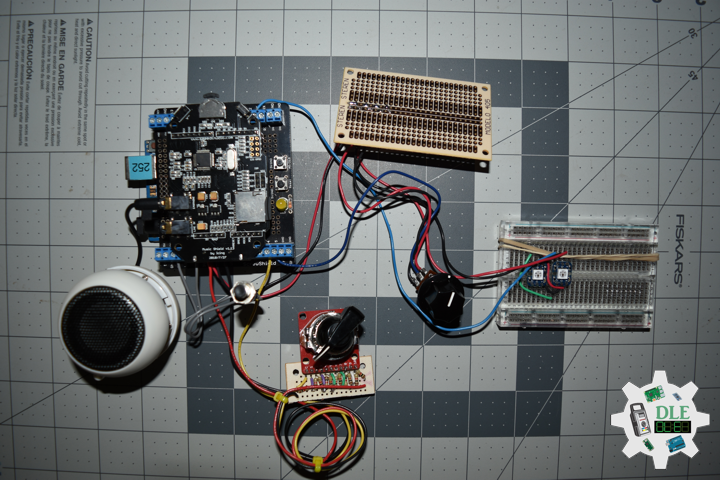
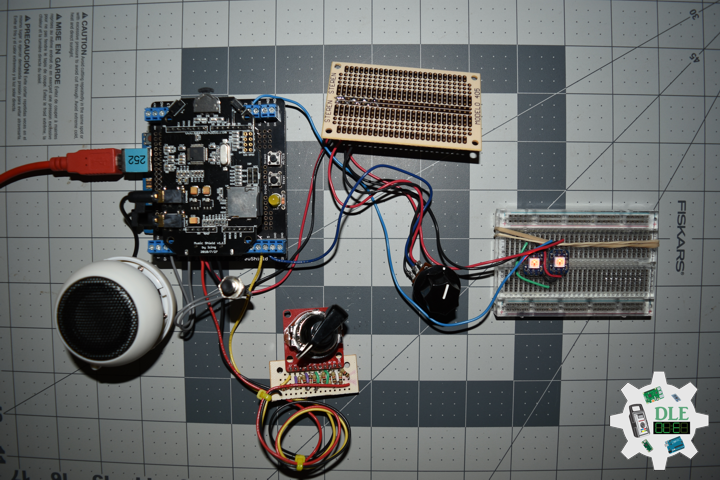
Project #14: Components – SparkFun Rotary Switch – 10 Position – Mk12

——

#DonLuc #Electronics #Components #RotarySwitch #Microcontrollers #Environment #SparkFun #Consultant #Vlog #Aphasia

——

Components

——

Components

——

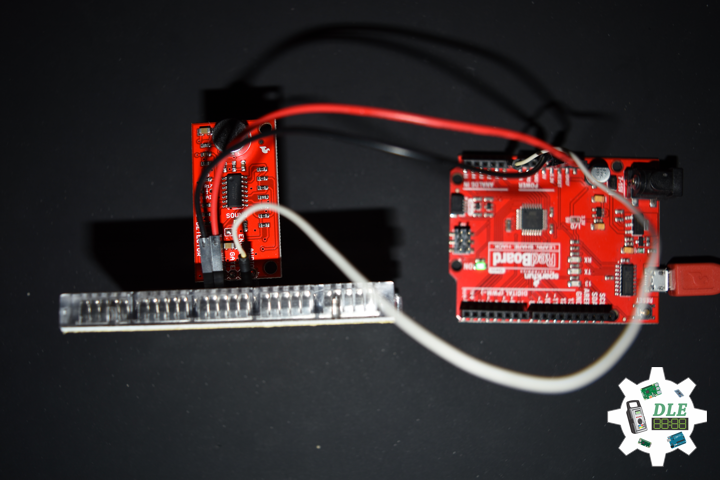
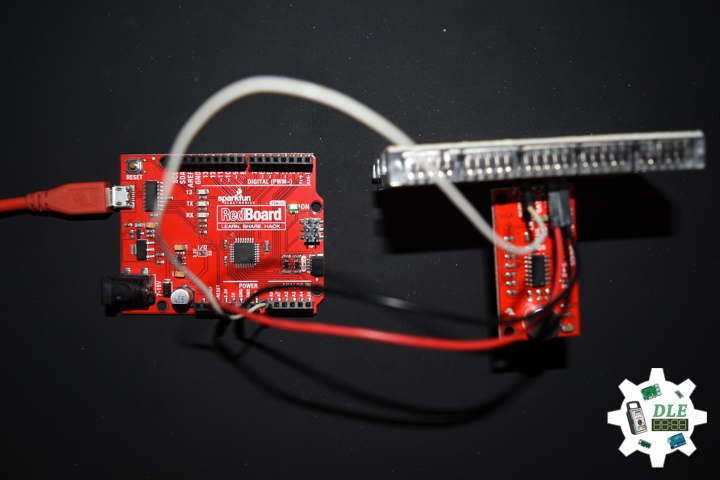
SparkFun Rotary Switch – 10 Position – SparkFun Rotary Switch Breakout

SparkFun Item: COM-13253 – BOB-13098

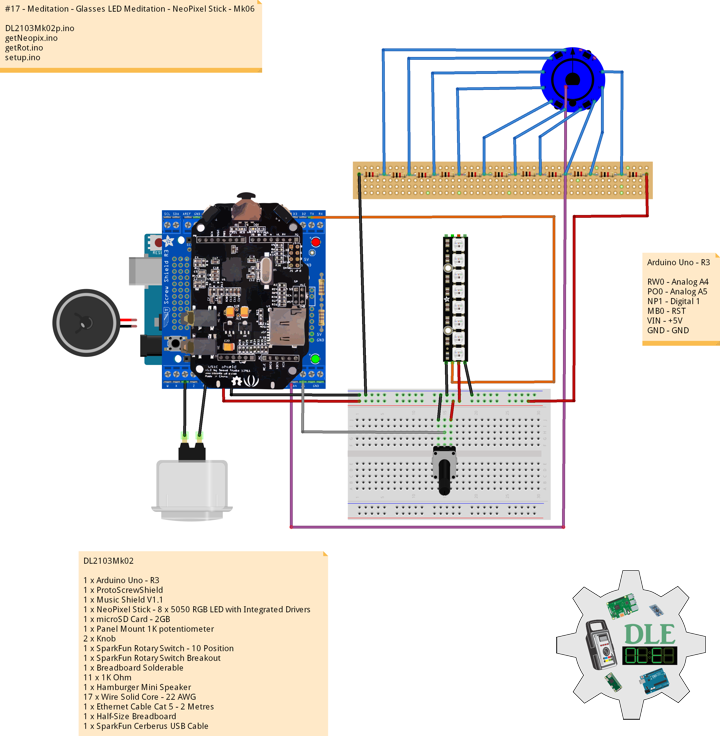
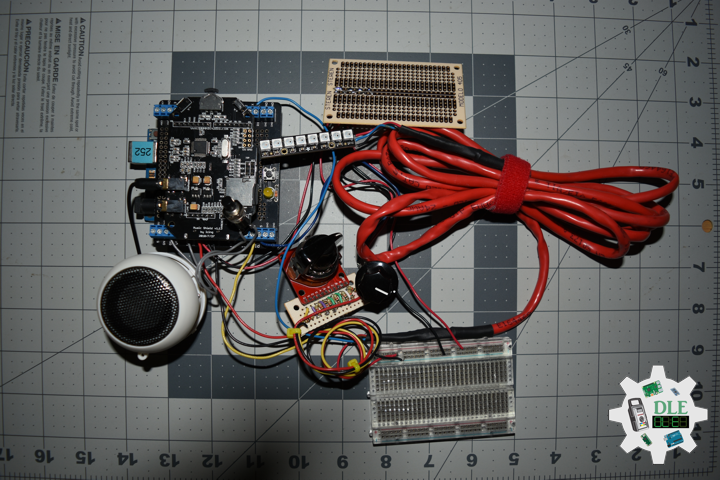
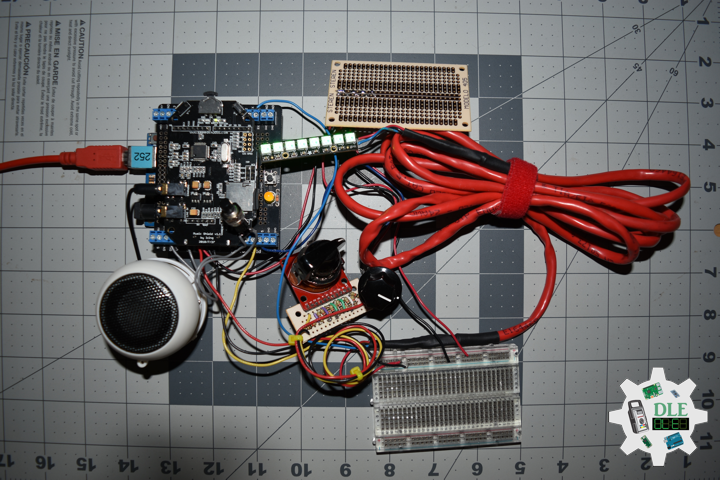
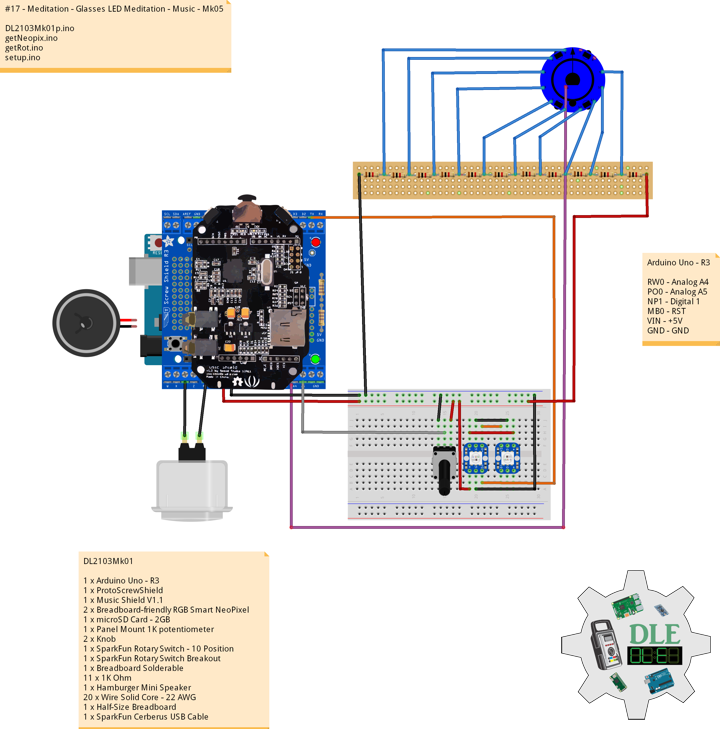
This is a single pole, 10 position rotary switch able to select up to 10 different states in a durable package. Unlike our other rotary switch, this model is much more robust and capable of handling larger currents and voltages. A very simple board designed to easily provide you access to each pin on our 10-position rotary switches. This breakout allows you to easily add a rotary switch to your next project without having to worry about attaching its unique footprint to a custom solderless breadboard. Each one of these boards breaks out the common ( C ), 1, 2, 3, 4, 5, 6, 7, 8, 9, and 10 positions on the board into 0.1″ spaced pins.

1 x SparkFun Rotary Switch – 10 Position
1 x SparkFun Rotary Switch Breakout
1 x Black Knob
11 x 1K Ohm
11 x Break Away Headers – Straight
1 x Breadboard Solderable
3 x Wire Solid Core – 22 AWG

Technology Experience

  • Research & Development (R & D)
  • Desktop Applications (Windows, OSX, Linux, Multi-OS, Multi-Tier, etc…)
  • Mobile Applications (Android, iOS, Blackberry, Windows Mobile, Windows CE, etc…)
  • Web Applications (LAMP, Scripting, Java, ASP, ASP.NET, RoR, Wakanda, etc…)
  • Social Media Programming & Integration (Facebook, Twitter, YouTube, Pinterest, etc…)
  • Content Management Systems (WordPress, Drupal, Joomla, Moodle, etc…)
  • Bulletin Boards (phpBB, SMF, Vanilla, jobberBase, etc…)
  • eCommerce (WooCommerce, OSCommerce, ZenCart, PayPal Shopping Cart, etc…)

Instructor

  • DOS, Windows, OSX, Linux, iOS, Android, Multi-OS
  • Linux-Apache-PHP-MySQL
  • Robotics
  • Arduino
  • Raspberry Pi
  • Espressif

Follow Us

The Alpha Geek

Why “The Alpha Geek”?

Aphasia

Don Luc Aphasia

J. Luc Paquin – Curriculum Vitae
https://www.donluc.com/DLHackster/LucPaquinCVEngMk2020a.pdf

Web: https://www.donluc.com/
Web: http://www.jlpconsultants.com/
Web: https://www.donluc.com/DLHackster/
Web: https://www.hackster.io/neosteam-labs
Facebook: https://www.facebook.com/neosteam.labs.9/
YouTube: https://www.youtube.com/channel/UC5eRjrGn1CqkkGfZy0jxEdA
Twitter: https://twitter.com/labs_steam
Pinterest: https://www.pinterest.com/NeoSteamLabs/

Don Luc

Project #15: Environment – SparkFun GPS Receiver – GP-20U7 – Mk04

——

#DonLuc #Environment #Microcontrollers #ESP32 #Adalogger #GPS #SparkFun #Fritzing #Programming #Adafruit #Arduino #Electronics #Consultant #Vlog #Aphasia

——

Environment

——

Environment

——

Environment

——

DL2004Mk11

1 x SparkFun Thing Plus – ESP32 WROOM
1 x Adafruit SHARP Memory Display
1 x SparkFun Environmental Combo Breakout – CCS811/BME280
1 x Adafruit Adalogger FeatherWing – RTC + SD
1 x SparkFun GPS Receiver – GP-20U7
1 x CR1220 12mm Lithium Battery
1 x 32Gb microSD Card
1 x Mountable Slide Switch
1 x Qwiic Cable – 100mm
1 x LED Green
1 x 10K Ohm
2 x Jumper Wires 3in M/M
5 x Jumper Wires 6in M/M
13 x Wire Solid Core – 22 AWG
1 x Full-Size Breadboard
1 x SparkFun Cerberus USB Cable

SparkFun Thing Plus – ESP32 WROOM

LEG – Digital 21
SCK – Digital 13
MOS – Digital 12
SSD – Digital 27
SDA – Digital 23
SCL – Digital 22
SD1 – Digital 33
SC2 – Digital 5
MO2 – Digital 18
MI2 – Digital 19
SS1 – Digital 16
GPS – Digital 4
VIN – +3.3V
GND – GND

DL2004Mk11p.ino

// ***** Don Luc Electronics © *****
// Software Version Information
// Project #15: Environment - Adafruit Adalogger FeatherWing - RTC + SD - Mk04
// 04-11
// DL2004Mk11p.ino 15-04
// EEPROM with Unique ID
// 1 x SparkFun Thing Plus - ESP32 WROOM
// 1 x Adafruit SHARP Memory Display
// 1 x SparkFun Environmental Combo Breakout - CCS811/BME280
// 1 x Adafruit Adalogger FeatherWing - RTC + SD
// 1 x SparkFun GPS Receiver - GP-20U7
// 1 x CR1220 12mm Lithium Battery
// 1 x 32Gb microSD Card
// 1 x Mountable Slide Switch
// 1 x Qwiic Cable - 100mm
// 1 x LED Green
// 1 x 10K Ohm
// 2 x Jumper Wires 3in M/M
// 5 x Jumper Wires 6in M/M
// 13 x Wire Solid Core - 22 AWG
// 1 x Full-Size Breadboard
// 1 x SparkFun Cerberus USB Cable

// Include the Library Code
// EEPROM Library to Read and Write EEPROM with Unique ID for Unit
#include "EEPROM.h"
// Wire
#include <Wire.h>
// SHARP Memory Display
#include <Adafruit_SharpMem.h>
#include <Adafruit_GFX.h>
// SparkFun CCS811 - eCO2 & tVOC
#include <SparkFunCCS811.h>
// SparkFun BME280 - Humidity, Temperature, Altitude and Barometric Pressure
#include <SparkFunBME280.h>
// Date and Time
#include "RTClib.h"
// SD Card
#include "FS.h"
#include "SD.h"
#include "SPI.h"
// GPS Receiver
#include <TinyGPS++.h>
// Hardware Serial
#include <HardwareSerial.h>

// LED Green
int iLEDGreen = 21;

// SHARP Memory Display
// any pins can be used
#define SHARP_SCK  13
#define SHARP_MOSI 12
#define SHARP_SS   27
// Set the size of the display here - 144x168
Adafruit_SharpMem display(SHARP_SCK, SHARP_MOSI, SHARP_SS, 144, 168);
// The currently-available SHARP Memory Display (144x168 pixels)
// requires > 4K of microcontroller RAM; it WILL NOT WORK on Arduino Uno
// or other <4K "classic" devices!
#define BLACK 0
#define WHITE 1
// 1/2 of lesser of display width or height
int minorHalfSize; 

// SparkFun CCS811 - eCO2 & tVOC
// Default I2C Address
#define CCS811_ADDR 0x5B 
CCS811 myCCS811(CCS811_ADDR);
float CCS811CO2 = 0;
float CCS811TVOC = 0;

// SparkFun BME280 - Humidity, Temperature, Altitude and Barometric Pressure
BME280 myBME280;
float BMEtempC = 0;
float BMEhumid = 0;
float BMEaltitudeM = 0;
float BMEpressure = 0;

// Date and Time
// PCF8523 Precision RTC 
RTC_PCF8523 rtc;
String dateRTC = "";
String timeRTC = "";

// microSD Card
const int chipSelect = 33;
String zzzzzz = "";

// Mountable Slide Switch
int iSS1 = 16;
// State
int iSS1State = 0;

// ESP32 HardwareSerial
HardwareSerial tGPS(2);

// GPS Receiver
#define gpsRXPIN 4
// This one is unused and doesnt have a conection
#define gpsTXPIN 36
// The TinyGPS++ object
TinyGPSPlus gps;
float TargetLat;
float TargetLon;
int GPSStatus = 0;

// Software Version Information
String sver = "15-04";
// EEPROM Unique ID Information
#define EEPROM_SIZE 64
String uid = "";

void loop() {

  // Receives NEMA data from GPS receiver
  isGPS();
  
  // Date and Time 
  isRTC();
  
  // SparkFun BME280 - Humidity, Temperature, Altitude and Barometric Pressure
  isBME280();

  // SparkFun CCS811 - eCO2 & tVOC
  isCCS811();

  // Display Environmental
  isDisplayEnvironmental();

  // Slide Switch
  // Read the state of the iSS1 value
  iSS1State = digitalRead(iSS1);
  
  // If it is the Slide Switch State is HIGH
  if (iSS1State == HIGH) {

    // iLEDGreen
    digitalWrite(iLEDGreen,  HIGH );
    
    // microSD Card
    isSD();

  } else {

    // iLEDGreen
    digitalWrite(iLEDGreen,  LOW );
  
  }

  delay( 1000 );
  
}

getBME280.ino

// SparkFun BME280 - Humidity, Temperature, Altitude and Barometric Pressure
// isBME280 - Humidity, Temperature, Altitude and Barometric Pressure
void isBME280(){

  // Temperature Celsius
  BMEtempC = myBME280.readTempC();
  // Humidity
  BMEhumid = myBME280.readFloatHumidity();
  // Altitude Meters
  BMEaltitudeM = (myBME280.readFloatAltitudeMeters(), 2);
  // Barometric Pressure
  BMEpressure = myBME280.readFloatPressure();
  
}

getCCS811.ino

// CCS811 - eCO2 & tVOC
// isCCS811 - eCO2 & tVOC
void isCCS811(){

  // This sends the temperature & humidity data to the CCS811
  myCCS811.setEnvironmentalData(BMEhumid, BMEtempC);

  // Calling this function updates the global tVOC and eCO2 variables
  myCCS811.readAlgorithmResults();

  // eCO2 Concentration
  CCS811CO2 = myCCS811.getCO2();
  
  // tVOC Concentration
  CCS811TVOC = myCCS811.getTVOC();
  
}

getDisplay.ino

// Display
// SHARP Memory Display - UID
void isDisplayUID() {

    // Text Display 
    display.setRotation(4);
    display.setTextSize(3);
    display.setTextColor(BLACK);
    // Don Luc Electronics
    display.setCursor(0,10);
    display.println( "Don Luc" );
    display.setTextSize(2);
    display.setCursor(0,40);
    display.println( "Electronics" );
    // Version
    display.setTextSize(3);
    display.setCursor(0,70);
    display.println( "Version" );
    display.setTextSize(2);
    display.setCursor(0,100);   
    display.println( sver );
    // EEPROM Unique ID
    display.setTextSize(1);
    display.setCursor(0,130);
    display.println( "EEPROM Unique ID" );
    display.setTextSize(2);
    display.setCursor(0,145);
    display.println( uid );
    // Refresh
    display.refresh();
    delay( 100 );
    
}
// Display Environmental
void isDisplayEnvironmental(){

    // Text Display Environmental
    // Clear Display
    display.clearDisplay();
    display.setRotation(4);
    display.setTextSize(1);
    display.setTextColor(BLACK);
    // Temperature Celsius
    display.setCursor(0,0);
    display.println( "Temperature Celsius" );
    display.setCursor(0,10);
    display.print( BMEtempC );
    display.println( " C" );
    // Humidity
    display.setCursor(0,20);
    display.println( "Humidity" );
    display.setCursor(0,30);
    display.print( BMEhumid );
    display.println( "%" );
    // Altitude Meters
    display.setCursor(0,40);
    display.println( "Altitude Meters" );
    display.setCursor(0,50);
    display.print( BMEaltitudeM );
    display.println( " m" );
    // Pressure
    display.setCursor(0,60);    
    display.println( "Barometric Pressure" );
    display.setCursor(0,70);
    display.print( BMEpressure );
    display.println( " Pa" );
    // eCO2 Concentration
    display.setCursor(0,80);
    display.println( "eCO2 Concentration" );
    display.setCursor(0,90);
    display.print( CCS811CO2 );
    display.println( " ppm" );
    // tVOC Concentration
    display.setCursor(0,100);
    display.println( "tVOC Concentration" );
    display.setCursor(0,110);
    display.print( CCS811TVOC );
    display.println( " ppb" );
    // Date
    display.setCursor(0,120);
    display.println( dateRTC );
    // Time
    display.setCursor(0,130);
    display.println( timeRTC );
    // GPS Status
    display.setCursor(0,140);
    display.println( GPSStatus );
    // Target Latitude
    display.setCursor(0,150);
    display.println( TargetLat );
    // Target Longitude
    display.setCursor(0,160);
    display.println( TargetLon );
    // Refresh
    display.refresh();
    delay( 100 );

}

getEEPROM.ino

// EEPROM
// isUID EEPROM Unique ID
void isUID()
{
  
  // Is Unit ID
  uid = "";
  for (int x = 0; x < 5; x++)
  {
    uid = uid + char(EEPROM.read(x));
  }
  
}

getGPS.ino

// GPS Receiver
// Setup GPS
void setupGPS() {

  // Setup GPS
  tGPS.begin(  9600 , SERIAL_8N1, gpsRXPIN, gpsTXPIN );
  
}
// isGPS
void isGPS(){

  // Receives NEMA data from GPS receiver
  // This sketch displays information every time a new sentence is correctly encoded.
  while ( tGPS.available() > 0)
    if (gps.encode( tGPS.read() ))
    {
     displayInfo();
    }
  
  if (millis() > 5000 && gps.charsProcessed() < 10)
  {
    while(true);
  }

}
// GPS Vector Pointer Target
void displayInfo(){

  // Location
  if (gps.location.isValid())
  {
    
    TargetLat = gps.location.lat();
    TargetLon = gps.location.lng();
    GPSStatus = 2;
    
  }
  else
  {

    GPSStatus = 0;
    
  }

}

getRTC.ino

// Date & Time
// PCF8523 Precision RTC 
void setupRTC() {

  // Date & Time
  // pcf8523 Precision RTC   
  if (! rtc.begin()) {
    while (1);
  }  
  
  if (! rtc.initialized()) {
    // Following line sets the RTC to the date & time this sketch was compiled
    rtc.adjust(DateTime(F(__DATE__), F(__TIME__)));
    // This line sets the RTC with an explicit date & time, for example to set
    // January 21, 2014 at 3am you would call:
    // rtc.adjust(DateTime(2018, 9, 29, 12, 17, 0));
  }
  
}
// Date and Time RTC
void isRTC () {

  // Date and Time
  dateRTC = "";
  timeRTC = "";
  DateTime now = rtc.now();
  
  // Date
  dateRTC = now.year(), DEC; 
  dateRTC = dateRTC + "/";
  dateRTC = dateRTC + now.month(), DEC;
  dateRTC = dateRTC + "/";
  dateRTC = dateRTC + now.day(), DEC;
  
  // Time
  timeRTC = now.hour(), DEC;
  timeRTC = timeRTC + ":";
  timeRTC = timeRTC + now.minute(), DEC;
  timeRTC = timeRTC + ":";
  timeRTC = timeRTC + now.second(), DEC;
  
}

getSD.ino

// microSD Card
// microSD Setup
void setupSD() {

    // microSD Card
    pinMode( chipSelect , OUTPUT );
    if(!SD.begin( chipSelect )){
        ;  
        return;
    }
    
    uint8_t cardType = SD.cardType();

    if(cardType == CARD_NONE){
        ; 
        return;
    }

    //Serial.print("SD Card Type: ");
    if(cardType == CARD_MMC){
        ; 
    } else if(cardType == CARD_SD){
        ; 
    } else if(cardType == CARD_SDHC){
        ; 
    } else {
        ; 
    } 

    uint64_t cardSize = SD.cardSize() / (1024 * 1024);
  
}
// microSD Card
void isSD() {

  zzzzzz = "";

  // EEPROM Unique ID|Version|Date|Time|GPS Status|Target Latitude|Target Longitude|Temperature Celsius|Humidity|Altitude Meters|Barometric Pressure|eCO2 Concentration|tVOC Concentration
  zzzzzz = uid + "|" + sver + "|" + dateRTC + "|" + timeRTC + "|" + GPSStatus + "|" + TargetLat + "|" + TargetLon + "|" + BMEtempC + "|" + BMEhumid + "|" + BMEaltitudeM + "|" + BMEpressure + "|" + CCS811CO2 + "|" + CCS811TVOC + "|\r";

  char msg[zzzzzz.length() + 1];

  zzzzzz.toCharArray(msg, zzzzzz.length() + 1);

  appendFile(SD, "/espdata.txt", msg );
  
}
// List Dir
void listDir(fs::FS &fs, const char * dirname, uint8_t levels){
    
    dirname;
    
    File root = fs.open(dirname);
    
    if(!root){
        return;
    }
    
    if(!root.isDirectory()){
        return;
    }

    File file = root.openNextFile();
    
    while(file){
        if(file.isDirectory()){
            file.name();
            if(levels){
                listDir(fs, file.name(), levels -1);
            }
        } else {
            file.name();
            file.size();
        }
        file = root.openNextFile();
    }
    
}
// Write File
void writeFile(fs::FS &fs, const char * path, const char * message){
    
    path;
    
    File file = fs.open(path, FILE_WRITE);
    
    if(!file){
        return;
    }
    
    if(file.print(message)){
        ;  
    } else {
        ;  
    }
    
    file.close();
    
}
// Append File
void appendFile(fs::FS &fs, const char * path, const char * message){
    
    path;
    
    File file = fs.open(path, FILE_APPEND);
    
    if(!file){
        return;
    }
    
    if(file.print(message)){
        ;  
    } else {
        ;  
    }
    
    file.close();
    
}

setup.ino

// Setup
void setup() {

  // EEPROM Size
  EEPROM.begin(EEPROM_SIZE);
  
  // EEPROM Unique ID
  isUID();
  
  // GPS Receiver
  // Setup GPS
  setupGPS();
  
  // SHARP Display Start & Clear the Display
  display.begin();
  // Clear Display
  display.clearDisplay();
  
  // Display UID
  isDisplayUID();

  // Wire - Inialize I2C Hardware
  Wire.begin();

  // SparkFun BME280 - Humidity, Temperature, Altitude and Barometric Pressure
  myBME280.begin();
  
  // CCS811 - eCO2 & tVOC
  myCCS811.begin();

  // Initialize the LED Green
  pinMode(iLEDGreen, OUTPUT);

  // Date & Time RTC
  // PCF8523 Precision RTC 
  setupRTC();
  
  // Date & Time
  isRTC();
  
  // microSD Card
  setupSD();

  // Slide Switch
  pinMode(iSS1, INPUT);
  
  delay( 10000 );

}

Technology Experience

  • Research & Development (R & D)
  • Desktop Applications (Windows, OSX, Linux, Multi-OS, Multi-Tier, etc…)
  • Mobile Applications (Android, iOS, Blackberry, Windows Mobile, Windows CE, etc…)
  • Web Applications (LAMP, Scripting, Java, ASP, ASP.NET, RoR, Wakanda, etc…)
  • Social Media Programming & Integration (Facebook, Twitter, YouTube, Pinterest, etc…)
  • Content Management Systems (WordPress, Drupal, Joomla, Moodle, etc…)
  • Bulletin Boards (phpBB, SMF, Vanilla, jobberBase, etc…)
  • eCommerce (WooCommerce, OSCommerce, ZenCart, PayPal Shopping Cart, etc…)

Instructor

  • DOS, Windows, OSX, Linux, iOS, Android, Multi-OS
  • Linux-Apache-PHP-MySQL
  • Robotics
  • Arduino
  • Raspberry Pi
  • Espressif

Follow Us

The Alpha Geek

Why “The Alpha Geek”?

Aphasia

Don Luc Aphasia

J. Luc Paquin – Curriculum Vitae
https://www.donluc.com/DLHackster/LucPaquinCVEngMk2020a.pdf

Web: https://www.donluc.com/
Web: http://www.jlpconsultants.com/
Web: https://www.donluc.com/DLHackster/
Web: https://www.hackster.io/neosteam-labs
Facebook: https://www.facebook.com/neosteam.labs.9/
YouTube: https://www.youtube.com/channel/UC5eRjrGn1CqkkGfZy0jxEdA
Twitter: https://twitter.com/labs_steam
Pinterest: https://www.pinterest.com/NeoSteamLabs/

Don Luc

Project #14: Components – SparkFun GPS Receiver – GP-20U7 – Mk11

——

#DonLuc #Electronics #Components #GPS #Microcontrollers #Environment #Adafruit #Consultant #Vlog #Aphasia

——

Components

——

Components

——

GPS Receiver – GP-20U7 (56 Channel)

SparkFun Item: GPS-13740

GPS (Global Positioning System) is a satellite-based radionavigation system. It is one of the global navigation satellite systems (GNSS) that provides geolocation and time information to a GPS receiver anywhere on or near the Earth where there is an unobstructed line of sight to four or more GPS satellites.

The GP-20U7 is a compact GPS receiver with a built-in high performances all-in-one GPS chipset. The GP-20U7 accurately provides position, velocity, and time readings as well possessing high sensitivity and tracking capabilities. Thanks to the low power consumption this receiver requires, the GP-20U7 is ideal for portable applications such as tablet PCs, smart phones, and other devices requiring positioning capability.

Technology Experience

  • Research & Development (R & D)
  • Desktop Applications (Windows, OSX, Linux, Multi-OS, Multi-Tier, etc…)
  • Mobile Applications (Android, iOS, Blackberry, Windows Mobile, Windows CE, etc…)
  • Web Applications (LAMP, Scripting, Java, ASP, ASP.NET, RoR, Wakanda, etc…)
  • Social Media Programming & Integration (Facebook, Twitter, YouTube, Pinterest, etc…)
  • Content Management Systems (WordPress, Drupal, Joomla, Moodle, etc…)
  • Bulletin Boards (phpBB, SMF, Vanilla, jobberBase, etc…)
  • eCommerce (WooCommerce, OSCommerce, ZenCart, PayPal Shopping Cart, etc…)

Instructor

  • DOS, Windows, OSX, Linux, iOS, Android, Multi-OS
  • Linux-Apache-PHP-MySQL
  • Robotics
  • Arduino
  • Raspberry Pi
  • Espressif

Follow Us

The Alpha Geek

Why “The Alpha Geek”?

Aphasia

Don Luc Aphasia

J. Luc Paquin – Curriculum Vitae
https://www.donluc.com/DLHackster/LucPaquinCVEngMk2020a.pdf

Web: https://www.donluc.com/
Web: http://www.jlpconsultants.com/
Web: https://www.donluc.com/DLHackster/
Web: https://www.hackster.io/neosteam-labs
Facebook: https://www.facebook.com/neosteam.labs.9/
YouTube: https://www.youtube.com/channel/UC5eRjrGn1CqkkGfZy0jxEdA
Twitter: https://twitter.com/labs_steam
Pinterest: https://www.pinterest.com/NeoSteamLabs/

Don Luc

Project #15: Environment – Adafruit Adalogger FeatherWing – RTC + SD – Mk03

——

#DonLuc #Environment #Microcontrollers #ESP32 #Adalogger #SparkFun #Fritzing #Programming #Adafruit #Arduino #Electronics #Consultant #Vlog #Aphasia

——

Environment

——

Environment

——

Environment

——

Environment

——

Environment

——

DL2004Mk09

1 x SparkFun Thing Plus – ESP32 WROOM
1 x Adafruit SHARP Memory Display
1 x SparkFun Environmental Combo Breakout – CCS811/BME280
1 x Adafruit Adalogger FeatherWing – RTC + SD
1 x CR1220 12mm Lithium Battery
1 x 32Gb microSD Card
1 x Mountable Slide Switch
1 x Qwiic Cable – 100mm
1 x LED Green
1 x 10K Ohm
2 x Jumper Wires 3in M/M
5 x Jumper Wires 6in M/M
10 x Wire Solid Core – 22 AWG
1 x Full-Size Breadboard
1 x SparkFun Cerberus USB Cable

SparkFun Thing Plus – ESP32 WROOM

LEG – Digital 21
SCK – Digital 13
MOS – Digital 12
SSD – Digital 27
SDA – Digital 23
SCL – Digital 22
SD1 – Digital 33
SC2 – Digital 5
MO2 – Digital 18
MI2 – Digital 19
SS1 – Digital 16
VIN – +3.3V
GND – GND

DL2004Mk09p.ino

// ***** Don Luc Electronics © *****
// Software Version Information
// Project #15: Environment - Adafruit Adalogger FeatherWing - RTC + SD - Mk03
// 04-09
// DL2004Mk09p.ino 15-03
// EEPROM with Unique ID
// 1 x SparkFun Thing Plus - ESP32 WROOM
// 1 x Adafruit SHARP Memory Display
// 1 x SparkFun Environmental Combo Breakout - CCS811/BME280
// 1 x Adafruit Adalogger FeatherWing - RTC + SD
// 1 x CR1220 12mm Lithium Battery
// 1 x 32Gb microSD Card
// 1 x Mountable Slide Switch
// 1 x Qwiic Cable - 100mm
// 1 x LED Green
// 1 x 10K Ohm
// 2 x Jumper Wires 3in M/M
// 5 x Jumper Wires 6in M/M
// 10 x Wire Solid Core - 22 AWG
// 1 x Full-Size Breadboard
// 1 x SparkFun Cerberus USB Cable

// Include the Library Code
// EEPROM Library to Read and Write EEPROM with Unique ID for Unit
#include "EEPROM.h"
// Wire
#include <Wire.h>
// SHARP Memory Display
#include <Adafruit_SharpMem.h>
#include <Adafruit_GFX.h>
// SparkFun CCS811 - eCO2 & tVOC
#include <SparkFunCCS811.h>
// SparkFun BME280 - Humidity, Temperature, Altitude and Barometric Pressure
#include <SparkFunBME280.h>
// Date and Time
#include "RTClib.h"
// SD Card
#include "FS.h"
#include "SD.h"
#include "SPI.h"

// LED Green
int iLEDGreen = 21;

// SHARP Memory Display
// any pins can be used
#define SHARP_SCK  13
#define SHARP_MOSI 12
#define SHARP_SS   27
// Set the size of the display here - 144x168
Adafruit_SharpMem display(SHARP_SCK, SHARP_MOSI, SHARP_SS, 144, 168);
// The currently-available SHARP Memory Display (144x168 pixels)
// requires > 4K of microcontroller RAM; it WILL NOT WORK on Arduino Uno
// or other <4K "classic" devices!
#define BLACK 0
#define WHITE 1
// 1/2 of lesser of display width or height
int minorHalfSize; 

// SparkFun CCS811 - eCO2 & tVOC
// Default I2C Address
#define CCS811_ADDR 0x5B 
CCS811 myCCS811(CCS811_ADDR);
float CCS811CO2 = 0;
float CCS811TVOC = 0;

// SparkFun BME280 - Humidity, Temperature, Altitude and Barometric Pressure
BME280 myBME280;
float BMEtempC = 0;
float BMEhumid = 0;
float BMEaltitudeM = 0;
float BMEpressure = 0;

// Date and Time
// PCF8523 Precision RTC 
RTC_PCF8523 rtc;
String dateRTC = "";
String timeRTC = "";

// microSD Card
const int chipSelect = 33;
String zzzzzz = "";

// Mountable Slide Switch
int iSS1 = 16;
// State
int iSS1State = 0;

// Software Version Information
String sver = "15-03";
// EEPROM Unique ID Information
#define EEPROM_SIZE 64
String uid = "";

void loop() {

  // Date and Time 
  isRTC();
  
  // SparkFun BME280 - Humidity, Temperature, Altitude and Barometric Pressure
  isBME280();

  // SparkFun CCS811 - eCO2 & tVOC
  isCCS811();

  // Display Environmental
  isDisplayEnvironmental();

  // Slide Switch
  // Read the state of the iSS1 value
  iSS1State = digitalRead(iSS1);
  
  // If it is the Slide Switch State is HIGH
  if (iSS1State == HIGH) {

    // iLEDGreen
    digitalWrite(iLEDGreen,  HIGH );
    
    // microSD Card
    isSD();

  } else {

    // iLEDGreen
    digitalWrite(iLEDGreen,  LOW );
  
  }

  delay( 1000 );
  
}

getBME280.ino

// SparkFun BME280 - Humidity, Temperature, Altitude and Barometric Pressure
// isBME280 - Humidity, Temperature, Altitude and Barometric Pressure
void isBME280(){

  // Temperature Celsius
  BMEtempC = myBME280.readTempC();
  // Humidity
  BMEhumid = myBME280.readFloatHumidity();
  // Altitude Meters
  BMEaltitudeM = (myBME280.readFloatAltitudeMeters(), 2);
  // Barometric Pressure
  BMEpressure = myBME280.readFloatPressure();
  
}

getCCS811.ino

// CCS811 - eCO2 & tVOC
// isCCS811 - eCO2 & tVOC
void isCCS811(){

  // This sends the temperature & humidity data to the CCS811
  myCCS811.setEnvironmentalData(BMEhumid, BMEtempC);

  // Calling this function updates the global tVOC and eCO2 variables
  myCCS811.readAlgorithmResults();

  // eCO2 Concentration
  CCS811CO2 = myCCS811.getCO2();
  
  // tVOC Concentration
  CCS811TVOC = myCCS811.getTVOC();
  
}

getDisplay.ino

// Display
// SHARP Memory Display - UID
void isDisplayUID() {

    // Text Display 
    display.setRotation(4);
    display.setTextSize(3);
    display.setTextColor(BLACK);
    // Don Luc Electronics
    display.setCursor(0,10);
    display.println( "Don Luc" );
    display.setTextSize(2);
    display.setCursor(0,40);
    display.println( "Electronics" );
    // Version
    display.setTextSize(3);
    display.setCursor(0,70);
    display.println( "Version" );
    display.setTextSize(2);
    display.setCursor(0,100);   
    display.println( sver );
    // EEPROM Unique ID
    display.setTextSize(1);
    display.setCursor(0,130);
    display.println( "EEPROM Unique ID" );
    display.setTextSize(2);
    display.setCursor(0,145);
    display.println( uid );
    // Refresh
    display.refresh();
    delay( 100 );
    
}
// Display Environmental
void isDisplayEnvironmental(){

    // Text Display Environmental
    // Clear Display
    display.clearDisplay();
    display.setRotation(4);
    display.setTextSize(1);
    display.setTextColor(BLACK);
    // Temperature Celsius
    display.setCursor(0,0);
    display.println( "Temperature Celsius" );
    display.setCursor(0,10);
    display.print( BMEtempC );
    display.println( " C" );
    // Humidity
    display.setCursor(0,20);
    display.println( "Humidity" );
    display.setCursor(0,30);
    display.print( BMEhumid );
    display.println( "%" );
    // Altitude Meters
    display.setCursor(0,40);
    display.println( "Altitude Meters" );
    display.setCursor(0,50);
    display.print( BMEaltitudeM );
    display.println( " m" );
    // Pressure
    display.setCursor(0,60);    
    display.println( "Barometric Pressure" );
    display.setCursor(0,70);
    display.print( BMEpressure );
    display.println( " Pa" );
    // eCO2 Concentration
    display.setCursor(0,80);
    display.println( "eCO2 Concentration" );
    display.setCursor(0,90);
    display.print( CCS811CO2 );
    display.println( " ppm" );
    // tVOC Concentration
    display.setCursor(0,100);
    display.println( "tVOC Concentration" );
    display.setCursor(0,110);
    display.print( CCS811TVOC );
    display.println( " ppb" );
    // Date
    display.setCursor(0,120);
    display.println( dateRTC );
    // Time
    display.setCursor(0,130);
    display.println( timeRTC );
    // Refresh
    display.refresh();
    delay( 100 );

}

getEEPROM.ino

// EEPROM
// isUID EEPROM Unique ID
void isUID()
{
  
  // Is Unit ID
  uid = "";
  for (int x = 0; x < 5; x++)
  {
    uid = uid + char(EEPROM.read(x));
  }
  
}

getRTC.ino

// Date & Time
// PCF8523 Precision RTC 
void setupRTC() {

  // Date & Time
  // pcf8523 Precision RTC   
  if (! rtc.begin()) {
    while (1);
  }  
  
  if (! rtc.initialized()) {
    // Following line sets the RTC to the date & time this sketch was compiled
    rtc.adjust(DateTime(F(__DATE__), F(__TIME__)));
    // This line sets the RTC with an explicit date & time, for example to set
    // January 21, 2014 at 3am you would call:
    // rtc.adjust(DateTime(2018, 9, 29, 12, 17, 0));
  }
  
}
// Date and Time RTC
void isRTC () {

  // Date and Time
  dateRTC = "";
  timeRTC = "";
  DateTime now = rtc.now();
  
  // Date
  dateRTC = now.year(), DEC; 
  dateRTC = dateRTC + "/";
  dateRTC = dateRTC + now.month(), DEC;
  dateRTC = dateRTC + "/";
  dateRTC = dateRTC + now.day(), DEC;
  
  // Time
  timeRTC = now.hour(), DEC;
  timeRTC = timeRTC + ":";
  timeRTC = timeRTC + now.minute(), DEC;
  timeRTC = timeRTC + ":";
  timeRTC = timeRTC + now.second(), DEC;
  
}

getSD.ino

// microSD Card
// microSD Setup
void setupSD() {

    // microSD Card
    pinMode( chipSelect , OUTPUT );
    if(!SD.begin( chipSelect )){
        ;  
        return;
    }
    
    uint8_t cardType = SD.cardType();

    if(cardType == CARD_NONE){
        ; 
        return;
    }

    //Serial.print("SD Card Type: ");
    if(cardType == CARD_MMC){
        ; 
    } else if(cardType == CARD_SD){
        ; 
    } else if(cardType == CARD_SDHC){
        ; 
    } else {
        ; 
    } 

    uint64_t cardSize = SD.cardSize() / (1024 * 1024);
  
}
// microSD Card
void isSD() {

  zzzzzz = "";

  // EEPROM Unique ID|Version|Date|Time|Temperature Celsius|Humidity|Altitude Meters|Barometric Pressure|eCO2 Concentration|tVOC Concentration
  zzzzzz = uid + "|" + sver + "|" + dateRTC + "|" + timeRTC + "|" + BMEtempC + "|" + BMEhumid + "|" + BMEaltitudeM + "|" + BMEpressure + "|" + CCS811CO2 + "|" + CCS811TVOC + "|\r";

  char msg[zzzzzz.length() + 1];

  zzzzzz.toCharArray(msg, zzzzzz.length() + 1);

  appendFile(SD, "/espdata.txt", msg );
  
}
// List Dir
void listDir(fs::FS &fs, const char * dirname, uint8_t levels){
    
    dirname;
    
    File root = fs.open(dirname);
    
    if(!root){
        return;
    }
    
    if(!root.isDirectory()){
        return;
    }

    File file = root.openNextFile();
    
    while(file){
        if(file.isDirectory()){
            file.name();
            if(levels){
                listDir(fs, file.name(), levels -1);
            }
        } else {
            file.name();
            file.size();
        }
        file = root.openNextFile();
    }
    
}
// Write File
void writeFile(fs::FS &fs, const char * path, const char * message){
    
    path;
    
    File file = fs.open(path, FILE_WRITE);
    
    if(!file){
        return;
    }
    
    if(file.print(message)){
        ;  
    } else {
        ;  
    }
    
    file.close();
    
}
// Append File
void appendFile(fs::FS &fs, const char * path, const char * message){
    
    path;
    
    File file = fs.open(path, FILE_APPEND);
    
    if(!file){
        return;
    }
    
    if(file.print(message)){
        ;  
    } else {
        ;  
    }
    
    file.close();
    
}

setup.ino

// Setup
void setup() {

  // EEPROM Size
  EEPROM.begin(EEPROM_SIZE);
  
  // EEPROM Unique ID
  isUID();
  
  // SHARP Display Start & Clear the Display
  display.begin();
  // Clear Display
  display.clearDisplay();
  
  // Display UID
  isDisplayUID();

  // Wire - Inialize I2C Hardware
  Wire.begin();

  // SparkFun BME280 - Humidity, Temperature, Altitude and Barometric Pressure
  myBME280.begin();
  
  // CCS811 - eCO2 & tVOC
  myCCS811.begin();

  // Initialize the LED Green
  pinMode(iLEDGreen, OUTPUT);

  // Date & Time RTC
  // PCF8523 Precision RTC 
  setupRTC();
  
  // Date & Time
  isRTC();
  
  // microSD Card
  setupSD();

  // Slide Switch
  pinMode(iSS1, INPUT);
  
  delay( 10000 );

}

Technology Experience

  • Research & Development (R & D)
  • Desktop Applications (Windows, OSX, Linux, Multi-OS, Multi-Tier, etc…)
  • Mobile Applications (Android, iOS, Blackberry, Windows Mobile, Windows CE, etc…)
  • Web Applications (LAMP, Scripting, Java, ASP, ASP.NET, RoR, Wakanda, etc…)
  • Social Media Programming & Integration (Facebook, Twitter, YouTube, Pinterest, etc…)
  • Content Management Systems (WordPress, Drupal, Joomla, Moodle, etc…)
  • Bulletin Boards (phpBB, SMF, Vanilla, jobberBase, etc…)
  • eCommerce (WooCommerce, OSCommerce, ZenCart, PayPal Shopping Cart, etc…)

Instructor

  • DOS, Windows, OSX, Linux, iOS, Android, Multi-OS
  • Linux-Apache-PHP-MySQL
  • Robotics
  • Arduino
  • Raspberry Pi
  • Espressif

Follow Us

The Alpha Geek

Why “The Alpha Geek”?

Aphasia

Don Luc Aphasia

J. Luc Paquin – Curriculum Vitae
https://www.donluc.com/DLHackster/LucPaquinCVEngMk2020a.pdf

Web: https://www.donluc.com/
Web: http://www.jlpconsultants.com/
Web: https://www.donluc.com/DLHackster/
Web: https://www.hackster.io/neosteam-labs
Facebook: https://www.facebook.com/neosteam.labs.9/
YouTube: https://www.youtube.com/channel/UC5eRjrGn1CqkkGfZy0jxEdA
Twitter: https://twitter.com/labs_steam
Pinterest: https://www.pinterest.com/NeoSteamLabs/

Don Luc

Project #14: Components – SparkFun Thing Plus – ESP32 WROOM – Mk08

——

Components

——

Components

——

Components

——

SparkFun Thing Plus – ESP32 WROOM

SparkFun Item: WRL-15663

The SparkFun ESP32 Thing Plus is the next step to get started with Espressif IoT ideations while still enjoying all the amenities of the original ESP32 Thing. Espressif’s ESP32 WROOM is a powerful WiFi and Bluetooth MCU module that targets a wide variety of applications. At the core of this module is the ESP32-D0WDQ6 chip which is designed to be both scalable and adaptive. To make the Thing Plus even easier to use, we’ve moved a few pins around to make the board Feather compatible and it utilizes our handy Qwiic Connect System which means no soldering or shields are required to connect it to the rest of your system.

Technology Experience

  • Research & Development (R & D)
  • Desktop Applications (Windows, OSX, Linux, Multi-OS, Multi-Tier, etc…)
  • Mobile Applications (Android, iOS, Blackberry, Windows Mobile, Windows CE, etc…)
  • Web Applications (LAMP, Scripting, Java, ASP, ASP.NET, RoR, Wakanda, etc…)
  • Social Media Programming & Integration (Facebook, Twitter, YouTube, Pinterest, etc…)
  • Content Management Systems (WordPress, Drupal, Joomla, Moodle, etc…)
  • Bulletin Boards (phpBB, SMF, Vanilla, jobberBase, etc…)
  • eCommerce (WooCommerce, OSCommerce, ZenCart, PayPal Shopping Cart, etc…)

Instructor

  • DOS, Windows, OSX, Linux, iOS, Android, Multi-OS
  • Linux-Apache-PHP-MySQL
  • Robotics
  • Arduino
  • Raspberry Pi
  • Espressif

Follow Us

The Alpha Geek

Why “The Alpha Geek”?

Aphasia

Don Luc Aphasia

J. Luc Paquin – Curriculum Vitae
https://www.donluc.com/DLHackster/LucPaquinCVEngMk2020a.pdf

Web: https://www.donluc.com/
Web: http://www.jlpconsultants.com/
Web: https://www.donluc.com/DLHackster/
Web: https://www.hackster.io/neosteam-labs
Facebook: https://www.facebook.com/neosteam.labs.9/
YouTube: https://www.youtube.com/channel/UC5eRjrGn1CqkkGfZy0jxEdA
Twitter: https://twitter.com/labs_steam
Pinterest: https://www.pinterest.com/NeoSteamLabs/

Don Luc

Project #14: Components – Pololu DRV8834 Stepper Motor Driver – Mk06

——

Components

——

Components

——

Pololu DRV8834 Low-Voltage Stepper Motor Driver Carrier

Pololu Item: 2134

This is a breakout board for TI’s DRV8834 microstepping bipolar stepper motor driver. It has a pinout and interface that are nearly identical to those of our A4988 carriers, so it can be used as a drop-in replacement for those boards in many applications. The DRV8834 operates from 2.5–10.8 V, allowing stepper motors to be powered with voltages that are too low for other drivers, and can deliver up to approximately 1.5 A per phase continuously without a heat sink or forced air flow (up to 2 A peak). It features adjustable current limiting, overcurrent and overtemperature protection, and six microstep resolutions (down to 1/32-step). This board ships with 0.1in male header pins included but not soldered in.

Technology Experience

  • Research & Development (R & D)
  • Desktop Applications (Windows, OSX, Linux, Multi-OS, Multi-Tier, etc…)
  • Mobile Applications (Android, iOS, Blackberry, Windows Mobile, Windows CE, etc…)
  • Web Applications (LAMP, Scripting, Java, ASP, ASP.NET, RoR, Wakanda, etc…)
  • Social Media Programming & Integration (Facebook, Twitter, YouTube, Pinterest, etc…)
  • Content Management Systems (WordPress, Drupal, Joomla, Moodle, etc…)
  • Bulletin Boards (phpBB, SMF, Vanilla, jobberBase, etc…)
  • eCommerce (WooCommerce, OSCommerce, ZenCart, PayPal Shopping Cart, etc…)

Instructor

  • DOS, Windows, OSX, Linux, iOS, Android, Multi-OS
  • Linux-Apache-PHP-MySQL
  • Robotics
  • Arduino
  • Raspberry Pi
  • Espressif

Follow Us

The Alpha Geek

Why “The Alpha Geek”?

Aphasia

Don Luc Aphasia

J. Luc Paquin – Curriculum Vitae
https://www.donluc.com/DLHackster/LucPaquinCVEngMk2020a.pdf

Web: https://www.donluc.com/
Web: http://www.jlpconsultants.com/
Web: https://www.donluc.com/DLHackster/
Web: https://www.hackster.io/neosteam-labs
Facebook: https://www.facebook.com/neosteam.labs.9/
YouTube: https://www.youtube.com/channel/UC5eRjrGn1CqkkGfZy0jxEdA
Twitter: https://twitter.com/labs_steam
Pinterest: https://www.pinterest.com/NeoSteamLabs/

Don Luc

Project #12: Robotics – Unmanned Vehicles 1h – Mk12

——

Robotics

——

Robotics

——

Robotics

——

Robotics

——

Pololu Stepper Motor Bipolar, 200 Steps/Rev, 2.8V, 1.7 A/Phase

This hybrid bipolar stepping motor has a 1.8° step angle (200 steps/revolution). Each phase draws 1.7 A at 2.8 V, allowing for a holding torque of 3.7 kg-cm. The motor has four color-coded wires terminated with bare leads: black and green connect to one coil; red and blue connect to the other.

DL2003Mk05

1 x SparkFun RedBoard Qwiic
2 x Pololu DRV8834 Low-Voltage Stepper Motor Driver Carrier
2 x Electrolytic Decoupling Capacitors – 100uF/25V
2 x Pololu Stepper Motor Bipolar, 2.8V, 1.7 A/Phase
2 x Pololu Universal Aluminum Mounting Hub for 5mm Shaft, M3 Holes
1 x Adafruit Perma-Proto Half-sized Breadboard PCB
14 x Wire Solid Core – 22 AWG
1 x SparkFun Cerberus USB Cable

SparkFun RedBoard Qwiic

SP1 – Digital 9
DI1 – Digital 8
SP2 – Digital 7
DI2 – Digital 6
VIN – 3.3V
GND – GND

DL2003Mk05Rp.ino

// ***** Don Luc Electronics © *****
// Software Version Information
// Project #12: Robotics - Unmanned Vehicles 1h - Mk12
// 03-05
// DL2003Mk05Rp.ino 12-12
// Receiver
// 1 x SparkFun RedBoard Qwiic
// 2 x Pololu DRV8834 Low-Voltage Stepper Motor Driver Carrier
// 2 x Electrolytic Decoupling Capacitors - 100uF/25V
// 2 x Pololu Stepper Motor Bipolar, 2.8V, 1.7 A/Phase
// 2 x Pololu Universal Aluminum Mounting Hub for 5mm Shaft, M3 Holes
// 1 x Adafruit Perma-Proto Half-sized Breadboard PCB

// Include the library code:
// DRV8834 Stepper Motor Driver
#include <BasicStepperDriver.h>
#include <MultiDriver.h>

// DRV8834 Stepper Motor Driver
// Stepper motor steps per revolution. Most steppers are 200 steps or 1.8 degrees/step
#define MOTOR_STEPS 200
// Target RPM for X axis stepper motor
#define MOTOR_X_RPM 800
// Target RPM for Y axis stepper motor
#define MOTOR_Y_RPM 800
// Since microstepping is set externally, make sure this matches the selected mode
// If it doesn't, the motor will move at a different RPM than chosen
// 1=full step, 2=half step etc.
#define MICROSTEPS 1
// X Stepper motor
#define DIR_X 8
#define STEP_X 9
// Y Stepper motor
#define DIR_Y 6
#define STEP_Y 7
// BasicStepperDriver
BasicStepperDriver stepperX(MOTOR_STEPS, DIR_X, STEP_X);
BasicStepperDriver stepperY(MOTOR_STEPS, DIR_Y, STEP_Y);
// Pick one of the two controllers below each motor moves independently
MultiDriver controller(stepperX, stepperY);

// Software Version Information
String sver = "12-12";
// Unit ID information
String uid = "";

void loop() {

   controller.rotate(360, 360);
   
}

getStepper.ino

// Stepper
// isStepperSetup
void isStepperSetup() {    
  
  // Set stepper target motors RPM.
  stepperX.begin(MOTOR_X_RPM, MICROSTEPS);
  stepperY.begin(MOTOR_Y_RPM, MICROSTEPS);

}

setup.ino

// Setup
void setup() {

  // DRV8834 Stepper Motor Driver
  isStepperSetup();

}

Technology Experience

  • Research & Development (R & D)
  • Desktop Applications (Windows, OSX, Linux, Multi-OS, Multi-Tier, etc…)
  • Mobile Applications (Android, iOS, Blackberry, Windows Mobile, Windows CE, etc…)
  • Web Applications (LAMP, Scripting, Java, ASP, ASP.NET, RoR, Wakanda, etc…)
  • Social Media Programming & Integration (Facebook, Twitter, YouTube, Pinterest, etc…)
  • Content Management Systems (WordPress, Drupal, Joomla, Moodle, etc…)
  • Bulletin Boards (phpBB, SMF, Vanilla, jobberBase, etc…)
  • eCommerce (WooCommerce, OSCommerce, ZenCart, PayPal Shopping Cart, etc…)

Instructor

  • DOS, Windows, OSX, Linux, iOS, Android, Multi-OS
  • Linux-Apache-PHP-MySQL
  • Robotics
  • Arduino
  • Raspberry Pi
  • Espressif

Follow Us

The Alpha Geek

Why “The Alpha Geek”?

Aphasia

Don Luc Aphasia

J. Luc Paquin – Curriculum Vitae
https://www.donluc.com/DLHackster/LucPaquinCVEngMk2020a.pdf

Web: https://www.donluc.com/
Web: http://www.jlpconsultants.com/
Web: https://www.donluc.com/DLHackster/
Web: https://www.hackster.io/neosteam-labs
Facebook: https://www.facebook.com/neosteam.labs.9/
YouTube: https://www.youtube.com/channel/UC5eRjrGn1CqkkGfZy0jxEdA
Twitter: https://twitter.com/labs_steam
Pinterest: https://www.pinterest.com/NeoSteamLabs/

Don Luc

Luc – Speaking

——

Robotics

——

Aphasia – 2020
Montreal, Canada – 2002
Mexico City, Mexico – 2010
Mexico City, Mexico – 2012
Aphasia – 2018
Aphasia – 2019

Technology Experience

  • Research & Development (R & D)
  • Desktop Applications (Windows, OSX, Linux, Multi-OS, Multi-Tier, etc…)
  • Mobile Applications (Android, iOS, Blackberry, Windows Mobile, Windows CE, etc…)
  • Web Applications (LAMP, Scripting, Java, ASP, ASP.NET, RoR, Wakanda, etc…)
  • Social Media Programming & Integration (Facebook, Twitter, YouTube, Pinterest, etc…)
  • Content Management Systems (WordPress, Drupal, Joomla, Moodle, etc…)
  • Bulletin Boards (phpBB, SMF, Vanilla, jobberBase, etc…)
  • eCommerce (WooCommerce, OSCommerce, ZenCart, PayPal Shopping Cart, etc…)

Instructor

  • DOS, Windows, OSX, Linux, iOS, Android, Multi-OS
  • Linux-Apache-PHP-MySQL
  • Robotics
  • Arduino
  • Raspberry Pi
  • Espressif

Follow Us

The Alpha Geek

Why “The Alpha Geek”?

Aphasia

Don Luc Aphasia

J. Luc Paquin – Curriculum Vitae
https://www.donluc.com/DLHackster/LucPaquinCVEngMk2020a.pdf

Web: https://www.donluc.com/
Web: http://www.jlpconsultants.com/
Web: https://www.donluc.com/DLHackster/
Web: https://www.hackster.io/neosteam-labs
Facebook: https://www.facebook.com/neosteam.labs.9/
YouTube: https://www.youtube.com/channel/UC5eRjrGn1CqkkGfZy0jxEdA
Twitter: https://twitter.com/labs_steam
Pinterest: https://www.pinterest.com/NeoSteamLabs/

Don Luc

Project #12: Robotics – Unmanned Vehicles 1b – Mk06

——

Robotics

——

Robotics

——

Robotics

——

Robotics

——

XBee

Digi XBee is the brand name of a family of form factor compatible radio modules from Digi International. The first XBee radios were introduced under the MaxStream brand in 2005 and were based on the IEEE 802.15.4-2003 standard designed for point-to-point and star communications at over-the-air baud rates of 250 kbit/s.

Two models were initially introduced, a lower cost 1 mW XBee and the higher power 100 mW XBee-PRO. Since the initial introduction, a number of new XBee radios have been introduced and an ecosystem of wireless modules, gateways, adapters and software has evolved.

The XBee radios can all be used with the minimum number of connections — power (3.3 V), ground, data in and data out (UART), with other recommended lines being Reset and Sleep. Additionally, most XBee families have some other flow control, input/output (I/O), analog-to-digital converter (A/D) and indicator lines built in.

DL2001Mk02

1 x Arduino Fio
1 x Arduino UNO – R3
1 x ProtoScrewShield
1 x Adafruit RGB LCD Shield 16×2 Character Display
2 x XBee S1
1 x SparkFun XBee Explorer Regulated
1 x Lithium Ion Battery – 2.5Ah
1 x LED Red
1 x LED Green
1 x LED Bi-Colour
1 x LED Yellow
4 x Jumper Wires 3″ M/M
10 x Jumper Wires 6″ M/M
1 x Half-Size Breadboard
1 x SparkFun XBee Explorer USB
1 x DIGI XCTU Software
1 x SparkFun FTDI Basic Breakout – 3.3V
1 x SparkFun Cerberus USB Cable

Arduino UNO

TX0 – Digital 1
RX0 – Digital 0
VIN – +5V
GND – GND

XBee S1: Transmitter

CH Channel: C
PAN Id: 3333
SH Serial Number: 13A200
SL Serial Number: 40717A1F
CE Coordinator: Coordinator
BD: 9600

DL2001Mk02p.ino

// ***** Don Luc Electronics © *****
// Software Version Information
// Project #12: Robotics - Unmanned Vehicles 1b - Mk06
// 01-02
// DL2001Mk01p.ino 12-06
// Arduino UNO - R3
// ProtoScrewShield
// Adafruit RGB LCD Shield 16×2 Character Display
// EEPROM with Unique ID
// Transmitter
// XBee S1

// Include the library code:
// EEPROM library to read and write EEPROM with unique ID for unit
#include <EEPROM.h>
// Adafruit RGB LCD Shield
#include <Adafruit_RGBLCDShield.h>

// Adafruit RGB LCD Shield
Adafruit_RGBLCDShield RGBLCDShield = Adafruit_RGBLCDShield();

// These #defines make it easy to set the backlight color
#define OFF 0x0
#define RED 0x1
#define YELLOW 0x3
#define GREEN 0x2
#define TEAL 0x6
#define BLUE 0x4
#define VIOLET 0x5
#define WHITE 0x7

// Momentary Button
int yy = 0;
uint8_t momentaryButton = 0;

// Communication
unsigned long dTime = 1000;

// The current address in the EEPROM (i.e. which byte we're going to  read to next)
// Version
String sver = "12-2.p";
// Unit ID Information
String uid = "";

void loop() {

  // Clear
  RGBLCDShield.clear();

  // set the cursor to column 0, line 0
  RGBLCDShield.setCursor(0,0);
  RGBLCDShield.print("Robotics");         // Robotics 

  // Momentary Button
  momentaryButton = RGBLCDShield.readButtons();

  switch ( yy ) {
    case 1:
    
      // LED Green
      isSwitch1();
      
      break;
    case 2:
    
      // LED Bipolar (Green)
      isSwitch2();
      
      break;
    case 3:

      // Right
      isSwitch3();
      
      break;
    case 4:

      // Left
      isSwitch4();
      
      break;
    case 5:

      // LED Red
      isSwitch5();
      
      break;
    default:

      // LED Red
      yy = 5;
      RGBLCDShield.setBacklight(RED);
      isSwitch5();

   }
   
   if ( momentaryButton ) {
    
    if ( momentaryButton & BUTTON_UP ) {
      
      yy = 1;
      // LED Green
      RGBLCDShield.setBacklight(GREEN);
      
    }
    
    if ( momentaryButton & BUTTON_DOWN ) {
      
      yy = 2;
      // LED Bipolar A
      RGBLCDShield.setBacklight(VIOLET);
      
    }
    
    if ( momentaryButton & BUTTON_LEFT ) {
      
      yy = 3;
      // LED Bipolar B
      RGBLCDShield.setBacklight(TEAL);
      
    }
    
    if ( momentaryButton & BUTTON_RIGHT ) {

      yy = 4;
      // LED Bipolar A B
      RGBLCDShield.setBacklight(YELLOW);
    }
    
    if ( momentaryButton & BUTTON_SELECT ) {

      yy = 5;
      // LED Red
      RGBLCDShield.setBacklight(RED);
   
    }
    
  }

  // Process Message
  isProcessMessage();

  delay( dTime );
   
}

getEEPROM.ino

// EEPROM
// isUID
void isUID()
{
  
  // Is Unit ID
  uid = "";
  for (int x = 0; x < 5; x++)
  {
    uid = uid + char(EEPROM.read(x));
  }
  
}

getProcessMessage.ino

// ProcessMessage
// isProcessMessage
void isProcessMessage() {

   //int incb = 0;  
   String msg = "";
  
   /// Loop through serial buffer one byte at a time until you reach * which will be end of message
   //while ( Serial.available() ) 
  // {

      // Print => XBEE + Unit ID + Version + *
      msg = "XBEE|" + uid + "|" + sver + "|" + yy + "|*";
      Serial.println( msg );
         
  // }
     
}

getSwitch.ino

// Switch
// Switch 1
void isSwitch1(){

   yy = 1;
   
   isSwitchLEDStop();
   // LED 
   // turn LED on:
   RGBLCDShield.setCursor(0,1);    
   RGBLCDShield.print("Green");  
   
}
// Switch 2
void isSwitch2(){

   yy = 2;

   isSwitchLEDStop();
   // LED 
   // turn LED on:
   RGBLCDShield.setCursor(0,1);    
   RGBLCDShield.print("Bi-Colour A");    
      
}
// Switch 3
void isSwitch3(){

   yy = 3;

   isSwitchLEDStop();
   // LED 
   // turn LED on:
   RGBLCDShield.setCursor(0,1);    
   RGBLCDShield.print("Bi-Colour B");    
      
}
// Switch 4
void isSwitch4(){

   yy = 4;

   isSwitchLEDStop();
   // LED 
   // turn LED on:
   RGBLCDShield.setCursor(0,1);    
   RGBLCDShield.print("Bi-Colour A B"); 
      
}
// Switch 5
void isSwitch5(){

   yy = 5;

   RGBLCDShield.setCursor(0,1);    
   RGBLCDShield.print("Stop");

   //delay( 250 );

   isSwitchLEDStop();
   // LED 
   // turn LED on:
   //digitalWrite(iLEDRed, HIGH);   
       
}
void isSwitchLEDStop(){

  //digitalWrite(iLEDRed, LOW);
  //digitalWrite(iLEDGreen, LOW);
  //digitalWrite(iLEDB1, LOW);
  //digitalWrite(iLEDB2, LOW);
  //digitalWrite(iLEDYellow, LOW);
  
}

setup.ino

// Setup
void setup() {
  
  //Open serial port at 9600 baud
  Serial.begin( 9600 );

  // Pause
  delay(5);

  // EEPROM Unit ID
  isUID();
  
  // Pause
  delay(5);
  
  // Adafruit RGB LCD Shield
  // Set up the LCD's number of columns and rows: 
  RGBLCDShield.begin(16, 2);
  RGBLCDShield.setBacklight(GREEN);
  
  // Display
  // Set the cursor to column 0, line 0  
  RGBLCDShield.setCursor(0,0);  
  RGBLCDShield.print("Don Luc Electron");         // Don luc Electron
  // Set the cursor to column 0, line 1
  RGBLCDShield.setCursor(0, 1);
  RGBLCDShield.print("Robotics");                 // Robotics

  // Serial
  Serial.println( "Don Luc Electronics");
  Serial.println( "Robotics");

  delay(5000);

  // Clear
  RGBLCDShield.clear();

  // Display
  // Set the cursor to column 0, line 0  
  RGBLCDShield.setCursor(0,0);  
  RGBLCDShield.print("Version: ");                // Version
  RGBLCDShield.print( sver );
  // Set the cursor to column 0, line 1
  RGBLCDShield.setCursor(0, 1);
  RGBLCDShield.print("UID: ");                    // Unit ID Information
  RGBLCDShield.print( uid );

  // Serial
  Serial.print( "Software Version Information: ");
  Serial.println( sver );
  Serial.print( "Unit ID Information: ");
  Serial.println( uid );

  delay(5000);

  // Clear
  RGBLCDShield.clear();

}

Arduino Fio

LER – Digital 13
LEG – Digital 12
LEA – Digital 11
LEB – Digital 10
LEY – Digital 9
TX0 – Digital 1
RX0 – Digital 0
VIN – +3.3V
GND – GND

XBee S1: Receiver

CH Channel: C
PAN Id: 3333
SH Serial Number: 13A200
SL Serial Number: 4076E2C5
CE Coordinator: End Device
BD: 9600

DL2001Mk02Rp.ino

// ***** Don Luc Electronics © *****
// Software Version Information
// Project #12: Robotics - Unmanned Vehicles 1b - Mk06
// 01-02
// DL2001Mk02Rp.ino 12-06
// Arduino Fio
// SparkFun FTDI Basic Breakout - 3.3V
// EEPROM with Unique ID
// LED Red
// LED Green
// LED Bi-Colour
// LED Yellow
// Lithium Ion Battery - 2.5Ah
// Receiver
// XBee S1

// Include the library code:
// EEPROM library to read and write EEPROM with unique ID for unit
#include <EEPROM.h>

// LED Red
int iLEDRed = 13;
// LED Green
int iLEDGreen = 12;
// LED Bi-Colour
int iLEDBiCoA = 11;
int iLEDBiCoB = 10;
// LED Yellow
int iLEDYellow = 9;

// Momentary Button
int yy = "";

// Software Version Information
String sver = "12-02";
// Unit ID information
String uid = "DR001";

void loop() {

  // Check for serial messages
  if ( Serial.available() ) 
  {
    isProcessMessage();
  }

  // Switch
  isSwitch();
  
}

getEEPROM.ino

// EEPROM
// isUID
void isUID()
{
  
  // Is Unit ID
  uid = "";
  for (int x = 0; x < 5; x++)
  {
    uid = uid + char(EEPROM.read(x));
  }
  
}

getProcessMessage.ino

// ProcessMessage
// isProcessMessage
void isProcessMessage() {

   int incb = 0;  
   String msg = "";
   String zzz = "";
   
  // Loop through serial buffer one byte at a time until you reach * which will be end of message
  while ( Serial.available() ) 
  {
      
      // Read the incoming byte:
      incb = Serial.read();
      // Add character to string
      msg = msg + char(incb);
      
      // Check if receive character is the end of message *
      if ( incb == 42 ) 
      {
         
         Serial.println(msg);

         zzz = msg.charAt( 18 );
         
         Serial.println(zzz);
         
         yy = zzz.toInt();
         
        Serial.println( yy );
        
      }
   }
     
}

getSwitch.ino

// Switch
// isSwitch
void isSwitch(){
  
  switch ( yy ) {
    case 1:
    
      // LED Green
      sLEDStop();
      digitalWrite(iLEDGreen, HIGH);
      delay( 1000 );
      
      break;
    case 2:
    
      // LED Bi-Colour A
      sLEDStop();
      digitalWrite(iLEDBiCoA, HIGH);
      delay( 1000 );
      
      break;
    case 3:

      // LED Bi-Colour B
      sLEDStop();
      digitalWrite(iLEDBiCoB, HIGH);
      delay( 1000 );
      
      break;
    case 4:

      // LED Bi-Colour A B
      sLEDStop();
      digitalWrite(iLEDBiCoA, HIGH);
      digitalWrite(iLEDBiCoB, HIGH);
      delay( 1000 );
      
      break;
    case 5:

      // LED Red
      sLEDStop();
      digitalWrite(iLEDRed, HIGH); 
      delay( 1000 );
       
      break;
    default:

      // LED Red
      sLEDStop();
      digitalWrite(iLEDRed, HIGH);
      delay( 1000 ); 

   }
  
}
// LED Stop
void sLEDStop(){

  digitalWrite(iLEDRed, LOW);
  digitalWrite(iLEDGreen, LOW);
  digitalWrite(iLEDBiCoA, LOW);
  digitalWrite(iLEDBiCoB, LOW);
  
}

setup.ino

// Setup
void setup() {

  // Open the serial port at 9600 bps:
  Serial.begin( 9600 );

  // Pause
  delay(5);

  // EEPROM Unit ID
  isUID();
  
  // Pause
  delay(5);
  
  // Serial
  Serial.print( "Software Version Information: ");
  Serial.println( sver );
  Serial.print( "Unit ID Information: ");
  Serial.println( uid );
  
  delay(5000);

  // LED => OUTPUT
  pinMode(iLEDRed, OUTPUT);
  pinMode(iLEDGreen, OUTPUT);
  pinMode(iLEDBiCoA, OUTPUT);
  pinMode(iLEDBiCoB, OUTPUT);
  pinMode(iLEDYellow, OUTPUT);

  // LED Yellow
  digitalWrite(iLEDYellow, HIGH);

}

Follow Us

J. Luc Paquin – Curriculum Vitae
https://www.donluc.com/DLHackster/LucPaquinCVEngMk2020a.pdf

Web: https://www.donluc.com/
Web: http://www.jlpconsultants.com/
Web: https://www.donluc.com/DLHackster/
Web: https://www.hackster.io/neosteam-labs
Web: http://neosteamlabs.com/
YouTube: https://www.youtube.com/channel/UC5eRjrGn1CqkkGfZy0jxEdA
Facebook: https://www.facebook.com/neosteam.labs.9/
Instagram: https://www.instagram.com/neosteamlabs/
Pinterest: https://www.pinterest.com/NeoSteamLabs/
Twitter: https://twitter.com/labs_steam
Etsy: https://www.etsy.com/shop/NeoSteamLabs

Don Luc

Fun with browsers and WordPress

Apr 30, 2010 @ 20:40

It has been one of those days. Somebody reported to me last night that the theme of our <a href=”http://www.igourmand.com/eatdrink/”>food and wine blog</a> did not display the first photo of any page correctly. The first image appeared after a huge space. The problem only happened with Internet Explorer and everything was fine with Firefox. Thus became the quest early this morning at 8am and I started tracking the problem.

I first thought that it was some “Div” problem as the theme used was one that I had made over 5 years ago. I recently rewrote it to change the look and then I rewrote it again last week to bring it into line with the current WordPress theme architecture. I had yet to polish it and finish formatting it and commenting it properly, so my logical thought was it was just some error in one of the PHP files of the theme. I even remembered checking it with various browsers just last week to make sure there was not such a problem, but since I have been doing small incremental update maybe some little error slipped in and I did not catch it.

I first checked the source code in the browser to see if I could find something wrong there. I used a few automated HTML formatter and the results were dismal. If somebody has a good HTML formatter that actually works to recommend, please let me know.

I ended up formatting everything by hand and after reviewing the code found out that there was absolutely nothing obviously wrong with it, and nothing that would explain the discrepancy between Firefox and IE. I had a hunch that the problem might be with the sidebar code, so I disabled it and low and behold the huge space before the first image on a page disappeared. Thus my hunch was right.

I then re-enabled each section of the sidebar one after another until the problem reappeared and finally found that the problem was with the image links I added a few days ago in the sidebar. There is absolutely no reason that IE should behave this way, except that it does not interpret the CSS properly. There is plenty of space for both the sidebar image links and the image in the post, and even if I resized the image in the post to a smaller size the problem continued.

I then starting fine-tuning the CSS and with just a few minor changes of around 15 pixels in one section everything popped back together as it should. I guess that IE is just very bad at properly following the CSS and placing elements on the screen.

Once that was done I decided that since I was in the middle of doing a lot of things with the theme, I should finish it properly. I spent the rest of the day properly formatting the code, changing deprecated WordPress functions to their new versions, profusely commenting the theme so the next time I need to modify things I can quickly find what I am looking for, doing some minor cosmetic changes to the theme, and generally improved its function and look. I still want to spend a bit of time beautifying things, but now it will be a much simpler job after the work that was done today.

What started as what I thought would be a simple job finding a faulty line of code, ended up a day of detective work. The nice thing is that I learned a lot dissecting the more recent template format of WordPress as I had not digged in its depths since version 1.5. It is much more flexible and powerful now and I will go to bed much less stupid tonight after a great day learning new things about the inner works of WordPress. I’m just glad that the work was for myself as I would not have like to explain the reason to justify a full day a work simply to move a picture up in a blog to a client.

Don Luc